Java SpringBoot local debugging dynamic modification NACOS configuration information
tags: nacos java spring boot
、
nacos, nacos , 。 ?
You can modify it when you start the NACOS configuration at the local SpringBoot project.
2. Take an example

For example:The server.tomcat.basedir configuration configured in NACOS (Tomcat Temporary Directory) is unable to create the corresponding folder in my local area, which makes it impossible to start the item, so I can only modify the value of the server.tomcat.basedir (it cannot be modified yet. Nacos cloud configuration).
Unable to create the corresponding directory, as shown in the figure:

The project starts an error, as shown in the figure:

3. Solution
The first method is to modify the breakpoint debugging function of IDEA
1. We find the Loadnacosdata method of NacospRopertysourceBuilder class, and hit the breakpoint to as shown in the figure as shown in the figure

2. Use Evaluate to execute the DataMAP.Put () method to overwrite the value.

The above operations are only suitable for temporary startups. Each time it starts, it must be modified, which is very troublesome. You can use the second method.
The second method is to modify the code with code
1. First customize a class to implement SpringApplicationRunListener interface.
SpringApplicationRunListener is the life cycle of SpringBoot. If you don’t understand, please refer to:SpringBoot expansion point
@Slf4j
public class LocalHostSpringApplicationRunListener implements SpringApplicationRunListener {

    /**
     * Must be added to SpringApplication Application and String [] ARGS constructor, otherwise start an error
     * @param application
     * @param args
     */
    public LocalHostSpringApplicationRunListener(SpringApplication application, String[] args) {
    }

    @Override
    public void starting() {
    }

    @Override
    public void environmentPrepared(ConfigurableEnvironment environment) {
    }

    /**
           * When the context is ready to be completed
     * @param context the application context
     */
    @Override
    public void contextPrepared(ConfigurableApplicationContext context) {
                 // Judging the context environment is the service environment
        if(context instanceof AnnotationConfigServletWebServerApplicationContext){
                         // Get the total configuration information from the context environment
            MutablePropertySources mutablePropertySources = context.getEnvironment().getPropertySources();
                         // Get NACOS configuration information
            CompositePropertySource bootstrapPropertiesCompositePropertySource = (CompositePropertySource)mutablePropertySources.get("bootstrapProperties");
                         // Get the configuration information in NACOS configuration information (several layers of packaging)
            for (PropertySource compositePropertySource : bootstrapPropertiesCompositePropertySource.getPropertySources()) {
                for (PropertySource nacosPropertySource : ((CompositePropertySource) compositePropertySource).getPropertySources()) {
                                         // Finally get the corresponding configuration file information
                    NacosPropertySource nacosPropertySourceTarget = (NacosPropertySource) nacosPropertySource;
                                         // Find the file name you want to modify (Dataid)
                    if("sys-test.properties".equals(nacosPropertySourceTarget.getDataId())){
                                                 // Modify the value
                        Map<String, Object> source = nacosPropertySourceTarget.getSource();
                        source.put("server.tomcat.basedir","/tmp");
                                                 Log.info ("The modified server.tomcat.basedir is/tmp");
                    }
                };
            };
        }
    }

    @Override
    public void contextLoaded(ConfigurableApplicationContext context) {
    }

    @Override
    public void started(ConfigurableApplicationContext context) {

    }

    @Override
    public void running(ConfigurableApplicationContext context) {

    }

    @Override
    public void failed(ConfigurableApplicationContext context, Throwable exception) {

    }
}
2. Create a spring.factories file in the meta-inf folder under the Resources folder
Explanation: Spring Factories is a decoupled expansion mechanism of Spring Boot. It imitates the expansion mechanism of the SPI in Java and can realize Bean other than scanned packets.

3、
:
1、 ,nacos springboot “ ”。
spingboot prepareContext , applyInitializers 。
PropertySourceBootstrapConfiguration springcloud 。

From the code we can see Listeners.ContextPrepared (Context); so we can just use the "context preparation phase" of the SpringBoot life cycle to modify NACOS configuration.
2、 SpringApplicationRunListener springboot
ConfigurableApplicationContext , Environment 。
Environment PropertySources 。
Because there are multiple configuration information (local configuration, NACOS configuration, etc.), we have to find the configuration information of NACOS, get MAP layer by layer and then modify

Intelligent Recommendation
Springboot uses NACOS dynamic configuration data sources
After the SpringBoot / SpringCloud project is deployed, if you use a hard-coded method to define the data source, then if you need to replace the database, you can only reach your source by changing t...
SpringBoot project integrates NACOS with dynamic configuration files
Add configuration in the configuration file Directly injected Then add annotations to the startup class Then inject the parameters directly in the place where the parameters need to be injected; Add t...
Java SpringCloud Series (8) - Springboot2.1.x Integrated NACOS as Configuration Center and Dynamic Modification Configuration Center content Code Description
Previous article We explain the basic preparation work, and how to integrate SpringBoot with Nacos as a registration center. Today we continue to play NACOS as a configuration center. This article is ...
Springboot · Do not restart service modification configuration Automatic Effect - Nacos Practice
NACOS is a dynamic service discovery, configuration management and service management platform that is easier to build cloud primary applications. This time you come to experience NACOS and SpringBoot...
Springboot realizes dynamic modification of configuration after startup
Take SpringCloud as an example, hope the service will generate a dynamic instance ID based on some information after startup That isapplication.yamlConfigured inEurekaConfiguration If we want to rando...
More Recommendation

Java back end: NACOS realizes dynamic configuration
I. Introduction The reason for using dynamic configuration: Properties and YAML are written in the project. Many times some configurations need to be modified. Each modification must be restarted, whi...
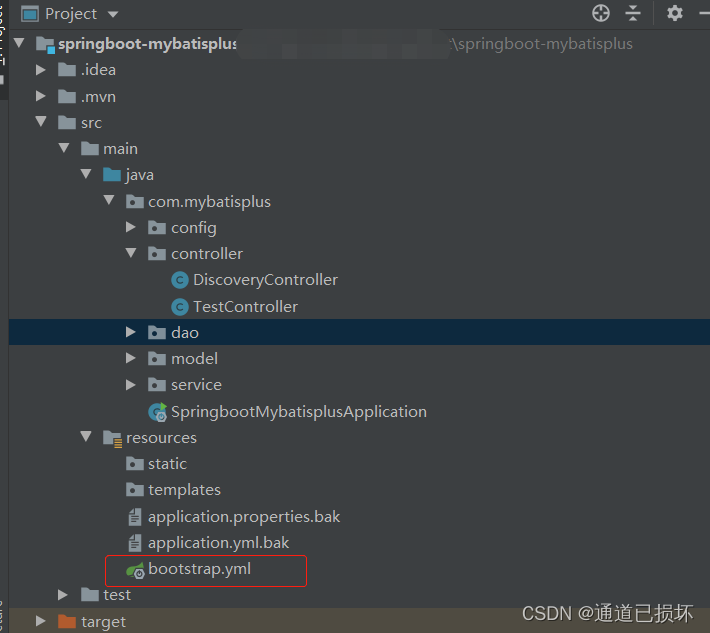
SpringBoot integrates dynamic changes and registered and discovery of NACOS to achieve configuration configuration
Articles directory Foreword 1. NACOS configuration management 1. Project structure: 2. Introduce dependency package 3. Configure bootstrap.yml file 4. Start the local Windows version of NOCOS service ...
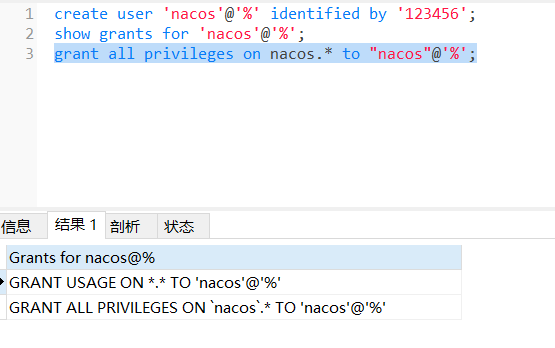
NACOS configuration Local mysql
1.Root Permissions Create Database NACOS 2. Create new users NACOS and authorize 3. Import SQL into the NACOS Database: 4. Turn off the cluster mode The cluster mode will start failure without cluster...
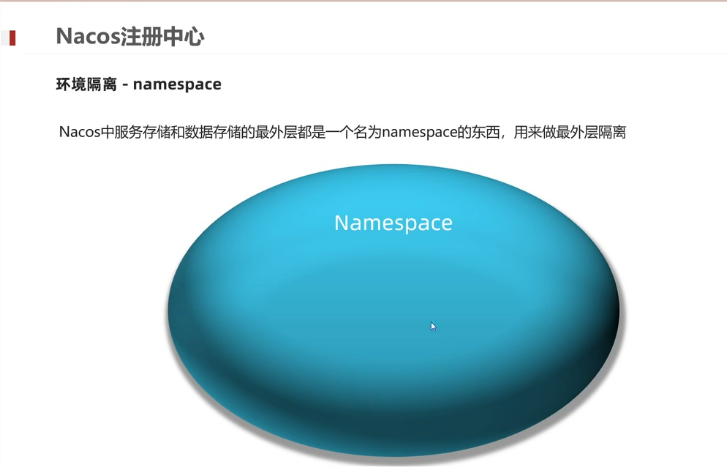
nacos local configuration and cluster
Nacos 1. The common points of Nacos and Eureka Data support service registration and service pull pull The provider of the service center provider does a health check in the heartbeat method 2. The di...

Use Nacos Configuration Center and Springboot to achieve dynamic task scheduling
It is well known that SpringBoot can use timed tasks through @Scheduled, but we need to dynamically export reports regularly. What can we do? Of course, there are many task schedulers on the market th...