Execute tests under JMeter Linux
tags: linux server java Test Tools
When JMeter runs pressure test scripts on the machine, there are usually two bottlenecks:
Network: The network overhead between the local machine and the server will seriously affect the performance of the service. Moreover, the machine and the server are generally not on the same network segment, and the network bottleneck will be more obvious.
Native performance: The performance of the notebook used for working is difficult to compare with the performance of the Linux system server. Moreover, JMeter running on the Windows side will have a worse performance than the no-gui mode on the Linux side. In addition, the occupation of pressure measurement on this machine will affect the development of our other work.
Based on the above two considerations, deploying the pressure test script to run on a Linux server is a good choice. In actual performance testing, a Linux server with good CPU, memory and disk metrics are generally applied as a pressure test machine.
1 Environment configuration
- Version: Linux version is Centos7, JMeter version is 3.3, and JDK version is 1.8.
-
JDK configuration:
1. Upload the JDK installation package in tar.gz format to the /opt directory through xshell5;
2. Unzip the installation package;
3. Environment variable settings: vi /etc/profile, add the following paragraph at the end of the file, and exit after saving:
export JAVA_HOME=/opt/jdk1.8.0_131
export PATH=$JAVA_HOME/bin:$PATH
export CLASSPATH=.:$JAVA_HOME/lib/dt.jar:$JAVA_HOME/lib/tools.jar
4. Source /etc/profile enables configuration modifications to take effect;
5. Verification: Enter java -version, and the following information appears, indicating that the JDK installation and configuration have been completed;
- Note: The installed CentOS will come with OpenJdk. Use the command java -version to get the following information:
1、java version "1.6.0"
2、OpenJDK Runtime Environment (build 1.6.0-b09)
3、OpenJDK 64-Bit Server VM (build 1.6.0-b09, mixed mode)
It is best to uninstall openjdk first and install sun company jdk
1. First check rpm -qa | grep java, and display the following information:
java-1.4.2-gcj-compat-1.2.2.0-40jpp.115
java-1.6.0-openjdk-1.6.0.0-1.7.b09.el5
2. Execute the following command to delete the original JDK:
rpm -e --nodeps java-1.4.2-gcj-compat-1.2.2.0-40jpp.115
rpm -e --nodeps java-1.6.0-openjdk-1.6.0.0-1.7.b09.el5
3. If "openjdk source not found" appears, use the following command to delete it:
yum -y remove java java-1.4.2-gcj-compat-1.2.2.0-40jpp.115
yum -y remove java java-1.6.0-openjdk-1.6.0.0-1.7.b09.el5
JMeter installation
The installation of JMeter in linux system is very simple:
1. Import the Jmeter installation package into the /usr/local directory through xshell;
2. Unzip the Jmeter installation package: tar –zxvf apache-jmeter-3.3.tgz
3. Grant permissions: chmod -R 777 apache-jmeter-3.3
4. Configure environment variables: vi /etc/profile, enter: export PATH=/usr/local/apache-jmeter-3.3/bin/:$PATH, save and exit;
5. source /etc/profile enables the configuration to take effect;
6. Check whether jmeter can run: jmeter –v, the following information appears, indicating that the Jmeter installation configuration is successful;

Run scripts on no-gui mode
1. Operation steps
1. Write a complete script in Jmeter under Windows, with the script name: test.jmx;
2. Upload the script to the specified directory of the Linux system, for example: /opt/local/jmeterScripts
3. Execute the following command: jmeter -n -t /usr/local/jmeterScripts/test.jmx -l /usr/local/testResult/test.jtl
-n means running the test plan in a nogui way
-t means the test plan, followed by the test plan name
-l represents the test result, followed by the test result file name
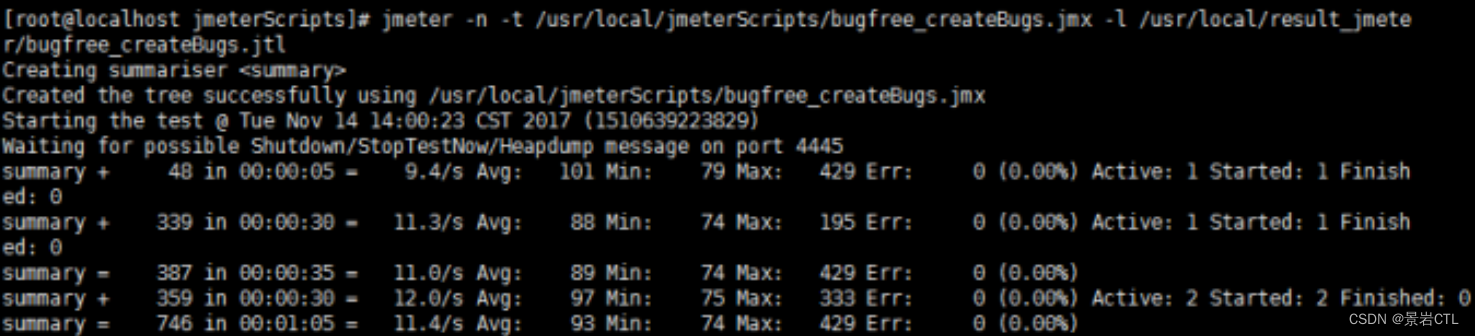
When the above picture appears on the console, it means that the script is running successfully.
For convenience, write the start command into the script start.sh:
#!/bin/bash
jmeter -n -t /usr/local/jmeterScripts/test.jmx -l /usr/local/testResult/test.jtl
After the script is run, a test.jtl file will be generated in the testResult directory, and the file will be exported to the aggregate report in the Windows JMeter to view the test details.
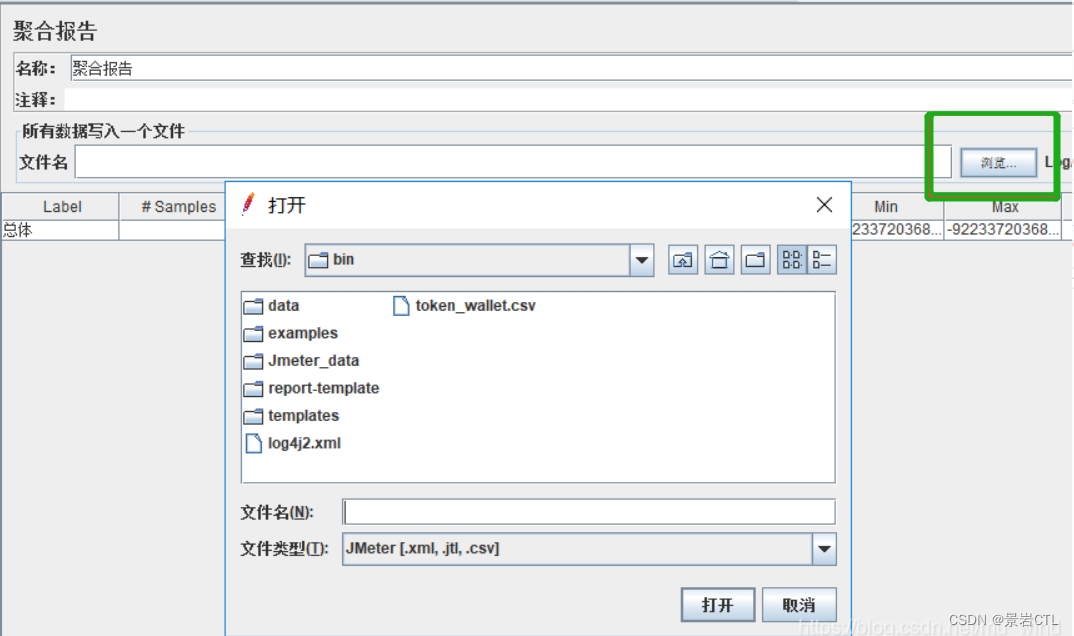
2. Things to note
If you use the parameterization strategy, put the parameterized file into the bin directory of the Jmeter installation file in the Linux system. At the same time, in the script parameterization settings, the file path can only be written with the file name.
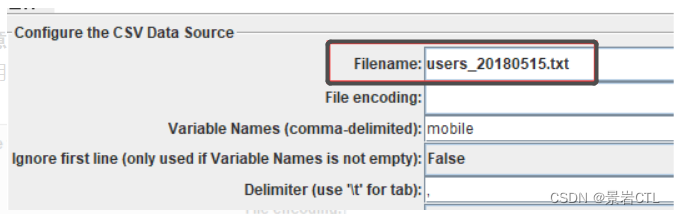
This method was normal in the past, but in recent practice, I encountered a strange problem and the parameterized file was reported as an error that did not exist:

The solution is: fill in the absolute path of the parameterized file in the Linux system at Filename. Of course, this input box does not allow input of the Linux path format, and the value needs to be assigned by referencing variables.
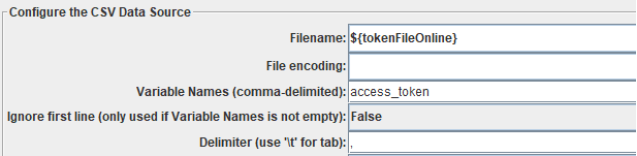
Fill in the full path to the parameterized file in the user-defined variable:

Other problems that may be encountered are that some jar packages are referenced in the script or plug-ins are used, while the JMeter installation package in Linux does not contain these resources. The easiest solution is to compress the Windows-side JMeter installation package containing the complete resources and upload it to the Linux system.
Intelligent Recommendation
[Execute .sh file under Linux]
Transfer from Method of executing .sh file under linux The .sh file is a text file. If you want to execute it, you need to use chmod a+x xxx.sh to give executable permissions. Is it a bash script? You...
Under Linux execute an instruction cycle
Quoted from: https://askubuntu.com/questions/430382/repeat-a-command-every-x-interval-of-time-in-terminal stopped running software to run sub glmark2 when run only a few minutes. Rerun the need to ent...
Execute script regularly under linux
1. Install crontab 2. Start the crontab service service crond start Use the following methods to start and close the cron service: service crond start // Start the service service crond stop // C...
Execute C program under Linux
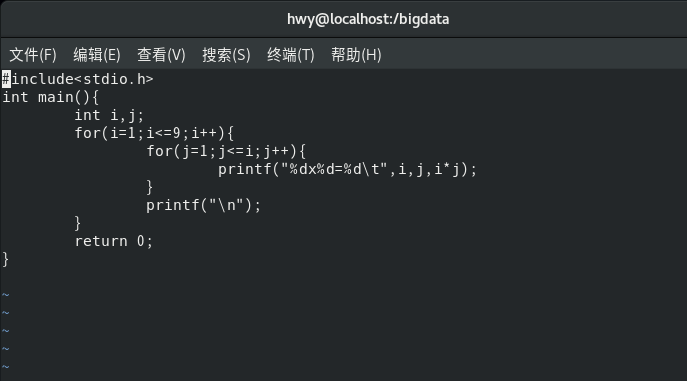
Execute C program under Linux I just happened to be learning how to use the Linux system. Today I just learned the Vi command, and then I wondered if I could write a .C file and then execute a C progr...
Execute task scheduling under linux
Recent embedded courses require learning task scheduling and management instructions under linux. Record it here. It is only a single instruction, not system or complete, just for reference. Routine w...
More Recommendation
Execute Python script under Linux
1.Linux Python environment Linux systems generally integrate Python. If it is not installed, you can install it manually, or install it directly when connected to the Internet. Use yum install under F...
Execute startup jar under linux
Execute the shell script configuration to start jar under linux: Analysis: Several ways to execute the main method of the jar package 1. The jar package META-INF/MANIFEST.MF configures the class where...

Jmeter running test under Linux
This article focuses on how Jmeter scripts run in Linux via no GUI. There are three parts in total: 1. JDK installation and environment variable configuration under Linux 2. Jmeter installation and en...

After installing jmeter under Linux
1, test preparation Linux platform Jmeter installation package (here using jmeter3.1 version) jdk 2, install jdk (steps are omitted) 3. Upload the jmeter installation package to t...
Jmeter distributed execution under Linux
I use four Linux server deployments Jmeter. A machine both as server and as pressure control unit (Controller), B, C, D as a pressing machine (Agent) Copy Jmeter to the same version of A, B, C, D mach...