NodeJs study notes (1)
I followedLiao Xuefeng learns Nodejs
First node program
Since the Node.js platform is running JavaScript code on the back end, you must first install the Node environment locally.
Command line mode:

Node interaction mode:

Use strict mode:

1. The file with the .js suffix can run the program directly with the node command.
2. The interaction mode between Node and the direct operation of the .js file. Directly input node into interactive mode, which is equivalent to starting the Node interpreter, but waiting for you to input the source code line by line, each input. One line executes one line.
Running the node hello.js file directly is equivalent to starting the Node interpreter and then executing the source code of the hello.js file once. You have no chance to enter the source interactively. Code of.
Title build Node development environment
1. Using vscode
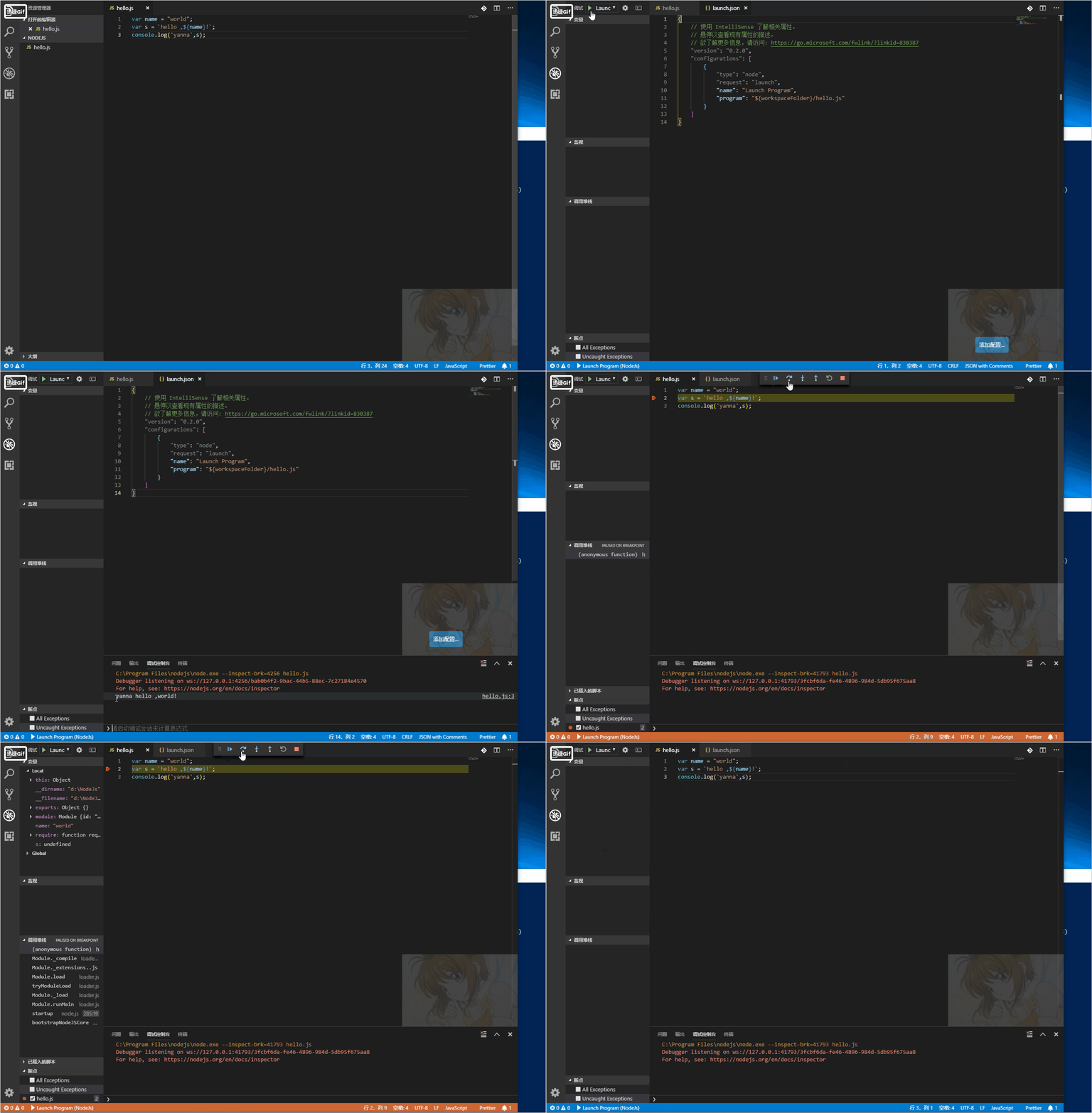
2. Use modular
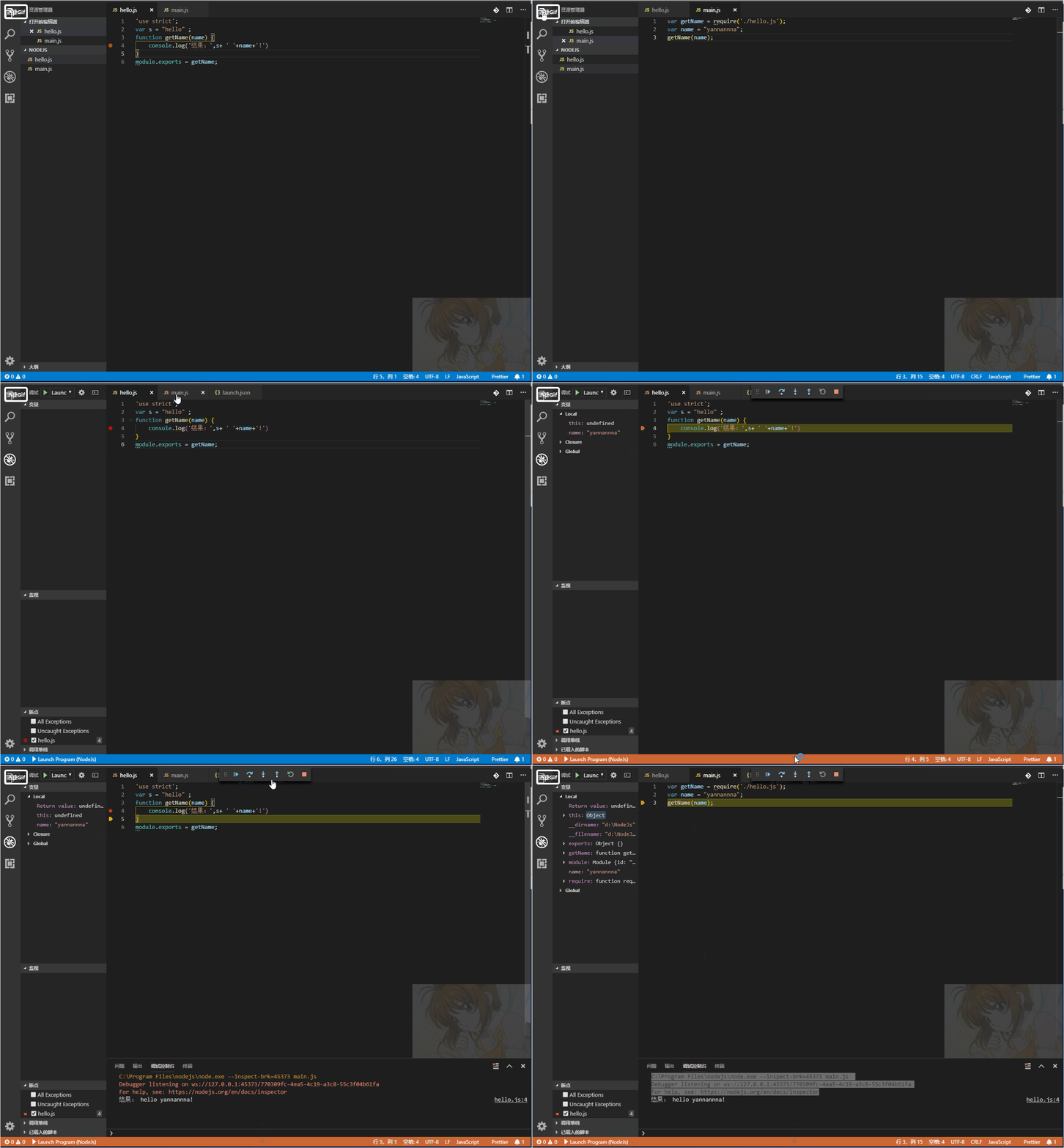
Different js files can be different modules. You can reference the module in other interfaces (remember to require relative directories);
This module loading mechanism is called the CommonJS specification.
The variable names and function names used internally by different modules do not conflict with each other.
module.exports = variable; //output variables can be array object functions, etc.
var foo = require(‘other_module’);//reference module output object
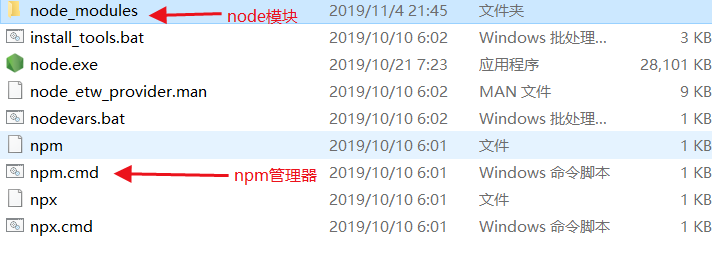
Basic module
Global
JavaScript has one and only one global object, in the browser, called the window object. In the Node.js environment, there is also a unique global object, but not called window, but called global, the properties and methods of this object are also different from the window of the browser environment.
Enter global.conosole in interactive mode

2. Process
Process is also an object provided by Node.js, which represents the current Node.js process.

To execute the code in the next event response, you can call process.nextTick() (the process.nextTick() function is not executed immediately, but waits until the next event loop)

The events of the Node.js process itself are handled by the process object. If we respond to the exit event, we can execute a callback function when the program is about to exit.

To determine exactly what environment you are performing, the common way is to judge according to the global variable name provided by the browser and Node environment.

The fs module The built-in fs module of Node.js is the file system module, which is responsible for reading and writing files.
Unlike all other JavaScript modules, the fs module provides both asynchronous and synchronous methods.Asynchronously read the file fs.readFile

Read the image fs.readFile asynchronously

When the binary is read asynchronously, the data parameter of the callback function will return a Buffer object. In Node.js, a Buffer object is an array of zero or any bytes (note different from an Array).
Buffer objects can be converted with String
Read files synchronously: fs.readFileSync data is returned directly by function


If an error occurs while reading the file synchronously, you need to catch the error with try...catch:

Write a file:
Writing data to a file is done via fs.writeFile():
The parameters of writeFile() are file name, data, and callback function. If the incoming data is a String, the default is to write the text file in UTF-8 encoding. If the incoming parameter is Buffer, the binary file is written. The callback function only needs one err parameter because it only cares about success or not.

Similar to readFile(), writeFile() also has a synchronization method called writeFileSync():

Read the details of a file or directory asynchronously/synchronously:
Asynchronously get the file size, create time and other information, you can use fs.stat (), it returns a Stat object, can tell us the details of the file or directory

Synchronize file size, creation time, etc., you can use fs.statSync()

streamIt is another module provided by Node.js that is only available on the service area side, in order to support the data structure of "flow".
What is a stream? A stream is an abstract data structure.
Some streams are used to read data. For example, when reading data from a file, you can open a file stream and then continuously read the data from the file stream. Some streams are used to write data. For example, when writing data to a file, you only need to write the data continuously into the file stream.
In Node.js, the stream is also an object, we only need to respond to the stream's events:
The data event indicates that the stream's data is readable.
The end event indicates that the stream has reached the end and no data can be read.
The error event indicates an error.
Note that the data event may be there multiple times, and each time the chunk is passed is part of the stream.
Example of reading text content from a file stream:

To write a file as a stream, just call the write() method and end with end():

All streams that can read data are inherited from stream.Readable, and all streams that can be written inherit from stream.Writable.
Pipe event
Just as you can string two water pipes into one longer water pipe, the two streams can also be strung together. After a Readable stream and a Writable stream are strung together, all the data is automatically streamed from the Readable stream into the Writable stream. This operation is called pipe.
The Readable stream has a pipe() method that is used to do this.
Let's use pipe() to string a file stream with another file stream, so that all the data of the source file is automatically written to the target file, so that is a program to copy the file.
By default, when the data of the Readable stream is read and the end event is triggered, the Writable stream is automatically closed. If we don't want to automatically close the Writable stream, we need to pass in the parameters:
readable.pipe(writable, { end: false });

HTTP module
The request and response objects provided by the http module.
The request object encapsulates the HTTP request. We can get all the HTTP request information by calling the properties and methods of the request object.
The response object encapsulates the HTTP response, and we can return the HTTP response to the browser by manipulating the response object's methods.
Write the file You can also execute the file in the command window (node main.js)

The first HTTP server program we wrote is just fine!
file server
Parsing the URL requires the url module provided by Node.js, which is very simple to use, via parse()
parsing a string into a Url object. Handling local file directories requires the path module provided by Node.js, which makes it easy to construct directories.


The crypto module is designed to provide a common encryption and hashing algorithm.
MD5 and SHA1
MD5 is a commonly used hash algorithm for giving a "signature" to arbitrary data.
The Hmac algorithm is also a hash algorithm that can utilize hash algorithms such as MD5 or SHA1. The difference is that Hmac also needs a key.
As long as the key changes, the same input data will be signed differently. Therefore, Hmac can be understood as a hash algorithm that uses the "enhanced" random number.

AES is a commonly used symmetric encryption algorithm, and both encryption and decryption use the same key. The crypto module provides AES support, but you need to wrap your own functions for ease of use.

The Diffie-Hellman DH algorithm is a key exchange protocol that allows both parties to negotiate a key without leaking the key.
The RSA algorithm is an asymmetric encryption algorithm, that is, a key pair composed of a private key and a public key, encrypted by a private key, decrypted by a public key, or decrypted by a public key and decrypted by a private key. Where the public key can be made public and the private key must be kept secret.
Intelligent Recommendation
Node.Js--study notes (1) the first understanding of NodeJs
One. Node.js understanding 1. What is Node.Js? Node.Js is to run javascript code on the back end, so if you want to use Node.Js, you must install Node.Js environment on this machine 2. How to install ...
nodejs study notes (1)-Introduction to Node
MarkDown Nodejs is a JavaScript runtime environment (runtime). It allows JavaScript to develop back-end programs and realize almost all the functions implemented in other back-end languages. Nodejs is...
Randomly written nodejs study notes (1)
1. Run nodejs file in vscode 2. fs module of nodejs 3. Nodejs path module...
Nodejs study (1) HelloWorld
2019 Unicorn Enterprise Heavy Glour Recruitment Python Engineer Standard >>> NodeJS software download installation, I am using WIN version, very easy to install After the installation is comp...

Nodejs study notes
At hand: "Introduction to nodeJS", "Great Node.js". Personally, "In-depth and simple" is more emphasis on theory; and "Great Node" actually has more hand exampl...
More Recommendation
NodeJS - study notes
Meet node.js Node.js is not a JavaScript application. In fact, Node.js is written in C++ and is a JavaScript runtime environment. It uses the V8 engine of the Goole Chrome browser and performs well, a...
Nodejs study notes - functions
Call local function call external function - support a function Calling external functions - supporting multiple functions string mode call function Code:https://github.com/fengchunjian/nodejs_example...
Nodejs study notes - module
Code:https://github.com/fengchunjian/nodejs_examples/tree/master/modelcall node modelcall.js Server running at http://127.0.0.1:8000/ Zhang San enters the library Li Si enters the library Li Si teache...
Nodejs study notes - routing
Code:https://github.com/fengchunjian/nodejs_examples/tree/master/router node routercall.js Server running at http://127.0.0.1:8000/ curl http://127.0.0.1:8000/login I am the login method curl http://1...
Nodejs study notes one
Two request problems with http.createServer When I use the http module to perform a simple response service, I find that I return an undefined variable every time on the command line. At first, I thou...