Java back end: NACOS realizes dynamic configuration
tags: java spring spring boot nacos Dynamic configuration
I. Introduction
The reason for using dynamic configuration: Properties and YAML are written in the project. Many times some configurations need to be modified. Each modification must be restarted, which not only increases the instability of the system, but also greatly improves maintenance costs. It is very troublesome And spend time.
Using dynamic configuration, you can avoid these troubles, you can dynamically modify the configuration, no need to restart the project.
NACOS configuration center can make the configuration standardization and formatting. When the configuration information changes, the real -time effect is revised. Without restarting the server, you can automatically perceive the corresponding changes and send new changes to the corresponding program. Quickly respond to change.
Version of this environment: nacos1.4.2; Spring-Boot 2.3.9.release; Nacos-config-Spring-Boot-Starter 0.2.1
2. Create configuration files on NACOS
2.1 In the default name space, create a configuration file

2.2 Configuration Instructions:
- Data ID-Used for project reading name, Spring-Nacos dynamic configuration naming specifications are: {prefix}-{spring.prfiles.active}. {File-EXTENSION}
- The value of the prefix defaults to Spring.application.Name can also be configured by configure the configuration item spring.cloud.nacos.config.prefix.
- Spring.profiles.Active is the Profile corresponding to the current environment, which is the name of the environment, such as the test environment, DEV environment; spring.prfiles.Active can be empty, for the empty environmental information, Dataid's stitching format becomes {prefix }. {FILE-EXTENSION}.
- File-EXETENSION is the data format of the configuration content. Generally, the Properties and YAML types are commonly used.
illustrate:
- The project I modified this time is the gateway, the project name: gateway (spring.application.name = gateway)
- No environmental configuration
- So the configuration file of the nacos is: {prefix}. {File-eXTENSION} is gateway.yml
- If there is a configuration environment, it can be {prefix}-{spring.prfiles.active}. {File-eXTENSION} is gateway-dev.yml
The name of the configuration file is gateway.yml
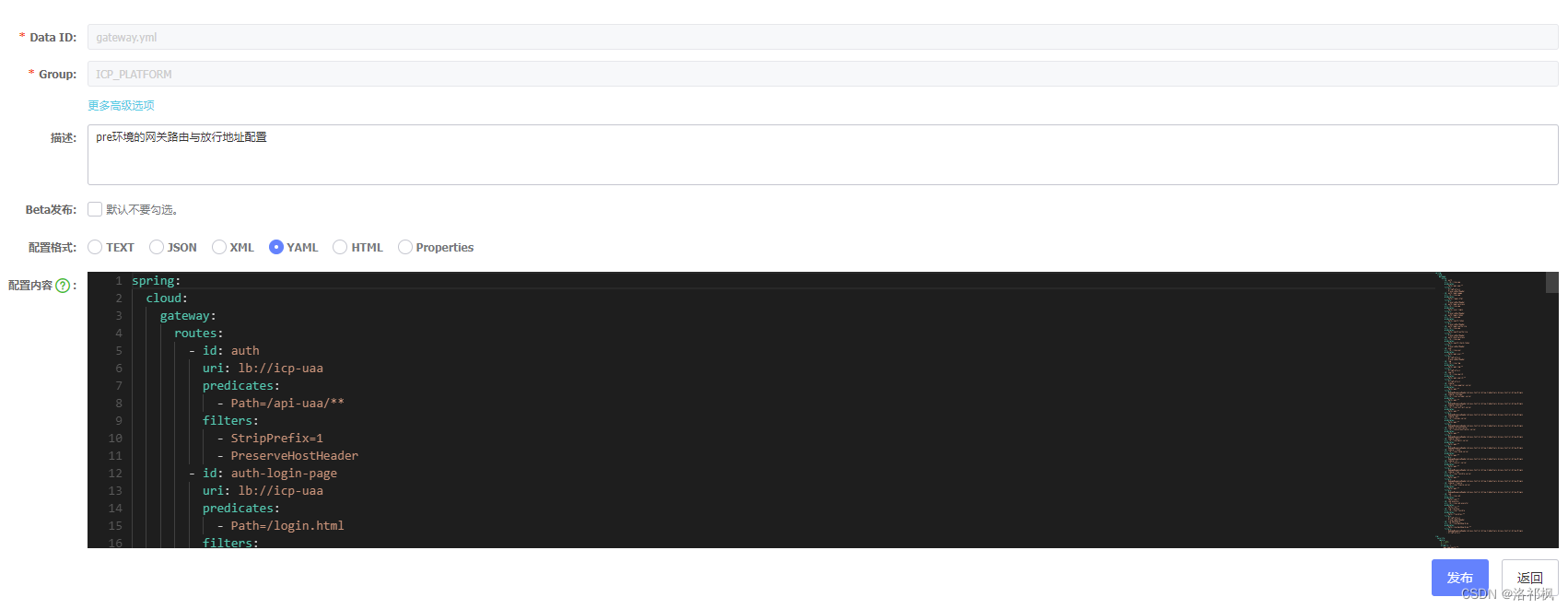
Notice: When the project starts, the Nacos-Config will automatically load the following files, so the following file names can be used as a file format for the default dynamic configuration.
- ICP-Gateway-DEV.YML, ICP-Gateway.yml, ICP-Gateway, (Explain that these three files can specify naming NACOS groups)
- common.yml (this file is the default group, default_group)
Add the configuration of testingnacosConfigDemmo: NAME1
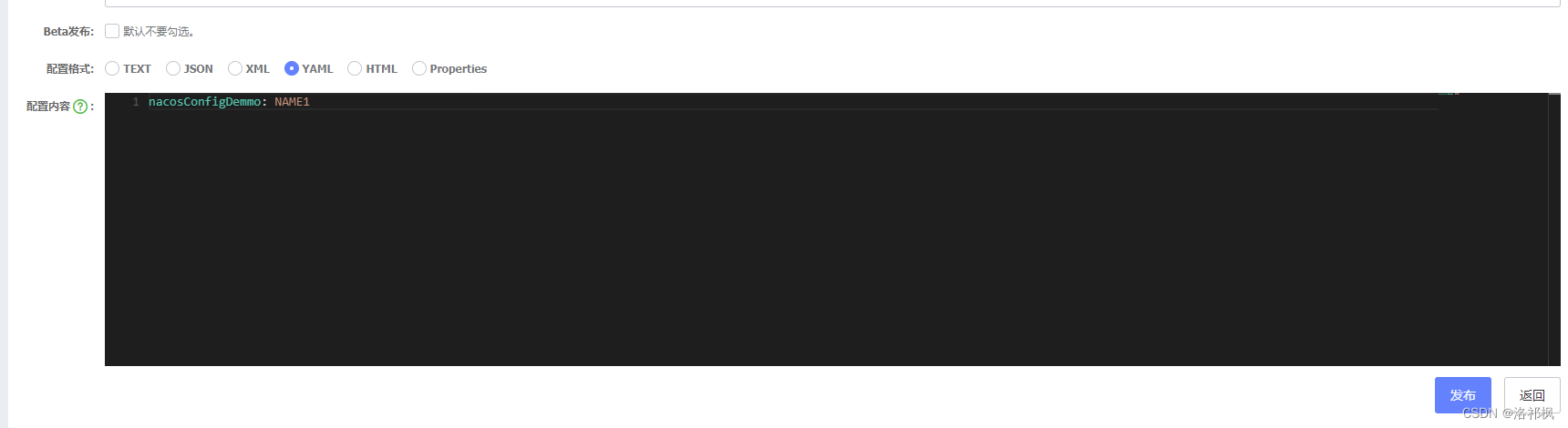
illustrate: The configuration project, the group name isICP_PLATFORM (Note: The group name is recommended to use the lower line _, it is not recommended to use the middle horizontal line-, there will be a chance to have problems that cannot be read in the middle horizontal line. Please pay attention to the use of connectors. Need tonacos naming space Naming Naming Space)
2.3 Release and check the configuration file
- After the editor is completed, click the release directly, and it will be prompted
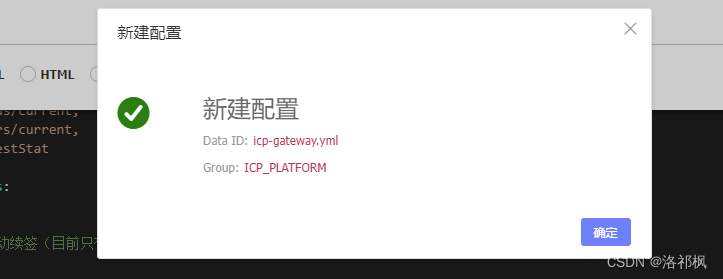
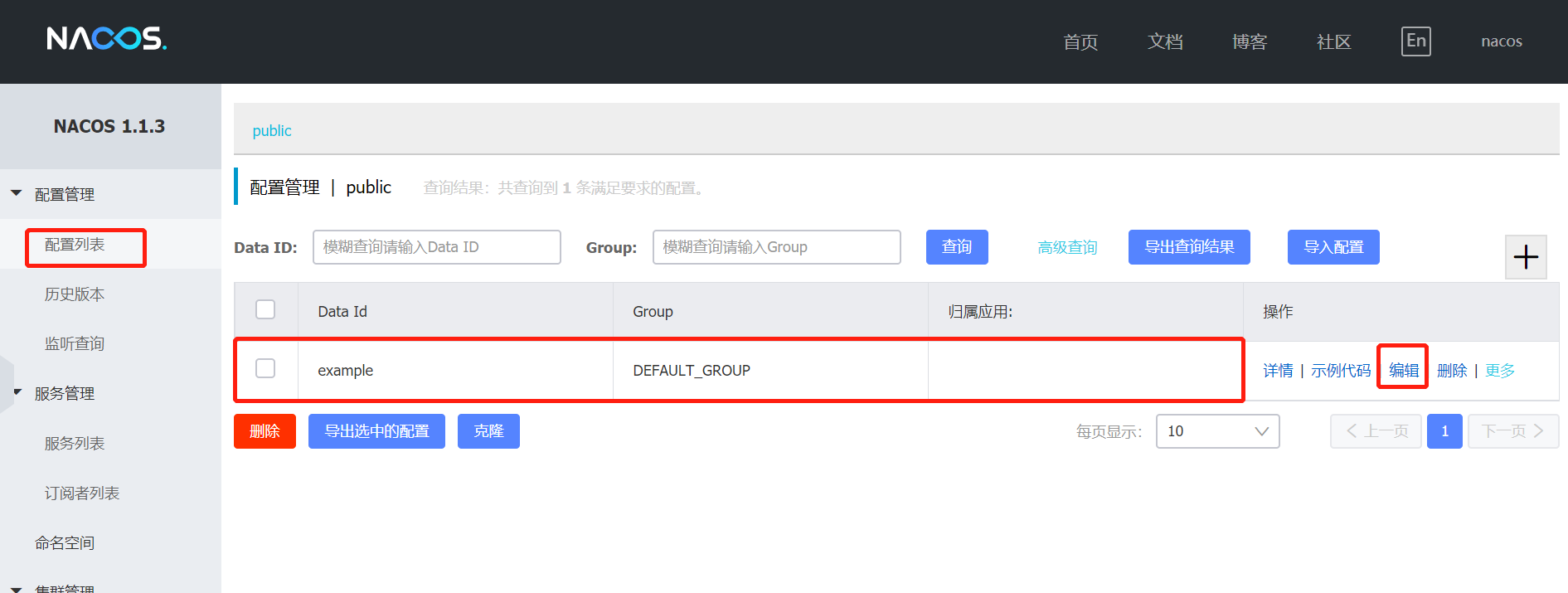
- Click OK, and then click the return configuration center. You can find your own configuration file in the configuration list to ensure that the content of the file is correct
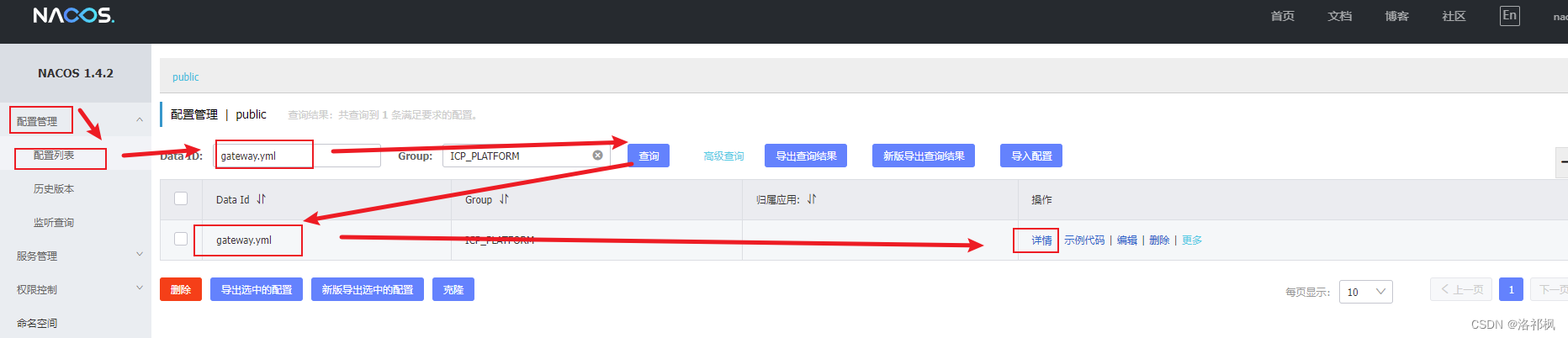
At this point, the configuration file is completed, and the configuration file is used in the project.
3. Modify and modify the project configuration, dynamically read the configuration file
3.1 Add NACOS dynamic configuration dependencies
Add dependencies in the POM.XML file.
<dependency>
    <groupId>com.alibaba.boot</groupId>
    <artifactId>nacos-config-spring-boot-starter</artifactId>
    <version>0.2.1</version>
</dependency>
Modify the project configuration file and read the configuration content in nacos
# Specify the startup port
server:
  port: 7200
spring:
  application:
  # Specifying service name
    name: gateway
  #The project operating environment, you can match the name of the NACOS dynamic configuration file. Different environments use different dynamic configurations in different environments
  profiles:
    active: dev
  cloud:
    nacos:
      config:
      	server-addr: 127.0.0.1:8848  #NACOS's registration address
        file-extension: yml  #Dynamic configuration file format. Is the dynamic configuration in NACOS, here is YML
        group: ICP_PLATFORM  #NACOS dynamic configuration packets should be consistent with NACOS configuration files
# namespace: #Namespace is the naming space of Nacos, I am the default space here, so I will not be configured
3.2 Use dynamic configuration in Controller and Service
Controller code:
import com.insupro.search2.service.IIndexService;
import org.springframework.beans.factory.annotation.Autowired;
import org.springframework.web.bind.annotation.GetMapping;
import org.springframework.web.bind.annotation.RequestMapping;
import org.springframework.web.bind.annotation.RestController;

@RestController
@RequestMapping("/api/demo")
public class nacosConfigDemmo {

    @Autowired
    private DemoService demoService;

    @GetMapping("/name")
    public Object showDemoName(){
        return demoService.showDemoName();
    }
}
Service interface code:
public interface IIndexService {
	Object showDemoName();
}
Service implementation code:
import com.insupro.search2.service.demoService;
import org.springframework.beans.factory.annotation.Value;
import org.springframework.cloud.context.config.annotation.RefreshScope;
import org.springframework.stereotype.Service;

@Service
// Note that you need to refresh the configuration automatically, you need @Refreshscope
@RefreshScope
public class demoServiceImpl implements demoService{

	/**
	 * Test configuration used in NACOS is used above.
	*/
    @Value("${nacosConfigDemmo}")
    private String demoName;

    @Override
    public Object showDemoName(){
        return demoName;
    }
}
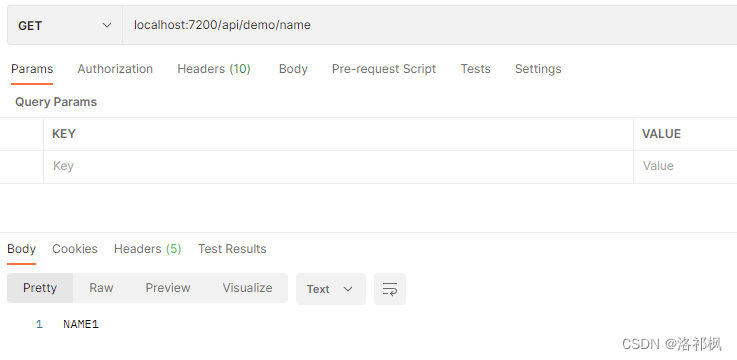
Run, request interface address, get the response value:
Postman request, the first response, the value is name2
Modify the nacos configuration file, change the NacosconfigDemmo: name1 to NACOSCONFIGDEMMO: name2 and publish it
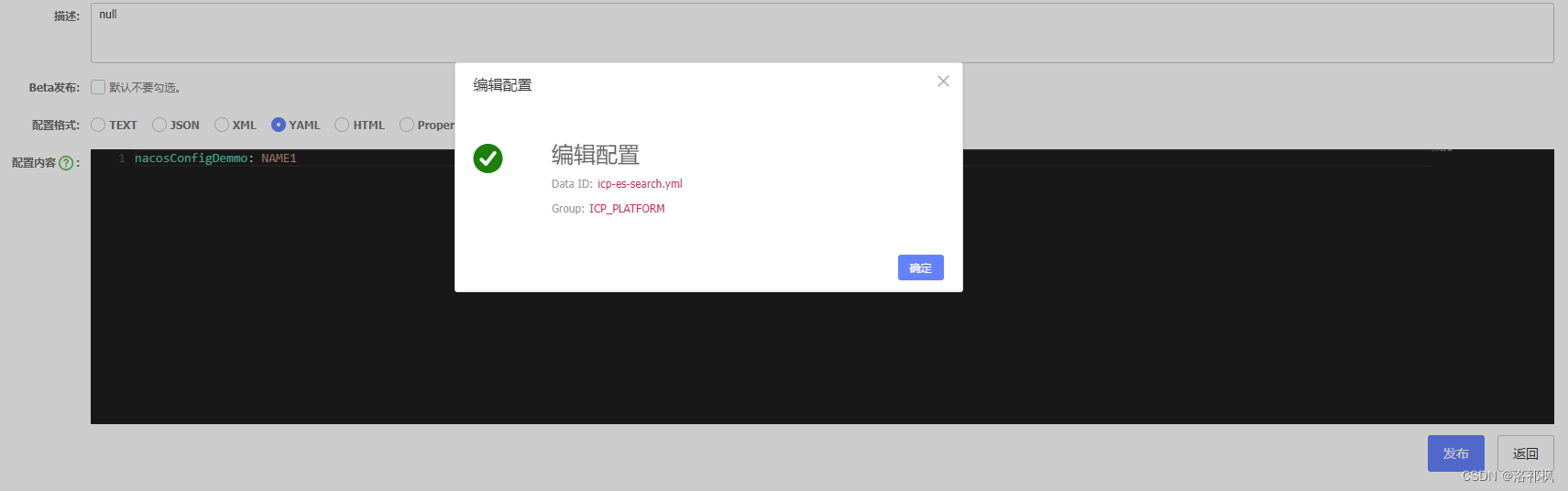
Waiting for the console printing: Refresh Keys Changed: [nacosconfigdemmo], then the dynamic configuration has taken effect

Request again, find that the return value has changed:
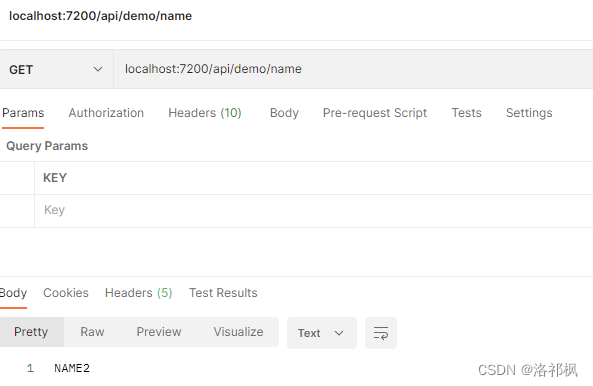
As a result, name1 has become name2, the project does not need to restart, and the dynamic configuration has taken effect.
Fourth, the use of dynamic configuration gateway
4.1 Import configuration, the gate of the gateway does not perform authority verification
Get the configuration file and generate bean
import lombok.Getter;
import lombok.Setter;
import org.springframework.boot.context.properties.ConfigurationProperties;
import org.springframework.cloud.context.config.annotation.RefreshScope;

// Automatically refresh the mechanism, you need the GET method to support
@Setter
@Getter
// Get the configuration file
@ConfigurationProperties(prefix = "security.ignore")
// Open automatic refresh
@RefreshScope
public class SecurityProperties {
    private PermitProperties ignore = new PermitProperties();
}
Configuration file entity class
import lombok.Getter;
import lombok.Setter;

@Setter
@Getter
public class PermitProperties {
    /**
           * Set the URL without authentication
     */
    private String[] httpUrls = {};

    public String[] getUrls() {
        if (httpUrls == null || httpUrls.length == 0) {
            return new ArrayList<>();
        }
        List<String> list = new ArrayList<>();
        for (String url : httpUrls) {
            list.add(url);
        }
        return list.toArray(new String[list.size()]);
    }
 }
At this point, the automatic configuration is completed, and the gateway configuration and use can be performed according to your business code.
but! Intersection Notice! Intersection If you call the configuration in the configuration file, you need to use the @RefreshScope annotation in the configuration file to refresh the configuration. Because the configuration file has been completed when the project starts.
For example:
@Configuration
public class ResourceServerConfiguration {
    @Autowired
    private SecurityProperties securityProperties;

    // Use @Configuration to define the configuration file, and use @Bean to assemble bean in the configuration class. At this time, if the @RefreshScope annotation is not used automatically, the automatic configuration will not take effect.
    @Bean
    @Autowired(required = false)
    @RefreshScope
    SecurityWebFilterChain springSecurityFilterChain(ServerHttpSecurity http) {
        if (securityProperties.getIgnore().getUrls().length > 0) {
            authorizeExchange.pathMatchers(securityProperties.getIgnore().getUrls()).permitAll();
        }
        // Todo's remaining business code ................
        return http.build();
    }
}
Intelligent Recommendation
001. Nacos dynamic configuration
1. NACOS download and start NACOS official website document SpringCloudAlibaba official website document Reference 1. NACOS download I won’t explain what NACOS is. Follow the Quick Star steps on...
Nacos dynamic configuration management
See:https://nacos.io/zh-cn/docs/quick-start-spring-boot.html 1. Add dependencies note: Version0.2.x.RELEASECorresponding to Spring Boot 2.x version, version0.1.x.RELEASECorresponding to Spring Boot 1....
NACOS dynamic acquisition configuration
First send the configuration to the NACOS server; Then write a configuration entity class according to the configuration item in the profile; The role of @Refreshscope annotations is to perform dynami...
NACOS configuration dynamic loading
NACOS configuration center principle analysis Configuration Type: Spring Cloud Alibaba Nacos Config currently provides three configuration capabilities that are related to NACOS. A: The configuration ...
NACOS: Dynamic Configuration Management
In the multi-environment development of micro-service, use NACOS configuration, from development, testing, to deployment, can bring great convenience. In general, a company has multiple projects, a pr...
More Recommendation
NACOS dynamic refresh configuration
NACOS dynamic refresh configuration Version configuration NACOS configuration...
NACOS dynamic configuration
Yesterday, OpenFeign achieved remote calls, continue today Dynamic configuration with NACOS as a configuration center It has been introduced above, directly putting the official Demo However, pay atte...
Nacos dynamic configuration center
What is nacos The full English name of Dynamic Naming and Configuration Service, NA is Naming/NameServer, as the registration center, CO is configuration, as the registration center. Service means tha...
Nacos, Apollo dynamic configuration
Recently, Nacos, Apollo as the configuration center, record it. The premise is that the NACOS environment has been set up. We first set up tests by ourselves, and then let's build maintenance, so just...
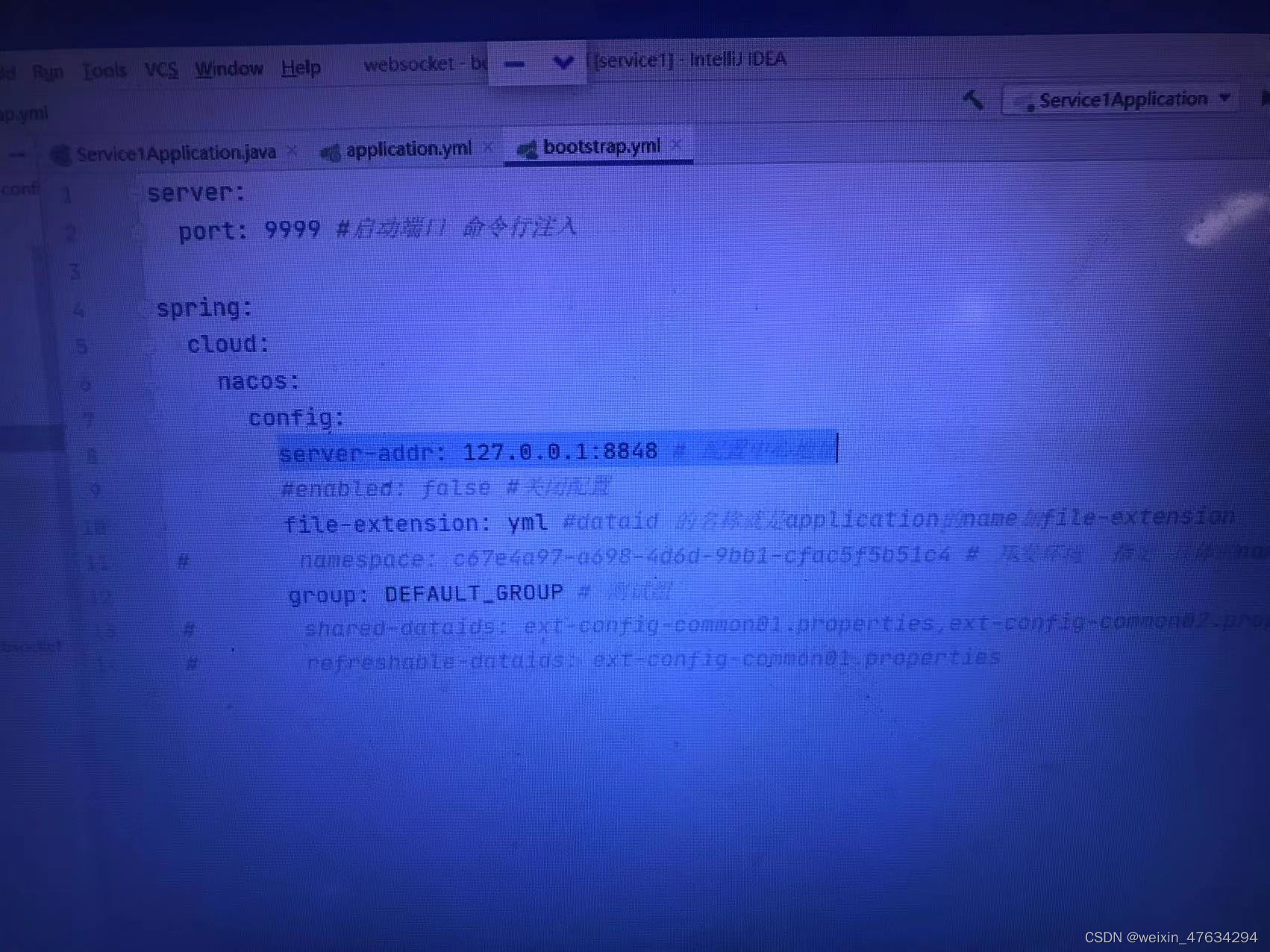
nacos configuration dynamic file
1 First, add the @RefreshScrope annotation to the controller layer code; 2. Add a bootstrap.yml configuration file to the configuration file Configure the IP of nacos inside (the IP must be in this co...