nacos local configuration and cluster
tags: SpringCloud distributed java
Nacos
1. The common points of Nacos and Eureka
- Data support service registration and service pull pull
- The provider of the service center provider does a health check in the heartbeat method
2. The difference between Nacos and Eureka
- NACOS support server active detection provider status: temporary instance adopts a heartbeat mode, non -temporary instances use active detection mode
- Temporary instances will be removed normally, and non -temporary instances will not be removed
- NACOS support service list change message push mode push, service list update is more timely
- NACOS cluster uses an AP method by default. When there is a non -temporary example in the cluster, the CP mode is adopted; the Eureka talent AP method
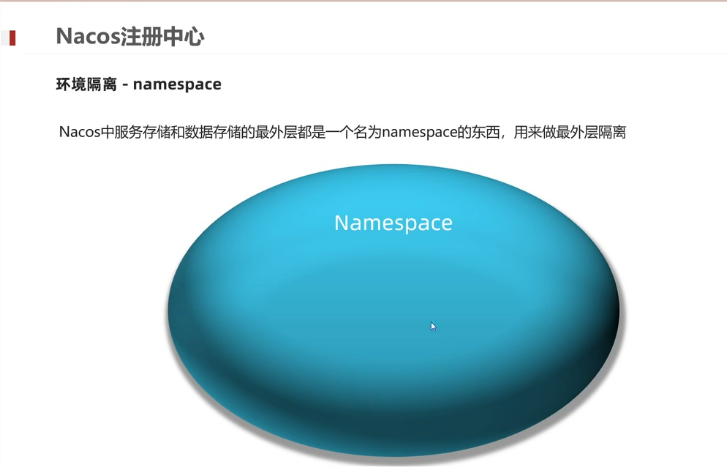
Environmental isolation
NACOS environmental isolation
- namespace is used for environmental isolation
- Every namespace has unique ID
- The services under different namespace are not visible
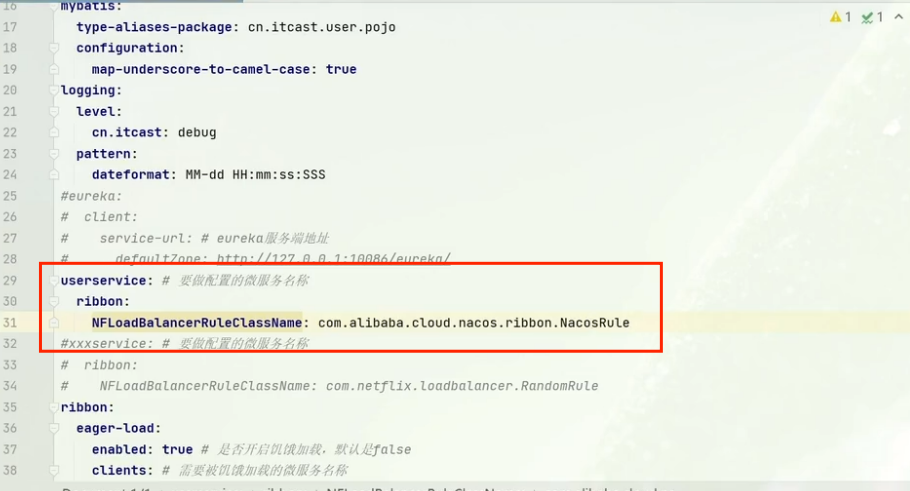
NACOS load balancing strategy
Nacosrule load balancing strategy
- Prefer to choose the list of the same cluster service list
- The local chicken group can not find the provider, take other clusters to find, and report to warn
- After determining the available example list, then use a random load balancing example
Nacos configuration management
Unified configuration management
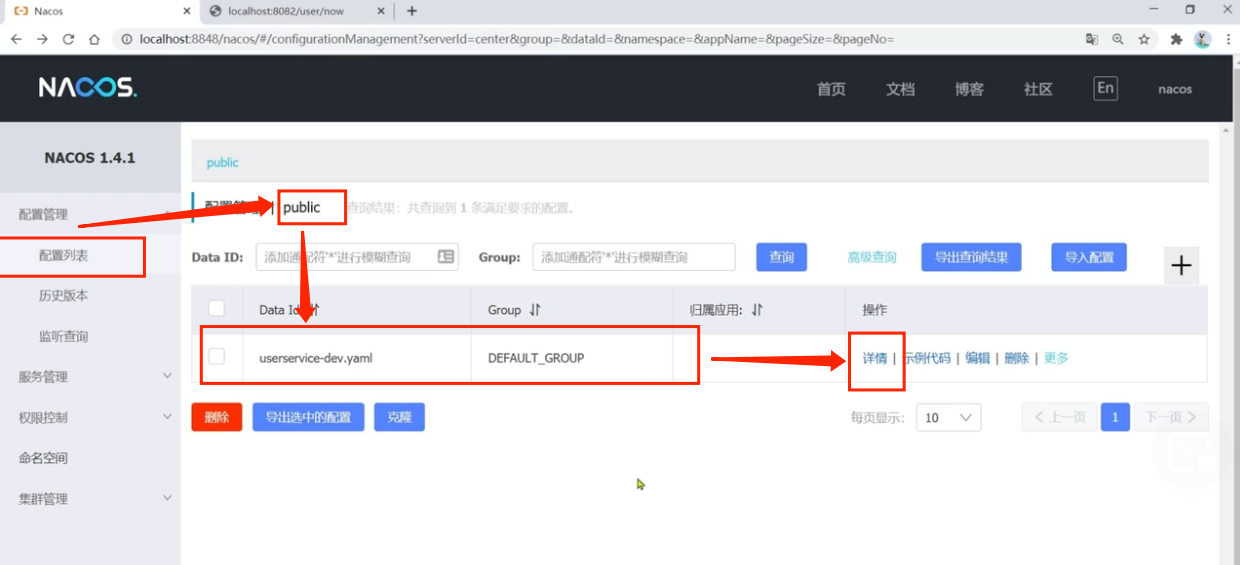
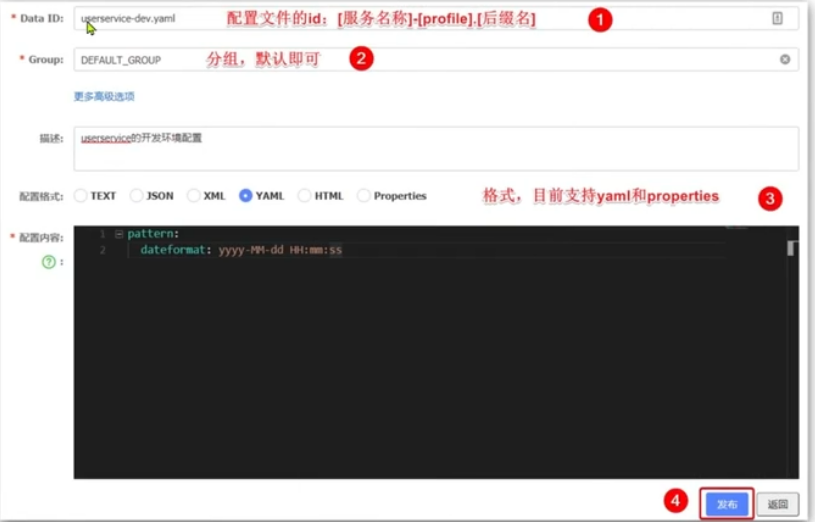
Fill in the configuration content:
- Core configuration
- Switch configuration, such as True/False
- There will be changes in the future
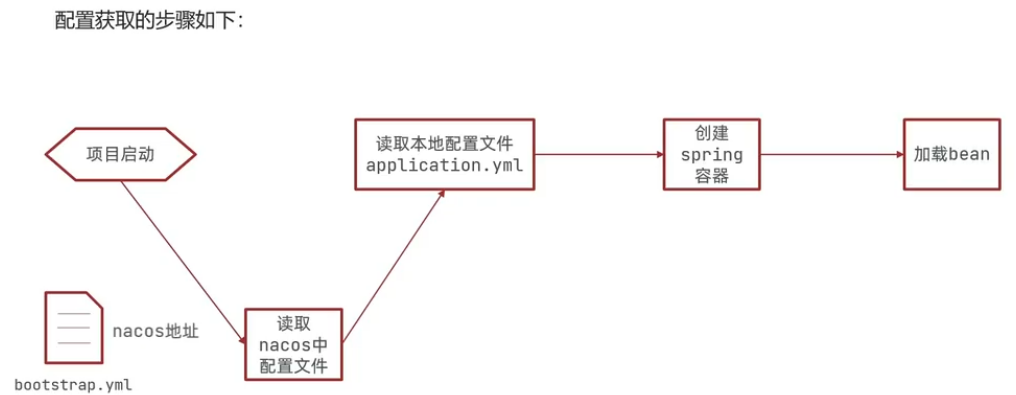
All information with NACOS address and configuration file is placed in the bootstrap file
- Introducing NACOS configuration management customer dependencies
<!-Nacos configuration management dependence->
<dependency>
	<groupId>com.alibaba.cloud</groupId>
    <artifactId>spring-cloud-starter-alibaba-nacos-config</artifactId>
</dependency>
- Add a bootstrap.yml file to the Resource directory in service. This file is a guidance file, which is higher than the Application.yml:
spring:
	application:
		name: userservice #service name
	profiles:
		active: dev #Development environment, here is DEV
	cloud:
		nacos:
			server-addr: localhost:2010 #Nacos address
			config:
				file-extension: yaml #File suffix name
- Inject the Pattern.dateFormat attribute in the service
@RestController
@RequestMapping("/*")
public class Controller {
    // Inject the configuration attribute in Nacos
    @Value("${pattern.dateformat}")
    privatet String dateformat;

    // Write Controller, format the current time by formatting the date formatter and return
    @GetMapping("now")
    public String now(){
        return LocalDate.now().format(
        	DateTimeFoematter.ofPattern(dateformat, Local.CHINA)
        );
    }
    //  ...slightly
}
Summary: The steps to hand over the configuration to NACOS management
- Add configuration file to NACOS
- Introduction to NACOS's config dependencies in microservices
- Add bootstrap.yml to microservices, configure NACOS address, current environment, service name, file suffix name. These determine which file does the program go to NACOS when the program starts
NACOS configuration hot update
After the configuration file in NACOS is changed, microservices can be perceived without restarting. However, you need to implement the two configurations of the wire surface:
- Method 1: Add annotation @Refreshscope
@Slf4j
@RequestMapping("/user")
@RestController
@RefreshScope
public class UserController {
    @Value("${pattern.dateformat}")
    private String dateformat;
    ......
}
- Method two: Use @ConfigurationProperties annotation
@Component
@Data
@ConfigurationProperties(prefix = "pattern")
public class PatternProperties {
    private String dateformat;
    ......
}
Precautions
The configuration is not suitable for the configuration center, which is more troublesome to maintain.
It is recommended to put some key parameters that need to be adjusted at the NACOS configuration center, which is generally custom configuration.
Multi -environment configuration sharing
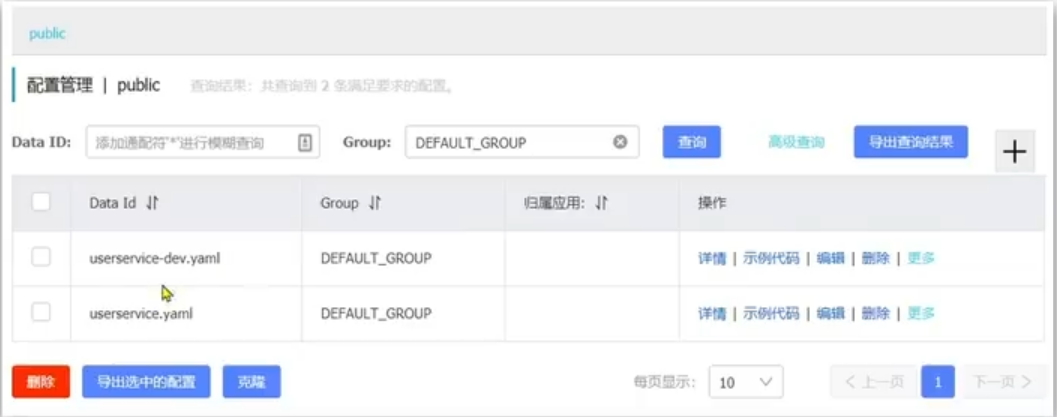
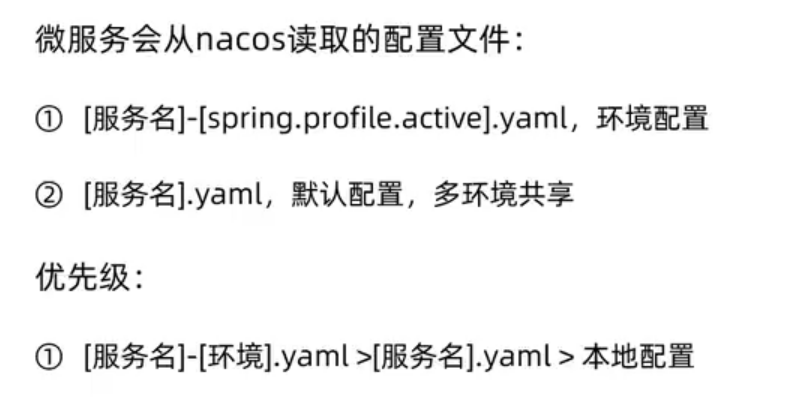
Micro -service reads multiple configuration files from NACOS when starting:
- [spring.application.name]-[spring.prfiles.active] .yaml, for example
- [Spring.application, name] .yaml, for example: UserSerrvice.yaml
Regardless of how profile changes, [spring.appliaction.name] .yaml this file will definitely be loaded, so many environmental sharing configurations can be written to this file.
Priority of multiple configurations:
Nacos cluster built
In the NACOS production environment, it must be a cluster deployment
Cluster structure map:
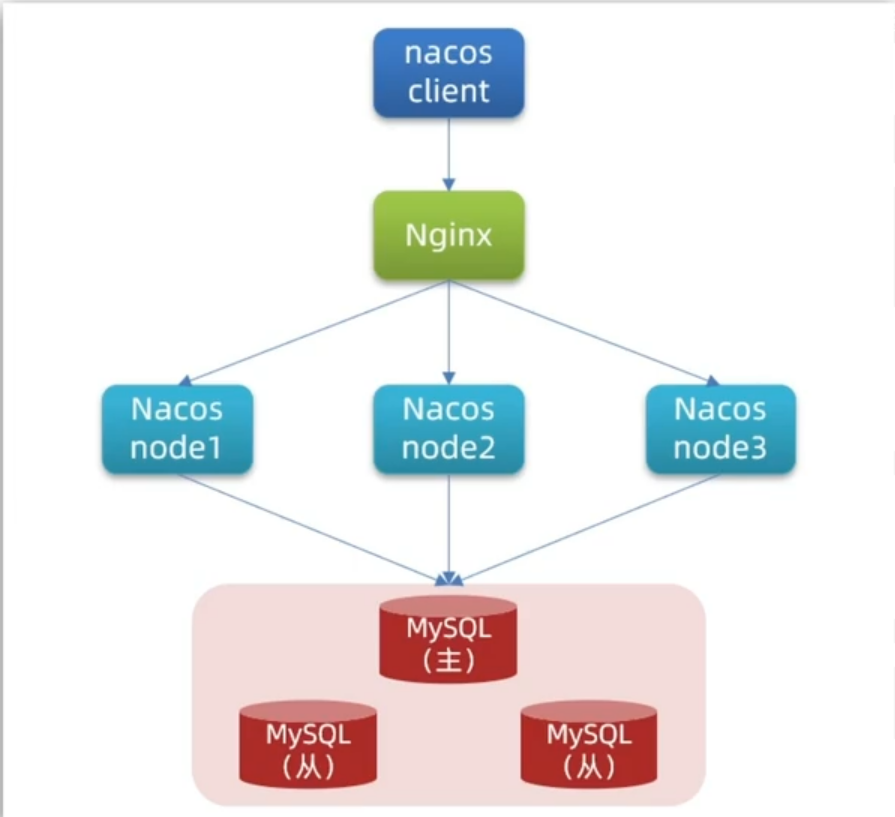
Cluster building steps:
-
Build the MySQL cluster and initialize the database table
-
Download decompression NACOS
-
Modify cluster configuration (node branch), database configuration
Enter the Conf directory of nacos, modify the configuration file cluster.conf.example, renamed unwanted without cluster.conf;
Modify the content as
127.0.0.1:8845
127.0.0.1.8846
127.0.0.1.8847
Modify Application.properties
spring.datasource.platform=mysql db.num=1 db.url=jdbc:mysql//127.0.0.1:3306/nacos_config?charactorEncoding=utf8&connectTimeout=1000&socketTimeout=3000&autoReconnect=true&useUnicode=true&useSSL=false&serverTimezone=UTC db.user.0=root db.password.0=123456 -
Start multiple NACOS nodes separately
Copy the NACOS folder three copies of three copies and name them: NACOS1, NACOS2, NACOS3
Then modify the Application.properties of the three folders, respectively,
nacos1:
server.port=8845nacos2:
server.port=8846nacos3:
server.port=8847 -
nginx reverse proxy
Intelligent Recommendation
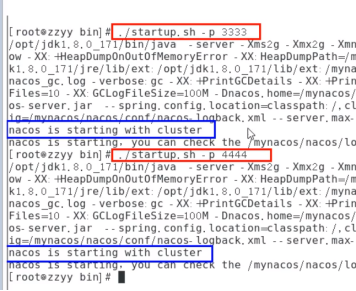
LINUX NACOS cluster configuration
1,1 Nginx, 3 NACOS, 1 mysql 2, execute nacos-mysql.sql in the database 3, modify Application.properties, back up before modifying spring.datasource.platform=mysql db.num=1 DB.URL.0 = JDBC: mysql: // o...

NACOS opens cluster configuration
Import NACOS-MySQL.sql into the NACOS / Conf directory Add the following in Application.Properties. Visit http://127.0.0.1:8848/nacos default account password NACOS Cluster configuration confeding CLU...

Nacos cluster configuration details
leading: To avoid a single point of failure, nacos needs to adopt a cluster mode, and the database must also be replaced with a highly available mysql database (the built-in derby database is difficul...
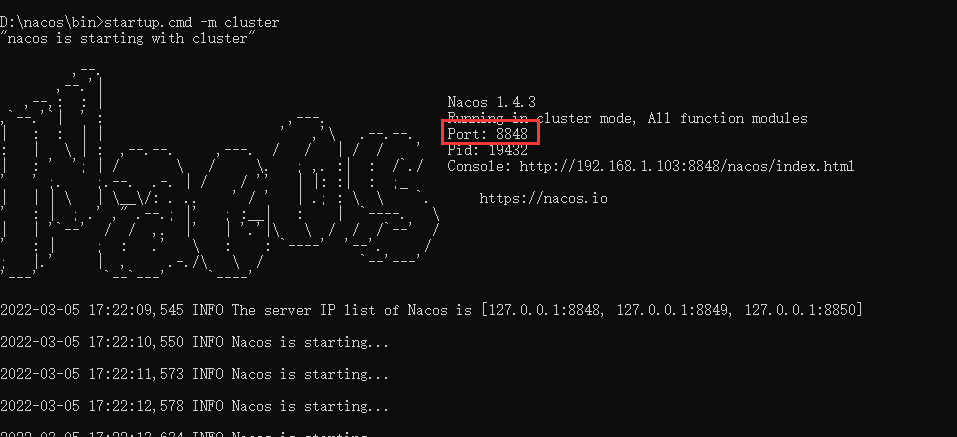
Nacos configuration cluster
1. Copy three copies of NACOS Modify port 2. Cluster configuration /conf/Cluster.conf.example is modified to cluster.conf Every node must be available 3. Start the client 4. View effect ...
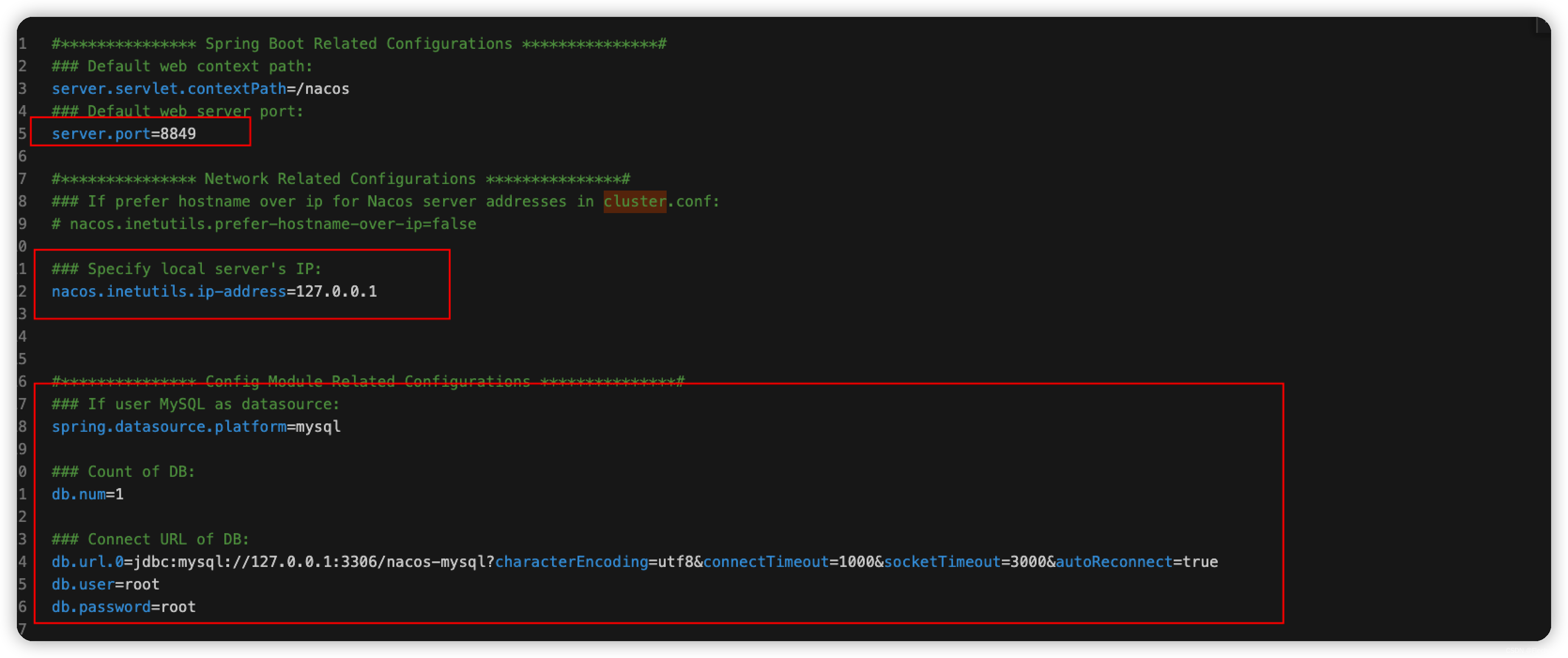
Nacos cluster mode configuration
There are several places where cluster changes Change Added cluster configuration file Green example file Change the content to the IP configuration of the cluster Startup mode sh startup.sh -m cluste...
More Recommendation
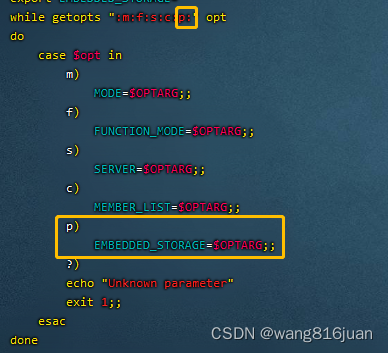
nacos cluster configuration (LINUX)
1. Install JAVA and configure environment variables Decompress and configure environment variables vim /etc/profile #set java environment JAVA_HOME=/huahua/java/jdk1.8.0_271 JRE_HOME=/huahua/java/jdk1...
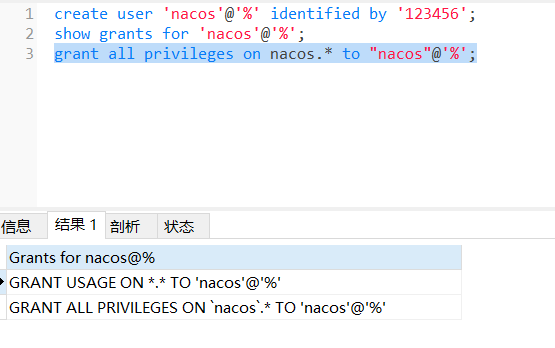
NACOS configuration Local mysql
1.Root Permissions Create Database NACOS 2. Create new users NACOS and authorize 3. Import SQL into the NACOS Database: 4. Turn off the cluster mode The cluster mode will start failure without cluster...
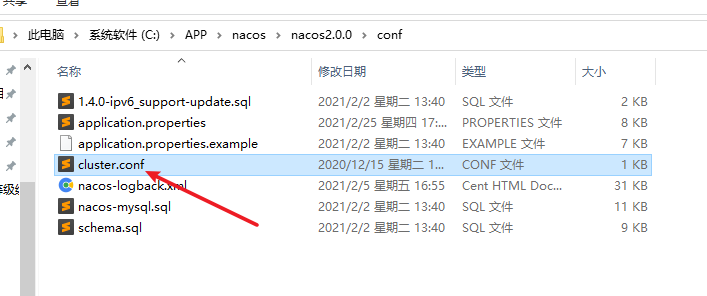
[Configuration] NACOS Cluster Configuration Record
[Configuration] NACOS Cluster Configuration Record reference:https://nacos.io/zh-cn/docs/quick-start.html https://nacos.io/zh-cn/docs/cluster-mode-quick-start.html Option One, Ope...
NACOS configuration and local configuration priority
Overview Depend onApollo configuration center and local configuration priority, A problem led to. How does the strongest registration center and configuration center in the present? Investigate Code d...
Local configuration is preferred at NACOS configuration
When the project starts, the local configuration will be loaded first. If you need to read the NACOS configuration, you need to place the NACOS-config configuration to the bootstrap.yml and add depend...