Caffe source code learning — AlexNet (Caffenet.py)
Welcome to my personal blog:zengzeyu.com
preface
Source location:caffe/examples/pycaffe/caffenet.py
The source code of this file is the Caffe implementation of the classic model AlexNet. Interested friends go to read the paper:ImageNet Classification with Deep Convolutional Neural Networks.
Source code interpretation
1. Import module
from __future__ import print_function
from caffe import layers as L, params as P, to_proto
from caffe.proto import caffe_pb2
2. Define the Layer function
include: Convolution Layer, Full Connected Layer, and Pooling Layer
2.1 Convolution Layer function
def conv_relu(bottom, ks, nout, stride=1, pad=0, group=1):
    conv = L.Convolution(bottom, kernel_size=ks, stride=stride,
                                num_output=nout, pad=pad, group=group)
    return conv, L.ReLU(conv, in_place=True)
Function input
-
bottom- Input node (blob)name -
ks- Convolution kernel size (kernel size) -
nout- Output depth size (number output) -
stride- Convolution core sliding window distance -
pad- Add dimensions to the edges of the image, ie add a size around the image for a weekpadBlank pixel -
group- Separate data from the number of training piles
2. Call the Caffe volume base layer generation function
conv = L.Convolution(bottom, kernel_size=ks, stride=stride,num_output=nout, pad=pad, group=group)
3. Return parameters
-
conv- Convolution layer configuration -
L.ReLU(conv, in_place=True)- Data obtained by convolution of data via the ReLU activation function
2.2 Full Connected Layer
def fc_relu(bottom, nout):
    fc = L.InnerProduct(bottom, num_output=nout)
    return fc, L.ReLU(fc, in_place=True)
1. Call Caffe inner product function
fc = L.InnerProduct(bottom, num_output=nout)
2. Return parameters
-
fc, L.ReLU(fc, in_place=True)- Data after full join classification via ReLU function
2.3 Pooling Layer
def max_pool(bottom, ks, stride=1):
    return L.Pooling(bottom, pool=P.Pooling.MAX, kernel_size=ks, stride=stride)
Call Caffe pooling layer generation function
L.Pooling)()-
pool=P.Pooling.MAX- Select the MAX type for the pooling type, that is, take the maximum output in the template.
3. Define the network structure
data, label = L.Data(source=lmdb, backend=P.Data.LMDB, batch_size=batch_size, ntop=2,
        transform_param=dict(crop_size=227, mean_value=[104, 117, 123], mirror=True))

         # the net itself
    conv1, relu1 = conv_relu(data, 11, 96, stride=4)
    pool1 = max_pool(relu1, 3, stride=2)
    norm1 = L.LRN(pool1, local_size=5, alpha=1e-4, beta=0.75)
    conv2, relu2 = conv_relu(norm1, 5, 256, pad=2, group=2)
    pool2 = max_pool(relu2, 3, stride=2)
    norm2 = L.LRN(pool2, local_size=5, alpha=1e-4, beta=0.75)
    conv3, relu3 = conv_relu(norm2, 3, 384, pad=1)
    conv4, relu4 = conv_relu(relu3, 3, 384, pad=1, group=2)
    conv5, relu5 = conv_relu(relu4, 3, 256, pad=1, group=2)
    pool5 = max_pool(relu5, 3, stride=2)
    fc6, relu6 = fc_relu(pool5, 4096)
    drop6 = L.Dropout(relu6, in_place=True)
    fc7, relu7 = fc_relu(drop6, 4096)
    drop7 = L.Dropout(relu7, in_place=True)
    fc8 = L.InnerProduct(drop7, num_output=1000)
    loss = L.SoftmaxWithLoss(fc8, label)

    if include_acc:
        acc = L.Accuracy(fc8, label)
        return to_proto(loss, acc)
    else:
        return to_proto(loss)
Function input
-
lmdb- file name -
batch_size- Number of samples entered per training -
include_acc- Accelerate?
2. Call Caffe data layer input function (Data)L.Data(source=lmdb, backend=P.Data.LMDB, batch_size=batch_size, ntop=2, transform_param=dict(crop_size=227, mean_value=[104, 117, 123], mirror=True))
-
backend- type of data -
ntop- outputblobNumber, because the data layer processes the data output data and label, so the value is 2 -
transform_param- Processing a single image:crop_sizePicture crop size,mean_valueRGB images need to be subtracted (in order to better highlight features) andmirrorMirror processing.
| Layer | Operation | Output |
|---|---|---|
| Data | crop_size:227, mean_value: [104, 117, 123], mirror: true | data: 227x227x3; label: 227x227x1 |
| 1 | conv1 -> relu1 -> pool1 -> norm1 | 27x27x96 |
| 2 | conv2 -> relu2 -> pool2 -> norm2 | 13x13x256 |
| 3 | conv3 -> relu3 | 11x11x384 |
| 4 | conv4 -> relu4 | 11x11x384 |
| 5 | conv5 -> relu5 -> pool5 | 6x6x256 |
| 6 | fc6 -> relu6 -> drop6 | 4096 |
| 7 | fc7 -> relu7 -> drop7 | 4096 |
| 8 | fc8 -> loss | 1000 |
3. Network structure
This blog draws the AlexNet network structure diagram and data flow diagram to facilitate intuitive understanding of the network structure, which can be moved:Depth learning image classification model AlexNet interpretation
Layers 1-5 are convolutional layers, as shown in the following table:
| Layer | Operation | Output |
|---|---|---|
| Data | crop_size:227, mean_value: [104, 117, 123], mirror: true | data: 227x227x3; label: 227x227x1 |
| 1 | conv1 -> relu1 -> pool1 -> norm1 | 27x27x96 |
| 2 | conv2 -> relu2 -> pool2 -> norm2 | 13x13x256 |
| 3 | conv3 -> relu3 | 11x11x384 |
| 4 | conv4 -> relu4 | 11x11x384 |
| 5 | conv5 -> relu5 -> pool5 | 6x6x256 |
| 6 | fc6 -> relu6 -> drop6 | 4096 |
| 7 | fc7 -> relu7 -> drop7 | 4096 |
| 8 | fc8 -> loss | 1000 |
Take the layer 1 code as an example for analysis:
- Layer 1 = Convolution layer (conv1+relu1) + Pooling layer (pool1) + Normalization (norm1)
(1). Layer 1 - Convolution layer (conv1+relu1)
Function: Extract local features, use ReLU as the activation function of CNN, and verify that the effect exceeds Sigmoid in deeper networks, and successfully solve the gradient dispersion problem of Sigmoid in the deep network. .conv1, relu1 = conv_relu(data, 11, 96, stride=4)
- Data: data layer output data data
- Convolution kernel size: 11
- Output node depth: 96
- Sliding window distance: 4
(2). Layer 1 - pooling layer (pool1)
Function: Extract the maximum value to avoid the average pooling fuzzification effect. In AlexNet, the size of the concession is smaller than that of the pooled kernel, so that the output of the pooled layer overlaps and covers, which improves the richness of features.pool1 = max_pool(relu1, 3, stride=2)
- Data: relu1
- Template core size: 3
- Sliding window distance: 2
(3). Layer 1 - Local Response Normalize (norm1)
Role: Create a competitive mechanism for the activity of local neurons, making the relatively large value of the response become relatively larger, and suppress other neurons with less feedback, enhancing the pan of the model Abilitynorm1 = L.LRN(pool1, local_size=5, alpha=1e-4, beta=0.75)
- Data: pool1
- Value template size: 5
- alpha: 0.0001
- beta: 0.75
4. Output network structure file (.prototxt)
def make_net():
    with open('train.prototxt', 'w') as f:
        print(caffenet('/path/to/caffe-train-lmdb'), file=f)

    with open('test.prototxt', 'w') as f:
        print(caffenet('/path/to/caffe-val-lmdb', batch_size=50, include_acc=True), file=f)
5. Run
if __name__ == '__main__':
    make_net()
to sum up
Caffene.py is a good source code for Caffe. It can be combined with the original papers to deepen the understanding of the network structure and supplement the theoretical knowledge. The following is to build your own network structure based on this example form. The first step is to learn the most important step of deep learning, and write your own data type interface layer program.
the above.
Attached:
- AlexNet Network Summary
- Depth learning image classification model AlexNet interpretation
Intelligent Recommendation
Reading Pytorch source code AlexNet
Under the Windows operating system, the model path is: C:\Python35\Lib\site-packages\torchvision\models\xxnet.py, there are many definitions of commonly used network structures, including AlexNet, Res...
Pytorch source AlexNet code reading
Official source code:https://pytorch.org/docs/stable/_modules/torchvision/models/alexnet.html#alexnet torchvision.models.alexnet ...
Caffe learning (4): install caffe-ssd from the source code of the caffe environment
Download the caffe-ssd branch cmake configuration Enter the caffe-ssd root directory, my caffe root directory is /home/jqy/jqy_caffe/caffe-gpu/caffe-ssd, I will use $caffe instead below Pay attention ...

Caffe source code
1, the full connection layer As shown in the figure above, the full link layer inputs n * 4, the output is n * 2, and n is batch. This layer has two parameters W and B, W is the coefficient, and B is ...
Caffe source code interpretation
Caffe source code interpretation Contens Caffe source code interpretation Caffe project main directory Qingyuan source dock caffe.bin test train train.py Core class interpretation blob layer net solve...
More Recommendation

Caffe source code analysis
After loading the code with SI, first of all, from the implementation of caffe layer, the biggest difference in different frameworks is that the implementation of the layer also determines the flexibi...
Caffe source code practice
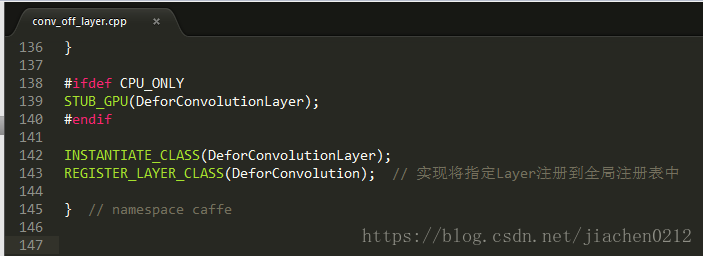
REGISTER_LAYER_CLASS(DeforConvolution); // Implementation registers the specified Layer into the global registry In base_conv_layer.cpp, various variables and data declarations are made ...
Caffe source code: image_classification.cpp
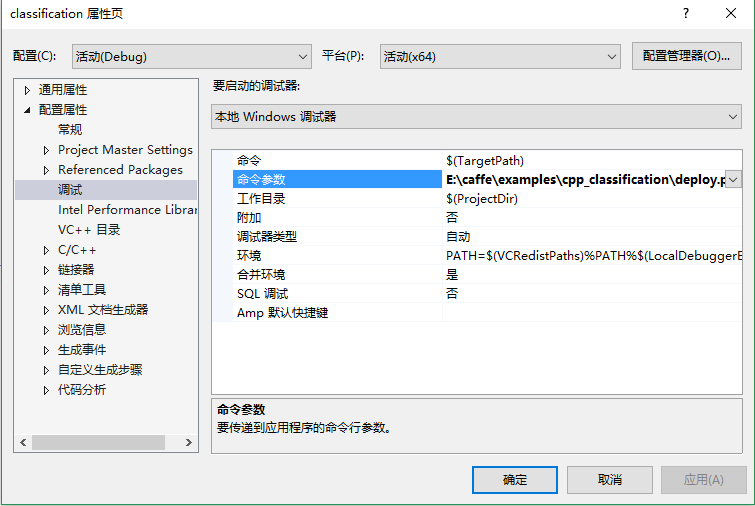
@brief:Test the trained caffemodel Vs2013+caffe+cpu Here input: "data" in deploy.prototxt is updated by caffe's upgrade_protp.cppAutomatically converted to input layer。...
caffe train source code
caffe train source code...
Caffe source code: conv_im2col
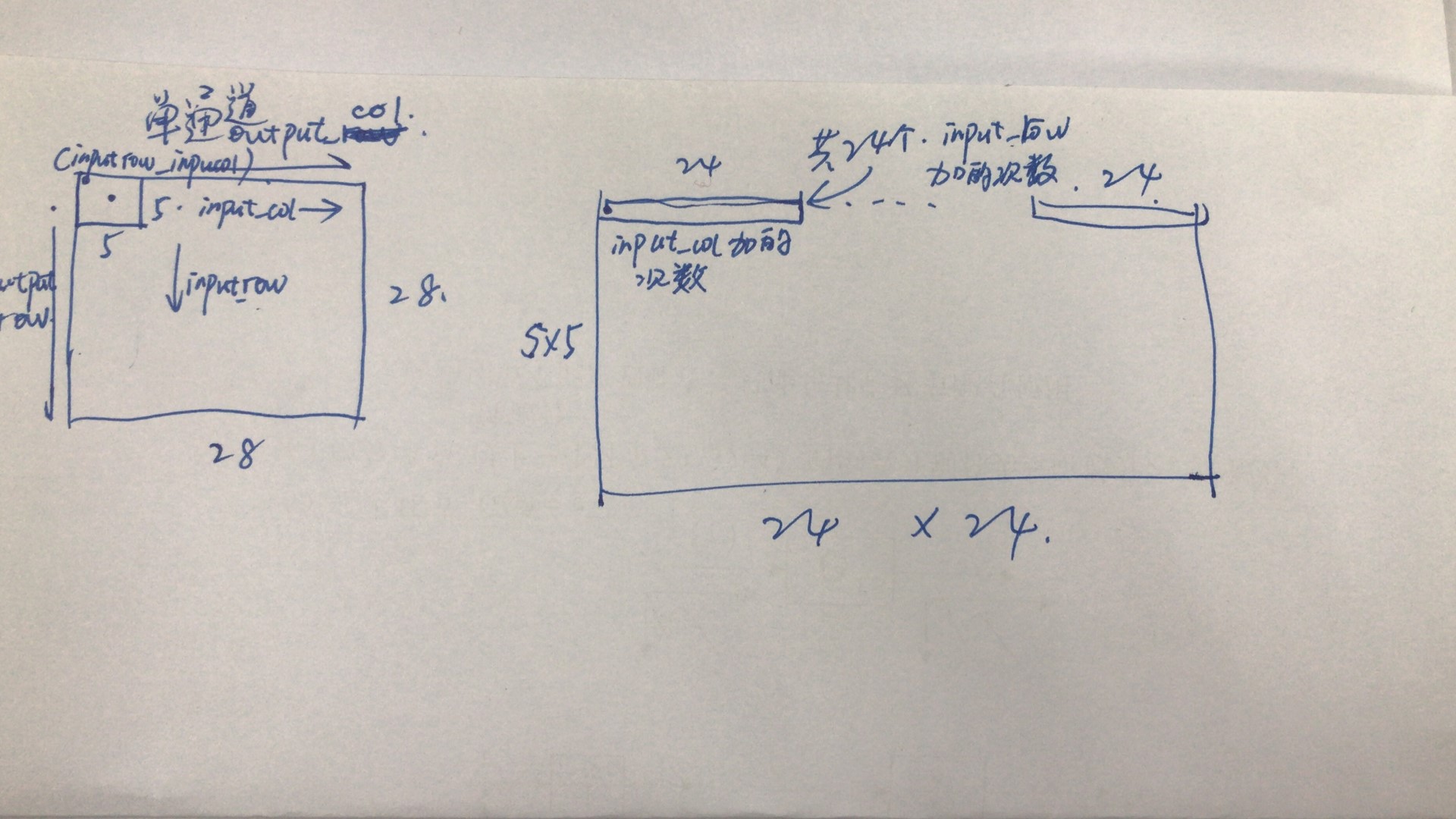
Write first: I have not done anything until the end of the day. I still have troubles in the afternoon. I really feel that it is a waste of time and life, so I quickly write a blog to suppress my surp...