[Electron + Vue] Develop cross-platform desktop applications [1]
tags: Cross-platform desktop application electron vue Desktop application
table of Contents
Basic comprehensive introduction:
[Main process and rendering process communication]
Other Electron-Vue-based works
Basic comprehensive introduction:
- Although B / S is the mainstream developed, C / S still has a large market demand. Sandbox restrictions on the browser, web applications cannot meet the needs of the use under certain scenes, while desktop applications can read and write local files, call more system resources, plus the low cost and high efficiency of web development. This cross-platform method is more and more loved by developers.
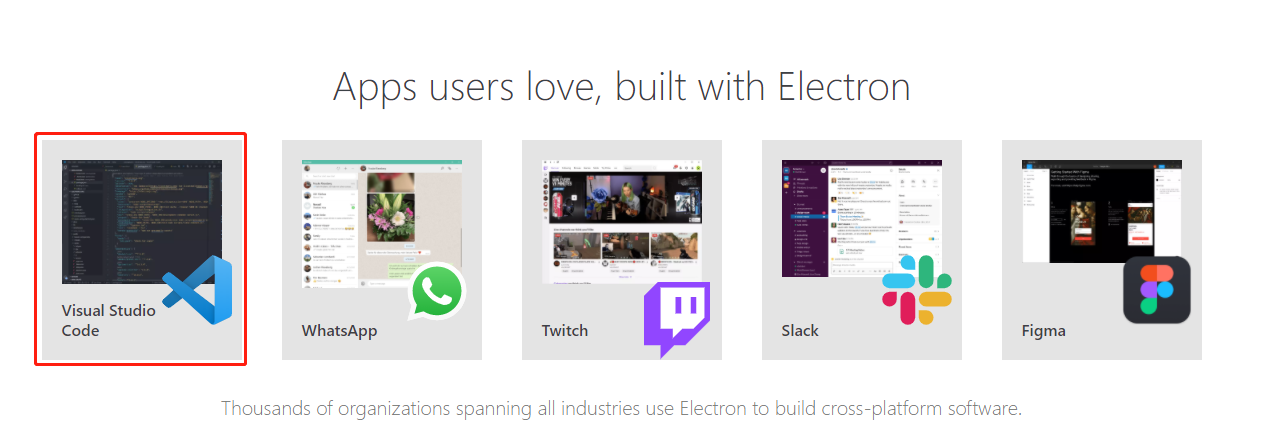
- Electron is a cross-platform development framework based on Chromium and Node.js, using HTML, CSS, and JavaScript to build cross-platform development frameworks, compatible with Mac, Windows, and Linux. Currently, Electron has created a large number of applications including VSCode and Atom.
- The purpose of the project is to avoid using the VUE manually established an Electron application. Electron-Vue takes full advantage of
vue-cliAs a scaffolding tool, plus ownedvue-loaderofwebpack、electron-packagerOrelectron-builderAnd some of the most common plugins, such asvue-router、vuexand many more. - Electron is equivalent to a browser's housing, you can embed the webpage in the case, you can run a program on the desktop, you can pack the web into a program running on the desktop, which is software.
Look, it is recommended to directly reference the QQ player below.
Environmental construction:
Install some common tools such as Node, Vue and Electron, etc.
Install Electron
Install the Electron plugin with the following command.
cnpm install -g electronIn order to verify that the installation is successful, you can use the following command.
electron --versionThe Electron application is divided into three basic modules: the main process, inter-process communication and rendering process.
[Main process]
Electron runs the main process of the main script (Background.js) of Package.js). The script running in the main process reveals the user interface by creating a web page. A electron app is always there and only one main process.
[Rendering Process]
Since Electron uses Chromium to display the web page, the multifunctional architecture of Chromium has also been used. The web page in each electron runs in its own rendering process. In a normal browser, the web page is usually run in a sandbox environment and is not allowed to contact native resources. However, Electron allows users to make some underlying interactions in the page and the operating system with the API support in Node.js.
[Main process and rendering process communication]
The main process creates a page using the BrowserWindow instance. Each BrowserWindow instance runs a page in your own rendering process. When a BrowserWindow instance is destroyed, the corresponding rendering process will be terminated. The main process manages all web pages and their corresponding rendering processes. Each rendering process is independent, it only cares about the web page it run.
SRC directory structure
In the electron directory, the SRC will contain two directorys that Main and Renderer.
Main catalog
The main directory will contain two files that Index.js and Index.dev.js.
- Index.js: The primary file of the application, ELECTRON is also started here, which is also used as an entry file burst by WebPack products, and all Main process should start from here.
- Index.dev.js: This file is specifically used to develop phases because it will install Electron-Debug and Vue-DevTools. It is generally not necessary to modify this file, but it can extend the development needs.
Rendering process
Rendere is a rendering process directory, the usage of the project development source code, contains Assets, Components, Router, Store, App.Vue, and Main.js. - Assets: Assets, files under Assets, such as (JS, CSS), will be merged into a file in the project directory below the DIST folder. - Components: This file is used to store components developed, which can be custom components. - ROUTER: If you understand the Vue-Router, then the Route of the Electron project is similar to the Vue-Router's usage. - Modules: Electron-Vue creates multiple data stores with the VUEX module structure and saves in src / rendere / store / modules.
Classical example - recommended QQ reference player
QQ music player
QQ music playerBased on the music player developed by Electron-Vue, the interface mimics qq music, the technology stack Electron-Vue + Vue + Vuex + Vue-Router + Element- Ui. You can use the following way to run the project.
git clone https://github.com/SmallRuralDog/electron-vue-music.git

cd electron-vue-music

npm install

#
npm run dev

 #   installation file
npm run build
Partial operation is shown below.

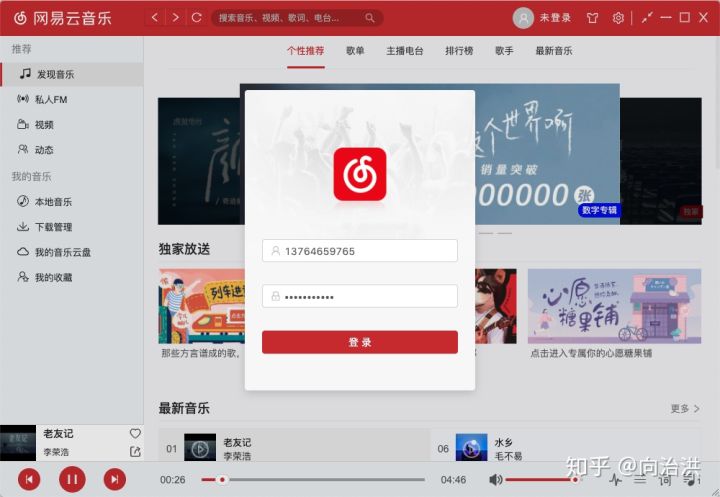
Netease cloud music
electron-vue-cloud-musicIt is a cross-platform desktop application using Electron + Vue + Ant Design Vue technology. Download link:https://github.com/xiaozhu188/electron-vue-cloud-music. Features: - Drag and drop - Desktop lyrics - MINI Mode - Custom Tray Right-click Menu - Task Bar Trend Map, Song Operation - Audio Visualization - Automatic / Manual Check Update - NEDB Database Hold - Custom Installation Path, Installation Interface Beautify - Browser Starts Client - Travis Cl, AppveYor Automatic Build - Skin, Download, Local Songs, Network Change Desktop Notifications, Share Song / Song / MV / Video Waiting to QQ Space - Login, Private FM, Song , Video, comments, search, users, dynamics, fans, attention, cloud trays, collection ... - heart mode, lyrics fine-tuning, next play, add play, single cycle, Random play, list loop - routing orientation, local refresh, home column adjustment and persistence ...
The following is some of the running effects:

Other Electron-Vue-based works
Take a look at some of the great projects built based on Electron-Vue.
- Surfbird: A Twitter client based on Electron and Vue
- Lulumi-browser: Lulumi-Browser is a lightweight browser based on Vue.js 2 and Electron
- Space-Snake: Using the desktop game built by Electron and Vue.js.
- Forrest: A desktop client for an NPM script
- miikun: A simple MARKDOWN editor
- Dakika: Super time-time app, make writing gently
- Dynamoc: Dynamoc is a graphical interface client with DynamoDB-local, Dynalite and AWS DynamoDB
- Dockeron: Dockeron project, Docker desktop client based on Electron + Vue.js
- Easysubs: Quickly download subtitles
Intelligent Recommendation

Electron builds cross-platform desktop applications
Write a custom directory title here Electron builds cross-platform desktop applications Download Official Demo - Electron-Quick-Start Main files: Successful package Electron builds cross-platform desk...
Electron development cross-platform desktop applications
Although B / S is the mainstream developed, C / S still has a large market demand. Sandbox restrictions on the browser, web applications cannot meet the needs of the use under certain scenes, while de...
electron+vue-cli to develop desktop applications
ElectronIs based onChromiumwith Node.js,can use HTML、CSSwithJavaScriptBuild a technical framework for cross-platform applications, compatible with Mac, Windows and Linux. This article is what I am stu...
Use JavaScript to develop cross-platform desktop applications
Atwood’s Law was proposed by Jeff Atwood in 2007: "any application thatcan be written in JavaScript, will eventually be written in JavaScript.". It is said that this was...
Electron Vue cross-platform desktop application
Before you create an Electron cross-platform application, you need to install some commonly used tools, such as Node, Vue, and Electron, etc. Installing Electron [Windows button + R -> Open Command...
More Recommendation
html develop cross-platform desktop application development framework electron start
electron github electron is the development of a Web technology can take advantage of cross-platform desktop application development framework, initially released Github Atom editor derived Atom Shell...
How to develop desktop applications with Electron?
background: Js, html, css can currently develop apps, applets, web pages~ Can you develop a desktop application? solution: Let's not talk about which framework to use. As a developer, you have used Vi...

Notes: Electron+vue develops cross-platform applications (using electron-builder)
1. Project construction Use vue-cli to build the project, check the official documentation for the build method vue-cli documentation 2. Install the plugin Method one: (visual installation) vue uiOpen...
Use JavaScript, HTML and CSS to build cross-platform desktop applications-Electron
Electron develops desktop applications Use Electron to develop js version of desktop applications. Electron's official website:http://www.electronjs.org/ We can see a lot of information on the officia...