Electron+Vue develops cross-platform desktop applications
tags: Vue
Although B/S is currently the mainstream of development, C/S still has great market demand. Restricted by browser sandbox restrictions, web applications cannot meet the usage requirements in certain scenarios, and desktop applications can read and write local files, call more system resources, plus the low cost and high efficiency advantages of web development This cross-platform approach is becoming more and more popular among developers.
Electron is a cross-platform development framework based on Chromium and Node.js, using HTML, CSS and JavaScript to build cross-platform applications, compatible with Mac, Windows and Linux. At present, Electron has created a large number of applications including VScode and Atom.
Environment construction
Before creating Electron cross-platform applications, you need to install some common tools, such as Node, vue, and Electron.
Install Node
Go to the download page of Node's official website http://nodejs.cn/download/, then download the corresponding version. It is recommended to download the stable version when downloading. If installing Node using Homebrew, it is recommended to change the npm warehouse image to Taobao image during installation, as shown below.
npm config set registry http://registry.npm.taobao.org/
 or
npm install -g cnpm --registry=https://registry.npm.taobao.org
Install/upgrade vue-cli
First execute the following command to confirm the locally installed vue-cli version.
vue -V
If it is not installed or is not the latest version, you can execute the following command to install/upgrade.
npm install @vue/cli -g
Install Electron
Use the following command to install the Electron plugin.
npm install -g electron
Or
cnpm install -g electron
In order to verify whether the installation is successful, you can use the following command.
electron --version
Create a running project
Electron official improved a simple project, you can execute the following command to clone the project to the local.
git clone https://github.com/electron/electron-quick-start
Then execute the following command in the project to start the project.
cd electron-quick-start
npm install
npm start
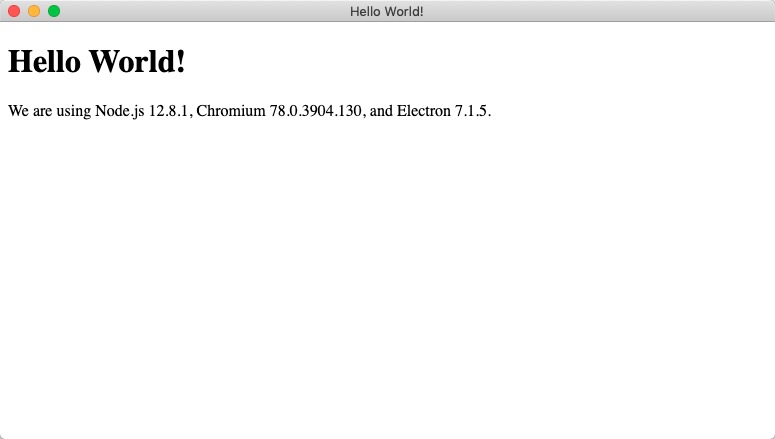
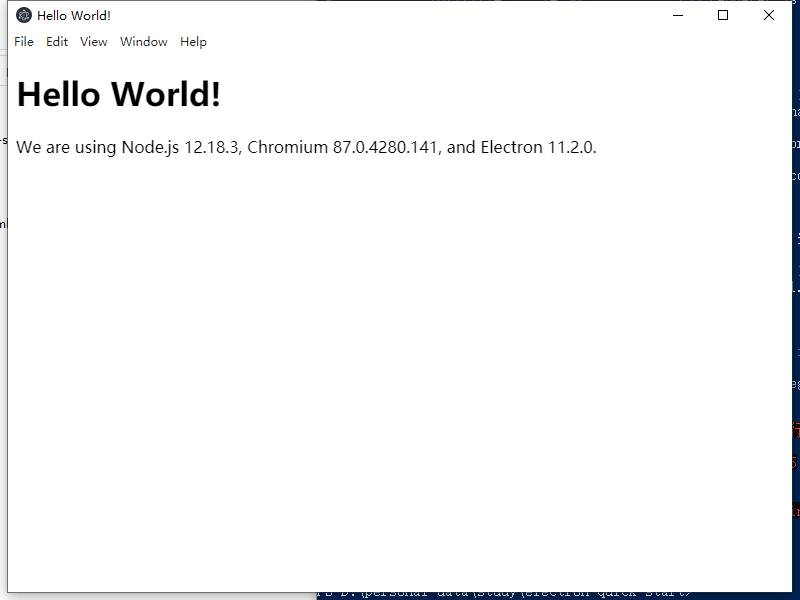
The effect of the project after startup is as shown below.
In addition, we can use the vue-cli scaffolding tool to create projects.
vue init simulatedgreg/electron-vue
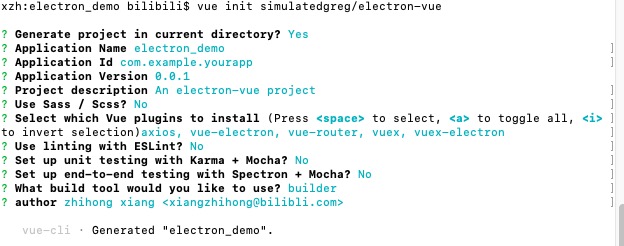
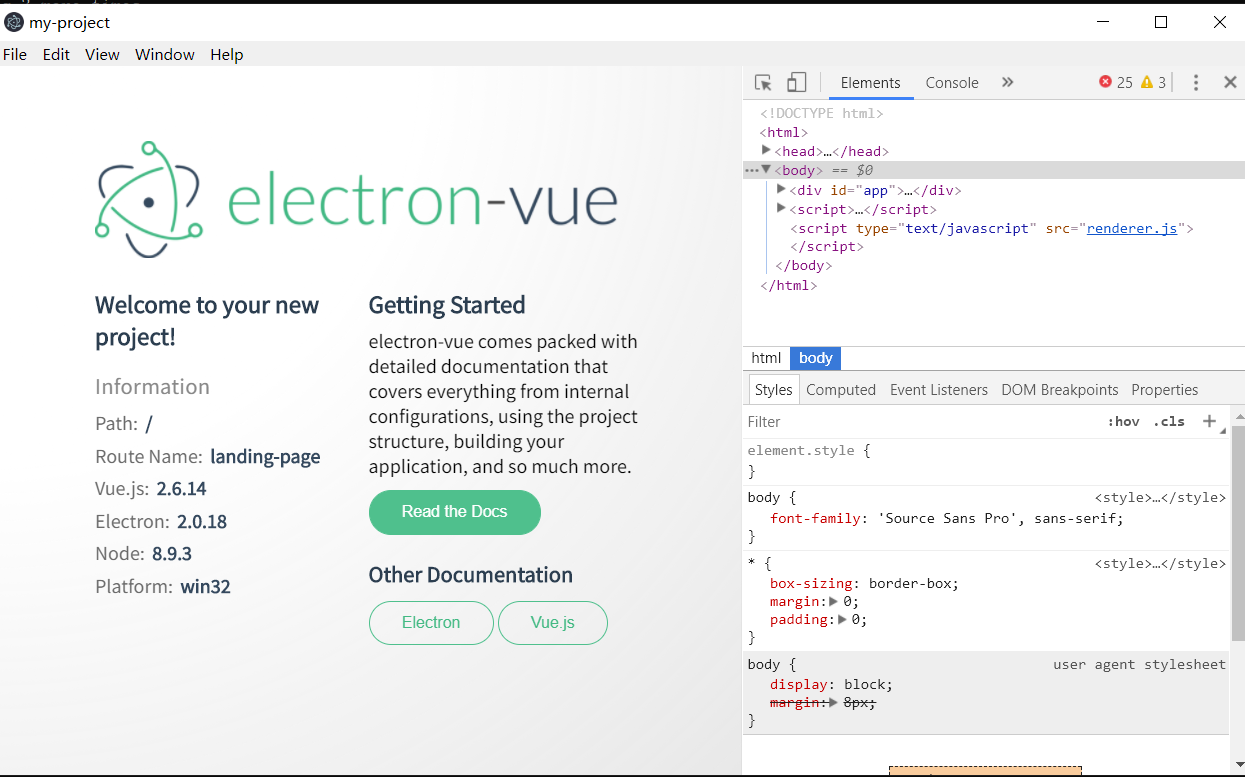
Then select the options step by step according to the following prompt to create a project, as shown below.
Then, use the npm install command to install the required packages required by the project.
Project Directory
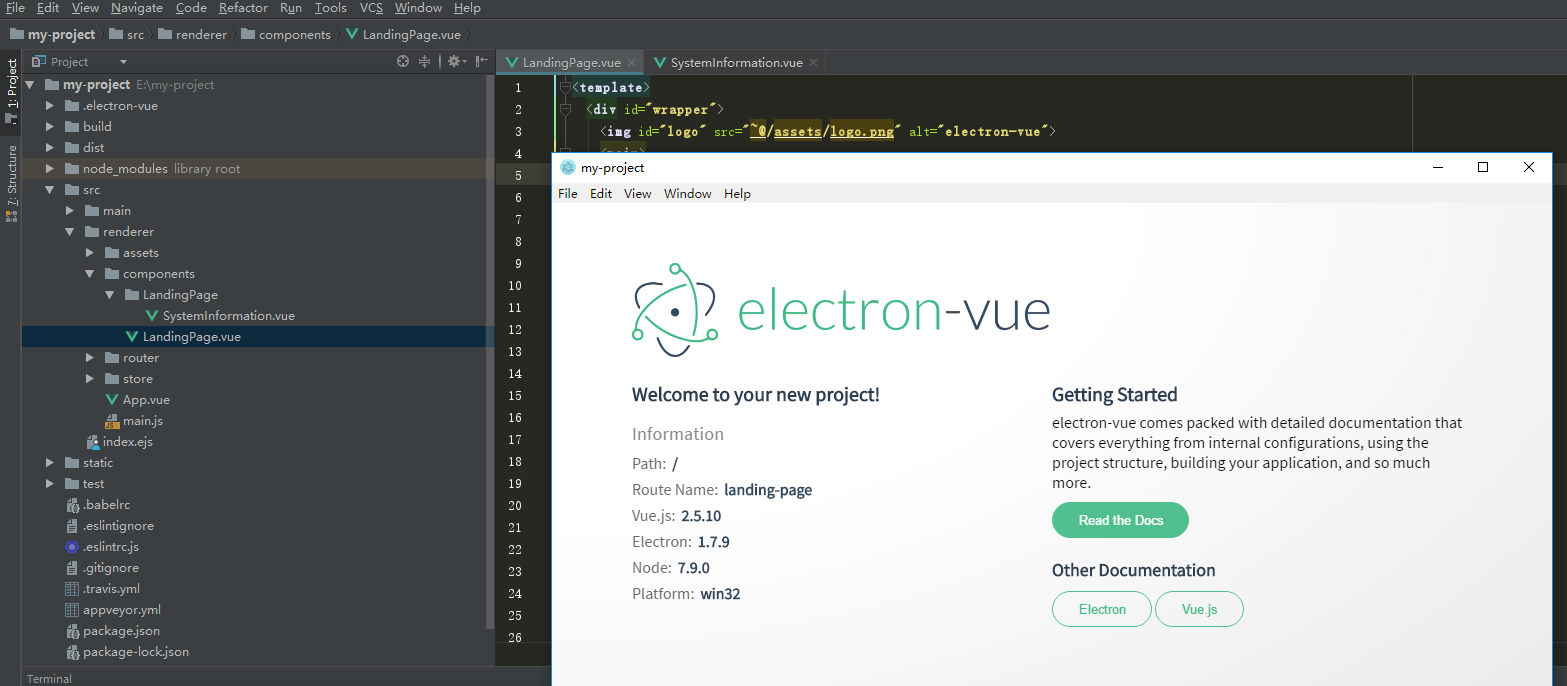
The Electron project structure created using the electron-vue template is shown below.
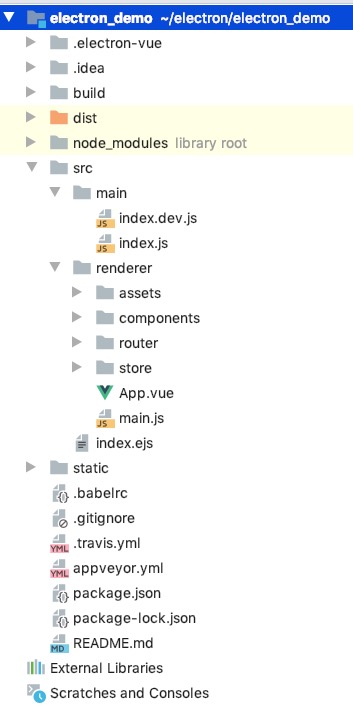
The directory structure and meaning are as follows:
Electron
 ├──atom-Electron source code
 | ├── app-System entry code
 | ├── browser-Contains the main window, UI and all other things related to the main process, it will tell the rendering process how to manage the page
 | ├── lib-JavaScript part of the initialization code of the main process
 | | ├── ui-Implementation of the UI part on different platforms
 | | | ├── cocoa-Cocoa part of the source code
 | | | ├── gtk-GTK+ part of the source code
 | | | └── win-Windows GUI part of the source code
 | ├── default_app-The page displayed by default when Electron starts without specifying an app
 | | ├── api-Implementation of the main process API
 | | | └── lib-Javascript part of the API implementation code
 | | ├── net-network related code
 | | ├── mac-Objective-C code related to Mac
 | | └── resources-icons, platform related files, etc.
 | ├── renderer-code running in the rendering process
 | | ├── lib-JavaScript part of the initialization code of the rendering process
 | | └── api-Implementation of Rendering Process API
 | | └── lib-Javascript part of the API implementation code
 | └── common-The code used by the main process and the rendering process at the same time, including some event loops used to node
 | | Utility functions and codes used when integrated into Chromium's event loop
 | ├── lib-Javascript initialization code used by both the main process and the rendering process
 | └── api-API implementation used by the main process and the rendering process as well as the infrastructure of Electron's built-in modules
 | └── lib-Javascript part of the API implementation code
 ├── chromium_src-code copied from Chromium project
 ├── docs-English version of the document
 ├── docs-translations-translation of documents in various languages
 ├── spec-automated testing
 ├── atom.gyp-Electron construction rules
 └── common.gypi-Compile settings and build rules for other components such as `node` and `breakpad`
In normal development, the src, package.json and appveyor.yml directories need to be focused on,
Intelligent Recommendation
electron develops desktop applications
Today I suddenly wanted to make a web desktop application 1. First is application packaging 2Novice development can refer toelsectron desktop credit development...
electron ???? develop cross-platform desktop applications? ? ?
Foreword I have a good backend, because of work reasons: at present are all browser box apk developed based on Android operating system, now I want to develop browser box based on windows operating sy...

Electron builds cross-platform desktop applications
Write a custom directory title here Electron builds cross-platform desktop applications Download Official Demo - Electron-Quick-Start Main files: Successful package Electron builds cross-platform desk...
Electron development cross-platform desktop applications
Although B / S is the mainstream developed, C / S still has a large market demand. Sandbox restrictions on the browser, web applications cannot meet the needs of the use under certain scenes, while de...
Electron Vue cross-platform desktop application
Before you create an Electron cross-platform application, you need to install some commonly used tools, such as Node, Vue, and Electron, etc. Installing Electron [Windows button + R -> Open Command...
More Recommendation
[Electron + Vue] [2] Develop cross-platform desktop applications package generation EXE file
table of Contents Package 1: DOS window command package 1, under DOS, enter npm install electron-packager -g globally installed our packing artifact: 2, under the project folder, that is, the root dir...
Vue develops cross-end applications (2) Modify electron demo
Project begining The interface is as follows: We need to delete the unique components of electron, because some properties that are not on the web are used. Remove the vue component: New index.vue Nex...
Use JavaScript, HTML and CSS to build cross-platform desktop applications-Electron
Electron develops desktop applications Use Electron to develop js version of desktop applications. Electron's official website:http://www.electronjs.org/ We can see a lot of information on the officia...
Build cross-platform desktop applications (1) Quick Start with Electron
I am participating in the CSDN "new programmer" award essay, activity link: Nowadays, many platforms have started using electron to build and develop, such asVisual Studio Code,AliboxiHere a...
Electron+Vue develops lightweight applications
1. Install Node.js, Vue -CLI Just go to the official website to download, don't download the latest version with a command line! Intersection Portal Vue -CLI is very simple to find this yourself! Inte...