FLUTTER Development - Animation - RIVE
I. Overview
- Rive is a FLARE upgrade version, is a real-time interaction design and animation tool.
- The reciprion of the file is
.riv, Use it when loading animation isRive Flutter runtime - Rive supports cross-platform, supports web, iOS, android, flutter, c ++ and other terminals
Two rive
2.1 Warehouse Address
Rive:https://github.com/rive-app/rive-flutter
2.2 plugin address
rive 0.7.9:https://pub.dev/packages/rive
2.3 plug-in installation and uninstall
Plug-in installation
Open the CMD terminal, execute the following instructions (automatically add Pubspec.yaml dependence)
flutter pub add rive
Plugin uninstall
Open the CMD terminal, perform the following instructions (Pubspec.yaml delete)
flutter pub remove rive
Three Rive Materials
3.1 Material Resources
https://rive.app/community/
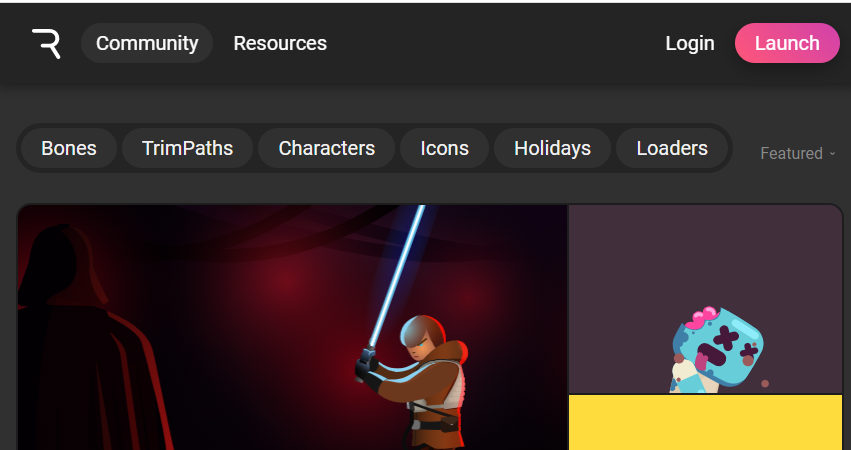
3.2 Material Download
-
On the material page, select the material to enter the details page, select the right side
Open in Preview Playerturn on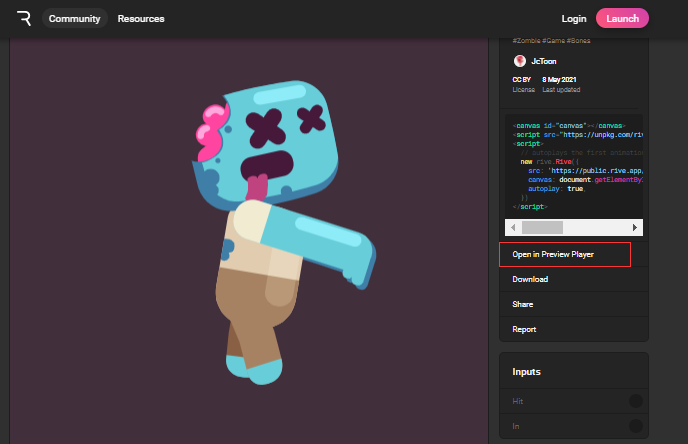
-
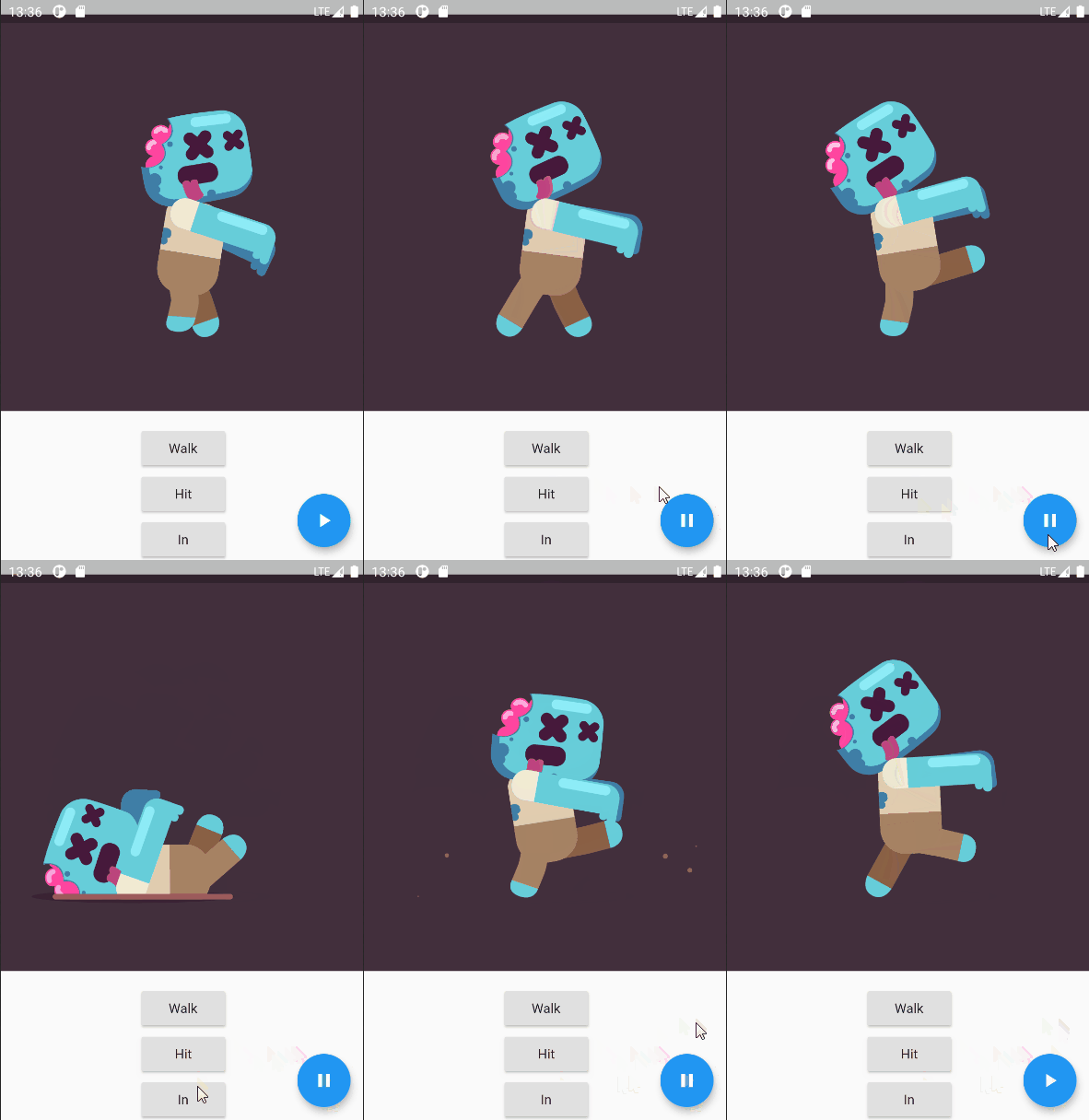
View available animation (as shown in Figure: Walk, Hit, IN)
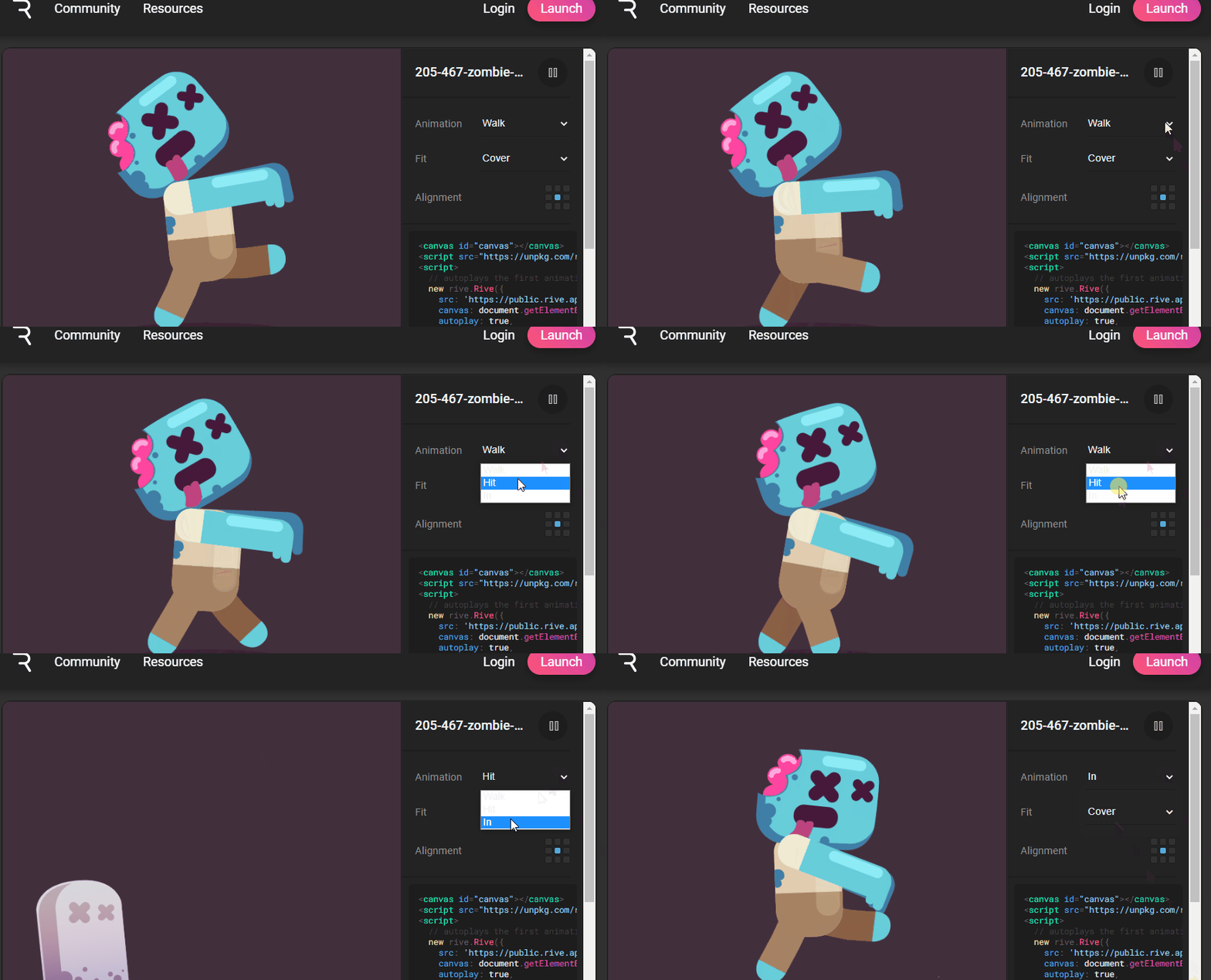
-
Return to the material details page for download (the downloaded file name is
205-467-zombie-character.rivRenamedzombie.riv)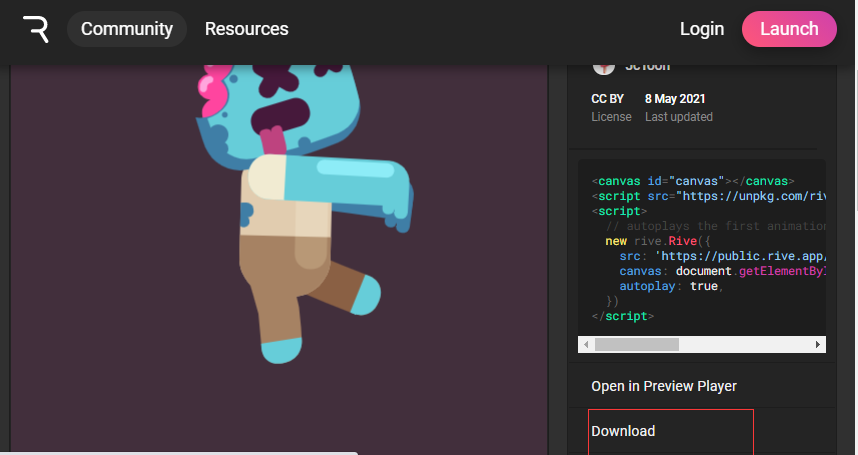
Four examples
4.1 Add RIV dependence (all files under Assets)
 assets:
    - images/
    - assets/
4.2 Code (by setting different names, display animation effect)
class _MyHomePageState extends State<MyHomePage>
{
  //rive
  Artboard _riveArtboard;
  RiveAnimationController _controller;
  bool get isPlaying => _controller?.isActive ?? false;

  @override
  void initState() {
    super.initState();
    rootBundle.load("assets/zombie.riv").then((value) async {
      final file = RiveFile.import(value);
      final artboard = file.mainArtboard;
      artboard.addController(_controller = SimpleAnimation('idle'));
      setState(() => _riveArtboard = artboard);
    });
  }
 @override
  Widget build(BuildContext context) {
    return Scaffold(
        body: Column(
          children: [
            Flexible(child:  _riveArtboard == null ?  Container(color: Colors.blue,) : Rive(artboard:_riveArtboard, alignment:Alignment.center, fit:BoxFit.contain, )),
            Column(
              mainAxisAlignment:MainAxisAlignment.start,
              crossAxisAlignment: CrossAxisAlignment.center,
              children: [
                RaisedButton(child: Text("Walk"),onPressed: (){setState(() { _riveArtboard.addController(_controller = SimpleAnimation('Walk'));});}),
                RaisedButton(child: Text("Hit"),onPressed: (){setState(() { _riveArtboard.addController(_controller = SimpleAnimation('Hit'));});}),
                RaisedButton(child: Text("In"),onPressed: (){setState(() {_riveArtboard.addController(_controller = SimpleAnimation('In'));});})
            ],)
          ],
        ),
        floatingActionButton: FloatingActionButton(
        onPressed: _togglePlay,
        tooltip: isPlaying ? 'Pause' : 'Play',
       child: Icon(
        isPlaying ? Icons.pause : Icons.play_arrow,
        ),
    )
    );
  }

  void _togglePlay() {
    setState(() => _controller.isActive = !_controller.isActive);
  }
}
4.3 renderings
Intelligent Recommendation
FLUTTER Development - Animation - Tween
I. Overview Tween animation, also called complement animation Tween has two keyframes, begin start frames, end frames, and complement-up frames in Begin and END completed animation effects Common Twee...
FLUTTER Development - Animation - AnimationController
I. Overview The TWEEN animation controller can perform the corresponding animation effect based on the interval value. Control the start of the animation, stop, you can also get the operation status o...
FLUTTER Development - Animation - Lottie
I. Overview Lottie is an ARIBNB open source for high-performance animation library for Android, iOS, etc. The flutter native bank does not support Lottie, but the animation effect of Lottie can be imp...

FLUTTER Development - Animation - Nima
I. Overview NIMA is a 2D vector animation tool for Skia-rendering NIMA's use operation is basically the same as Flare NIMA file decompression is included.nma.bytesFile and.pngImage file, specified whe...
Flutter Animation animation development-Curve animation curve
Introduction inFlutter Animation animation development-the simplest animation introductionIn this article we introduced the simplest animation development process Today we add an animation curve on th...
More Recommendation
Flutter Animation animation development-the simplest animation introduction
In the following code, we have implemented an animation that changes the width and height of the green square from 100 to 500 within 5 seconds. to sum up: Create AnimationController and set the durati...
Flutter Development (15): Flutter animation basics
1. Which types of animation 2. Add animation 3. Add a monitor to animation 4.AnImatedWidget and AnimatedBuilder 5. Hero animation 1. Which types of animation About two categories: Tween -based and phy...
Flutter Animation animation development-reverse reverse playback
We know that AnimationController.forward () can play animation in forward direction, if you want to play animation in reverse, you can call AnimationController.reverse () Step on the pit Immediately w...
Flutter Animation animation development-repeat loop playback
Introduction We know that AnimationController.forward () can play the animation in the forward direction, and AnimationController.reverse () can play the animation in the reverse direction. If you wan...
FLUTTER Development - Animation - Transition Animation Hero
I. Overview Hero animation is also called transition animation Excessive animation: When the user clicks on a picture, switch to another page, this page also has this picture. Di Hero 2.1 Constructor ...