Download the necessary jar package:
activation.jar
commons-logging-1.0.4.jar
dom4j-1.6.1.jar
jaxen-1.1.1.jar
jdom-1.0.jar
A, DOM
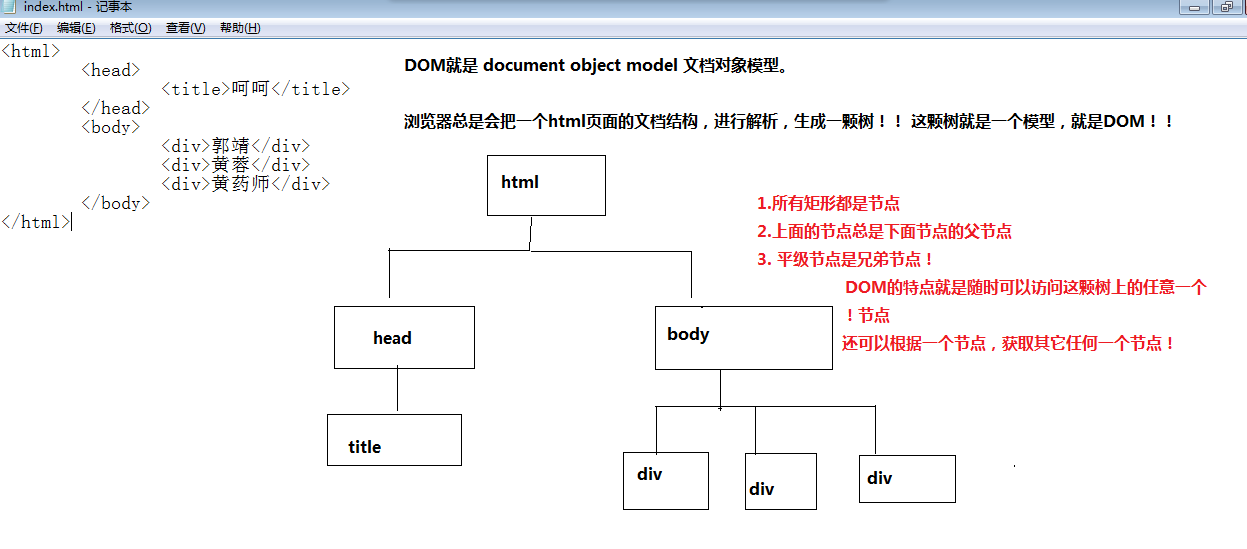
The parser reads the entire document, and then build a tree structure of memory resident, the interface used to manipulate the DOM tree structure.
advantages: the entire document tree in memory, easy to operate; support delete, modify, rearrange other functions; high access efficiency.
disadvantages: the entire document into memory (including unnecessary nodes), waste of time and space; Use: Once parsed document needs a plurality of times to access the data; sufficient hardware resources (memory , CPU)
- package xmlParse;
- import java.io.File;
- import java.io.FileNotFoundException;
- import java.io.FileOutputStream;
- import java.io.IOException;
- import java.util.Calendar;
- import java.util.Locale;
- import java.util.TimeZone;
- import javax.xml.parsers.DocumentBuilder;
- import javax.xml.parsers.DocumentBuilderFactory;
- import javax.xml.parsers.ParserConfigurationException;
- import javax.xml.parsers.SAXParser;
- import javax.xml.parsers.SAXParserFactory;
- import javax.xml.transform.Result;
- import javax.xml.transform.Transformer;
- import javax.xml.transform.TransformerConfigurationException;
- import javax.xml.transform.TransformerException;
- import javax.xml.transform.TransformerFactory;
- import javax.xml.transform.dom.DOMSource;
- import javax.xml.transform.stream.StreamResult;
- import org.w3c.dom.DOMException;
- import org.w3c.dom.Document;
- import org.w3c.dom.Element;
- import org.w3c.dom.Node;
- import org.w3c.dom.NodeList;
- import org.xml.sax.SAXException;
- /**
- * Java comes dom analytic xml file
- *
- * @author abc
- *
- */
- public class TestDom {
- public static void main(String[] args) {
- builXmlByDom();
- parseXmlByDom();
- }
- /**
- * Generate xml information
- */
- public static void builXmlByDom() {
- long begintime = System.currentTimeMillis();
- DocumentBuilderFactory dbf = DocumentBuilderFactory.newInstance();
- try {
- // build Document
- DocumentBuilder db = dbf.newDocumentBuilder();
- Document doc=db.newDocument();
- Element root=doc.createElement("students");
- root.setAttribute("class", "Class");
- root.setAttribute("count", "3");
- Element stu=doc.createElement("student");
- Element name=doc.createElement("name");
- name.appendChild(doc.createTextNode("Xiao Ming"));
- Element age=doc.createElement("age");
- age.appendChild(doc.createTextNode("10"));
- stu.appendChild(name);
- stu.appendChild(age);
- root.appendChild(stu);
- stu=doc.createElement("student");
- stu.setAttribute("position","Squad leader");
- name=doc.createElement("name");
- name.appendChild(doc.createTextNode("Wang"));
- age=doc.createElement("age");
- age.appendChild(doc.createTextNode("11"));
- stu.appendChild(name);
- stu.appendChild(age);
- root.appendChild(stu);
- stu=doc.createElement("student");
- name=doc.createElement("name");
- name.appendChild(doc.createTextNode("Soldier"));
- age=doc.createElement("age");
- age.appendChild(doc.createTextNode("12"));
- stu.appendChild(name);
- stu.appendChild(age);
- root.appendChild(stu);
- doc.appendChild(root);
- @ Document object will be converted to a packaged object DOMSource
- DOMSource xmlSource=new DOMSource(doc);
- // use the Transformer object to a Document node is converted to an XML file
- TransformerFactory transFactory=TransformerFactory. newInstance();
- Transformer transformer=transFactory.newTransformer();
- // Create Result
- File file=new File("students.xml");
- FileOutputStream fos;
- fos = new FileOutputStream(file);
- StreamResult result=new StreamResult(fos);
- transformer.transform(xmlSource, result);
- if(fos!=null){
- fos.close();
- }
- }catch (ParserConfigurationException e) {
- e.printStackTrace();
- }catch (TransformerConfigurationException e) {
- e.printStackTrace();
- }catch (FileNotFoundException e) {
- e.printStackTrace();
- }catch (TransformerException e) {
- e.printStackTrace();
- }catch (IOException e) {
- e.printStackTrace();
- }
- System.out.println("DOM generation time (ms)"
- + (System.currentTimeMillis() - begintime));
- }
- /**
- * Parse xml information
- */
- public static void parseXmlByDom() {
- long begintime = System.currentTimeMillis();;
- try {
- DocumentBuilderFactory dbf=DocumentBuilderFactory.newInstance();
- DocumentBuilder builder=dbf.newDocumentBuilder();
- File file=new File("students.xml");
- Document doc=builder.parse(file);
- NodeList students=doc.getFirstChild().getChildNodes();
- Node student=null;
- Node node=null;
- for(int i=0,len=students.getLength();i<len;i++){
- student=students.item(i);
- NodeList childs=student.getChildNodes();
- System.out.println("Section" + (i +1)+"Students");
- for(int j=0,size=childs.getLength();j<size;j++){
- node=childs.item(j);
- if("name".equals(node.getNodeName())){
- System.out.println(node.getNodeName()+"---"+node.getTextContent());
- }
- if("age".equals(node.getNodeName())){
- System.out.println(node.getNodeName()+"---"+node.getTextContent());
- }
- }
- }
- } catch (DOMException e) {
- e.printStackTrace();
- } catch (ParserConfigurationException e) {
- e.printStackTrace();
- } catch (SAXException e) {
- e.printStackTrace();
- } catch (IOException e) {
- e.printStackTrace();
- }
- System.out.println("DOM resolution time (ms)"
- + (System.currentTimeMillis() - begintime));
- }
- }
two, SAX
Features: 1, while being read resolution, used in large XML documents
2, only support read
3, low access efficiency
4, sequential access
- package xmlParse;
- import java.io.File;
- import javax.xml.parsers.SAXParser;
- import javax.xml.parsers.SAXParserFactory;
- public class TestSAXParse {
- /**
- * @param args
- */
- public static void main(String[] args) {
- sax();
- }
- public static void sax() {
- long begintime = System.currentTimeMillis();
- File f = new File("students.xml");
- SAXParserFactory sf = SAXParserFactory.newInstance();
- try {
- SAXParser sp = sf.newSAXParser();
- SAXHandler handler = new SAXHandler();
- sp.parse(f, handler);
- } catch (Exception e) {
- e.printStackTrace();
- }
- System.out.println("SAX resolution time (ms)"
- + (System.currentTimeMillis() - begintime));
- }
- }
- SAXHandler.java
- package xmlParse;
- import org.xml.sax.Attributes;
- import org.xml.sax.SAXException;
- import org.xml.sax.helpers.DefaultHandler;
- import java.util.Stack;
- public class SAXHandler extends DefaultHandler {
- Stack tags = null;
- @Override
- public void startDocument() throws SAXException {
- tags=new Stack();
- }
- @Override
- public void endDocument() throws SAXException {
- while(!tags.isEmpty()){
- System.out.println(tags.peek());
- tags.pop();
- }
- tags=null;
- }
- @Override
- public void startElement(String uri, String localName, String qName,
- Attributes attributes) throws SAXException {
- if("students".equals(qName)){
- System.out.println(attributes.getValue("class")+"- number -" + attributes.getValue ("count"));
- }
- tags.push(qName);// pushed onto the stack
- }
- @Override
- public void endElement(String uri, String localName, String qName)
- throws SAXException {
- tags.pop();// Remove the top element
- }
- @Override
- public void characters(char[] ch, int start, int length)
- throws SAXException {
- String tag=(String) tags.peek();// Check the top element, but does not remove
- if("name".equals(tag)){
- System.out.println("name==="+new String(ch,start,length));
- }
- if("age".equals(tag)){
- System.out.println("age==="+new String(ch,start,length));
- }
- }
- }
Three, JDOM
JDOM
advantages: ① is a tree-based XML processingJavaAPI, the tree is loaded in memory
② not limited backward compatible, so a simple ratio DOM
③ speed, fewer defects
④ having a SAXJavarule
disadvantages: ① document is larger than the memory can not handle
②JDOM logic model representation of XML documents. No guarantee that every byte real transformation.
③ for instance document does not provide any DTD model and the actual model.
④ DOM does not support a respective packet traversing
is best suited for: JDOM conveniently having a tree, there are rules of SAX JAVA. Used when necessary balance
- JDOM
- package xmlParse;
- import java.io.ByteArrayOutputStream;
- import java.io.File;
- import java.io.FileInputStream;
- import java.io.FileNotFoundException;
- import java.io.FileOutputStream;
- import java.io.IOException;
- import java.util.List;
- import org.jdom.Document;
- import org.jdom.Element;
- import org.jdom.JDOMException;
- import org.jdom.input.SAXBuilder;
- import org.jdom.output.XMLOutputter;
- public class TestJDOM {
- /**
- * @param args
- */
- public static void main(String[] args) {
- buildXmlByJDOM();
- parseXmlByJDOM();
- }
- public static String buildXmlByJDOM(){
- Document doc=new Document();
- Element root=new Element("students");
- root.setAttribute("count", "3");
- root.setAttribute("class", "Class");
- doc.setRootElement(root);
- root.addContent(new Element("student").addContent(new Element("name").setText("Xiao Ming"))
- .addContent(new Element("age").setText("10")));
- root.addContent(new Element("student").addContent(new Element("name").setText("Xiao Wang"))
- .addContent(new Element("age").setText("11")));
- root.addContent(new Element("student").addContent(new Element("name").setText("Soldier"))
- .addContent(new Element("age").setText("12")));
- ByteArrayOutputStream out=new ByteArrayOutputStream();
- XMLOutputter putter=new XMLOutputter();
- try {
- putter.output(doc, out);
- putter.output(doc, new FileOutputStream("students.xml"));
- } catch (FileNotFoundException e) {
- e.printStackTrace();
- } catch (IOException e) {
- e.printStackTrace();
- }
- return out.toString();
- }
- public static void parseXmlByJDOM(){
- long begintime=System.currentTimeMillis();
- File f=new File("students.xml");
- SAXBuilder builder=new SAXBuilder();
- try {
- Document doc=builder.build(new FileInputStream(f));
- Element root=doc.getRootElement();
- System.out.println(root.getAttributeValue("class")+"- Number: -" + root.getAttributeValue ("count"));
- List list=root.getChildren("student");
- for(int i=0;i<list.size();i++){
- Element ele=(Element)list.get(i);
- System.out.println("Section" + (i +1)+"Students");
- System.out.println(ele.getChildText("name")+"---"+ele.getChildText("age"));
- }
- } catch (FileNotFoundException e) {
- e.printStackTrace();
- } catch (JDOMException e) {
- e.printStackTrace();
- } catch (IOException e) {
- e.printStackTrace();
- }
- System.out.println("Sax resolution time (ms)" + (System.currentTimeMillis () - begintime));
- }
- }
four, DOM4J
DOM4J is a very, very goodjavaXML API, with excellent performance, powerful and extremely easy-to-use features, it is also a software open source. Now you can see more and more Java software are in use DOM4J to read and write XML, is particularly worth mentioning is that even the Sun is also used JAXM DOM4J.
    DOM4J
    package xmlParse;

    import java.io.File;
    import java.io.FileInputStream;
    import java.io.FileNotFoundException;
    import java.io.FileWriter;
    import java.io.IOException;
    import java.io.UnsupportedEncodingException;
    import java.util.Iterator;
    import java.util.List;

    import org.dom4j.Document;
    import org.dom4j.DocumentException;
    import org.dom4j.DocumentHelper;
    import org.dom4j.Element;
    import org.dom4j.Node;
    import org.dom4j.io.OutputFormat;
    import org.dom4j.io.SAXReader;
    import org.dom4j.io.XMLWriter;

    public class TestDom4J {

        /**
         * @param args
         */
        public static void main(String[] args) {
            buildXmlByDOM4J();
            paserXmlByDOM4J();
        }
        public static void buildXmlByDOM4J(){
            Document doc=DocumentHelper.createDocument();
            doc.setXMLEncoding("UTF-8");
            Element root=doc.addElement("students");
            root.addAttribute ( "class", "class") .addAttribute ( "count", "3");
            Element student=root.addElement("student");
                         student.addElement ( "name") setText ( "Bob");
            student.addElement("age").setText("10");

                         student = root.addElement ( "student") addAttribute ( "position", "monitor");
                         . Student.addElement ( "name") setText ( "Nanxiaowang");
            student.addElement("age").setText("11");

            student=root.addElement("student");
                         . Student.addElement ( "name") setText ( "soldier");
            student.addElement("age").setText("12");

            String xmlStr=doc.asXML();
            try {
                OutputFormat format=OutputFormat.createPrettyPrint();
                XMLWriter writer=new XMLWriter(new FileWriter(new File("students.xml")),format);
                writer.setEscapeText(false);
                writer.write(xmlStr);
                writer.close();
            } catch (UnsupportedEncodingException e) {
                e.printStackTrace();
            } catch (FileNotFoundException e) {
                e.printStackTrace();
            }catch (IOException e) {
                e.printStackTrace();
            }
        }
        public static void paserXmlByDOM4J(){
              long begintime=System.currentTimeMillis();
              SAXReader reader=new SAXReader();
              try {
                Document doc=reader.read(new FileInputStream(new File("students.xml")));
                Element root=doc.getRootElement();
                                 System.out.println (root.attributeValue ( "class") + "- number -" + root.attributeValue ( "count"));
                 / * List <Node> list = root.selectNodes ( "student"); // needs to be introduced jaxen-1.1.1.jar
                for(int i=0,len=list.size();i<len;i++){
                    Node node=(Node)list.get(i);
                    System.out.println(node.selectSingleNode("name").getText()+"---"+node.selectSingleNode("age").getStringValue());
                }*/
                Iterator it=root.elementIterator();
                Element ele;
                while(it.hasNext()){
                    ele=(Element)it.next();
                    //System.out.println(ele.selectSingleNode("name").getText()+"---"+ele.selectSingleNode("age").getText());
                    System.out.println(ele.elementText("name")+"---"+ele.elementText("age"));
                }
              } catch (FileNotFoundException e) {
                e.printStackTrace();
            } catch (DocumentException e) {
                e.printStackTrace();
            }

                             System.out.println ( "sax resolution time (ms)" + (System.currentTimeMillis () - begintime));
        }
    }
dom4 parse xml case of another code:
    package com.java.team;

    import java.io.File;
    import java.util.ArrayList;
    import java.util.Iterator;
    import java.util.List;

    import org.dom4j.Document;
    import org.dom4j.DocumentException;
    import org.dom4j.Element;
    import org.dom4j.io.SAXReader;

    public class ParseXml {
        public void read() throws Exception {
            SAXReader reader = new SAXReader();
            Document document = reader.read(new File("src/test.xml"));
            Element root = document.getRootElement();
                         // under the resourceitem resolved out of allresource on the list in
            List list  = root.elements("resourceitem");
                         // Create a source storage resources in each resourceitem
            List<XmlBean> source = new ArrayList<XmlBean>();
                         // will parse out the resourceitem in, stored in the source by XmlBean
            for(Iterator i = list.iterator();i.hasNext();) {
                Element resourceitem = (Element) i.next();
                String id = resourceitem.element("id").getText();
                String title = resourceitem.element("title").getText();
                String keywords = resourceitem.element("keywords").getText();
                String kind = resourceitem.element("kind").getText();
                String describe = resourceitem.element("describe").getText();
                String date = resourceitem.element("date").getText();
                String url = resourceitem.element("url").getText();
                String author = resourceitem.element("author").getText();
                String publisher = resourceitem.element("publisher").getText();
                XmlBean bean = new XmlBean();
                bean.setId(id);
                bean.setTitle(title);
                bean.setKeywords(keywords);
                bean.setKind(kind);
                bean.setDescribe(describe);
                bean.setDate(date);
                bean.setUrl(url);
                bean.setAuthor(author);
                bean.setPublisher(publisher);
                source.add(bean);
            }

        }

    }


 XmlBean classes are as follows:
[java] view plain copy

    package com.java.team;

    public class XmlBean {
        private String id;
        private String title;
        private String keywords;
        private String kind;
        private String describe;
        private String date;
        private String url;
        private String author;
        public String getKeywords() {
            return keywords;
        }

        public void setKeywords(String keywords) {
            this.keywords = keywords;
        }

        public String getKind() {
            return kind;
        }

        public void setKind(String kind) {
            this.kind = kind;
        }

        public String getDescribe() {
            return describe;
        }

        public void setDescribe(String describe) {
            this.describe = describe;
        }

        public String getDate() {
            return date;
        }

        public void setDate(String date) {
            this.date = date;
        }

        public String getUrl() {
            return url;
        }

        public void setUrl(String url) {
            this.url = url;
        }

        public String getAuthor() {
            return author;
        }

        public void setAuthor(String author) {
            this.author = author;
        }

        public String getPublisher() {
            return publisher;
        }

        public void setPublisher(String publisher) {
            this.publisher = publisher;
        }

        private String publisher;

        public String getId() {
            return id;
        }

        public void setId(String id) {
            this.id = id;
        }

        public String getTitle() {
            return title;
        }

        public void setTitle(String title) {
            this.title = title;
        }

    }

 xml file are the following:
[html] view plain copy

    <?xml version="1.0" encoding="UTF-8"?>

    <allresource host="192.168.16.111" remote="192.168.16.111">
      <resourcenum>499</resourcenum>
      <resourceitem>
        <id>2</id>
                 <Title> "real" Review d.doc </ title>
                 <Keywords> real review, the review period </ keywords>
        <kind>doc</kind>
                 <Describe> period of refresher training title </ describe>
        <date>2008-6-18 20:50:01</date>
                 <Url> http://192.168.16.111:8080/resources/ "real" Review d.doc </ url>
                 <Author> Hu Kelin </ author>
                 <Publisher> licheng in two </ publisher>
      </resourceitem>
      <resourceitem>
        <id>3</id>
                 <Title> "axis of symmetry" Teaching Design </ title>
                 <Keywords> axis of symmetry, the plane geometry </ keywords>
        <kind>doc</kind>
                 <Describe> recognize symmetry axis, know the meaning of the axis of symmetry, it is possible to find the axis of symmetry of the axis of symmetry </ describe>
        <date>2008-6-18 20:55:10</date>
                 <Url> http://192.168.16.111:8080/resources/ "axis of symmetry" instructional design .doc </ url>
                 <Author> Hu Kelin </ author>
                 <Publisher> licheng in two </ publisher>
      </resourceitem>