Java XML parsing methods (DOM, SAX, JDOM, DOM4J)
tags: Advanced knowledge of Java java
Java XML parsing method
1. Introduction to XML
XML Value Extensible Markup Language is used to transmit and store data.
XMl specific:
- The XMl document must contain the root element. This element is the parent element of all other elements. The elements in the XML document form a document tree, and each element in the tree can have child elements.
- All XML elements must have closing tags.
- XML tags are case sensitive, and all attribute values date must be quoted.
XML element:
The XMl element is only the part that includes the start tag to the end tag. The element can contain other elements, text, or both, and can also have attributes.
2. XML parsing
Basic methods: DOM, SAX
DOM analysis: the official platform-independent analysis method
SAX analysis: event-driven analysis in Java
Extension methods: JDOM, DOM4J (extended on the basic method, only the analysis method that can be used by Java)
2.1 DOM analysis
advantage:
- Formed a tree structure, intuitive and easy to understand
- During the parsing process, the tree structure is kept in memory for easy modification
Disadvantages:
- When the xml file is large, the memory consumption is relatively large, which easily affects the parsing performance and causes memory overflow
import org.w3c.dom.*;

import javax.xml.parsers.DocumentBuilder;
import javax.xml.parsers.DocumentBuilderFactory;
import java.util.LinkedList;
import java.util.List;

/**
 * DOM parsing xml
 */
public class DOM {
    public static void main(String[] args) throws Exception {
        // 1. Create DocumentBuilderFactory object
        DocumentBuilderFactory dbf = DocumentBuilderFactory.newInstance();
        // 2. Create a DocumentBuilder object through the DocumentBuilderFactory object
        DocumentBuilder db = dbf.newDocumentBuilder();
        // 3. Use DocumentBuilder object to load xml
        Document document = db.parse("bean.xml");
        System.out.println("----------------- DOM began to parse xml -----------------");
        // Get the root node of the xml file
        Element element = document.getDocumentElement();
        getNoeMsg(element);
        System.out.println("\n\n----------------- DOM end parsing xml -----------------");
    }

    /**
           * Get Node node information
     * @param node
     */
    public static void getNoeMsg(Node node){
        if(node.getNodeType() == Node.ELEMENT_NODE){
            System.out.print("<" + node.getNodeName());
            getNodeAttrs(node);
            System.out.print(">\n");
            NodeList nodeList = node.getChildNodes();
            // Filter out nodes whose node type is ELEMENT_NODE
            List<Node> list = getNodeList(nodeList);
            Node childNode;
            int len = list.size();
            if(len == 0){
                System.out.print(node.getTextContent() + "\n");
            }else {
                for (int i = 0; i < len; i++){
                    if(list.get(i).getNodeType() == Node.ELEMENT_NODE){
                        childNode = list.get(i);
                        getNoeMsg(childNode);
                    }
                }
            }
            System.out.println("</" + node.getNodeName() + ">");
        }
    }

    /**
           * Get the attribute information of the Node node
     * @param node
     */
    public static void getNodeAttrs(Node node){
        NamedNodeMap attrs = node.getAttributes();
        Node attr;
        if(attrs.getLength() != 0){
            for (int i = 0, len = attrs.getLength(); i < len; i++){
                attr = attrs.item(i);
                System.out.print(" " + attr.getNodeName() + "='");
                System.out.print(attr.getNodeValue() + "'");
            }
        }
    }

    /**
           * Filter out nodes whose node type is ELEMENT_NODE
     * @param nodeList
     * @return
     */
    public static List<Node> getNodeList(NodeList nodeList){
        List<Node> list = new LinkedList<>();
        for (int i = 0,len = nodeList.getLength(); i < len; i++){
            if(nodeList.item(i).getNodeType() == Node.ELEMENT_NODE){
                list.add(nodeList.item(i));
            }
        }
        return list;
    }
}
2.2 SAX analysis
advantage:
- Using event-driven mode, the memory consumption is relatively small
- Applicable when only processing data in xml
Disadvantages:
- Not easy to code
- It is difficult to access multiple different data in the same xml at the same time
import org.xml.sax.Attributes;
import org.xml.sax.SAXException;
import org.xml.sax.helpers.DefaultHandler;

import javax.xml.parsers.SAXParser;
import javax.xml.parsers.SAXParserFactory;

public class SAX {
    public static void main(String[] args) throws Exception {
        // 1. Create a SAXParserFactory object
        SAXParserFactory saxParserFactory = SAXParserFactory.newInstance();
        // 2. Create SAXParser through SAXParserFactory object
        SAXParser saxParser = saxParserFactory.newSAXParser();
        // 3. Load xml through SAXParser and pass in DefaultHandler type objects for parsing
        saxParser.parse("bean.xml", new SAXParserHandler());
    }

    static class SAXParserHandler extends DefaultHandler{
        /**
                   * Parse xml and start execution method
         * @throws SAXException
         */
        @Override
        public void startDocument() throws SAXException {
            super.startDocument();
            System.out.print("============= SAX started parsing xml =============\n");
        }

        /**
                   * Parse xml end execution method
         * @throws SAXException
         */
        @Override
        public void endDocument() throws SAXException {
            super.endDocument();
            System.out.print("\n============= SAX end parsing xml =============");
        }

        /**
                   * Analyze node start execution method
         * @param uri
         * @param localName
         * @param qName
         * @param attributes
         * @throws SAXException
         */
        @Override
        public void startElement(String uri, String localName, String qName, Attributes attributes) throws SAXException {
            super.startElement(uri, localName, qName, attributes);
            System.out.print("<" + qName);
            for (int i = 0,len = attributes.getLength(); i < len; i++){
                System.out.print(" " + attributes.getQName(i) + "='");
                System.out.print(attributes.getValue(i) + "'");
            }
            System.out.print(">");
        }

        /**
                   * Analyze node end execution method
         * @param uri
         * @param localName
         * @param qName
         * @throws SAXException
         */
        @Override
        public void endElement(String uri, String localName, String qName) throws SAXException {
            super.endElement(uri, localName, qName);
            System.out.print("</" + qName + ">");
        }

        @Override
        public void characters(char[] ch, int start, int length) throws SAXException {
            super.characters(ch, start, length);
            String str = new String(ch, start, length);
            System.out.print(str);
        }
    }
}
2.3 JDOM analysis
feature:
- Concrete classes are used instead of interfaces.
- The API uses a lot of Collections classes, and the source code is open source
import org.jdom.Attribute;
import org.jdom.Document;
import org.jdom.Element;
import org.jdom.JDOMException;
import org.jdom.input.SAXBuilder;

import java.io.FileInputStream;
import java.io.FileNotFoundException;
import java.io.IOException;
import java.io.InputStream;
import java.util.List;

/**
   * <!-- Introduce JDOM dependency package -->
 * <dependency>
 *     <groupId>org.jdom</groupId>
 *     <artifactId>jdom</artifactId>
 *     <version>1.1</version>
 * </dependency>
 */
public class JDOM {
    public static void main(String[] args) throws IOException, JDOMException {
        // 1. Create SAXBuilder object
        SAXBuilder saxBuilder = new SAXBuilder();
        // 2. Get the xml file input stream
        InputStream in = new FileInputStream("bean.xml");
        // 3. Add the xml file input stream to the SAXBuilder object through the build method of the SAXBuilder object
        Document document = saxBuilder.build(in);
        // 4. Get the xml root node
        Element rootElement = document.getRootElement();
        // 5. Parse xml according to the root node
        printNodeMsg(rootElement);
    }

    public static void printNodeMsg(Element element){
        System.out.print("<" + element.getName());
        // Get the attributes of the node
        printAttrmsg(element);
        System.out.print(">\n");
        List<Element> elements = element.getChildren();
        for (Element e : elements){
            if(e.getChildren().size() > 0){
                printNodeMsg(e);
            }else {
                System.out.print("<" + e.getName());
                printAttrmsg(e);
                System.out.print(">");
                System.out.print(e.getValue());
                System.out.print("</" + e.getName() + ">\n");
            }
        }
        System.out.print("</" + element.getName() + ">\n");
    }

    /**
           * Get the attributes of the node
     * @param element
     */
    public static void printAttrmsg(Element element){
        List<Attribute> attributes = element.getAttributes();
        for (Attribute attribute : attributes){
            System.out.print(" " + attribute.getName() + "='" + attribute.getValue() + "'");
        }
    }
}
2.4 DOM4J analysis
feature:
- Interfaces and abstract basic class methods are used
- It has the characteristics of excellent performance, good flexibility, powerful functions and extremely easy to use.
- Open source
import org.dom4j.Attribute;
import org.dom4j.Document;
import org.dom4j.DocumentException;
import org.dom4j.Element;
import org.dom4j.io.SAXReader;

import java.io.FileInputStream;
import java.io.FileNotFoundException;
import java.util.Iterator;

/**
   * <!-- dom4j dependency package -->
 * <dependency>
 *     <groupId>dom4j</groupId>
 *     <artifactId>dom4j</artifactId>
 *     <version>1.6.1</version>
 * </dependency>
 */
public class DOM4J {
    public static void main(String[] args) throws FileNotFoundException, DocumentException {
        // 1. Create a SAXReader object
        SAXReader saxReader = new SAXReader();
        // 2. Load the xml input stream through the read method of the SAXReader object
        Document document = saxReader.read(new FileInputStream("bean.xml"));
        // 3. Get the root node of xml through the Document object
        Element rootElement = document.getRootElement();
        // 4. Parse xml through the root node
        printNodeMsg(rootElement);
    }

    public static void printNodeMsg(Element element){
        System.out.print("<" + element.getName());
        // Get the attributes of the node
        printAttrmsg(element);
        System.out.print(">\n");
        Iterator<Element> elementIterator = element.elementIterator();
        Element e;
        while (elementIterator.hasNext()){
            e = elementIterator.next();
            if(e.elementIterator().hasNext()){
                printNodeMsg(e);
            }else {
                System.out.print("<" + e.getName());
                printAttrmsg(e);
                System.out.print(">");
                System.out.print(e.getStringValue());
                System.out.print("</" + e.getName() + ">\n");
            }
        }
        System.out.print("</" + element.getName() + ">\n");
    }

    /**
           * Get the attributes of the node
     * @param element
     */
    public static void printAttrmsg(Element element){
        Iterator<Attribute> attributeIterator = element.attributeIterator();
        Attribute attribute;
        while (attributeIterator.hasNext()){
            attribute = attributeIterator.next();
            System.out.print(" " + attribute.getName() + "='" + attribute.getValue() + "'");
        }
    }
}
Intelligent Recommendation
Four ways to parse XML in Java (DOM, SAX, JDOM, DOM4J)
This article takes the following xml as an example: 1. DOM: The idea of this method is to parse each layer in the xml tag layer by layer in the form of parent node and child node. step: 1. First imp...
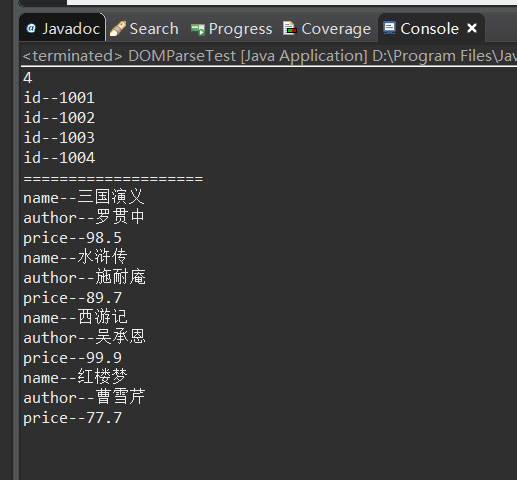
Java 4 common ways to parse xml: DOM SAX JDOM DOM4J
Four characteristics of Java parsing XML 1. DOM analysis: forms a tree structure, which helps to better understand and master, and the code is easy to write. During the parsing process, the tree struc...
Java parses XML four ways: SAX, DOM, DOM4J, JDOM
This article mainly introduces four mainstream Java parsing XML files, for reference only, this article is based on the books.xml file content: SAX analysis XML 1.1 SAXParserHandler.java 1.2 Test clas...

DOM, JDOM, DOM4J parsing XML
DOM, JDOM, DOM4J parsing XML Java parsing XML usually has two ways,DOMwithSAX(SAX has been demonstrated) DOM: Document Object Model (Document Object Model) DOM features: Define a set of Java interface...
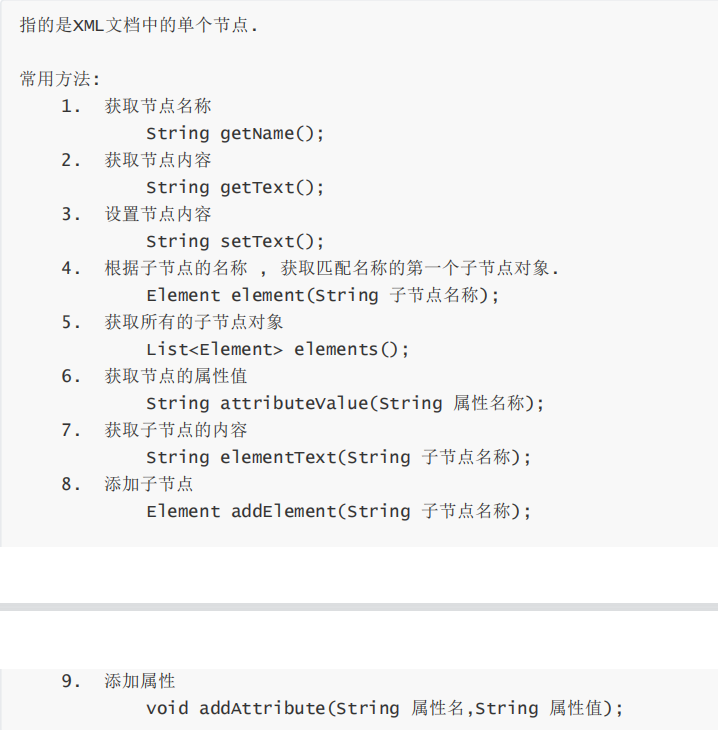
XML analysis (SAX, DOM, JDOM, DOM4J)
content 1, interview questions: 2, DOM4J parsing XML file 3, XPath Analysis XML file 1, interview questions: ask: JavaThere are severalXMLAnalytical way? What is it?? What kind of advantages and disad...
More Recommendation
Xml parsing DOM4J, DOM, SAX
Dom and sax parsing differences: 1.dom: (Document Object Model) A method recommended by the W3C organization Sax: (Simple API for XML) is not an official standard, but it is the de facto standard for ...
Xml parsing - dom, sax, dom4j
Difference between dom parsing and sax parsing: Dom mode parsing: Allocate a number structure in memory according to the hierarchical structure of xml, and encapsulate the tags, attributes and text of...
dom xml parsing it, dom4j, SAX
A, XML: 1, concepts: Extensible Markup Language tags are customized, a record is not necessary to compile 2 distinction, xml and the html: 1, html tags are precompiled, xml tag is free play 2, html pa...
Java-based XML introduction and SAX parsing, DOM parsing XML, JDOM parsing, DOM4J parsing, the use of XMLEncoder and XMLDecoder, and the use of xstream tools 189~195
table of Contents 1. What is XML 2. The purpose of XML 3. SAX parses XML 4. DOM parsing XML 5. JDOM parses XML 6. DOM4J parses XML 7. Generate XML files through objects 8. Comparison of various analys...
DOM, SAX, JDOM, JAXB parsing XML documents
Kree wrote There are four main methods for reading xml files in the java environment:DOM、SAX、JDOM、JAXB 1. DOM(Document Object Model) This method is mainly provided by the W3C. It re...