An error was reported when starting kafka: java.nio.file.FileSystemException, another program is using this file, and the process cannot access it.
tags: kafka
Paste the error message first
[2018-08-12 10:04:52,070] ERROR Failed to clean up log for __consumer_offsets-4 in dir D:\tmp\kafka-logs due to IOException (kafka.server.LogDirFailureChannel)
java.nio.file.FileSystemException: D:\tmp\kafka-logs\__consumer_offsets-4\00000000000000000000.log.cleaned -> D:\tmp\kafka-logs\__consumer_offsets-4\00000000000000000000.log.swap: another program This file is in use and cannot be accessed by the process.

	at sun.nio.fs.WindowsException.translateToIOException(WindowsException.java:86)
	at sun.nio.fs.WindowsException.rethrowAsIOException(WindowsException.java:97)
	at sun.nio.fs.WindowsFileCopy.move(WindowsFileCopy.java:387)
	at sun.nio.fs.WindowsFileSystemProvider.move(WindowsFileSystemProvider.java:287)
	at java.nio.file.Files.move(Files.java:1395)
	at org.apache.kafka.common.utils.Utils.atomicMoveWithFallback(Utils.java:697)
	at org.apache.kafka.common.record.FileRecords.renameTo(FileRecords.java:212)
	at kafka.log.LogSegment.changeFileSuffixes(LogSegment.scala:415)
	at kafka.log.Log.replaceSegments(Log.scala:1644)
	at kafka.log.Cleaner.cleanSegments(LogCleaner.scala:535)
	at kafka.log.Cleaner.$anonfun$doClean$6(LogCleaner.scala:462)
	at kafka.log.Cleaner.$anonfun$doClean$6$adapted(LogCleaner.scala:461)
	at scala.collection.immutable.List.foreach(List.scala:389)
	at kafka.log.Cleaner.doClean(LogCleaner.scala:461)
	at kafka.log.Cleaner.clean(LogCleaner.scala:438)
	at kafka.log.LogCleaner$CleanerThread.cleanOrSleep(LogCleaner.scala:305)
	at kafka.log.LogCleaner$CleanerThread.doWork(LogCleaner.scala:291)
	at kafka.utils.ShutdownableThread.run(ShutdownableThread.scala:82)
	 Suppressed: java.nio.file.FileSystemException: C:\tmp\kafka-logs\__consumer_offsets-4\00000000000000000000.log.cleaned -> C:\tmp\kafka-logs\__consumer_offsets-4\00000000000000000000.log.swap: another A program is using this file and the process cannot access it.

		at sun.nio.fs.WindowsException.translateToIOException(WindowsException.java:86)
		at sun.nio.fs.WindowsException.rethrowAsIOException(WindowsException.java:97)
		at sun.nio.fs.WindowsFileCopy.move(WindowsFileCopy.java:301)
		at sun.nio.fs.WindowsFileSystemProvider.move(WindowsFileSystemProvider.java:287)
		at java.nio.file.Files.move(Files.java:1395)
		at org.apache.kafka.common.utils.Utils.atomicMoveWithFallback(Utils.java:694)
		... 12 more
Cause Analysis: Failed to clean up the consumer_offset record in the D:\tmp\kafka-logs directory
consumer_offset is the topic that Kafka automatically saves the offset, and it comes with the topic
The setting directory is logs.dirs under config/server.config

The path in the picture is my modified path, the original path is /tmp/logs
Solution:: Manually delete all files in the directory and restart kafka
Intelligent Recommendation
Kafka starts an exception: Error Failed to Clean Up log for __consumer_offsets-30 in Dir Another program is using this file, the process is unable to access
problem : Today to start Kafka failure Problem Description: When you start Kafka, then view the log, the wrong point is as follows: Originally: If this problem, I haven't found specific reasons, and t...
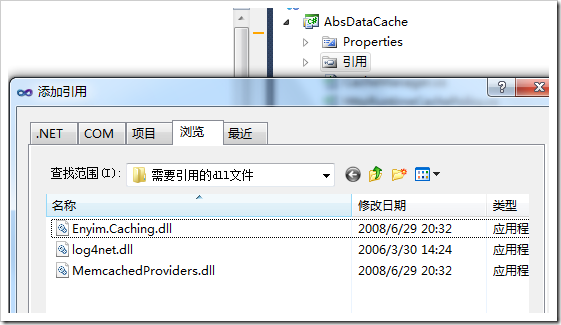
Include other people’s dll, and then we use the class library to repackage it into dll; the source file is different from the file when the module is generated; an unexpected error occurs when creating the debugging information file··PDB, and the process cannot access the file because of another A program is using this file...
The scenario is as follows:I have a project A in Disk D, There is a class library AbsDataCache, which has 3 cs files, among which CacheManager is used to encapsulate the cache cache of asp.net and the...
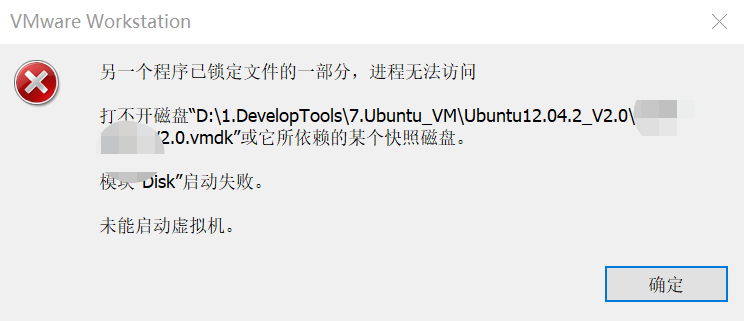
VMware Workstation—An error occurred when the virtual machine started Ubuntu system: "Another program has locked part of the file, and the process cannot access it" Solution
[Series of Columns]: A column that bloggers use to solve practical problems based on work practice. Friends, please read it! 《QT development practice》 《Embedded general development practice》 《Embedded...
The locust is high and a csv test report occurs, reporting an error PermissionError: [WinError 32] Another program is using this file and the process cannot access it. :'SearchOutputdata.csv'
1. Error message: (1) The file is occupied (2) Original code Second, the reason Because of errors caused by concurrency, the same file cannot be written and opened at the same time, and can be read at...
[Resolving using the Pillow error in Python] Permissionerror: [Winerror 32] Another program is using this file, the process cannot be accessed
Project scene pythonIn usepillowThe library opens a picture, and the long-width of the picture is judged. If the picture is satisfied, it is called.osLibraryremoveThe function deletes the picture. Pro...
More Recommendation
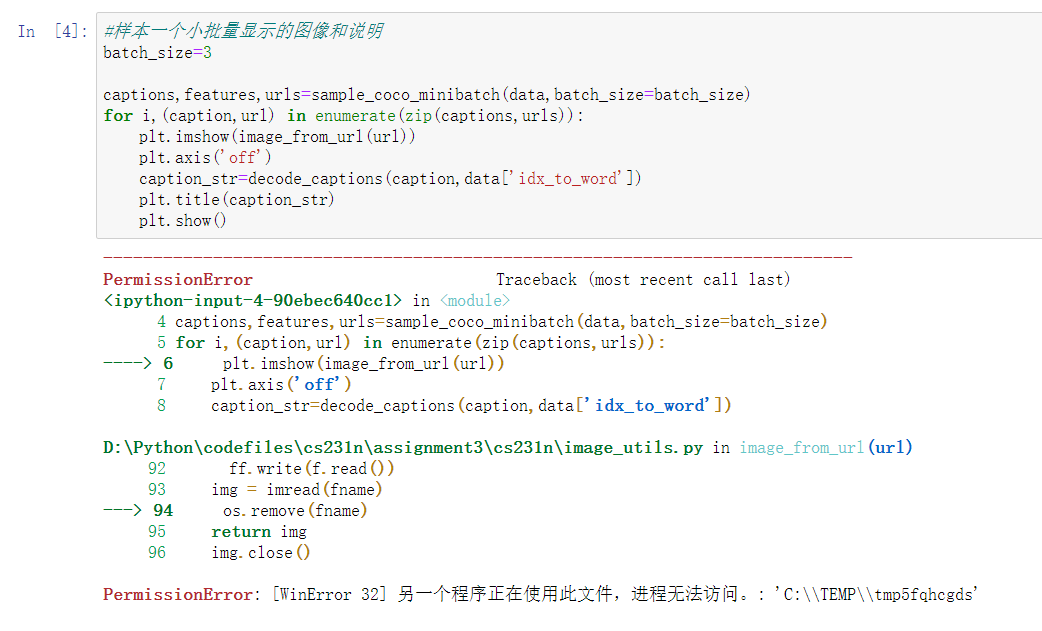
PermissionError: [WinError 32] Another program is using this file and the process cannot access it. : ‘C:\\TEMP\\tmp5fqhcgds’
(Cs231n course assignment assignment3-RNN_captioning error report) Change the image_from_url(url) in the original assignment3\cs231n\image_utils.py Make the following changes: After modification, run ...
Solve the problem of deploying ASP.NET Core to IIS, updating the project "another program is using this file, the process cannot access"
Problem: The ASP.NET Core project deployed on IIS will cause a process occupation error when updating Initial solution: 1. Close the application pool 2. Close the website 3. Update the p...

[Error correction] -Wly error: Permissionerror: [Winerror 32] Another program is using this file, and the process cannot be accessed. "+Solution
content Sales of the problem reason solution Sales of the problem Open the PDF file first, get the content of the PDF file, use OS.RMove () to delete the file. At this time Os.remove (source_path) Per...
Error: Permissionerror: [Winerror 32] Another program is using this file, and the process cannot be accessed. Solution of "+File Path"
Error: Permissionerror: [Winerror 32] Another program is using this file, and the process cannot be accessed. "+File path" solution Solution: Whether it is Pil, OpenCV and other Python libra...
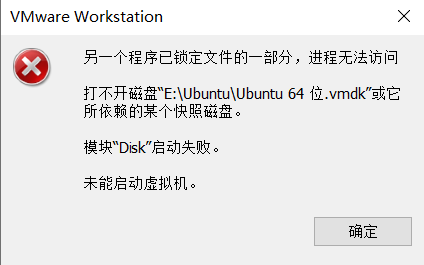
VMware reports an error: "Another program has locked a part of the file and the process cannot access it"
Report an error: Another program has locked a part of the file and the process cannot access it Cannot open the disk "E:\Ubuntu\Ubuntu 64-bit .vmdk" or one of the snapshot disks it depends o...