Kafka in Windows Error: java.nio.file.filesystemXception: Another program is using this file, the process cannot access the process, the process cannot be accessed
tags: Error solution notes kafka java windows
Problem Description
Kafka deployed in the Windows environment is hung after running for a period of time.
View loglogs/server.log Discover the following errors:
 ERROR Failed to clean up log for __consumer_offsets-44 in dir D:\kafka\kafka_2.13-2.8.0\kafkakafka_2.13-2.8.0kafka-logs due to IOException (kafka.server.LogDirFailureChannel)
java.nio.file.FileSystemException: D:\kafka\kafka_2.13-2.8.0\kafkakafka_2.13-2.8.0kafka-logs\__consumer_offsets-44\00000000000000000000.timeindex.cleaned -> D:\kafka\kafka_2.13 -2.8.0 \ kafkakafkka_2.13-2.8.0kafka-logs \ __ Consumer_offsets-44 \ 000000000000000000.Timeindex.swap: Another program is using this file, and the process cannot be accessed.

	at sun.nio.fs.WindowsException.translateToIOException(WindowsException.java:86)
	at sun.nio.fs.WindowsException.rethrowAsIOException(WindowsException.java:97)
	at sun.nio.fs.WindowsFileCopy.move(WindowsFileCopy.java:387)
	at sun.nio.fs.WindowsFileSystemProvider.move(WindowsFileSystemProvider.java:287)
	at java.nio.file.Files.move(Files.java:1395)
	at org.apache.kafka.common.utils.Utils.atomicMoveWithFallback(Utils.java:904)
	at kafka.log.AbstractIndex.renameTo(AbstractIndex.scala:210)
	at kafka.log.LazyIndex$IndexValue.renameTo(LazyIndex.scala:155)
	at kafka.log.LazyIndex.$anonfun$renameTo$1(LazyIndex.scala:79)
	at kafka.log.LazyIndex.renameTo(LazyIndex.scala:79)
	at kafka.log.LogSegment.changeFileSuffixes(LogSegment.scala:496)
	at kafka.log.Log.$anonfun$replaceSegments$4(Log.scala:2402)
	at kafka.log.Log.$anonfun$replaceSegments$4$adapted(Log.scala:2402)
	at scala.collection.immutable.List.foreach(List.scala:333)
	at kafka.log.Log.replaceSegments(Log.scala:2402)
	at kafka.log.Cleaner.cleanSegments(LogCleaner.scala:613)
	at kafka.log.Cleaner.$anonfun$doClean$6(LogCleaner.scala:538)
	at kafka.log.Cleaner.$anonfun$doClean$6$adapted(LogCleaner.scala:537)
	at scala.collection.immutable.List.foreach(List.scala:333)
	at kafka.log.Cleaner.doClean(LogCleaner.scala:537)
	at kafka.log.Cleaner.clean(LogCleaner.scala:511)
	at kafka.log.LogCleaner$CleanerThread.cleanLog(LogCleaner.scala:380)
	at kafka.log.LogCleaner$CleanerThread.cleanFilthiestLog(LogCleaner.scala:352)
	at kafka.log.LogCleaner$CleanerThread.tryCleanFilthiestLog(LogCleaner.scala:332)
	at kafka.log.LogCleaner$CleanerThread.doWork(LogCleaner.scala:321)
	at kafka.utils.ShutdownableThread.run(ShutdownableThread.scala:96)
	 Suppressed: java.nio.file.FileSystemException: D:\kafka\kafka_2.13-2.8.0\kafkakafka_2.13-2.8.0kafka-logs\__consumer_offsets-44\00000000000000000000.timeindex.cleaned -> D:\kafka\kafka_2 .13-2.8.0 \ kafkkakafka_2.13-2.8.0kafka-logs \ __ consumer_offsets-44 \ 000000000000000000.Timeindex.swap: Another program is using this file, and the process cannot be accessed.

		at sun.nio.fs.WindowsException.translateToIOException(WindowsException.java:86)
		at sun.nio.fs.WindowsException.rethrowAsIOException(WindowsException.java:97)
		at sun.nio.fs.WindowsFileCopy.move(WindowsFileCopy.java:301)
		at sun.nio.fs.WindowsFileSystemProvider.move(WindowsFileSystemProvider.java:287)
		at java.nio.file.Files.move(Files.java:1395)
		at org.apache.kafka.common.utils.Utils.atomicMoveWithFallback(Utils.java:901)
		... 20 more
reason
When the consumer's offset log is cleaned or the log file is rolled, Kafka Broker will be down due to the failure of the file. This is because in WindowsCan't modify the files in use Caused.
solution
existserver.properties In the configuration file:
- Revise
log.retention.hours=-1 - At the end of the file increase
log.cleaner.enable=false - Just restart
Suggest
There are similar issues in github and there arePR, But it is not merged, I use itkafka_2.13-2.8.0 There is a problem with the version. It is not recommended to use Kafka in the Win environment.
Intelligent Recommendation
Multi-process logging error: PermissionError: [WinError 32] Another program is using this file, the process cannot access
Multi-process logging error: PermissionError: [WinError 32] Another program is using this file, the process cannot access Reproduce the problem Solution reference https://github.com/Preston-Landers/co...

IIS deployment local website prompts that the website cannot be started, another program is using this file, and the process cannot be accessed
Today, the website deployed with IIS cannot be started locally. The default port of https is 443. In order to avoid the port starting with 4 on the local computer, I tried to use port 555, and the pro...

Tips when compiling idea: another program is using this file, the process cannot be accessed; the problem is fixed
Regarding the idea when compiling idea: Another program is using this file and the process cannot be accessed. Problem repair record First report the original text: Error:Maven Resources Compiler: Fai...
[Winerror 32] Another program is using this file, the process cannot be accessed, # image processing
When making image processing, I used three modules OS, PIL, CV2. I encountered a bug who plagued one morning, I investigated several resource monitor ~~~, bug as follows: Description of Requirement: 1...
Permissionerror: [Winerror 32] Another program is using this file, and the process cannot be accessed. Unable to delete files
Question: After posting the file to the remote interface, open the excel file for classification and processing, and the excel file cannot be deleted. Reason: Requests.post is not closed. Solution: Ma...
More Recommendation
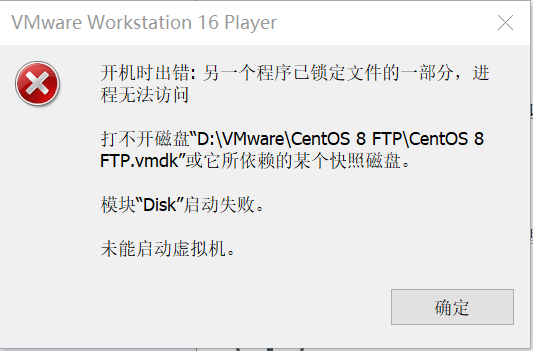
Virtual machine startup error: Another program has locked part of the file and cannot be accessed by the process
The virtual machine suddenly reported an error after a certain system as follows: Seeing this interface, although I don’t know the specific reason for the error, I can roughly guess the reason f...
2021-05-05 Using Exifread to find a picture to shoot the date, rename the file, another program is using this file, and the process cannot be accessed.
Use Exifread to find a picture date, rename the file, and another program is using this file, the process is unacceptable. Error prompt appears: Traceback (most recent call last): File "C:...
The locust is high and a csv test report occurs, reporting an error PermissionError: [WinError 32] Another program is using this file and the process cannot access it. :'SearchOutputdata.csv'
1. Error message: (1) The file is occupied (2) Original code Second, the reason Because of errors caused by concurrency, the same file cannot be written and opened at the same time, and can be read at...
Windows version Kafka exception java.nio.file.filesystemException Another program is using this file, the process is unable to access
content surroundings Phenomenon reason Solution Problem correction delete file log refer to surroundings Windows2012 R2 kafka_2.12-2.3.0 Phenomenon reason Kafka Prof...
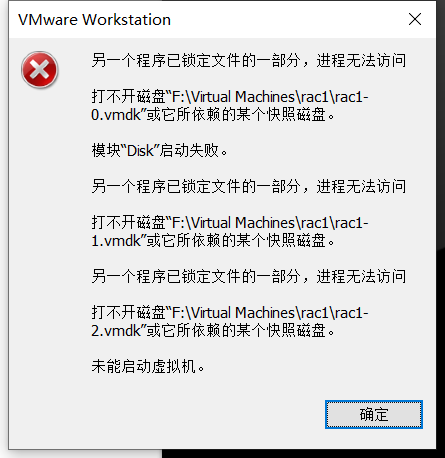
Another VMware program locks a part of the file and the process cannot access it
Another VMware program locks a part of the file and the process cannot access it This article is reproduced in the blog garden to record useful methods to solve your own problems original article Desc...