ring0 unlock file
tags: Windows driver development
background
When we want to delete a file, sometimes a "file is occupied" or "cannot be deleted" prompt box appears. This is often because the file handle has been opened but not closed in other processes.
What this article will introduce is to close file handles in other processes and unlock files. Now, I organize the implementation process and principles into documents and share them with you.
Implementation principle
To unlock the specified file, the first thing we need to do is to obtain all open file handles for this file, and then close these handles. Then, I will analyze the traversal of the specified file handle and the realization principle of ending the file handle respectively.
Traverse the specified file handle
First, we use the 16th function to call the ZwQuerySystemInformation function to obtain all the handle data on the system. Among them, ZwQuerySystemInformation is an unexported kernel function. Function No. 16 is the SystemHandleInformation function, which is used to obtain all handle information on the system, and obtain the returned data information according to the SYSTEM_HANDLE_INFORMATION structure.
Then, traverse every handle on the system and make judgments.
1> First of all, we can get the process ID information corresponding to the handle from the above function No. 16, so that we can call ZwOpenProcess to open the process where the handle is located;
2> Then, call the ZwDuplicateObject function to copy the file handle in the opened process to the current process NtCurrentProcess;
3> Next, use function No. 1 to call the ZwQueryObject function to obtain the type and name of the handle;
4> Finally, judge whether it is the file to be unlocked according to the file name corresponding to the handle, if it is, then start to unlock the file; if not, continue to judge the next handle.
Finally, release the memory.
End the specified file handle
First, we call the kernel function PsLookupProcessByProcessId to obtain the process structure object EPROCESS according to the process ID corresponding to the file handle to be unlocked;
Then, call KeStackAttachProcess to attach the attachment to the target process;
Then, call the unexported function ObSetHandleAttributes to set the attributes of the file handle, and set the file handle to "can be closed";
Next, call the ZwClose function to close the file handle;
Finally, call KeUnstackDetachProcess to end attaching to the target process.
Coding implementation
Get and traverse all handles on the system:
    // Traverse the handle, unlock the file
    BOOLEAN Unlockfile(UNICODE_STRING ustrUnlockFileName)
    {
        NTSTATUS status = STATUS_SUCCESS;
        SYSTEM_HANDLE_INFORMATION  tempSysHandleInfo = {0};
        PSYSTEM_HANDLE_INFORMATION  pSysHandleInfo = NULL;
        ULONG ulSysHandleInfoSize = 0;
        ULONG ulReturnLength = 0;
        ULONGLONG ullSysHandleCount = 0;
        PSYSTEM_HANDLE_TABLE_ENTRY_INFO pSysHandleTableEntryInfo = NULL;
        ULONGLONG i = 0;
        BOOLEAN bRet = FALSE;
        // Call the 16th function of ZwQuerySystemInformation to enumerate the handles in the system
        // Get the buffer size first
        ZwQuerySystemInformation(16, &tempSysHandleInfo, sizeof(tempSysHandleInfo), &ulSysHandleInfoSize);
        if (0 >= ulSysHandleInfoSize)
        {
            ShowError("ZwQuerySystemInformation", 0);
            return FALSE;
        }
        DbgPrint("ulSysHandleInfoSize=%d\n", ulSysHandleInfoSize);
        // apply for buffer memory
        pSysHandleInfo = (PSYSTEM_HANDLE_INFORMATION)ExAllocatePool(NonPagedPool, ulSysHandleInfoSize);
        if (NULL == pSysHandleInfo)
        {
            ShowError("ExAllocatePool", 0);
            return FALSE;
        }
        RtlZeroMemory(pSysHandleInfo, ulSysHandleInfoSize);
        // Get information about all handles in the system
        status = ZwQuerySystemInformation(16, pSysHandleInfo, ulSysHandleInfoSize, &ulReturnLength);
        if (!NT_SUCCESS(status))
        {
            ExFreePool(pSysHandleInfo);
            ShowError("ZwQuerySystemInformation", status);
            return FALSE;
        }
        // Get the number of handles in the system and the array of handle information
        ullSysHandleCount = pSysHandleInfo->NumberOfHandles;
        pSysHandleTableEntryInfo = pSysHandleInfo->Handles;
        // Start traversing all handles on the system
        for (i = 0; i < ullSysHandleCount; i++)
        {
            // Obtain handle information and determine whether it is an unlocked file handle
            bRet = IsUnlockFileHandle(pSysHandleTableEntryInfo[i], ustrUnlockFileName);
            if (bRet)
            {
                // Close the file handle, unlock the file
                CloseFileHandle(pSysHandleTableEntryInfo[i]);
                // display
                DbgPrint("[UnlockFile][%d][%d]\n",
                    pSysHandleTableEntryInfo[i].UniqueProcessId, pSysHandleTableEntryInfo[i].HandleValue);
            }
        }
        // freed
        ExFreePool(pSysHandleInfo);
    }
Obtain the handle information and determine whether it is an unlocked file handle:
    // Obtain handle information and determine whether it is an unlocked file handle
    BOOLEAN IsUnlockFileHandle(SYSTEM_HANDLE_TABLE_ENTRY_INFO sysHandleTableEntryInfo, UNICODE_STRING ustrUnlockFileName)
    {
        NTSTATUS status = STATUS_SUCCESS;
        CLIENT_ID clientId = { 0 };
        OBJECT_ATTRIBUTES objectAttributes = { 0 };
        HANDLE hSourceProcess = NULL;
        HANDLE hDupObj = NULL;
        POBJECT_NAME_INFORMATION pObjNameInfo = NULL;
        ULONG ulObjNameInfoSize = 0;
        BOOLEAN bRet = FALSE;
        WCHAR wszSrcFile[FILE_PATH_MAX_NUM] = { 0 };
        WCHAR wszDestFile[FILE_PATH_MAX_NUM] = { 0 };
        // Open the process according to the PID corresponding to the handle to obtain the process handle corresponding to the handle
        do
        {
            InitializeObjectAttributes(&objectAttributes, NULL, OBJ_CASE_INSENSITIVE | OBJ_KERNEL_HANDLE, NULL, NULL);
            RtlZeroMemory(&clientId, sizeof(clientId));
            clientId.UniqueProcess = sysHandleTableEntryInfo.UniqueProcessId;
            status = ZwOpenProcess(&hSourceProcess, PROCESS_ALL_ACCESS, &objectAttributes, &clientId);
            if (!NT_SUCCESS(status))
            {
                ShowError("ZwOpenProcess", status);
                break;
            }
            // Copy the file handle in the open process to the current process NtCurrentProcess
            status = ZwDuplicateObject(hSourceProcess, sysHandleTableEntryInfo.HandleValue,
                NtCurrentProcess(), &hDupObj, PROCESS_ALL_ACCESS, 0, DUPLICATE_SAME_ACCESS);
            if (!NT_SUCCESS(status))
            {
                ShowError("ZwDuplicateObject", status);
                break;
            }
            // Query the name information of the handle
            // Get the buffer size first
            ZwQueryObject(hDupObj, 1, NULL, 0, &ulObjNameInfoSize);
            if (0 >= ulObjNameInfoSize)
            {
                ShowError("ZwQueryObject", 0);
                break;
            }
            // apply for buffer memory
            pObjNameInfo = ExAllocatePool(NonPagedPool, ulObjNameInfoSize);
            if (NULL == pObjNameInfo)
            {
                ShowError("ExAllocatePool", 0);
                break;
            }
            RtlZeroMemory(pObjNameInfo, ulObjNameInfoSize);
            // Get handle name type information
            status = ZwQueryObject(hDupObj, 1, pObjNameInfo, ulObjNameInfoSize, &ulObjNameInfoSize);
            if (!NT_SUCCESS(status))
            {
                ShowError("ZwQueryObject", 0);
                break;
            }
            // Determine whether to unlock the file
            DbgPrint("[File]%wZ\n", &pObjNameInfo->Name);
            RtlZeroMemory(wszSrcFile, FILE_PATH_MAX_NUM*sizeof(WCHAR));
            RtlZeroMemory(wszDestFile, FILE_PATH_MAX_NUM*sizeof(WCHAR));
            RtlCopyMemory(wszSrcFile, pObjNameInfo->Name.Buffer, pObjNameInfo->Name.Length);
            RtlCopyMemory(wszDestFile, ustrUnlockFileName.Buffer, ustrUnlockFileName.Length);
            if (NULL != wcsstr(wszSrcFile, wszDestFile))
            {
                bRet = TRUE;
                break;
            }
        } while (FALSE);
        // freed
        if (NULL != pObjNameInfo)
        {
            ExFreePool(pObjNameInfo);
        }
        if (NULL != hDupObj)
        {
            ZwClose(hDupObj);
        }
        if (NULL != hSourceProcess)
        {
            ZwClose(hSourceProcess);
        }
        return bRet;
    }
Close the file handle:
    // Close the file handle, unlock the file
    BOOLEAN CloseFileHandle(SYSTEM_HANDLE_TABLE_ENTRY_INFO sysHandleTableEntryInfo)
    {
        NTSTATUS status = STATUS_SUCCESS;
        PEPROCESS pEProcess = NULL;
        HANDLE hFileHandle = NULL;
        KAPC_STATE apcState = { 0 };
        OBJECT_HANDLE_FLAG_INFORMATION objectHandleFlagInfo = { 0 };
        // Get the file handle
        hFileHandle = sysHandleTableEntryInfo.HandleValue;
        // Get the process structure object EPROCESS corresponding to the file handle
        status = PsLookupProcessByProcessId(sysHandleTableEntryInfo.UniqueProcessId, &pEProcess);
        if (!NT_SUCCESS(status))
        {
            ShowError("PsLookupProcessByProcessId", status);
            return FALSE;
        }
        // Attach to the process space corresponding to the file handle
        KeStackAttachProcess(pEProcess, &apcState);
        // Set the attribute of the file handle to "can be closed"
        objectHandleFlagInfo.Inherit = 0;
        objectHandleFlagInfo.ProtectFromClose = 0;
        ObSetHandleAttributes((HANDLE)hFileHandle, &objectHandleFlagInfo, KernelMode);
        // Close the file handle
        ZwClose((HANDLE)hFileHandle);
        // End process attachment
        KeUnstackDetachProcess(&apcState);
        return TRUE;
    }
Intelligent Recommendation
Memory modification (Ring0)
Realize the data copy in the virtual address space of the two Ring3 layer processes, and realize the idea: 1. Use the EPROCESS and VirtualAddress of the two processes as parameters to pass 2. If the l...
Ring0 Ring3 communication
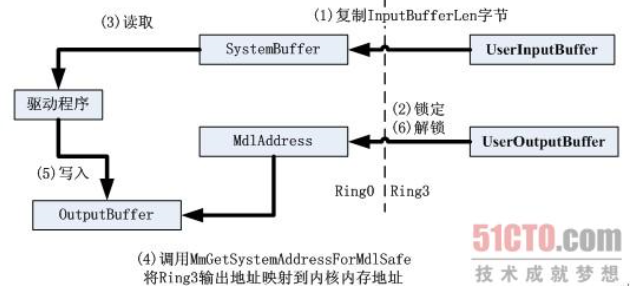
Ring0: Create device object Create a symbolic link name: Set up the dispatch routine: Ring3: Open the device object and get the handle Send request IO to the device BOOL WINAPI DeviceIoControl( ...
The communication between Ring3 and Ring0
1. Three buffers of IRP By viewing the structural information of IRP, we found that there are three ways to describe the buffer area. For different IO categories, the way to write a buffer area is als...
Unlock
==== = lock = ==== 1. What is the synchronized principle? 2, lock upgrade In the early stage of JDK, it is heavyweight; later improved -> lock upgrade concept; can only upgrade can't die, SYNC four...
Linux unlock file operation new posture
As a program background developer, he often checks the program running log to analyze the current program running situation and troubleshoot abnormal problems. What is essential is how to operate log ...
More Recommendation
Lock and unlock files and view file lock status
1. File lock status: lsattr file name. 2. Unlock the file: chattr -i file name 3. Lock the file: chattr +i file name...
One of the mystery of you unlock the "file download"
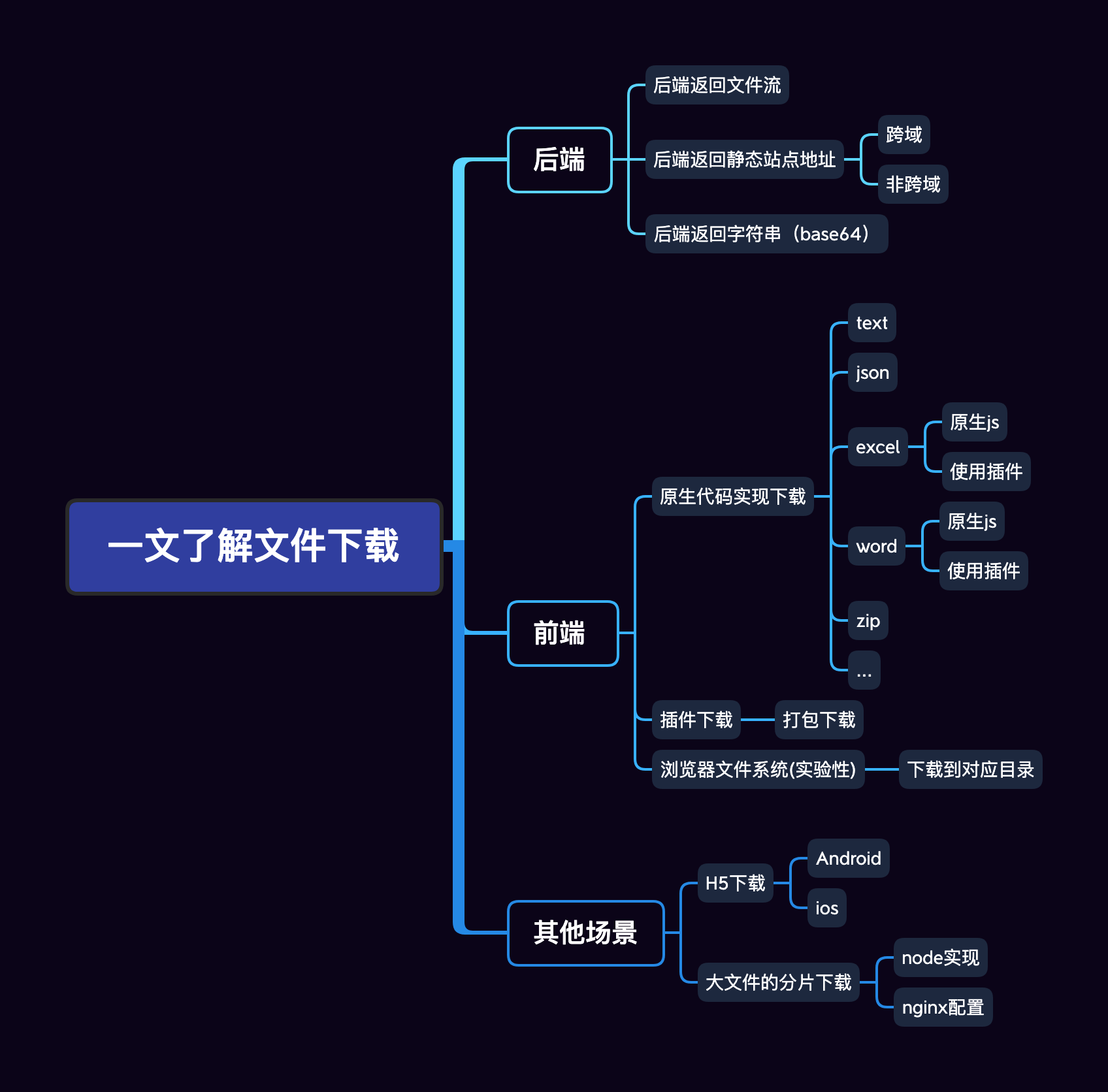
Hello everyone, I am autumn wind, the theme brought about today is aboutfile downloadI have sent an article uploaded by a document before I have previously been previously issued.One article understan...
Batch unlock file status contains subfolders
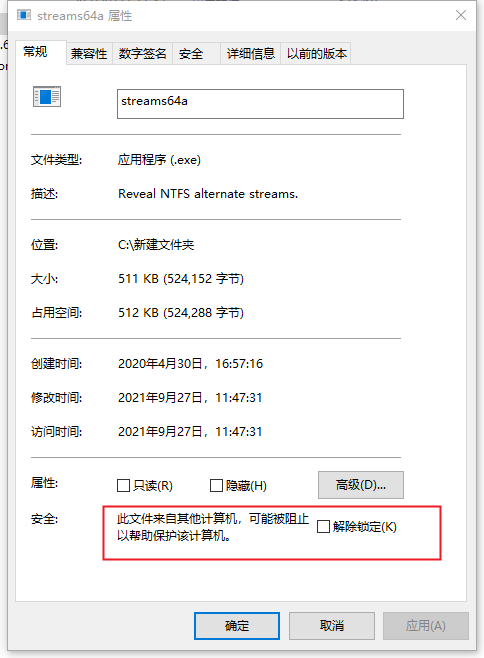
Files downloaded online will be locked and will not run normally in many cases. This requires manual release. There is no problem with fewer ones. If there are more subfolders, it will be troublesome....
linux modify file permissions and unlock files
1. Enter in the lniux terminalcd directory nameCommand to enter the parent directory of the file to be modified. 2. If the file is contained in a multi-layer folder, you need to use the cd file name m...

win 64 ring0 inline hook
The following content refers to the hacker defense line 2012 book 316 pages 1. The first thing to pay attention to The inline hook cannot truncate the instruction. That is to say, when the inst...