K8S Kubernetes | Kubectl Kubeadm command line to make up for and log in
tags: Kubernetes bash linux
-
The login voucher for the ROOT account of the master node and the Kubectl, Kubeadm command line to make up
All of the following operations are operated on the master node.
sudo bash -c "echo 'export KUBECONFIG=/etc/kubernetes/admin.conf' >> /root/.bash_profile" sudo bash -c "echo 'source <(kubeadm completion bash)' >> /root/.bash_profile" sudo bash -c "echo 'source <(kubectl completion bash)' >> /root/.bash_profile" -
Configure each client node Student account configuration login voucher and Kubectl and Kubeadm command lines.
export CLIENTS=“k8s-master k8s-node1 k8s-node2 client”
for client in $CLIENTS;do ssh $client mkdir ~/.kube;done sudo cp /etc/kubernetes/admin.conf /home/student/.kube/config sudo cp /etc/kubernetes/pki/ca.crt /home/student/.kube/ sudo chown student.student ~/.kube/* for x in k8s-node1 k8s-node2 client;do scp ~/.kube/* $x:~/.kube/;done for client in $CLIENTS;do ssh $client "echo 'source <(kubeadm completion bash)' >> ~/.bash_profile";done for client in $CLIENTS;do ssh $client "echo 'source <(kubectl completion bash)' >> ~/.bash_profile";done source ~/.bash_profile -
test
TAB key supplement the test.
student@client:~$ kubectl
annotate       auth           config         delete         exec           kustomize      plugin         run            uncordon
api-resources  autoscale      cordon         describe       explain        label          port-forward   scale          version
api-versions   certificate    cp             diff           expose         logs           proxy          set            wait
apply          cluster-info   create         drain          get            options        replace        taint
attach         completion     debug          edit           help           patch          rollout        top
student@client:~$
student@client:~$
student@client:~$ kubeadm
certs       completion  config      help        init        join        kubeconfig  reset       token       upgrade     version
Intelligent Recommendation
Kubernetes (k8s) Installing Deployment Process (2) Kubectl Command Line Tool Installation
Download kubectl Note Please download the corresponding Kubernetes version of the installation package. Create a kubectl kubeconfig file admin.pemCertificate OU field valuesystem:masters,kube-apiserve...
kubeadm and kubectl command completion
kubeadm command completion Official introduction https://kubernetes.io/docs/tasks/tools/install-kubectl/#optional-kubectl-configurations kubectl command completion...
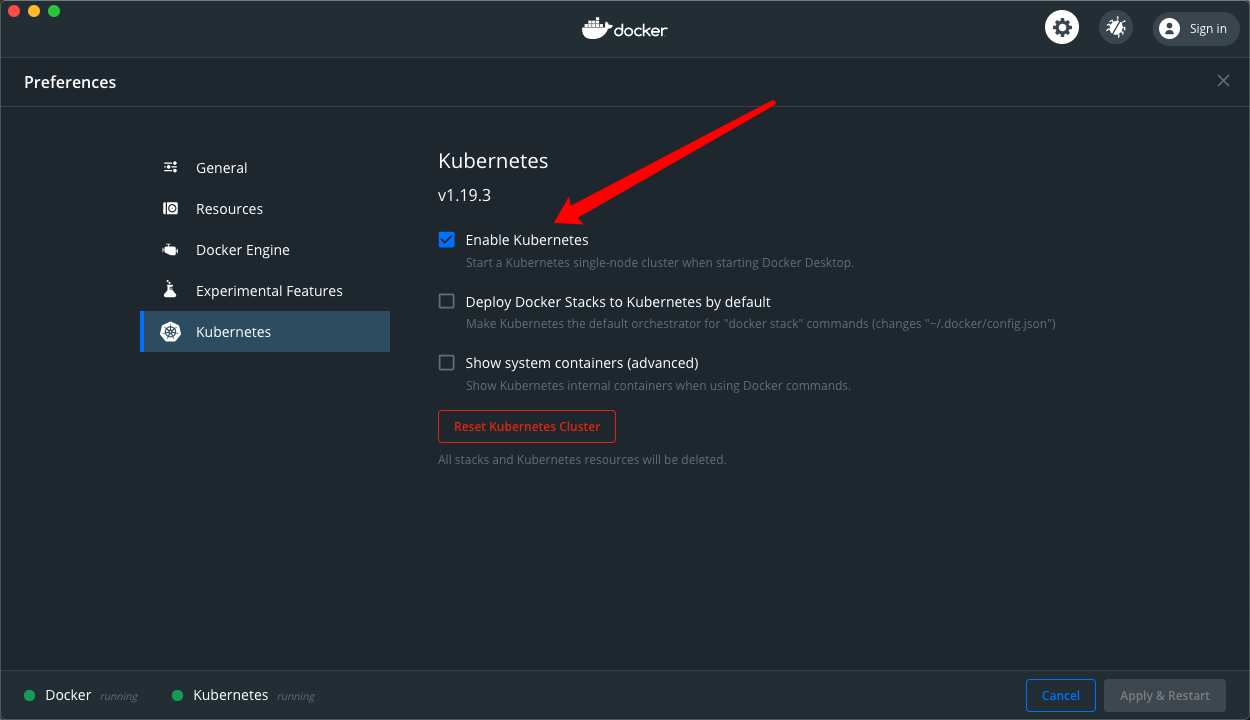
Kubernetes Cluster installation and kubectl command line Daquan
The performance of the notebook / desktop computer is strong enough (memory is not less than 8G), you can install Docker-Desktop directly, and enable the embedded Kubernetes cluster, learn, test, can ...

Kubernetes cluster command line tool kubectl
Kubernetes cluster command line tool kubectl Kubectl overview Kubectl is the command line tool for the Kubernetes clusterThe cluster itself can be managed by Kubectl, and can be installed on the clust...
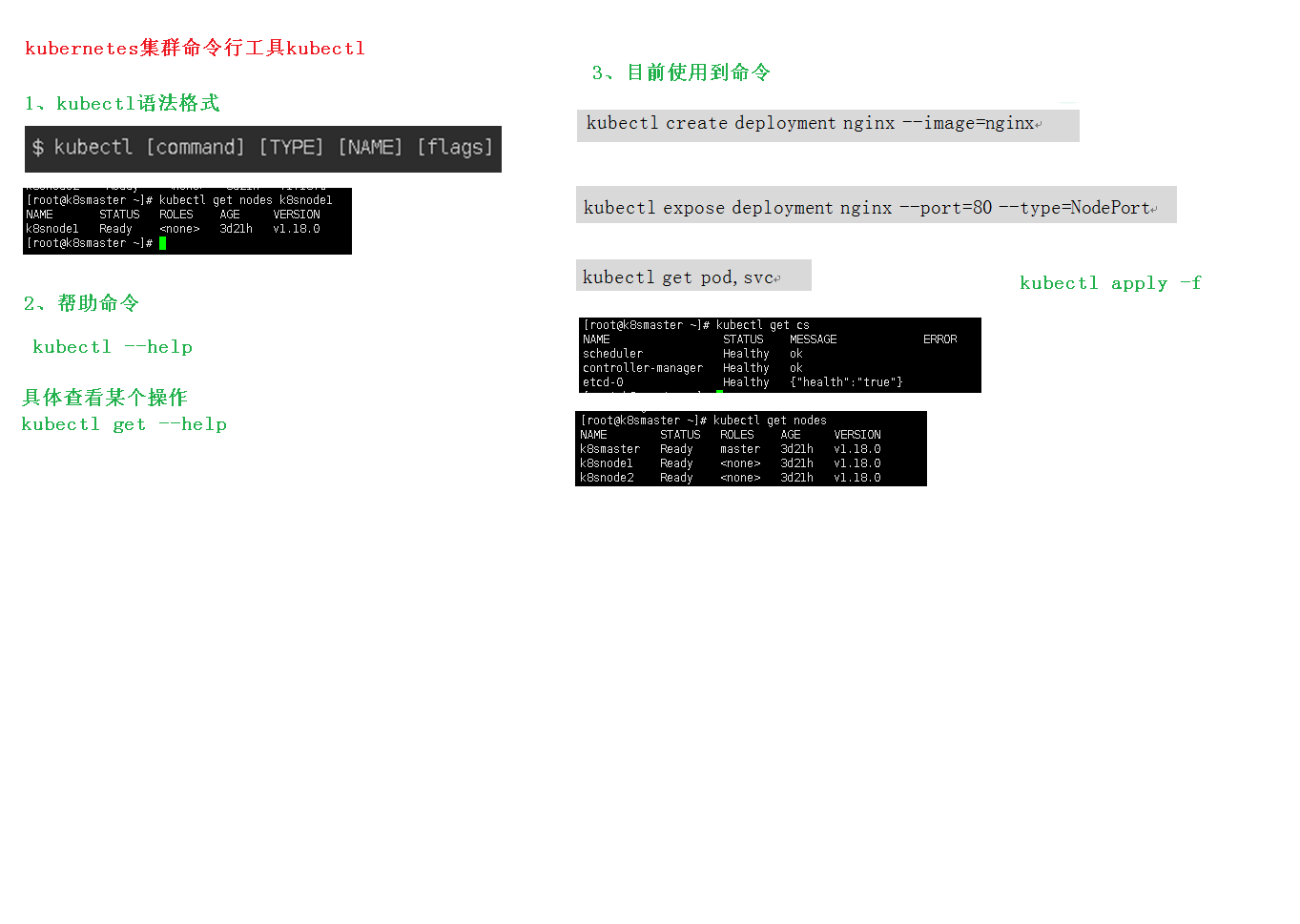
Third, the kubernetes cluster command line tool kubectl
directory 1, Kubectl Overview 2, the syntax of the kubectl command 3, Kubectl Help Get more information 4, kubectL subcommand use classification 4.1 Basic Order 4.2 Administration commands for deploym...
More Recommendation

Play k8s-kubectl command line management tool
Play k8s-kubectl command line management tool One: Kubectl management 1.1: Kubectl basic instructions kubectl is a command line tool for managing k8s. It generates json format and transmits it to apis...
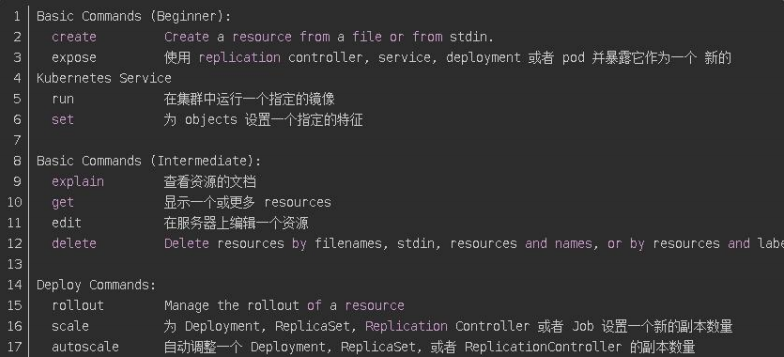
(04) K8S cluster command line tool kubectl
1, Kubectl Overview Kubectl is the command line tool for the Kubernetes cluster , Can manage the cluster itself through kubectl, and Enough to install the installation deployment of container applicat...
K8S kubectl command line completion tool installation
When we just install a good cluster, when using the kubectl tool, there is no command to make a full tool, so it is not very convenient to use, here you introduce a small tool for use - Completion kub...
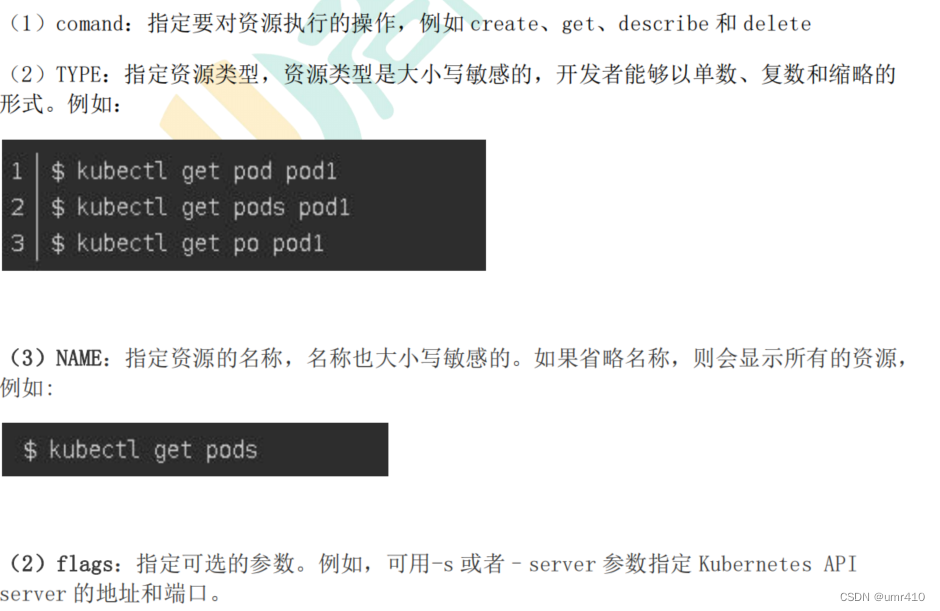
【K8S Note 2】 Kubectl command line tool
In the Kubentes cluster, the calculation nodes in the cluster can be controlled by Kubeadm and Kubectl. Generally, Kubeadm is used to add or delete the nodes in the cluster, and use Kubectl to query t...

Kubernetes ------ Kubectl of K8S (1)
content First, statement resource management 1 statement resource management method 2kubectl command Daquan 3 The increase in resources, delete, and the operation is relatively convenient, but it is n...