Python3.8 uses scikit-learn0.20.2 Times Wrong Typeerror: an Integer is Required (got type bytes)
tags: Project skill accumulation python
I must record this problem, because I have gone too much road, spend too much time!
Problem Description:
When the brother's project is placed on his computer, no module name 'error appears, after several search queries, found that because I use the latest version of Sciki-Learn, different from the brothers save SCIKIT-Learn0.20.2 version of the model, Sklearn.svm.classes on the 24 version has been abandoned (this problem found by downloading the middle version -22 version, the middle version is very close, when the error will be discarded There is no error in the 24 version, so this error will be reported.
Solution process:
So I dropped scikit-learn to version 0.20.2, and the results were still error: typeError: an INTEGER IS Required (Got Type Bytes), after search and analysis, found because scikit-learn0.20.2 is not compatible with python3.8, this Faced to upgrade scikit-learn or downgrade Python problem.
After the error positioning in the code, I found that this error is when using the Pickle.Load (file) statement, the Pickle.Load here is parsing the data in the file to a Python object, mention Pickle Sequenification here has a problem, Joblib is onlySave modelProgram andLoading modelInstalled between the programThe version is exactly the sameWhen serialization can be performed. So the scikit-learn here must use the 0.20.2 version, then you need to solve the TypeError: an INTEGER IS Required (Got Type Bytes) problem.
Solve TypeError: an INTEGER IS Required (Got Type Bytes) Question:
According to the error indication, position to this directory D: \ python \ lib \ site-packages \ sklearn \ externals \ Joblib \ Externals \ CloudPickle \ CloudPickle.py 148 lines:
The unmodified code is like this:
    def inner(value):
        lambda: cell  # make ``cell`` a closure so that we get a STORE_DEREF
        cell = value

    co = inner.__code__

    # NOTE: we are marking the cell variable as a free variable intentionally
    # so that we simulate an inner function instead of the outer function. This
    # is what gives us the ``nonlocal`` behavior in a Python 2 compatible way.
    if not PY3:
        return types.CodeType(
            co.co_argcount,
            co.co_nlocals,
            co.co_stacksize,
            co.co_flags,
            co.co_code,
            co.co_consts,
            co.co_names,
            co.co_varnames,
            co.co_filename,
            co.co_name,
            co.co_firstlineno,
            co.co_lnotab,
            co.co_cellvars,  # this is the trickery
            (),
        )
    else:
        return types.CodeType(
            co.co_argcount,
            co.co_kwonlyargcount,
            co.co_nlocals,
            co.co_stacksize,
            co.co_flags,
            co.co_code,
            co.co_consts,
            co.co_names,
            co.co_varnames,
            co.co_filename,
            co.co_name,
            co.co_firstlineno,
            co.co_lnotab,
            co.co_cellvars,  # this is the trickery
            (),
        )
In ELSE: The rear begins to modify, change to:
args = [
            co.co_argcount,
            co.co_kwonlyargcount,
            co.co_nlocals,
            co.co_stacksize,
            co.co_flags,
            co.co_code,
            co.co_consts,
            co.co_names,
            co.co_varnames,
            co.co_filename,
            co.co_name,
            co.co_firstlineno,
            co.co_lnotab,
            co.co_cellvars,  # this is the trickery
            (),
		]
        if sys.version_info >= (3, 8, 0):
            args.insert(2, 0)
        new_code = types.CodeType(*args)
        return new_code
The full code of this function:
    def inner(value):
        lambda: cell  # make ``cell`` a closure so that we get a STORE_DEREF
        cell = value

    co = inner.__code__

    # NOTE: we are marking the cell variable as a free variable intentionally
    # so that we simulate an inner function instead of the outer function. This
    # is what gives us the ``nonlocal`` behavior in a Python 2 compatible way.
    if not PY3:
        return types.CodeType(
            co.co_argcount,
            co.co_nlocals,
            co.co_stacksize,
            co.co_flags,
            co.co_code,
            co.co_consts,
            co.co_names,
            co.co_varnames,
            co.co_filename,
            co.co_name,
            co.co_firstlineno,
            co.co_lnotab,
            co.co_cellvars,  # this is the trickery
            (),
        )
    else:
        args = [
            co.co_argcount,
            co.co_kwonlyargcount,
            co.co_nlocals,
            co.co_stacksize,
            co.co_flags,
            co.co_code,
            co.co_consts,
            co.co_names,
            co.co_varnames,
            co.co_filename,
            co.co_name,
            co.co_firstlineno,
            co.co_lnotab,
            co.co_cellvars,  # this is the trickery
            (),
		]
        if sys.version_info >= (3, 8, 0):
            args.insert(2, 0)
        new_code = types.CodeType(*args)
        return new_code
Maybe there will be some small problems in writing formats when you run, and you will solve it!
Intelligent Recommendation
When importing the Sklearn library, encounter TypeError: an integer is required (got type bytes)
When importing the Sklearn library, encounter TypeError: an integer is required (got type bytes) First check your Sklearn version, when you install Sklearn, if you use the following PIP command, you m...
TypeError: an integer is required (got type str)? Solution
Code: An error was encountered when opening files The following code changes to solve the problem The specific reasons unknown, seeking answers to big brother...


【Python】TypeError: an integer is required (got type str)
Problems encountered in debugging code today TypeError: an integer is required (got type str) problem causes In the open function of the open file object in python3, the following is the wrong way of ...
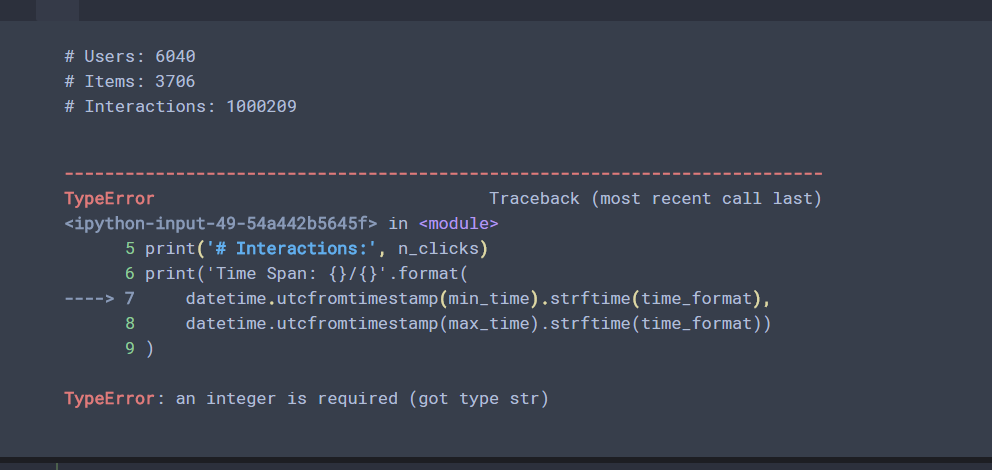
TypeError: an integer is required (got type str)
This is type alone What is needed is an int type, but input is a STR type ...
More Recommendation
TypeError: an integer is required (got type is tuple)
TypeError: an integer is required (got type is tuple), This error. To understand it literally, you need to obtain a integer data, and the original code is the tuple. What needs to be done is to change...
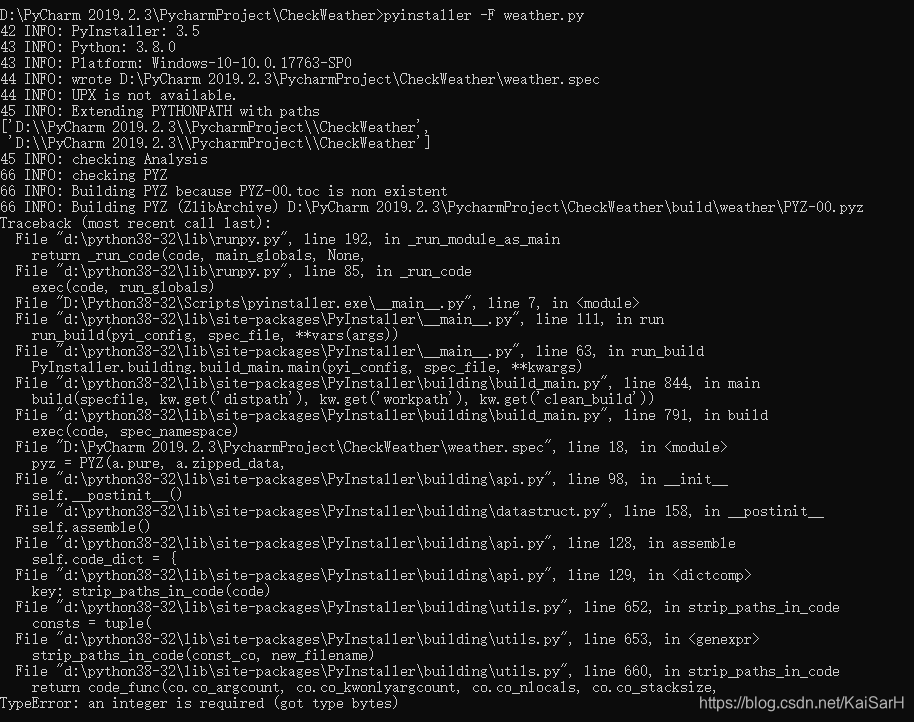
The Python program generates a Windows executable / command window does not display / Can not generate exe error TypeError: an integer is required (got type bytes) Solution
Use pyinstaller Installation command: pip install pyinstaller or pip install https://github.com/pyinstaller/pyinstaller/archive/develop.tar.gz The second recommended: because I just started using the ...
pyspark: Typerror: An Integer is Required (GOT TYPE BYTES) solution
This machine environment: spark2.4.4, MINICONDA's latest Python 3.9 Run bin/pyspark Times wrong as follows: When it is said on the Internet, Spark is not so friendly for the latest Python version. It ...
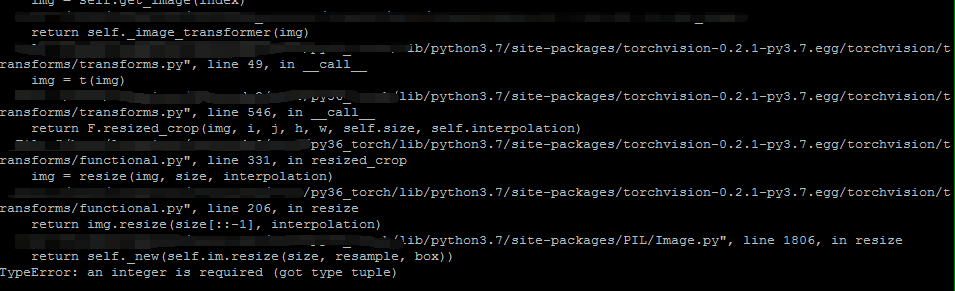
RandomResizedCrop error: TypeError: an integer is required (got type tuple)
Problem background The blogger’s version of pytorch is 0.4.1, and the version of torchvision is 0.2.1, an error occurs when the following code is executed. See the error below: Question inquiry ...
cv2.rectangle--TypeError: an integer is required (got type tuple)
Framed the face on the picture, the following error appeared: Haven't encountered it before, instackoverflowI found the explanation above, which is the reason why the image read by PIL.Image cannot us...