TypeError: an integer is required (got type list) a solution
my question:

Figure 1
My code:
import numpy as np
import cv2 as cv

def template_image_demo():
    target = cv.imread("D:\wenjian\GraduateCourse\DigitalImageProcessing\code-python\image\cobe1.jpg")
    tpl = cv.imread("D:\wenjian\GraduateCourse\DigitalImageProcessing\code-python\image\cobe3Cut.jpg")
    cv.imshow("template", tpl)
    cv.imshow("target", target)
    methods = [cv.TM_SQDIFF_NORMED, cv.TM_CCORR_NORMED, cv.TM_CCOEFF_NORMED]
    th, tw = tpl.shape[:2]
    print("th = ", th)
    print("tw = ", tw)
    for md in methods:
        result = cv.matchTemplate(target, tpl, md)
        min_val, max_val, min_loc, max_loc = cv.minMaxLoc(result)
        print("min_val = ", min_val)
        print("max_val = ", max_val)
        print("min_loc = ", min_loc)
        print("max_loc = ", max_loc)
        if md == cv.TM_SQDIFF_NORMED:
            if min_val > 0.5:
                print("SQDIFF image does not match")
                tl = [0, 0]
            else:
                tl = min_loc
        else:
            if max_val < 0.5:
                                 print("Image does not match")
                tl = [0, 0]
            else:
                tl = max_loc

	br = (tl[0] + tw, tl[1] + th)
        cv.rectangle(target, tl, br, [0, 0, 255], 3)
        cv.imshow("match"+np.str(md), target)
        template_image_demo()
	cv.waitKey(0)
	cv.destroyAllWindows()

 ``Solution:
		tl = (0, 0)
 It can be seen from Figure 1 that the value of tl = min_loc is put in parentheses, that is ()
 However, tl = [0, 0] in my code uses square brackets, so I made a mistake.
Intelligent Recommendation
Python socket TypeError: an integer is required (got type str)
Python Socket TypeError: an integer is required (got type str) You can see that the Python prompts to connect, and the error isan integer is required (got type str) Then I saw my code. It is only nece...
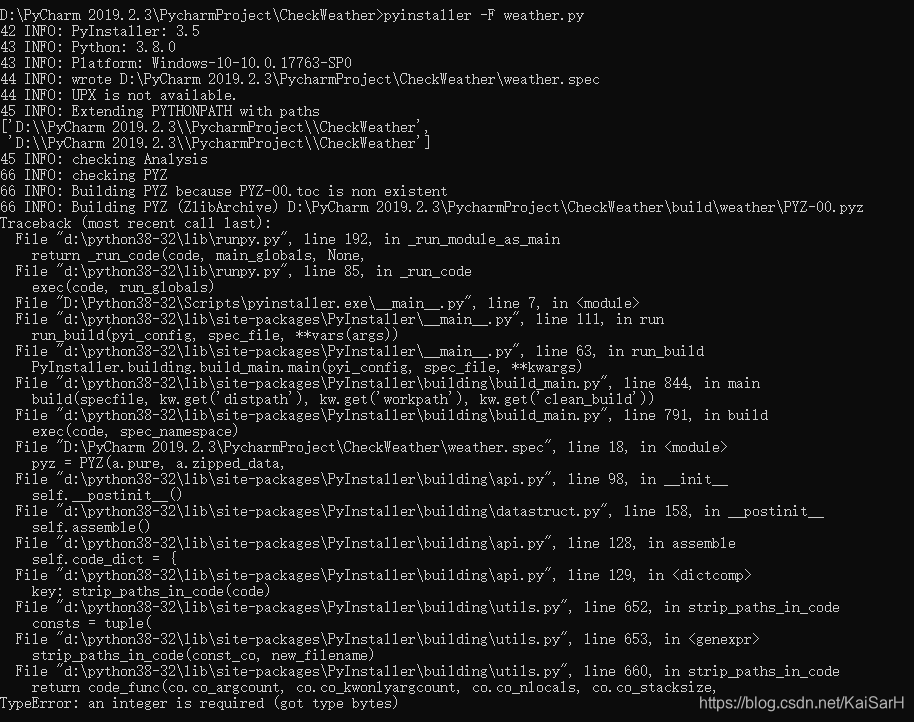
The Python program generates a Windows executable / command window does not display / Can not generate exe error TypeError: an integer is required (got type bytes) Solution
Use pyinstaller Installation command: pip install pyinstaller or pip install https://github.com/pyinstaller/pyinstaller/archive/develop.tar.gz The second recommended: because I just started using the ...
pyspark: Typerror: An Integer is Required (GOT TYPE BYTES) solution
This machine environment: spark2.4.4, MINICONDA's latest Python 3.9 Run bin/pyspark Times wrong as follows: When it is said on the Internet, Spark is not so friendly for the latest Python version. It ...
TypeError: an integer is required (got type bytes) error correction method of seeking correction
TypeError: an integer is required (got type bytes) error correction method of seeking correction Traceback (most recent call last): File “F:/python/automatic/tsTserv.py”, line 18, in tcpCl...

python: Use PyInstaller packaged into exe files, and TypeError: an integer is required (got type bytes) exception resolution
python: Use PyInstaller packaged into exe files, and TypeError: an integer is required (got type bytes) exception resolution 2019-11-12 15:50:22 lad. Read the article tag number 225: python package ex...
More Recommendation
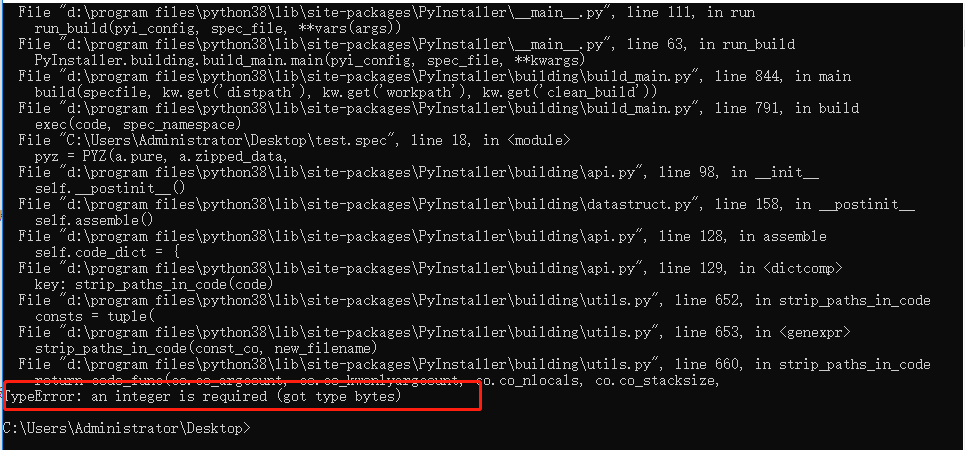
Python: Use PyInstaller to package into an exe file, and TypeError: an integer is required (got type bytes) exception resolution
Using Python 3.6 or above to use pyinstaller for packaging will result in a TypeError: an integer is required (got type bytes) exception. The solution and installation pyinstaller tutorial are as foll...
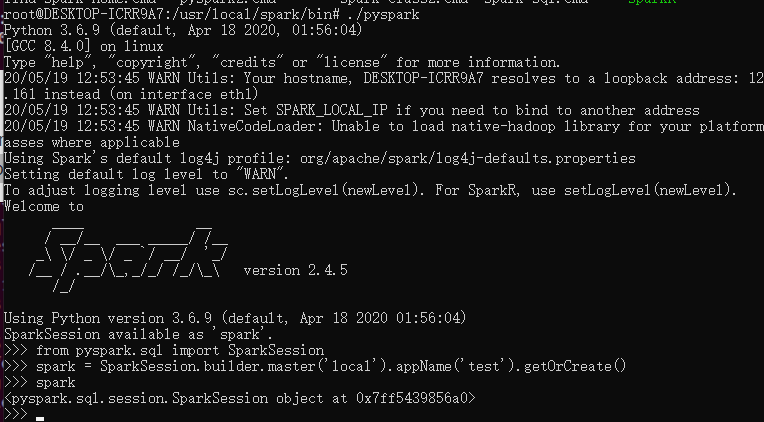
"TypeError: an integer is required (got type bytes)" error when trying to run pyspark after installing spark 2.4.4
The environment is Ubuntu, jdk8, spark-2.4.5-bin-hadoop2.7, python3.8.2 1. Reason Since spark does not yet support python3.8 2. Solution So just downgrade python, I downgrade to python3.6.9 successful...
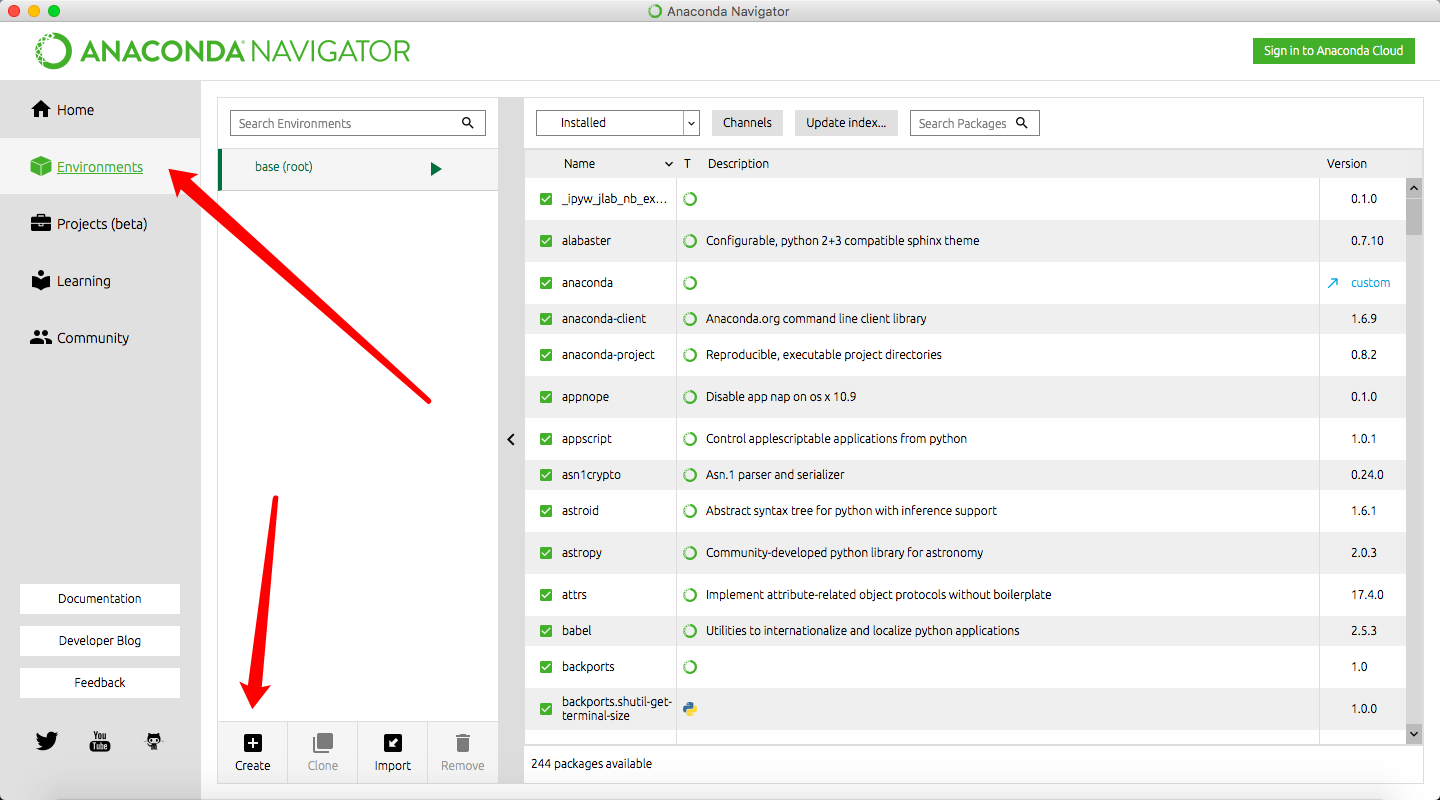
Pycharm: Error TypeError: an integer is required (got type bytes) after setting Anaconda
Background: After installing the latest version of Anaconda 3.9, after setting Python Interpreter in Pycharm to python.exe under the latest version of Anaconda file, the console fails to start and an ...
Cv2.Rectangle () TYPEERROR: An Integer IS Required (Got Type Tuple), Question Essential Analysis
This problem seems to be often encountered, but I haven't said that other explanations have not said the nature. Here I have tested it for your reference. cv2.rectangle(img, pt1, pt2, color[, thicknes...
[Question] Python packaging EXE error: typeerror: an inTeger is required (got type bytes)
Pack Python files into an exe command: pyinstaller -f -w xxx.pyWhen the results are compiled, an error is not generated without generating an EXE file. solve PyInstaller -F -w .\xxx.pySuccessfully gen...