The Jupyter Notebook kernel hangs, you need to restart
tags: pytorch
1. When running as follows:
%matplotlib inline
import numpy as np
from IPython import display
from d2l import torch as d2l

def f(x):
    return 3*x**2-4*x

def numerical_lim(f, x, h):
    return (f(x + h) - f(x)) / h

h = 0.1
for i in range(5):
    print(f'h={h:.5f}, numerical limit={numerical_lim(f, 1, h):.5f}')
    h *= 0.1

def use_svg_display():  #@save
    "" "Use the SVG format to display the drawing in Jupyter." "" "
    display.set_matplotlib_formats('svg')

def set_figsize(figsize=(3.5, 2.5)):  #@save
    "" "Sets the chart size of Matplotlib." ""
    use_svg_display()
    d2l.plt.rcParams['figure.figsize'] = figsize
#@save
def set_axes(axes, xlabel, ylabel, xlim, ylim, xscale, yscale, legend):
    "" "Sets the axis of Matplotlib." ""
    axes.set_xlabel(xlabel)
    axes.set_ylabel(ylabel)
    axes.set_xscale(xscale)
    axes.set_yscale(yscale)
    axes.set_xlim(xlim)
    axes.set_ylim(ylim)
    if legend:
        axes.legend(legend)
    axes.grid()
#@save
def plot(X, Y=None, xlabel=None, ylabel=None, legend=None, xlim=None,
         ylim=None, xscale='linear', yscale='linear',
         fmts=('-', 'm--', 'g-.', 'r:'), figsize=(3.5, 2.5), axes=None):
    "" "Draw data points." "" "
    if legend is None:
        legend = []

    set_figsize(figsize)
    axes = axes if axes else d2l.plt.gca()

    # If `x` There is a shaft, output TRUE
    def has_one_axis(X):
        return (hasattr(X, "ndim") and X.ndim == 1 or
                isinstance(X, list) and not hasattr(X[0], "__len__"))

    if has_one_axis(X):
        X = [X]
    if Y is None:
        X, Y = [[]] * len(X), X
    elif has_one_axis(Y):
        Y = [Y]
    if len(X) != len(Y):
        X = X * len(Y)
    axes.cla()
    for x, y, fmt in zip(X, Y, fmts):
        if len(x):
            axes.plot(x, y, fmt)
        else:
            axes.plot(y, fmt)
    set_axes(axes, xlabel, ylabel, xlim, ylim, xscale, yscale, legend)
x = np.arange(0, 3, 0.1)
plot(x, [f(x), 2 * x - 3], 'x', 'f(x)', legend=['f(x)', 'Tangent line (x=1)'])
2. The result is as follows:
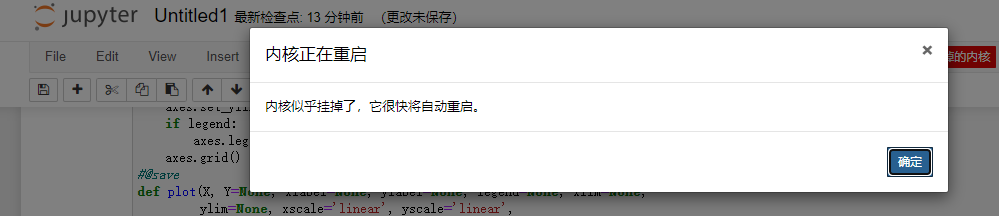
3. View Anaconda-Prompt Related messages is as follows:

OMP: Error #15: Initializing libiomp5md.dll, but found libiomp5md.dll already initialized.
OMP: Hint This means that multiple copies of the OpenMP runtime have been linked into the program. That is dangerous, since it can degrade performance or cause incorrect results. The best thing to do is to ensure that only a single OpenMP runtime is linked into the process, e.g. by avoiding static linking of the OpenMP runtime in any library. As an unsafe, unsupported, undocumented workaround you can set the environment variable KMP_DUPLICATE_LIB_OK=TRUE to allow the program to continue to execute, but that may cause crashes or silently produce incorrect results. For more information, please see http://www.intel.com/software/products/support/.
It is roughly found on the Internet because it is not actually turned off after each opening of Jupyter Notebook, so it takes a lot of memory. According to the Anaconda-Prompt Tips: The following code needs to be increased in advance:
import os
os.environ["KMP_DUPLICATE_LIB_OK"]  =  "TRUE"
4. The correct code is as follows:
%matplotlib inline
import numpy as np
from IPython import display
from d2l import torch as d2l

def f(x):
    return 3*x**2-4*x

def numerical_lim(f, x, h):
    return (f(x + h) - f(x)) / h

h = 0.1
for i in range(5):
    print(f'h={h:.5f}, numerical limit={numerical_lim(f, 1, h):.5f}')
    h *= 0.1

def use_svg_display():  #@save
    "" "Use the SVG format to display the drawing in Jupyter." "" "
    display.set_matplotlib_formats('svg')

def set_figsize(figsize=(3.5, 2.5)):  #@save
    "" "Sets the chart size of Matplotlib." ""
    use_svg_display()
    d2l.plt.rcParams['figure.figsize'] = figsize
#@save
def set_axes(axes, xlabel, ylabel, xlim, ylim, xscale, yscale, legend):
    "" "Sets the axis of Matplotlib." ""
    axes.set_xlabel(xlabel)
    axes.set_ylabel(ylabel)
    axes.set_xscale(xscale)
    axes.set_yscale(yscale)
    axes.set_xlim(xlim)
    axes.set_ylim(ylim)
    if legend:
        axes.legend(legend)
    axes.grid()
#@save
def plot(X, Y=None, xlabel=None, ylabel=None, legend=None, xlim=None,
         ylim=None, xscale='linear', yscale='linear',
         fmts=('-', 'm--', 'g-.', 'r:'), figsize=(3.5, 2.5), axes=None):
    "" "Draw data points." "" "
    if legend is None:
        legend = []

    set_figsize(figsize)
    axes = axes if axes else d2l.plt.gca()

    # If `x` There is a shaft, output TRUE
    def has_one_axis(X):
        return (hasattr(X, "ndim") and X.ndim == 1 or
                isinstance(X, list) and not hasattr(X[0], "__len__"))

    if has_one_axis(X):
        X = [X]
    if Y is None:
        X, Y = [[]] * len(X), X
    elif has_one_axis(Y):
        Y = [Y]
    if len(X) != len(Y):
        X = X * len(Y)
    axes.cla()
    for x, y, fmt in zip(X, Y, fmts):
        if len(x):
            axes.plot(x, y, fmt)
        else:
            axes.plot(y, fmt)
    set_axes(axes, xlabel, ylabel, xlim, ylim, xscale, yscale, legend)
x = np.arange(0, 3, 0.1)
import os
os.environ["KMP_DUPLICATE_LIB_OK"]  =  "TRUE"
plot(x, [f(x), 2 * x - 3], 'x', 'f(x)', legend=['f(x)', 'Tangent line (x=1)'])
4. After the new increase is:
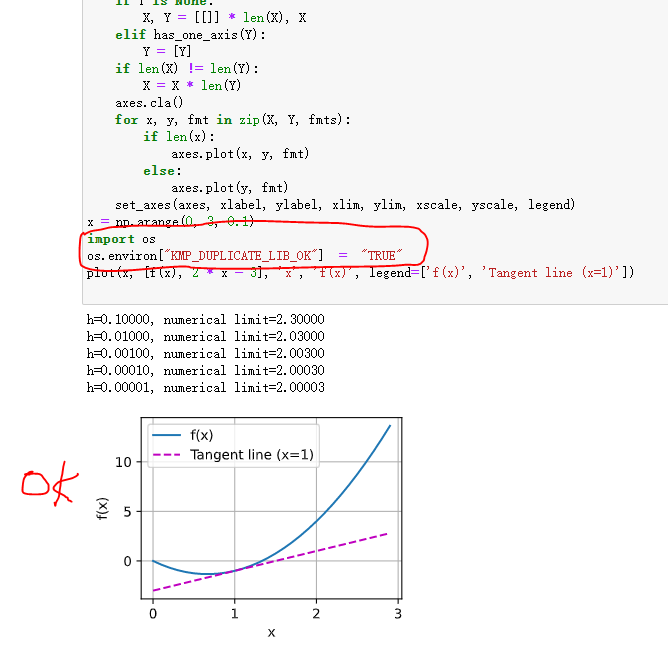
So, finally, it is successfully displayed.
Intelligent Recommendation
Jupyter notebook add kernel
Install the specified sourcepip install -i https://pypi.douban.com/simple package name upgradepip install --upgrade package Jupyter notebook add kernel Reference materials: Jupyter adds kernel add pyt...
Jupyter Notebook Kernel Error
Kernel Errors often occur with ipynb files downloaded using git: Simply enter the following command in the console and the problem can be solved:...
Jupyter Notebook adds kernel
Suppose the reader is using a virtual environment managed by conda. 1. Enter the virtual environment 2. Install ipykernel If you don't have pip3, use pip directly. Reference link:https://pypi.org/proj...
Jupyter notebook kernel
After installing anaconda, I found that the jupyter kernel always refers to the original python path, which causes all the installed libraries to be imported under the jupyter. Therefore: 1, de...
switching kernel jupyter notebook
switching kernel jupyter notebook Need to add kernel, assuming add $ myenv, as follows:...
More Recommendation
jupyter notebook switch kernel
Make sure ipykernel is installed Then switch to the target environment, if not established first...
Configure jupyter notebook kernel
jupyter notebook add kernel selection/view kernel list May report an error, usuallypromp-toolkitIf the version is higher or lower, you can find a configured environment, look at the module version in ...
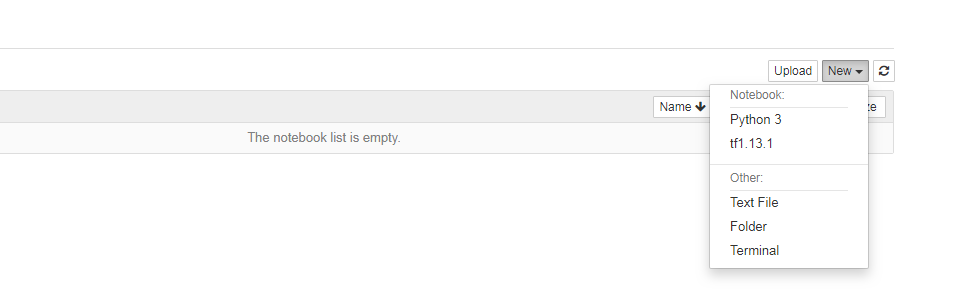
Add kernel to jupyter notebook
The kernel in jupyter corresponds to the virtual environment in anoconda. The virtual environments are isolated from each other. You can configure new versions of Python/tensorflow/pytorch and third-p...
Jupyter Notebook Kernel Operations
Since most of the operations about Jupyter Kernel, this summary will continue to update ~~ Welcome God's comment related to the operation ~~ Article catalog Add kernel 2. View all currently available ...
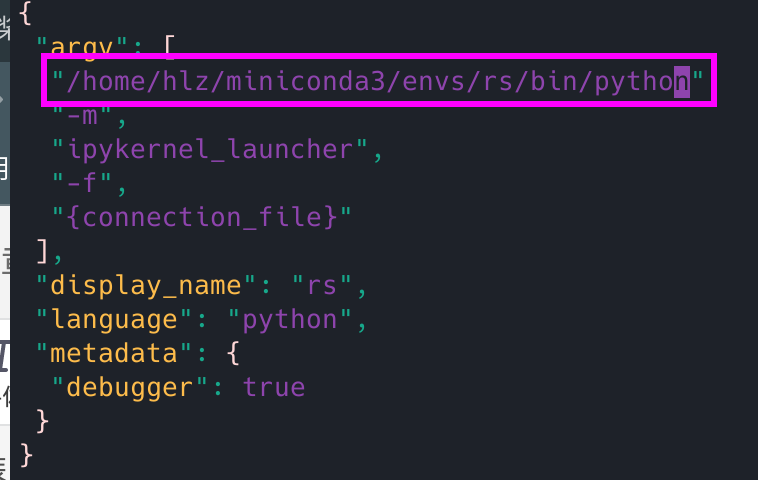
Jupyter-Notebook Replace KERNEL
Install ipykernel Write an environmentnotebookofkernelmiddle Revisekernel.jsonDocument, modify yourselfpythonEnvironmental path The effect is as follows:...