Qinheng CH579 Transplant RT-Thread
tags: Internet of Things Single -chip machine arm
1. Prepare materials
1. CH579M or CH579F evaluation board
2、MDK5
3. Loat example of Nanjing Qinheng official website (http://www.wch.cn/)
2. Open the project file
1. Add RT-Thread plug-in package
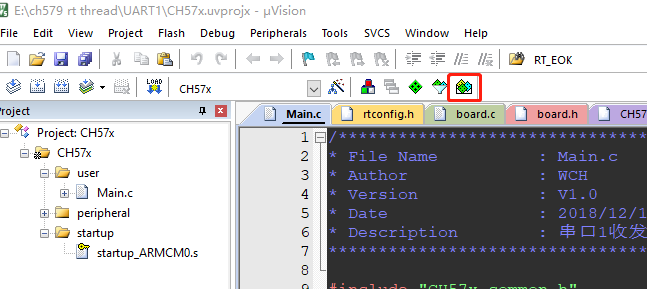
Click the installation, wait for the installation to complete the preservation exit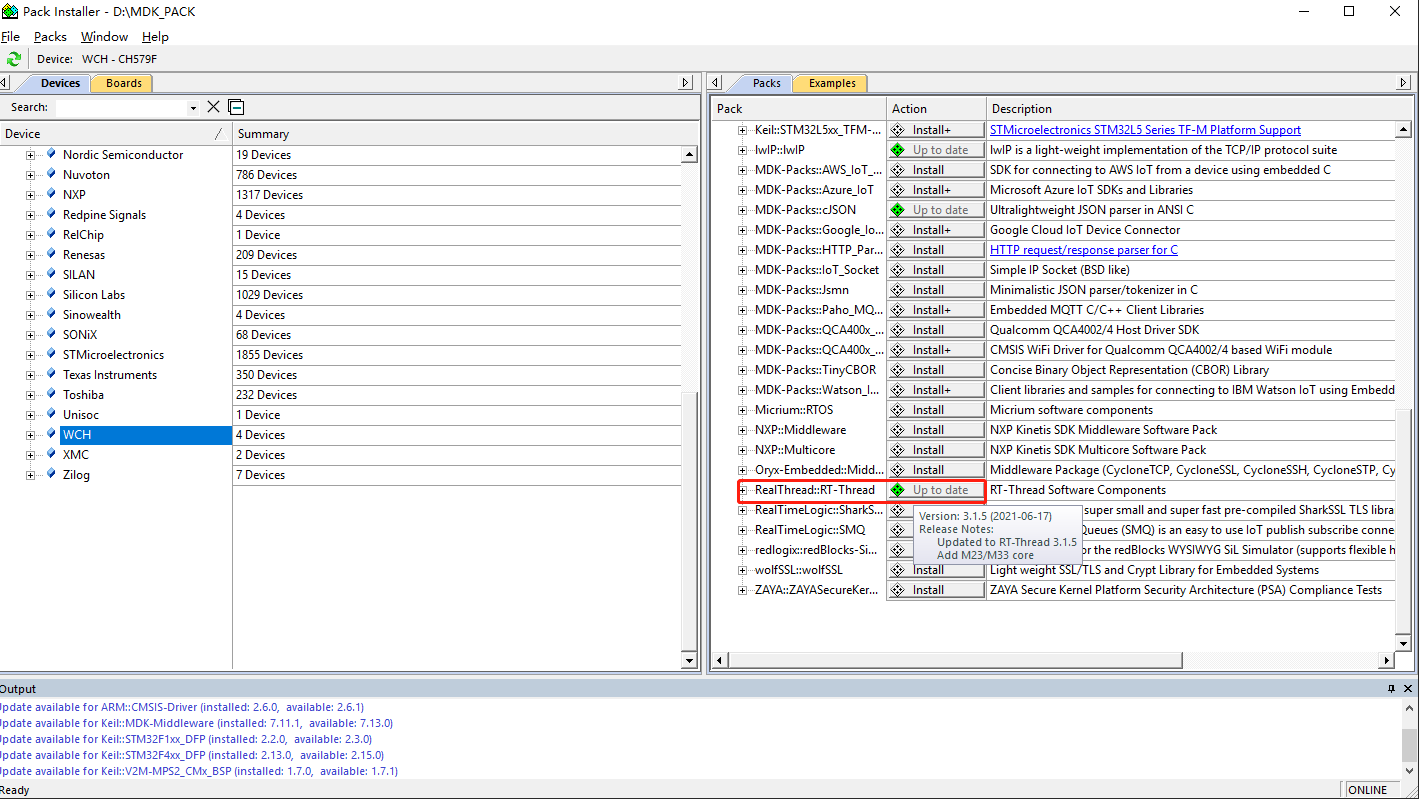
2. Import RT-Thread
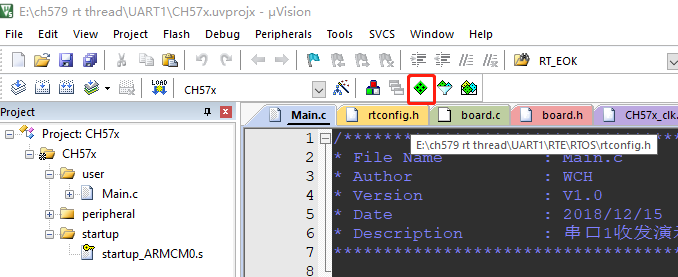
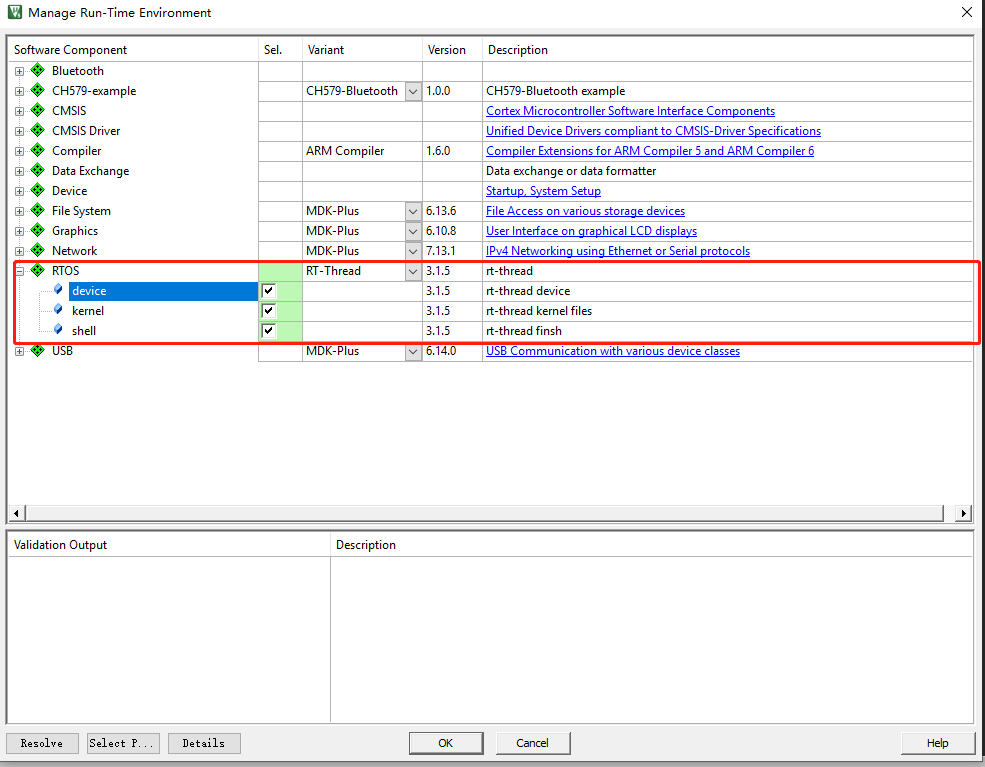
3. Files to change rtconfig.h according to demand
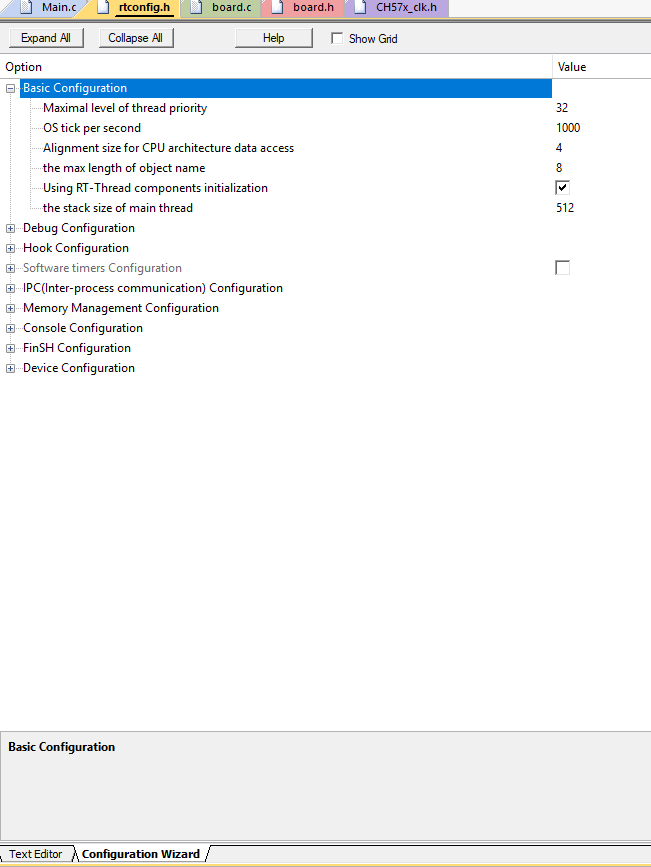
Third, the most important thing is the board.c file modification
/ * Development board hardware -related header file */
#include "board.h"

/ * RT-Thread related header file */
#include <rthw.h>
#include <rtthread.h>


#if defined(RT_USING_USER_MAIN) && defined(RT_USING_HEAP)
#define RT_HEAP_SIZE 1024

#define CH579M_SRAM1_START              (0x20000000)
#define CH579M_SRAM1_END                (CH579M_SRAM1_START + 32 * 1024)   // End address = 0x20000000 (base address) + 32K (RAM size)

#if defined(__CC_ARM) || defined(__CLANG_ARM)
extern int Image$$RW_IRAM1$$ZI$$Limit;                   // RW_iram1, it needs to be corresponding to the domain name when running in the link script
#define HEAP_BEGIN      ((void *)&Image$$RW_IRAM1$$ZI$$Limit)
#endif

#define HEAP_END                       CH579M_SRAM1_END


/ * Allocate a part of the static memory from the internal SRAM as the pile space of the RTT. The configuration here is 4KB */
//static uint32_t rt_heap[RT_HEAP_SIZE];
RT_WEAK void *rt_heap_begin_get(void)
{
    //return rt_heap;
	return HEAP_BEGIN;
}

RT_WEAK void *rt_heap_end_get(void)
{
    //return rt_heap + RT_HEAP_SIZE;
	return (rt_uint32_t*)HEAP_END;
}
#endif


/**
     * @Brief development board hardware initialization function
     * @param None
     * @Retval none
  *
  * @attention
     * RTT puts the development board -related initialization function into the BOARD.C file.
     * Of course, it is also possible to put these functions on the main.c file.
  */
void rt_hw_board_init()
{

    / * Initialization Systick */
    SysTick_Config( FREQ_SYS / RT_TICK_PER_SECOND );

	/ * Hardware BSP initialization of natively placed here, such as LED, serial port, LCD, etc. */


    / * Initialize the serial port of the development board */
	/ * Configure serial port 1: First configure the IO port mode, then configure the serial port */


	GPIOB_SetBits(GPIO_Pin_23);
    GPIOB_ModeCfg( GPIO_Pin_23, GPIO_ModeOut_PP_5mA );
	GPIOB_ModeCfg( GPIO_Pin_22, GPIO_ModeOut_PP_5mA );
    GPIOB_SetBits(GPIO_Pin_22);

/ * Call the component initialization function (use init_board_export ()) */
#ifdef RT_USING_COMPONENTS_INIT
    rt_components_board_init();
#endif

#if defined(RT_USING_CONSOLE) && defined(RT_USING_DEVICE)
	rt_console_set_device(RT_CONSOLE_DEVICE_NAME);
#endif

#if defined(RT_USING_USER_MAIN) && defined(RT_USING_HEAP)
    rt_system_heap_init(rt_heap_begin_get(), rt_heap_end_get());
#endif


    GPIOA_SetBits(GPIO_Pin_9);
    GPIOA_ModeCfg(GPIO_Pin_8, GPIO_ModeIN_PU);			// rxd-configuration upper pull input
    GPIOA_ModeCfg(GPIO_Pin_9, GPIO_ModeOut_PP_5mA);		// TXD-Configure push-pull output, pay attention to let the IO port output high level

	UART1_DefInit();
}

/**
     * @Brief Systick interrupt service function
     * @param None
     * @Retval none
  *
  * @attention
     * SYSTICK interrupt service function is also defined in the firmware library file STM32F10X_IT.C, and now
     * Definition again in board.c, then repeated definition errors will occur when compiling, solving
     * Method is to make comments or delete in stm32f10x_it.c.
  */
void SysTick_Handler(void)
{
    / * Enter the interrupt */
    rt_interrupt_enter();

    / * Update time base */
    rt_tick_increase();

    / * Leave the interrupt */
    rt_interrupt_leave();
}


/**
     * @Brief reproduced serial port debug_usartx to RT_KPRINTF () function
     * Note: Debug_usartx is a macro defined in bsp_usart.h, using serial port 1 by default
     * @param Str: String to output to the serial port
     * @Retval none
  *
  * @attention
  *
  */
void rt_hw_console_output(const char *str)
{
	/ * Enter the critical section */
    rt_enter_critical();

	/ * Until the string ends */
    while (*str!='\0')
	{
		/ * Change the bank */
        if (*str=='\n')
		{
			UART1_SendByte('\r');
			while (R8_UART1_TFC == UART_FIFO_SIZE);

		}

		UART1_SendByte( *str++);
		while (R8_UART1_TFC == UART_FIFO_SIZE);

	}

	/ * Exit the critical section */
    rt_exit_critical();
}
Compiled, finished work
Intelligent Recommendation
Zynq Transplant RT-Thread to MicroBlaze
1, environment configuration: Operating system Windows 7; development environment SDK 2019.2; hardware support zedboard; RT-THREAD V4.0.3. RT-THREAD is a set of technical platforms that set real-time ...
RT-THREAD NANO Transplant on STM32F103
RT-THREAD NANO Transplant on STM32F103 Foreword First, project creation Second, modify the file inside Keil Third, the result hint Reference article Foreword This experiment needs to install RT-Thread...
[ ] RT-THREAD study notes - transplant RT-Thread to STM32
forward from:RT-THREAD study notes - transplant RT-Thread to STM32 Foreword From this article, record your own RT-Thread learning notes, based on STM32L475VET6 explanation, related development boardsR...
[RT-Thread] STM32H743iit6 Development board+LAN8720+W25Q128 Transplant RT-Thread
Brief introduction There is a development board of H743iit6 on hand, and I plan to tinter RTT. However, RTT officials did not adapt BSP to H743. I am not a well -known development board in the scope. ...
Use RT-Thread Studio to transplant LVGL on RT-Thread
Use RT-Thread Studio to transplant LVGL to RT-Thread In fact, RT-Thread transplants LVGL officials have come out a lot of tutorials, but his tutorials are based on some BSPs they are adapted, but what...
More Recommendation
Transplant RT-Thread Nano to RISC-V
This article introduces how to transplant RT-Thread Nano to RISC-V architecture. Taking Eclipse GCC environment as an example, the basic project based on a GD32V103 MCU will be explained as an example...
rt-thread nano transplant msh/finsh
1. First prepare a normal project 2. In keil, add the nano package of rtthread to the project 3. Prepare serial port driver Add the file in the picture to the project, remember to add the relevant pat...
RT-Thread-stm32f769-qspi-flash transplant
RT-Thread-stm32f769-qspi The main purpose of this time is to complete the stm32f769i-disc development board and support the on-board peripheral qspi flash 1. First add the relevant configuration of MX...
National Technology N32G457 Transplant RT-Thread
Article catalog Foreword First, replace file Second, add a file to the project Third, modify the source code Fourth, source code download to sum up Foreword Transplanting RT-Thread to the National Tec...
RT-THREAD-FAL and EasyFLASH components transplant
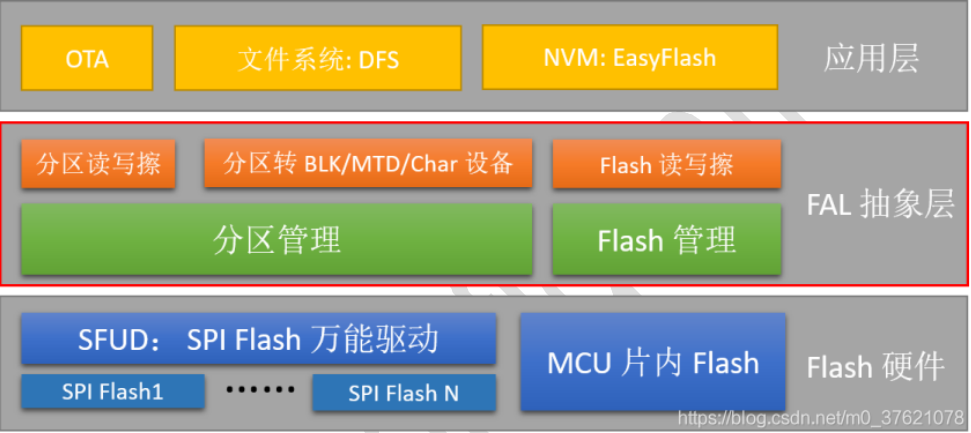
First, FAL Management and Example FLASH Abstract Layer Flash abstraction, is the abstract layer of Flash and Flash-based partitions, an abstract layer of operation, unified the upper layer, the API, t...