Pytorch version yolov3 source code reading (2)
detect.py
import argparse
import time
from sys import platform
from models import *
from utils.datasets import *
from utils.utils import *
def detect(
cfg,
data_cfg,
weights,
Images='data/samples', # input folder image path
output='output', # output folder
fourcc='mp4v',
img_size=416,
conf_thres=0.5,
nms_thres=0.5,
save_txt=False,
save_images=True,
webcam= True
):
Device = torch_utils.select_device() #back to run the device and print
if os.path.exists(output):
shutil.rmtree(output) # delete output folder
os.makedirs(output) # make new output folder
# Initialize model
if ONNX_EXPORT:
s = (320, 192) # onnx model image size (height, width)
model = Darknet(cfg, s)
else:
model = Darknet(cfg, img_size)
# Load weights
if weights.endswith('.pt'): # pytorch format
model.load_state_dict(torch.load(weights, map_location=device)['model'])
else: # darknet format
_ = load_darknet_weights(model, weights)
# Fuse Conv2d + BatchNorm2d layers
model.fuse()
# Eval mode
model.to(device).eval()
if ONNX_EXPORT:
img = torch.zeros((1, 3, s[0], s[1]))
torch.onnx.export(model, img, 'weights/export.onnx', verbose=True)
return
# Set Dataloader
vid_path, vid_writer = None, None
If webcam: #camera first
save_images = False
dataloader = LoadWebcam(img_size=img_size)
else:
Dataloader = LoadImages(images, img_size=img_size)#dataloader is an iterator that accesses its two return values by traversing: [img_path] and img
# Get classes and colors Randomly generate the corresponding number of rgb color groups according to the number of categories (two-dimensional list)
Classes = load_classes(parse_data_cfg(data_cfg)['names'])# returns a list to store the class names in XX.names
colors = [[random.randint(0, 255) for _ in range(3)] for _ in range(len(classes))]
# In addition to index i, it also returns two values of __next__ return after iteration: [img_path], img
for i, (path, img, im0, vid_cap) in enumerate(dataloader):
t = time.time()
save_path = str(Path(output) / Path(path).name)
# Get detections
img = torch.from_numpy(img).unsqueeze(0).to(device)
pred, _ = model(img)
det = non_max_suppression(pred, conf_thres, nms_thres)[0]
if det is not None and len(det) > 0:
# Rescale boxes from 416 to true image size
det[:, :4] = scale_coords(img.shape[2:], det[:, :4], im0.shape).round()
# Print results to screen
print('%gx%g ' % img.shape[2:], end='') # print image size
for c in det[:, -1].unique():
n = (det[:, -1] == c).sum()
print('%g %ss' % (n, classes[int(c)]), end=', ')
# Draw bounding boxes and labels of detections
for *xyxy, conf, cls_conf, cls in det:
if save_txt: # Write to file
with open(save_path + '.txt', 'a') as file:
file.write(('%g ' * 6 + '\n') % (*xyxy, cls, conf))
# Add bbox to the image
Label = '%s %.2f' % (classes[int(cls)], conf) ##Index value corresponding to the category, confidence
plot_one_box(xyxy, im0, label=label, color=colors[int(cls)])
print('Done. (%.3fs)' % (time.time() - t))
if webcam: # Show live webcam
cv2.imshow(weights, im0)
if save_images: # Save image with detections
if dataloader.mode == 'images':
cv2.imwrite(save_path, im0)
else:
if vid_path != save_path: # new video
vid_path = save_path
if isinstance(vid_writer, cv2.VideoWriter):
vid_writer.release() # release previous video writer
fps = vid_cap.get(cv2.CAP_PROP_FPS)
width = int(vid_cap.get(cv2.CAP_PROP_FRAME_WIDTH))
height = int(vid_cap.get(cv2.CAP_PROP_FRAME_HEIGHT))
vid_writer = cv2.VideoWriter(save_path, cv2.VideoWriter_fourcc(*fourcc), fps, (width, height))
vid_writer.write(im0)
if save_images:
print('Results saved to %s' % os.getcwd() + os.sep + output)
if platform == 'darwin': # macos
os.system('open ' + output + ' ' + save_path)
if __name__ == '__main__':
parser = argparse.ArgumentParser()
parser.add_argument('--cfg', type=str, default='cfg/yolov3-spp.cfg', help='cfg file path')
parser.add_argument('--data-cfg', type=str, default='data/coco.data', help='coco.data file path')
parser.add_argument('--weights', type=str, default='weights/yolov3-spp.weights', help='path to weights file')
parser.add_argument('--images', type=str, default='data/samples', help='path to images')
parser.add_argument('--img-size', type=int, default=416, help='inference size (pixels)')
parser.add_argument('--conf-thres', type=float, default=0.5, help='object confidence threshold')
parser.add_argument('--nms-thres', type=float, default=0.5, help='iou threshold for non-maximum suppression')
parser.add_argument('--fourcc', type=str, default='mp4v', help='specifies the fourcc code for output video encoding (make sure ffmpeg supports specified fourcc codec)')
parser.add_argument('--output', type=str, default='output',help='specifies the output path for images and videos')
opt = parser.parse_args()
print(opt)
# opt contains all the parameter names (mainly concerned about the added), you can make a method call to the parameter name under it, such as opt.image-folder to get the image input path return way is similar to the form of key-value pairs (but not actually a dictionary), Contains the parameter name and passed parameters,
with torch.no_grad():
detect(
opt.cfg,
opt.data_cfg,
opt.weights,
images=opt.images,
img_size=opt.img_size,
conf_thres=opt.conf_thres,
nms_thres=opt.nms_thres,
fourcc=opt.fourcc,
output=opt.output
)
Intelligent Recommendation
BERT Pytorch version source code analysis (2)
BERT Pytorch version source code analysis (2) Four, BertEmbedding class analysis The BertEmbedding part is the first part of the BertModel. Today I will talk about the internal implementation details ...
yolov3 project source code reading record
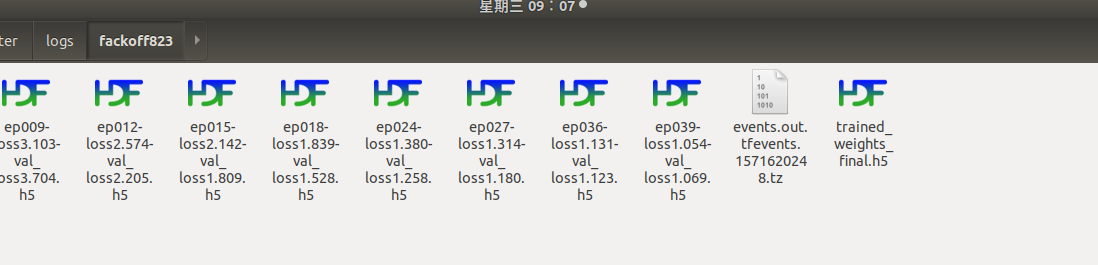
From train_yolov3.py look back: 1, category changes Location: 2, pre-training model I started this, then do not find in their appropriate folder below My logs folder: I do not know, doubtful. I...
Augmentations.py of YOLOv3 code reading notes (Part 2)
Reading YOLOv3, because I am Xiaobai, I may not understand the place well, please forgive me. The source fork is from eriklindernoren/PyTorch-YOLOv3, if you need to download, please go to github and s...
pytorch version of yolov3
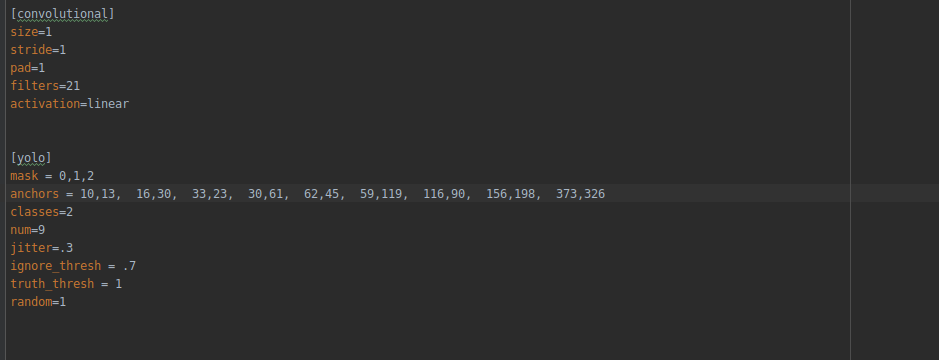
Recently, YOLOv3 has been used for target detection. Here is a summary of my personal understanding of YOLOv3 with the pytorch version, and sort out the ideas by the way. Network structure Data prepro...
Detailed YOLOv3-pytorch code
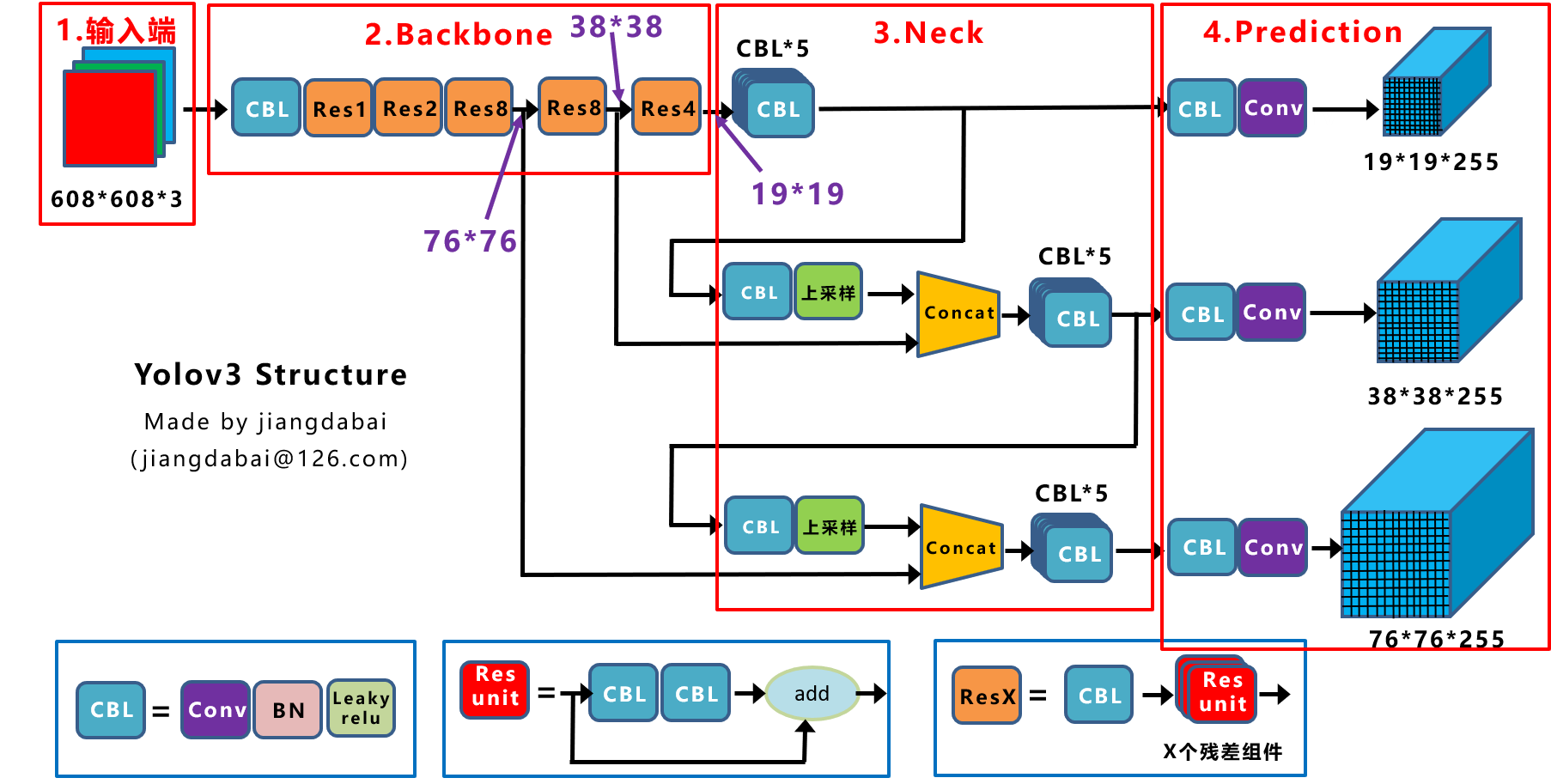
Detailed explanation of YOLOV3's YOLOLayer code Reprinted in:Jiang Dabai This picture clearly shows the network structure of YOLOV3, but it should be noted that YOLOV3 allows the input of different si...
More Recommendation
Pytorch Vgg source code reading
To achieve VGG16, you mainly need two classes. VGG and VGG16 We call VGG through VGG16 The implementation of these two classes is implemented in VGG.PY First let's take a look at the implementation of...
Pytorch source code reading notes
THArgCheck This functionpytorch/aten/src/TH/THGeneral.h.in Defined Generics achieve macro substitution inpytorch/aten/src/TH/THGeneral.h.in , The C achieved by replacing the function name generic prog...
Reading Pytorch source code AlexNet
Under the Windows operating system, the model path is: C:\Python35\Lib\site-packages\torchvision\models\xxnet.py, there are many definitions of commonly used network structures, including AlexNet, Res...
Pytorch source AlexNet code reading
Official source code:https://pytorch.org/docs/stable/_modules/torchvision/models/alexnet.html#alexnet torchvision.models.alexnet ...
[Target detection series] yolov3 loss function pytorch source code comment
Reference material 1: ...