It is best to use HTML to turn PDF tool - Wkhtmltopdf
tags: PHP
The company needs to generate some of the part of the HTML page generate a PDF file, and then I will find some classes that use PHP to enclose the HTML page into a PDF file. The method is that it has been found to find a lot, what html2pdf, pdflib, fpdf is all tried, but it has not met what I want (mainly can't solve the problem of Chinese garbled and the problem of style typography).
PDFLIB, FPDF These two methods are needed to write programs to generate PDF, and it is also not supported to convert the HTML page into PDF; HTML2PDF can convert HTML pages to PDF files, but it can only convert generally simple HTML Code, if your HTML content is to be typically typed through the background news editor.
Tangled for a long time, what Baidu, Google Search used it, searched for a long time, Kung Fu pays off, finally found a very easy way, the following is a grand introduction.
It is: wkhtmltopdf, wkhtmltopdf can directly convert any one can be directly converted into a PDF on the browser, first explain it is not a PHP class, but a software that converts the HTML page into PDF (need to be installed On the server, it is not a simple desktop software, and it directly CMD batch, use the shell_exec () function in the PHP to call it. Here is how to use PHP + JS + HTML to make it generated by the PDF file (but there is a defect is that he needs to generate a cache file on the server. If you use the ThinkPhp framework, you can put it in the runtime file. Temporarily in the clip).
First, download and install WKHTMLTOPDF
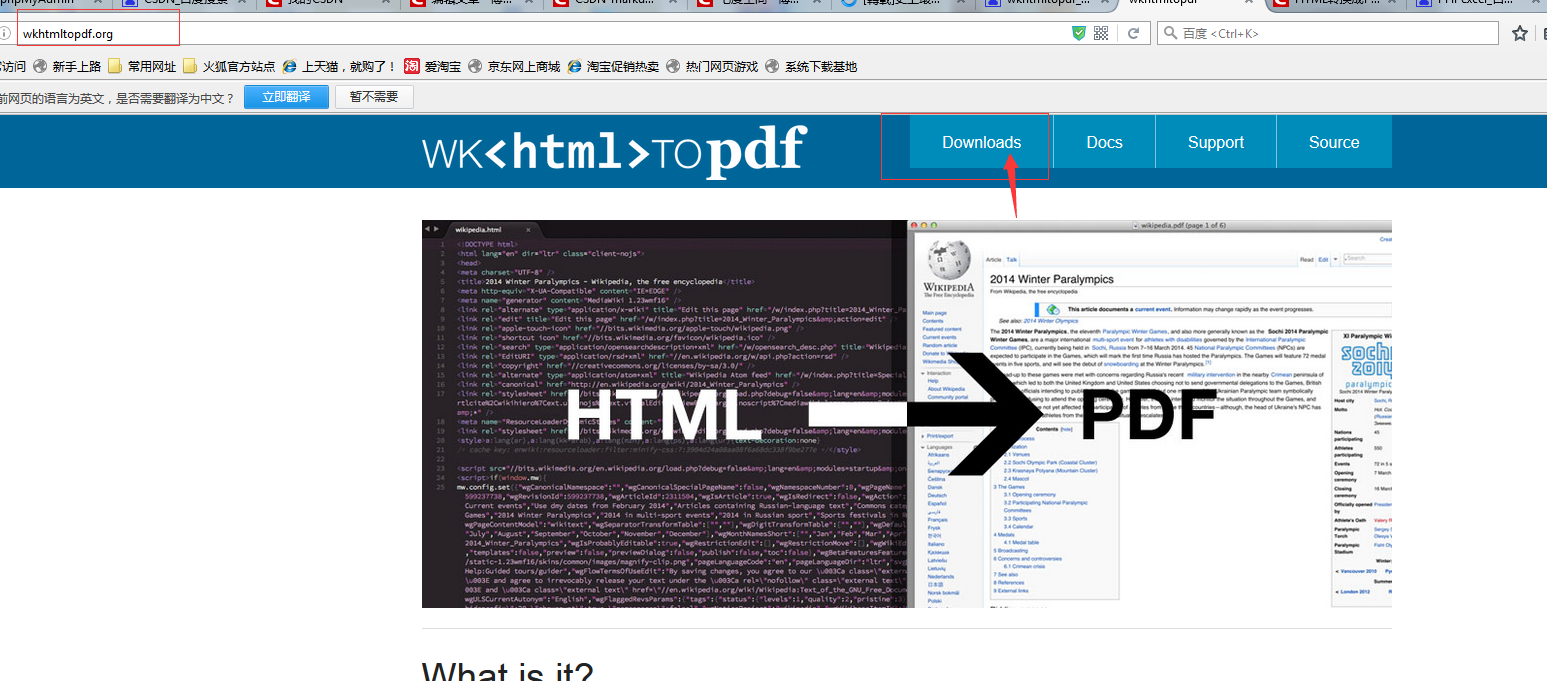
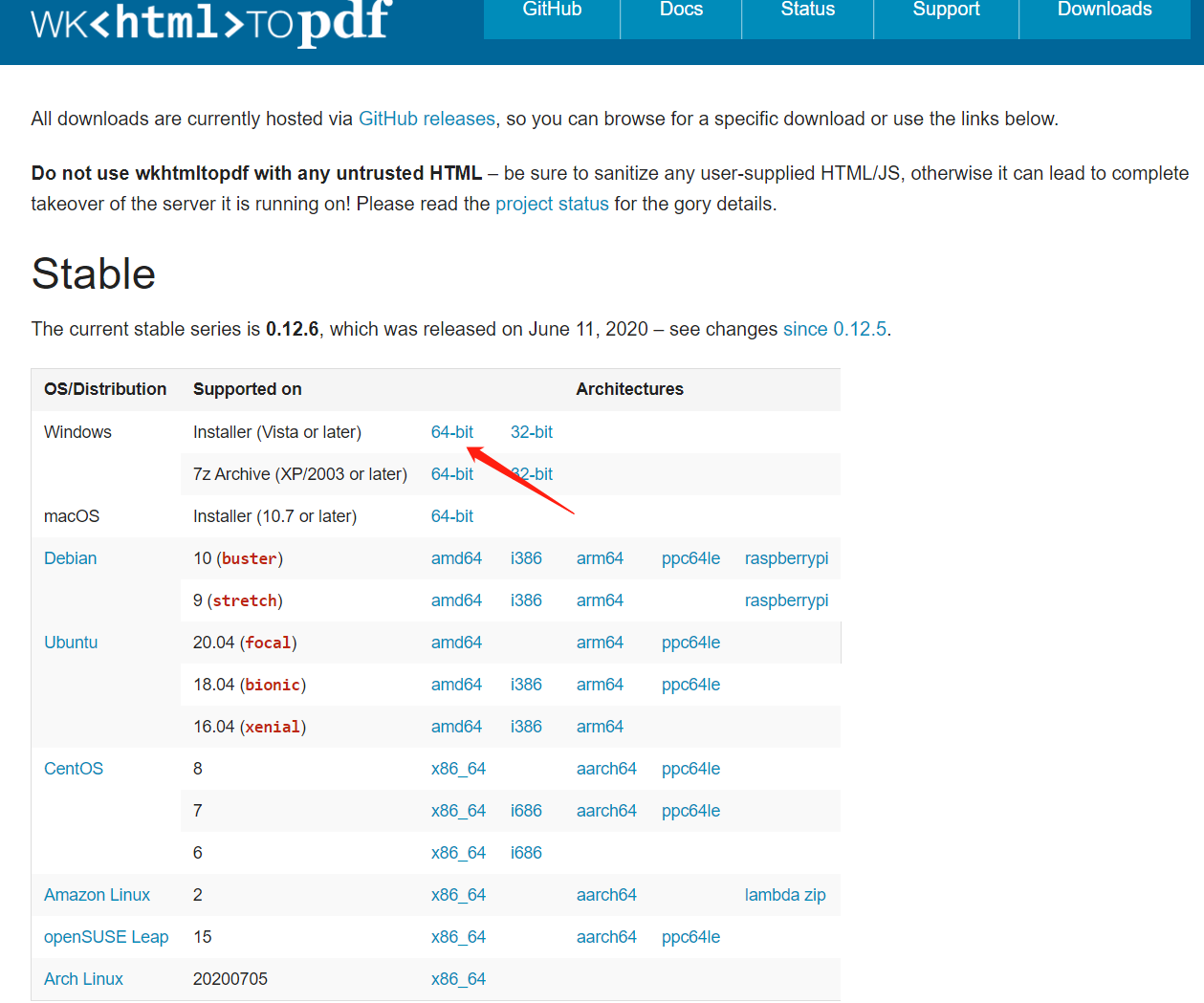
1, download address:http://wkhtmltopdf.org/downloads.htmlFigure:
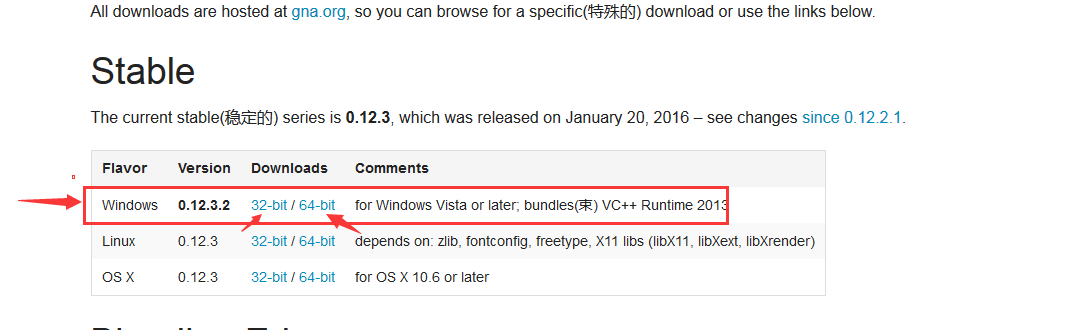
2. There are installed installation packages installed in various platforms, and English is not good to translate it. The following is an example in the Windows7 platform, my download is the version of the Wkhtmltopdf-0.12.3.2-installer.exe, I am in Win7, Win8 32-bit, and 64-bit and Win-Sever installation test Question, a few times when the system is time to download several installation packages. After downloading, you can install it directly, pay attention to the installation path to know, will be used below.
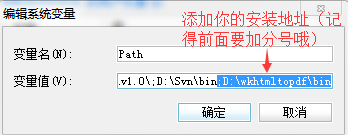
3, after installing, you need to add after the system environment variable variable name "path":; D: \ wkhtmltopdf \ bin is also your installed directory. Restart the computer after installation.
How to set the environment variable below:
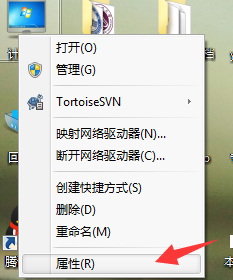
Open my computer right click attribute
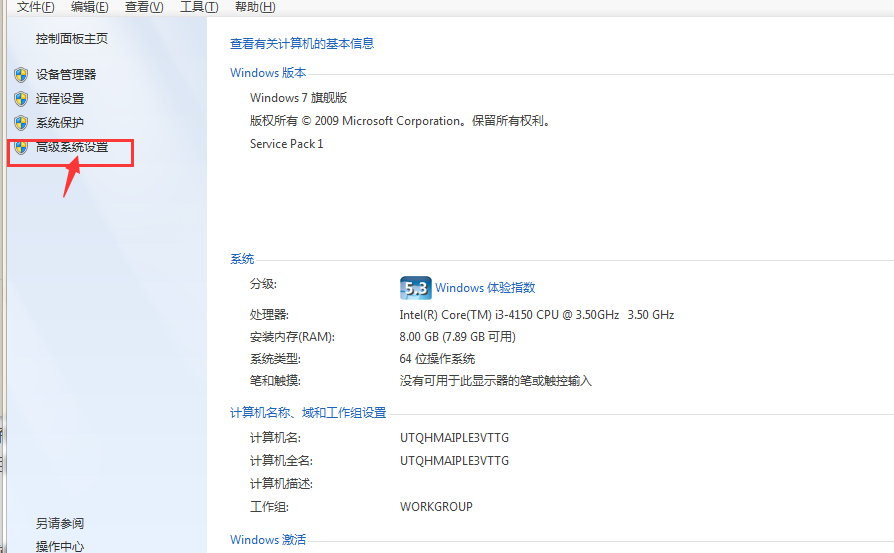
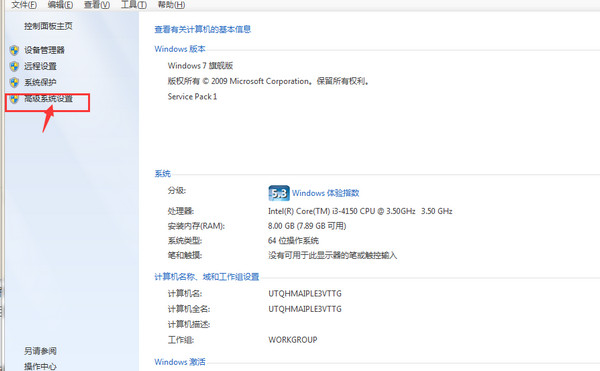
Click Advanced System Settings
Find the high-level clicks environment variables
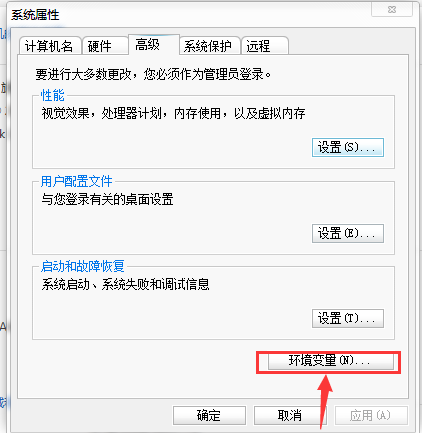
Locate the path in the system variable, click Edit, copy the just installation position to the end, remember to add a semicolon before!

Second, the test use effect
Enter directly in CMD: wkhtmltopdfD: Website1.pdf (note that there is space in the middle)
The first is: Run software name (this is constant) The second is the third of the URL and the file name after the generation. Is it a prompt to generate a progress bar? Congratulations, you have been successful, to see if there is a newly generated PDF file in your generated directory.
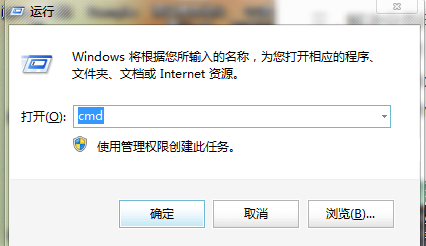
Operation method: 1, Windows button + r Open the search box, enter CMD, click OK
2, enter directly in CMD: wkhtmltopdfD: Website1.pdf (note that there is space in the middle)
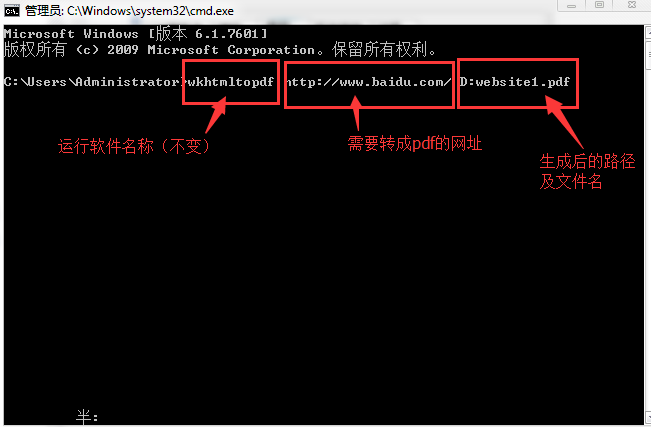
3. After clicking on the return, you will see a progress bar, then prompt the conversion!
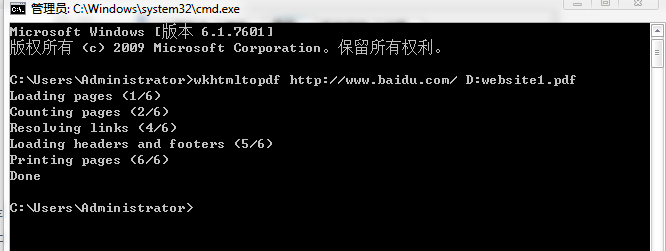
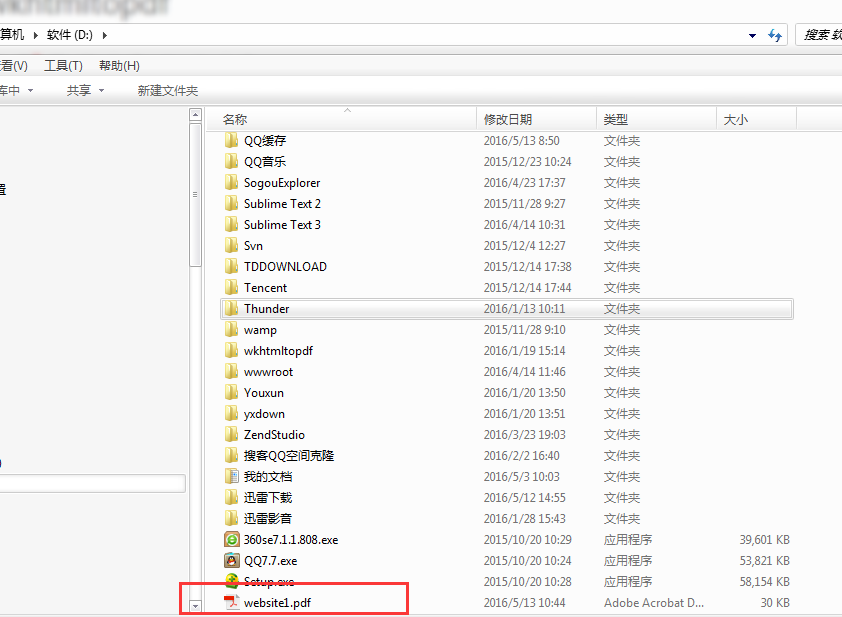
4, afterwards in the corresponding position (ie, the D disk just set) will find more PDF files, it will explain it successfully.
Third, PHP is called
PHP is very simple, using shell_exec this function, if the shell_exec function can't use it in pHP.ini to replenish it (find the shell_exec function in php.ini, canceling the annotation is ok, generally Can be used directly). Simple example:
<?php shell_exec("wkhtmltopdf http://www.shwzzz.cn/ 1.pdf") ?>- 1
You will find a 1.pdf file in the same-level directory in your PHP file.
The following code example shows how to use it in the development of the website: the main function is to intercept the web page to the PHP processing into a PDF document.
HTML page code:
<!DOCTYPE html PUBLIC "-//W3C//DTD XHTML 1.0 Transitional//EN" "http://www.w3.org/TR/xhtml1/DTD/xhtml1-transitional.dtd">
<html xmlns="http://www.w3.org/1999/xhtml">

<head>
  <script src="js/jquery-2.1.4.min.js"></script>
  <link rel="stylesheet" href="css/common.css">
  <link rel="stylesheet" href="css/myCenter.css">
<meta http-equiv="Content-Type" content="text/html; charset=utf-8" />
 <Title> Holland Career Test </ Title>
</head>
<body>
<!--startprint-->
<div class="right5">
        <div class="right_top"  style="background-image:url(images/right-di.png);">
                         <H3> Holland Test Report </ h3>
        </div>
        <div class="print">
                         <Input Type = "Button" Value = "Download Report" ID = "Down" Class = "Print_BTN">
        </div>
        <div class="Hollander">
                                 <H6> MBTI test results: Estj </ h6>
                <div id="chart"></div>
                                 <p> John Holland is a professional professor at John Hopkins University, a famous American vocational guidance expert. Holland has based on professional interest theory, and the Vocationai Preference Lnventory and the self-directed search table (Self-Directed Search) have two occupational interests, Holland strives to find each occupational interest. There are two matching professional capabilities. The combination of interest testing and ability tests has played a role in the actual operation of occupational guidance and professional consultation. </ p>
        </div>
        <table class="tbl1">
         <tbody>
            <tr node-type="toolBar">
                                 <TD Class = "TBL11"> Leader mode: </ td>
                <td class="tbl12">
                                         <p> 1 direct leadership, fast management 2 Use the past experience to solve the problem 3 Direct, clear identification of the core 4 decision-making and implementation decisions Very rapid 5 traditional leadership, respect the level and organization of the organization </ P>
                </td>
              </td>
            </tr>
            <tr node-type="toolBar">
                                 <TD Class = "TBL11"> Leader mode: </ td>
                <td class="tbl12">
                                         <p> 1 direct leadership, fast management 2 Use the past experience to solve the problem 3 Direct, clear identification of the core 4 decision-making and implementation decisions Very rapid 5 traditional leadership, respect the level and organization of the organization </ P>
                </td>
              </td>
            </tr>
            <tr node-type="toolBar">
                                 <TD Class = "TBL11"> Leader mode: </ td>
                <td class="tbl12">
                                         <p> 1 direct leadership, fast management 2 Use the past experience to solve the problem 3 Direct, clear identification of the core 4 decision-making and implementation decisions Very rapid 5 traditional leadership, respect the level and organization of the organization </ P>
                </td>
              </td>
            </tr>
            <tr node-type="toolBar">
                                 <TD Class = "TBL11"> Leader mode: </ td>
                <td class="tbl12">
                                         <p> 1 direct leadership, fast management 2 Use the past experience to solve the problem 3 Direct, clear identification of the core 4 decision-making and implementation decisions Very rapid 5 traditional leadership, respect the level and organization of the organization </ P>
                </td>
              </td>
            </tr>
            <tr node-type="toolBar">
                                 <TD Class = "TBL11"> Suitable for the application: </ td>
                <td class="tbl12">
                                         <span> Professional positioning card introduction >> </ span> </A>
                </td>
              </td>
          </tr>
       </tbody>
     </table>
</div>
<!--endprint-->
    <form action="pdf.php" method="post" name="hld_res" id="hideform">
      <input type="hidden" id="hide_content" name="html"/>
    </form>
</body>
  <script>
    $(function () {
             // Get the HTML code you need to pass through <! - startprint ->
      bdhtml=window.document.body.innerHTML;
      sprnstr="<!--startprint-->";
      eprnstr="<!--endprint-->";
      prnhtml=bdhtml.substr(bdhtml.indexOf(sprnstr)+17);
      prnhtml=prnhtml.substring(0,prnhtml.indexOf(eprnstr));
             // Add the acquired HTML code to the hidden domain to pass it to the PHP file processing
      $("#hide_content").val(""+prnhtml+"");
    } );

    $("#down").click(function(){
      $("#hideform").submit();
    });

  </script>
</html>
PHP page:
<?php
    // Transfer to PDF
        $html=$_POST['html'];
        //Turn on output buffering
        ob_start();
        $html='
        <link rel="stylesheet" href="css/common.css">
        <link rel="stylesheet" href="css/myCenter.css">
        <meta http-equiv="Content-Type" content="text/html; charset=utf-8" />'.$html;
                 // This can introduce the generated HTML style sheet path can be an absolute path or a relative path, or the style table file can also be copied to the Directory of the temporary HTML file. The Demo file directory (default) can also be directly Style is written directly in the HTML page
        //$html = ob_get_contents();
        //$html=$html1.$html;
        $filename = "hld";

                 // Save the HTML Page In Tmp Folder Save HTML temporary file location can be a relative path or a relative path under an absolute path
        file_put_contents("{$filename}.html", $html);

        //Clean the output buffer and turn off output buffering
        ob_end_clean();

        //convert HTML to PDF
        shell_exec("wkhtmltopdf -q {$filename}.html {$filename}.pdf");
        if(file_exists("{$filename}.pdf")){
            header("Content-type:application/pdf");
            header("Content-Disposition:attachment;filename={$filename}.pdf");
            echo file_get_contents("{$filename}.pdf");
            //echo "{$filename}.pdf";
        }else{
            exit;
        }
     ?>
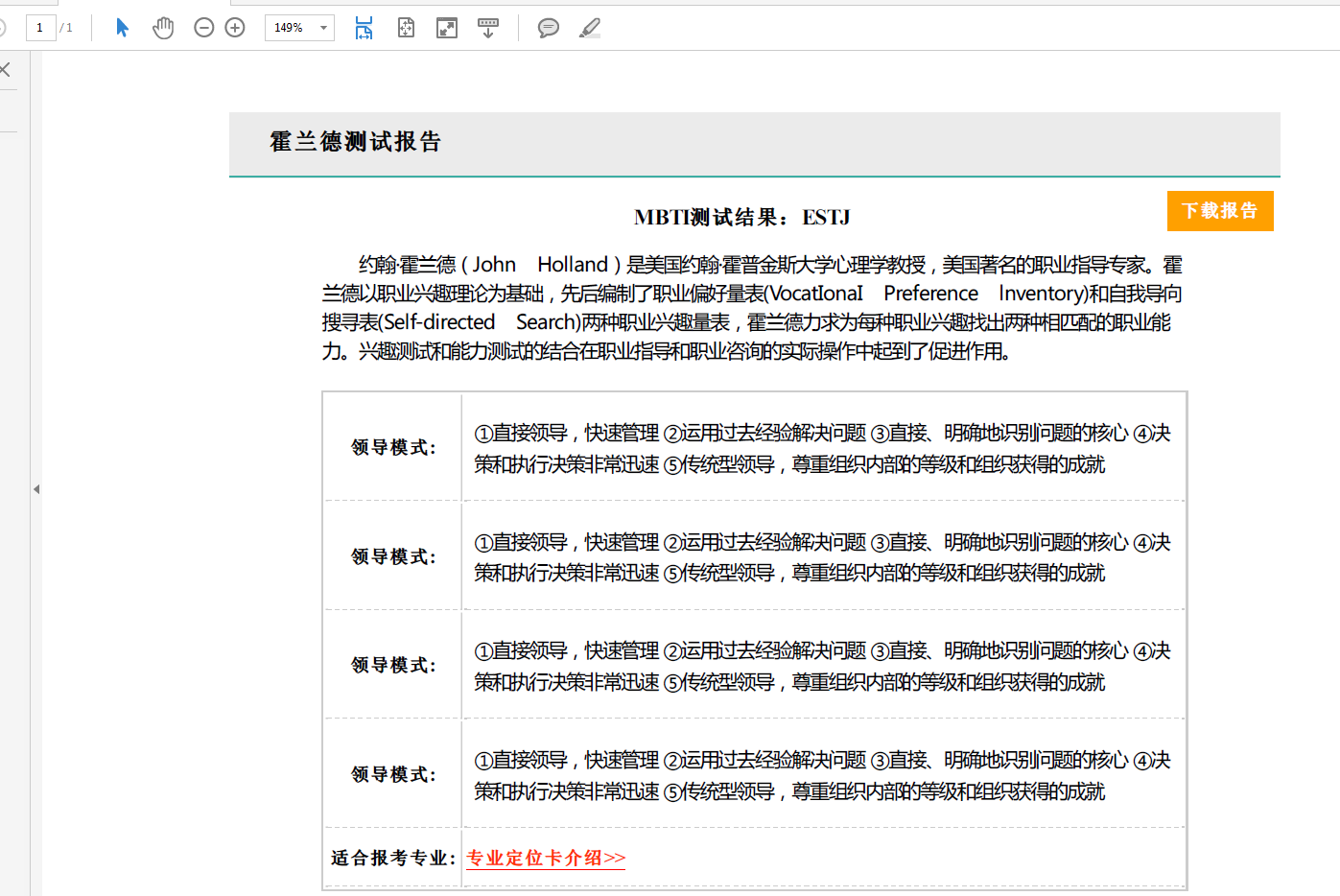
Click the download button in the page.
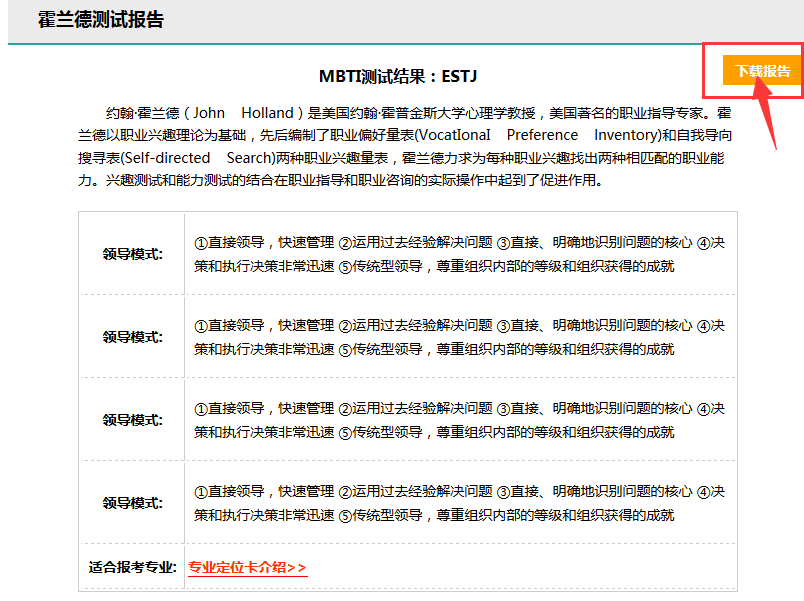
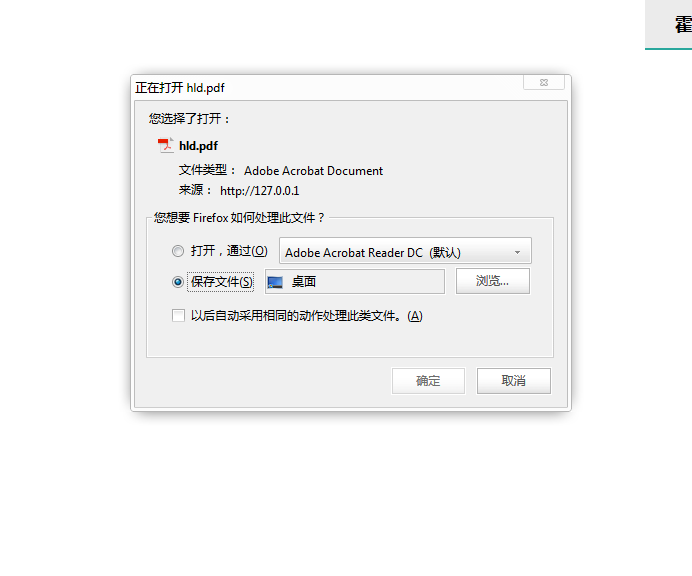
Is it popped up a download prompt, open the downloaded PDF, is it the same as the style on the web?
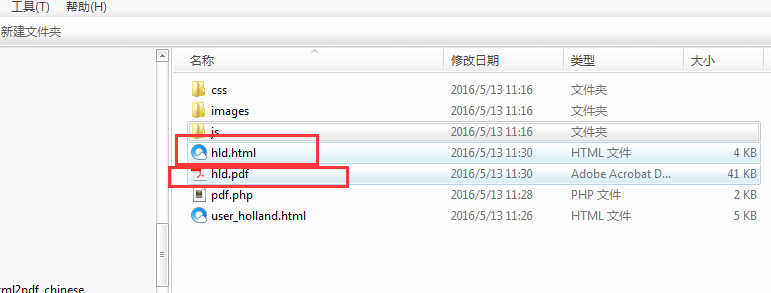
Open the file save location in the PHP file, see if there are two temporary files?
Where is the two temporary files, where is your CSS, or you use the relative path directly, reference the CSS style in other files, the simplest is to write the CSS style directly to the PDF HTML On the page.
If there is no style, that is, your style path is not written, you can check it!
Fourth, solve paging problems
Wkhtmltopdf is very easy to use, but it is also unreasonable. That is when an HTML page is long, I need to do it in the specified place? WKHTMLTOPDF developers don't take this time when developing is developing,
Wkhtmltopdf has a good way to add one after the pattern of Div: page-break-inside: Avoid; is OK.
E.g
div{ width:800px; min-height:1362px;margin:auto;page-break-inside:avoid;}- 1
The above is a method of summing up PDF, many places can also be expanded, and the friends have opened their minds, but they have never been solved. If they are named files, if they can solve the partners, troubles them below Tell, thank you!
Intelligent Recommendation
Html turn turn pdf tools --wkhtmltopdf
download link:http://wkhtmltopdf.org/downloads.html After installing the required system environment variables in the variable named "Path" adding:; D: \ wkhtmltopdf \ bin is your installati...
Python - turn HTML to PDF using wkhtmltopdf
Tools or packages used WKhtmlTopdf WKHTMLTOPDF is rendered with the Qt Webkit engine to convert HTML to a PDF document or a command line tool. This tool supports multi-platform, including: Windows, Li...
Amway HTML turn PDF small software wkhtmltopdf
WKHTMLTOPDF is Windows next to convert the HTML web format to a picture or PDF format file, download page is:https://wkhtmltopdf.org/downloads.html. The official website is sometimes not going well, y...
HTML turn PDF is implemented using WKHTMLTOPDF plugin
HTML turn PDF is implemented using the WKHTMLTOPDF plugin: download link: 1, the CD to the bin directory is as follows: 2, enter the corresponding instruction: (1) Convert the local HTML file to PDF. ...
Java uses wkhtmltopdf to turn HTML to PDF
Tool "WKHTMLTOPDF" [Official website]: [http://wkhtmltopdf.org/】 [Download please click here]http://wkhtmltopdf.org/downloads.html Tools are called "wkhtmltopdf"; it is a command l...
More Recommendation
About wkhtmltopdf: html to pdf command line tool
First, what is wkhtmltopdf? Wkhtmltopdf is an open source, command-line tool that uses Qt WebKit rendering engine to convert html to pdf files. Wkhtmltopdf There is also a twin brother, wkhtmltoimage,...
Use go-wkhtmltopdf to convert html to pdf
GoLand IDE creates a go project The project name here is toPDF Add the main.go file and add the main function. The example comes from:https://github.com/adrg/go-wkhtmltopdf GoLand terminal execution g...
Use wkhtmltopdf to convert html pages to image or pdf
Wiki html to pdf or html to image is a software written in C++, based on QT Webkit rendering engine to generate images and pdf. Can refer tohttps://wkhtmltopdf.orgSee more documentation and materials,...
Use of HTML export PDF wkhtmltopdf snappy
Download and installwkhtmltoxpdf Choose your own system version to download and install Prompt to install other dependencies installation: wkhtmltoxpdf's support for Chinese is not good enough, so you...
Use wkhtmltopdf python html to transfer PDF
Use wkhtmltopdf python html to transfer PDF Article catalog Use wkhtmltopdf python html to transfer PDF Foreword First, the environment Second, installation and configuration 1. First install pdfkit0....