Use wkhtmltopdf to convert html pages to image or pdf
Wiki html to pdf or html to image is a software written in C++, based on QT Webkit rendering engine to generate images and pdf.
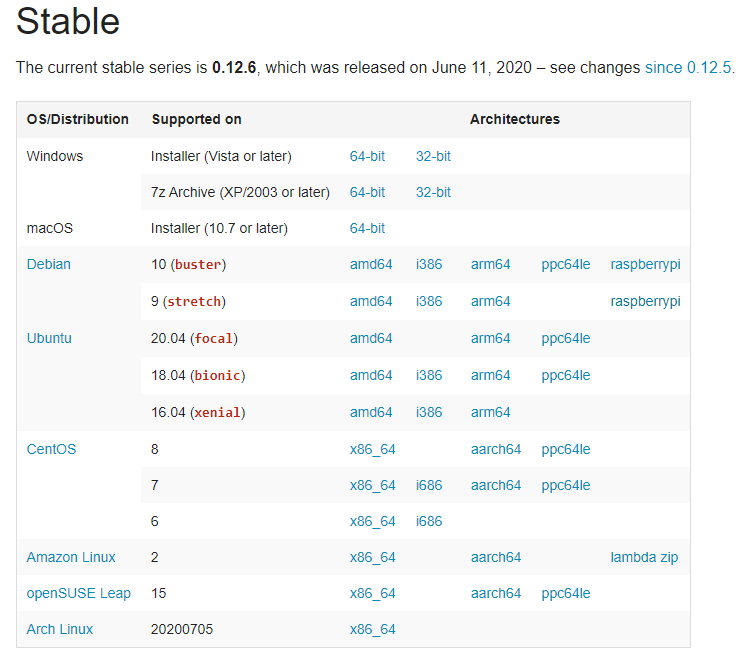
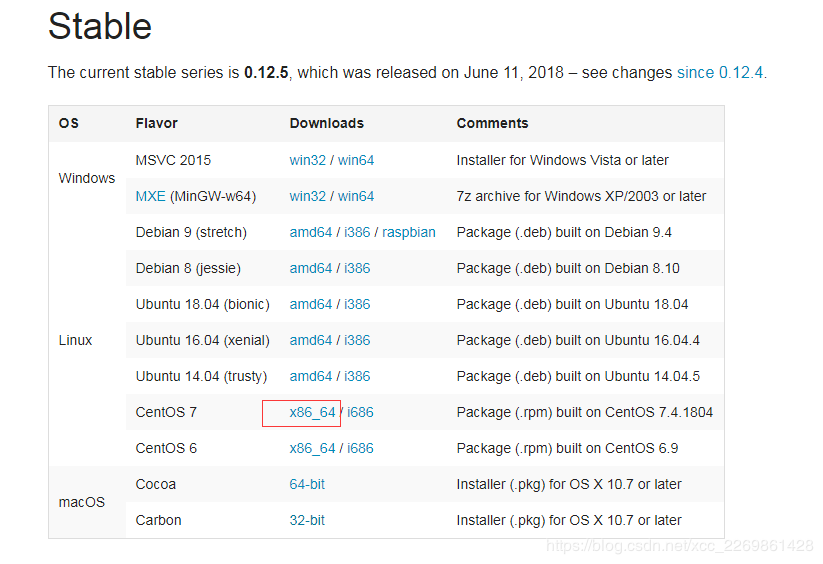
Can refer tohttps://wkhtmltopdf.orgSee more documentation and materials, use it we need to download and install the software locally.
Use java call, you can refer to the following call:
 /**
     * 1.wkhtmltoimage http://xxx/xxx/index.html C:\Users\xuchang\Desktop\imgae\test2.jpg
     *
     * 2.wkhtmltopdf http://xxx/xxx/index.html C:\Users\xuchang\Desktop\imgae\test3.pdf
     *
     * 3.C:\Program" "Files" ("x86")"\wkhtmltopdf\wkhtmltoimage.exe --width 1024 --height 768 http://www.google.com/
     * D:\example.jpg
     *
     * 4.wkhtmltopdf --page-width 50 http://xxx/xxx/index.html C:\Users\xuchang\Desktop\imgae\test7.pdf
     */
    @Test
    public void testGenerateImage() {
        ExecutorService executor = Executors.newFixedThreadPool(2);
        try {
            Process process = Runtime
                .getRuntime()
                .exec(
                    "D:/wkhtmltopdf/bin/wkhtmltoimage.exe http://xxx/xxx/index.html C:/Users/xuchang/Desktop/imgae/test4.jpg");

            Future<List<String>> inputStreamToByteArray = executor.submit(streamToByteArrayTask(process
                .getInputStream()));
            Future<List<String>> outputStreamToByteArray = executor.submit(streamToByteArrayTask(process
                .getErrorStream()));

            process.waitFor();
            if (process.exitValue() != 0) {
                System.out.println("getErrorStream:" + getFuture(outputStreamToByteArray));
                System.out.println("getInputStream:" + getFuture(inputStreamToByteArray));
            }

            System.out.println("getErrorStream:" + getFuture(outputStreamToByteArray));
            System.out.println("getInputStream:" + getFuture(inputStreamToByteArray));

        } catch (InterruptedException e) {
            e.printStackTrace();
        } catch (IOException e) {
            e.printStackTrace();
        } finally {
            executor.shutdownNow();
        }

    }

    /**
     * @param input xx
     * @return xx
     */
    private Callable<List<String>> streamToByteArrayTask(final InputStream input) {
        return new Callable<List<String>>() {

            public List<String> call() throws Exception {
                return IOUtils.readLines(input, "utf-8");
            }
        };
    }

    /**
     * @param future xx
     * @return xx
     */
    private List<String> getFuture(Future<List<String>> future) {
        try {
            return future.get(10, TimeUnit.SECONDS);
        } catch (Exception e) {
            throw new RuntimeException(e);
        }
    }
Intelligent Recommendation

Export html pages to pdf (jsPDF, iText, wkhtmltopdf)
html page export pdf, originally a very simple thing, print directly in the browser (Mac shortcut key is ⌘+p; Windows shortcut key is ctrl+p), you can The page is saved as a pdf file, but it is not fr...
PHP uses wkhtmltopdf to convert html to pdf
First you need to install the wkhtmltopdf plugin. Installation reference link: The reason for choosing pdf to select wkhtmltopdf is that wkhtmltopdf can reflect the style very well. The presentation o...
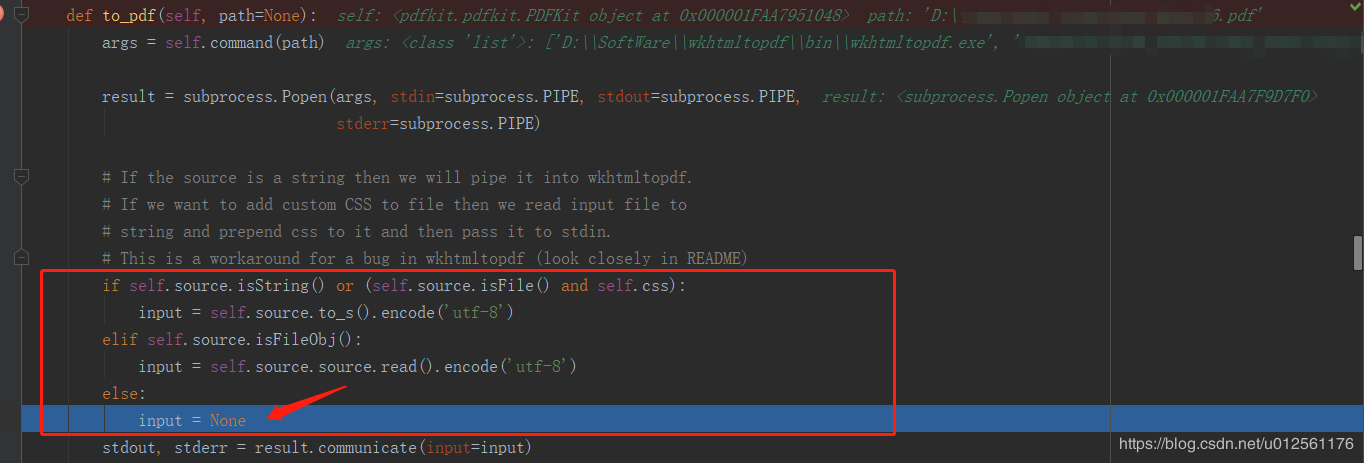
Python uses pdfkit (wkhtmltopdf) to convert html to pdf
1. First, you must install the pdfkit module library. Use the command: pip install pdfkit. After the installation is complete, you only need to write a line of code in the code and import it: 2. Next,...

Linux build wkhtmltopdf to convert html to pdf
[] The content inside needs to be filled with data according to your own situation. Not much nonsense. wkhtmltopdf download address Everyone chooses the corresponding software according to your own sy...
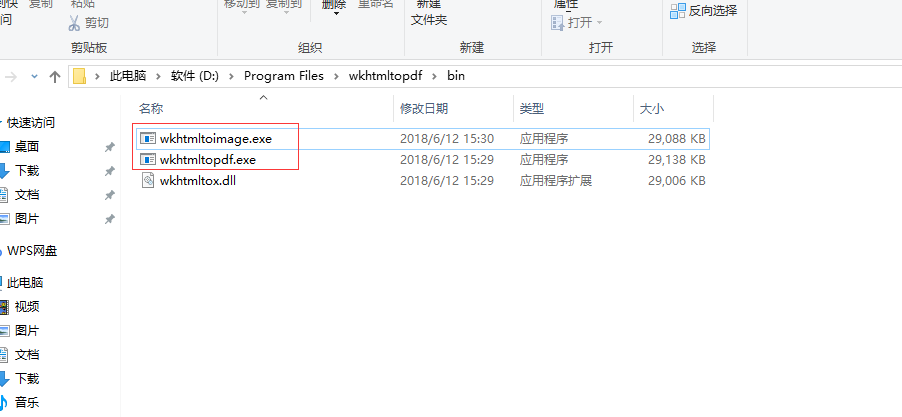
Laravel uses wkhtmltopdf to convert html to pdf or pictures
1.First install wkhtmltopdf, this software is available for both windows and Linuxhttps://wkhtmltopdf.org/downloads.html 2.First, the next windows version is tested locally, after downloading, click i...
More Recommendation
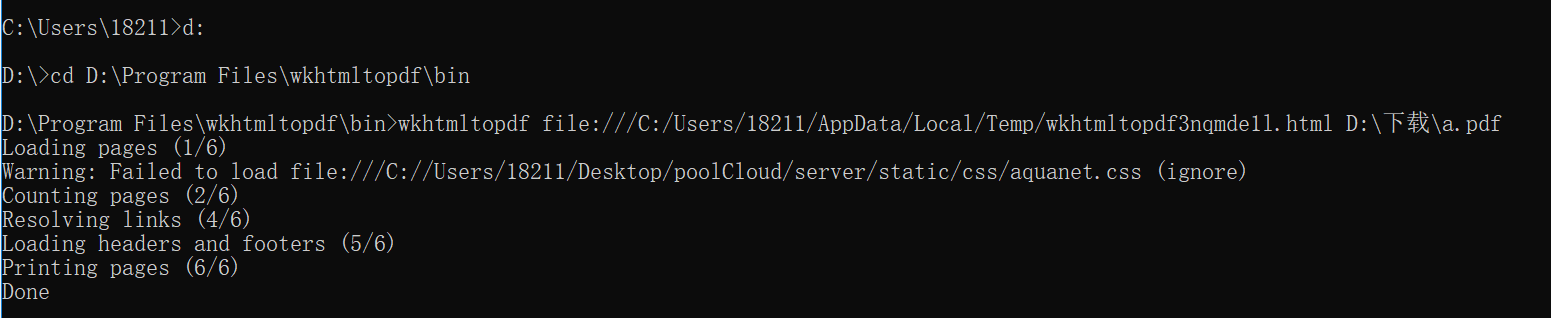
Python uses wkhtmltopdf to convert HTML to PDF
wkhtmltopdf is a tool that can convert html files into pdf files. It needs to be installed in advance. Download address:https://wkhtmltopdf.org/ After decompressing the downloaded compressed package, ...
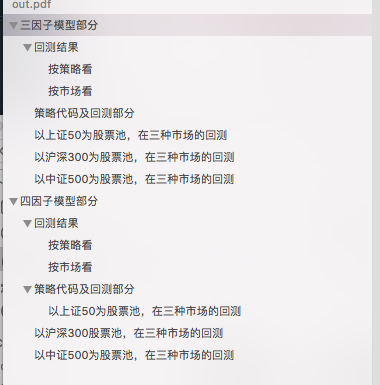
Mac uses wkhtmltopdf to convert HTML to PDF directly
I want to convert the JupyTer notes to PDF, but directly using Jupyter conversion. I need to download MacTex, too big, and use print downloaded PDFs and not very convenient, so I found PDFKIT + WKHTLT...
Java uses WKHTMLTOPDF to convert HTML to PDF
Use WKHTMLTOPDF to convert HTML to PDF Install WKHTMLTOPDF Windows download Window installation Linux installation Use Java to call WKHTMLTOPDF Notice Install WKHTMLTOPDF WKHTMLTOPDF is an application...
Linux operating system, use wkhtmltopdf tool to generate pdf files from html web pages
Recently, I encountered a requirement in my work. I needed to turn the table drawn on the front end into a pdf file. I tried many methods and PHP extensions, but I was not very satisfied. Finally I fo...
Use of HTML export PDF wkhtmltopdf snappy
Download and installwkhtmltoxpdf Choose your own system version to download and install Prompt to install other dependencies installation: wkhtmltoxpdf's support for Chinese is not good enough, so you...