LTP test tool analysis
1. Tool introduction
LTP is a system test suite developed by the Linux Test Project. It develops a test combination based on the utilization statistics of system resources to provide enough pressure for the system. Judge the stability and reliability of the system through stress testing. Stress test is a destructive test, that is, the operation of the system under abnormal and overloaded conditions. It is used to evaluate how the system will operate when the maximum load is exceeded. It is a test of the system's ability to withstand a certain load intensity under normal conditions.
2. Parameter introduction
-a email_to Send all reports via email to this email address
-c NUM_PROCS Run LTP under additional background CPU load
-C FAILCMDFILE Command file containing all failed test cases
-d TMPDIR specifies the folder where temporary files are created
-D Run LTP under the additional background load of auxiliary storage (separated by commas)
-h Help Help, print all available options
-g HTMLFILE creates an additional HTML output document
-N Run all network tests
-n Run all network LTP in the background
-p Log file in readable format
-l Record the test results in the log file.
-o output file Redirect the test output to a file.
-s PATTERN only run test cases that match the pattern
-t DURATION Execute the test suite for the given duration. Example:
-t 60s =60 seconds
-t 45m=45 minutes
-t 24h = 24 hours
-t 2d =2 days
-v Print more detailed output to the screen.
-x INSTANCES instance to run multiple instances of this test suite
3. Test execution
Networking environment
LTP tool download address: https://github.com/linux-test-project/ltp
Compile and install all tests: make make install
Run all tests: Cd /opt/ltp ./runltp
For specific usage, check the document in the download address
[https://blog.csdn.net/cui841923894/article/details/81463048]
4 Command run
/opt/ltp/runltp -p -l /tmp/resultlog.20051221 -d /tmp -o /tmp/ltpscreen.20051221 -t 24h
After running, use tail -f /tmp/ltpscreen.20051221 to monitor the running status. If the operation continues, do not shut down and wait for the result within 24 hours (modify the target time as needed).
testscripts/ltpstress.sh -d sar -l log -t 72 -i 60
It means to run ltpstress continuously for 72 hours and use sar to record system activities every 60 seconds. The log file of sar is /tmp/ltpstress.xxx.sar, and the test log file of ltpstess is /tmp/ltpstress.xxx.log (it is necessary to use ltpstress.sh Turn on the rsh service of the machine and allow root to log in to the machine)
5 Result analysis
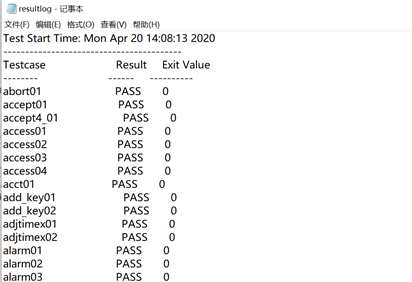
1. Analyze the /tmp/ resultlog.20051221 log
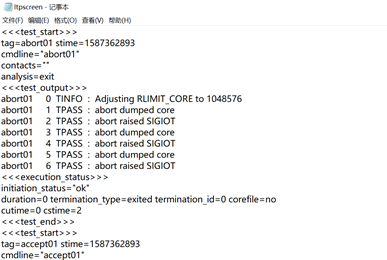
2. Analyze the /tmp/ltpscreen.20051221 log
3. Analyze /tmp/resultlog.20051221: filter out all FAILs to get a complete testcase of all FAILs.
The method is as follows: use sort to sort the FAIL items, and then use uniq to exclude duplicates and output to a file:
grep FAIL /tmp/ resultlog.20051221 | sort | uniq >failcase.txt
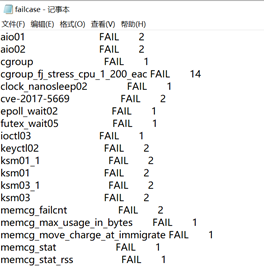
So far, the failcase.txt obtained is the name of all FAIL testcases. Pay attention to the analysis of the reasons for the failure of the case, and come to the conclusion: it is a configuration problem (all the case failed in the 72h test, and there was no success record), or a stability problem (both failure and success). And add the conclusion in failcase.txt for easy viewing.
The stress test part can refer to:
https://blog.csdn.net/a1317480843/article/details/80006028?utm_medium=distribute.pc_relevant.none-task-blog-OPENSEARCH-1&depth_1-utm_source=distribute.pc_relevant.none-task-blog-OPENSEARCH-1
Intelligent Recommendation
[Ltp] [eas] test cases resolved
contents eas_one_small_task eas_one_big_task eas_small_to_big eas_big_to_small eas_small_big_toggle eas_two_big_three_small sched_cfs_prio sched_dl_runtime sched_latency_dl sched_latency_rt sched_prio...
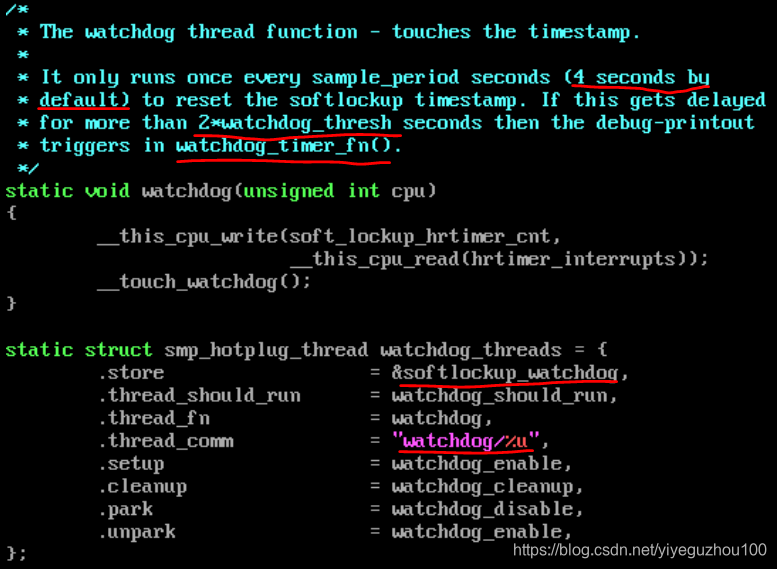
Remember once ltp test caused soft lockup problems with the analysis of the relationship between kernel mode can not be seized
What is the first soft-lock (soft lockup), A ‘softlockup’ is defined as a bug that causes the kernel to loop in kernel mode for more than 20 seconds (see “Implementati...
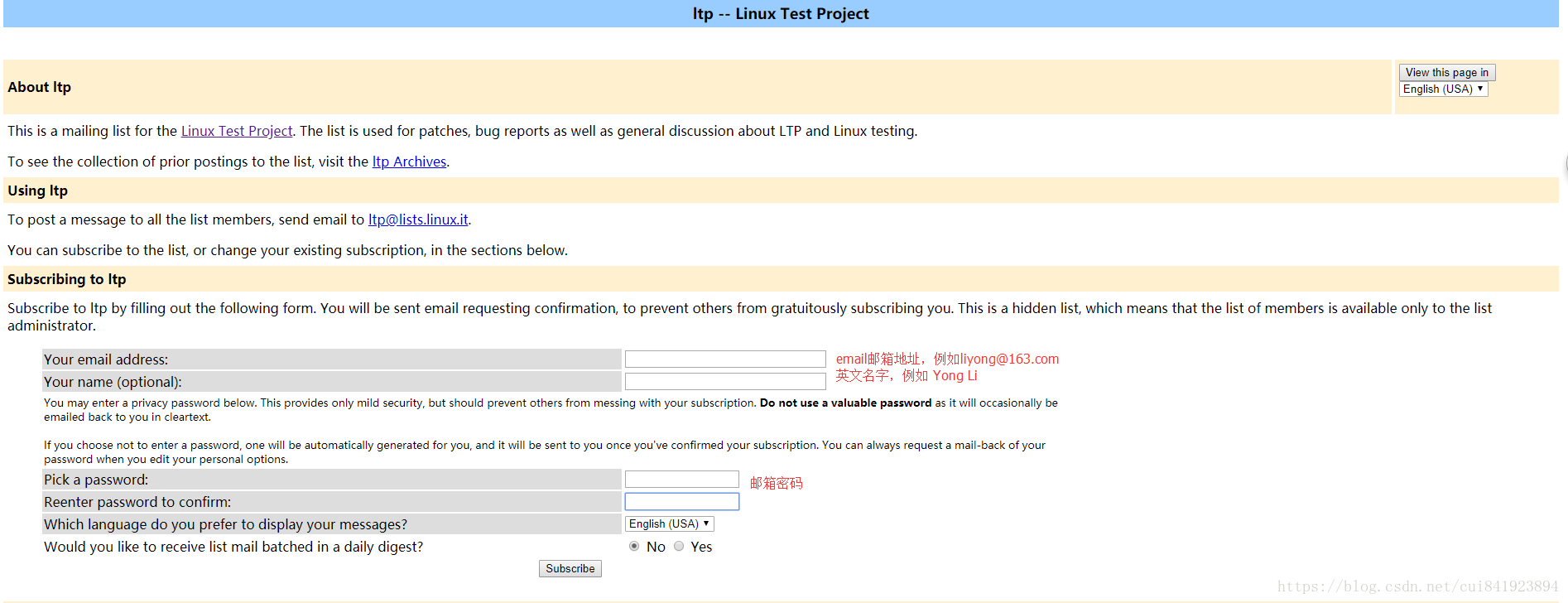
LTP (Linux Test Project) learning (4) - LTP mailing list subscription
Mailing list subscription address:https://lists.linux.it/listinfo/ltp (obtained in README.md) 1. Login to the website, fill in your personal email, name and email passwd: 2. Click Subscription to subm...
LTP (Linux Test Project) Learning (Five) - LTP Learning Code
LTP Code introduces a two-step method of learning, personally I think that the best, effective fast. Method 1 View the official presentation document (if you came into contact with ltp, you must see S...
LTP (Linux Test Project) learning (seven) - LTP submit patches
EDITORIAL In fact, before writing submit patches, probably need to talk about the open source community begins operation models and processes, and to speak at how to participate in discussions and som...
More Recommendation

HanLP vs LTP word segmentation function test
The article is taken from github, this test uses HanLP 1.6.0, LTP 3.4.0 Test idea The two lexicons were trained using the same corpus, and the same test data tested the performance of the two lexicons...
Shell script example (2)-ltp test
Test sched_latency_dl 100 times ...
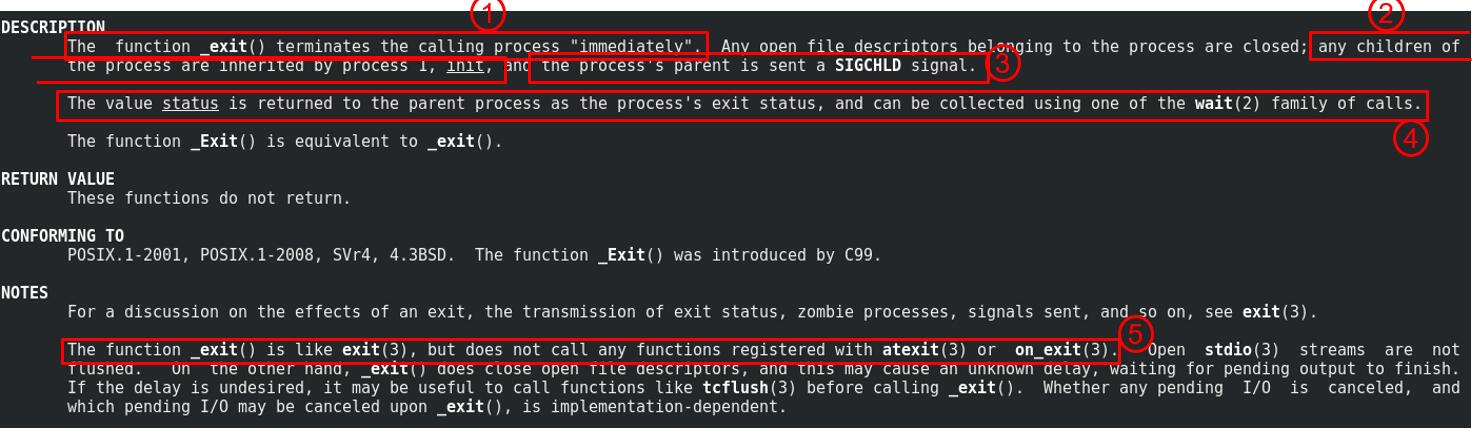
LTP Chapter 4 Development_exit() Test Set
LTP series link: Chapter 1 Introduction to LTP and Internal Mechanism Chapter 2 Develop Shell Test Set Chapter 3 Development System Call Test Set Chapter 4 Development _exit() test set Chapter 5 Devel...

LTP (Linux Test Project) User Guide
Article Directory 1. Introduction to ltp-ddt 1.1、ltp 1.2、ltp-ddt 2. Environmental structure 2.1, cross compilation 2.2, file system 3. Test run 1. Introduction to ltp-ddt 1.1、ltp LTP (Linux Test Proje...

LTP Chapter 2 Develop Shell Test Set
LTP series link: Chapter 1 Introduction to LTP and Internal Mechanism Chapter 2 Develop Shell Test Set Chapter 3 Development System Call Test Set Chapter 4 Development _exit() test set Chapter 5 Devel...