Start Jenkins service error: Job for jenkins.service failed because the control process exited with error code
tags: Linux Error/Exception Jenkins
Usesudo systemctl start jenkins The command to start the Jenkins service prompts the following error:
Job for jenkins.service failed because the control process exited with error code. See "systemctl status jenkins.service" and "journalctl -xe" for details.

Follow the promptssystemctl status jenkins.service Command to view the status of the Jenkins service:
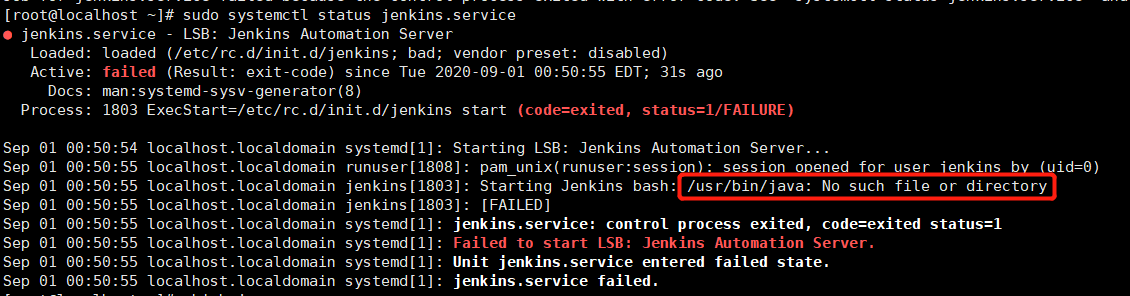
Pay attention to the location marked in the red box, /usr/bin/java is the default java path in the Jenkins configuration file, but the java path installed on the host is not this, first usejava -version Command to view the installed java version. If the version is lower than 1.8, you need to upgrade the java version to 1.8 or newer. After confirming that the java version meets the requirements, use the following command to view the java path installed on the machine
which java

Then modify the java path in the Jenkins configuration file
vi /etc/init.d/jenkins
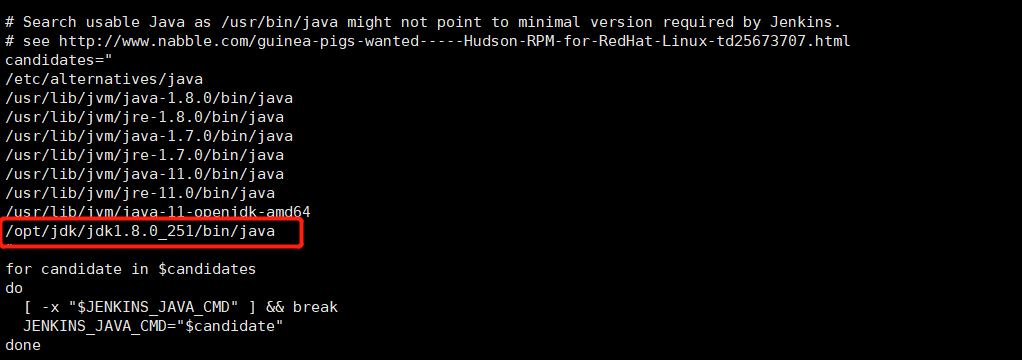
carried out systemctl daemon-reload Command to reload configuration file
executesudo systemctl start jenkins Command to start Jenkins
executesystemctl status jenkins.service Command to view the status of the Jenkins service
At this time, you can already see that the Jenkins service has started successfully

Intelligent Recommendation
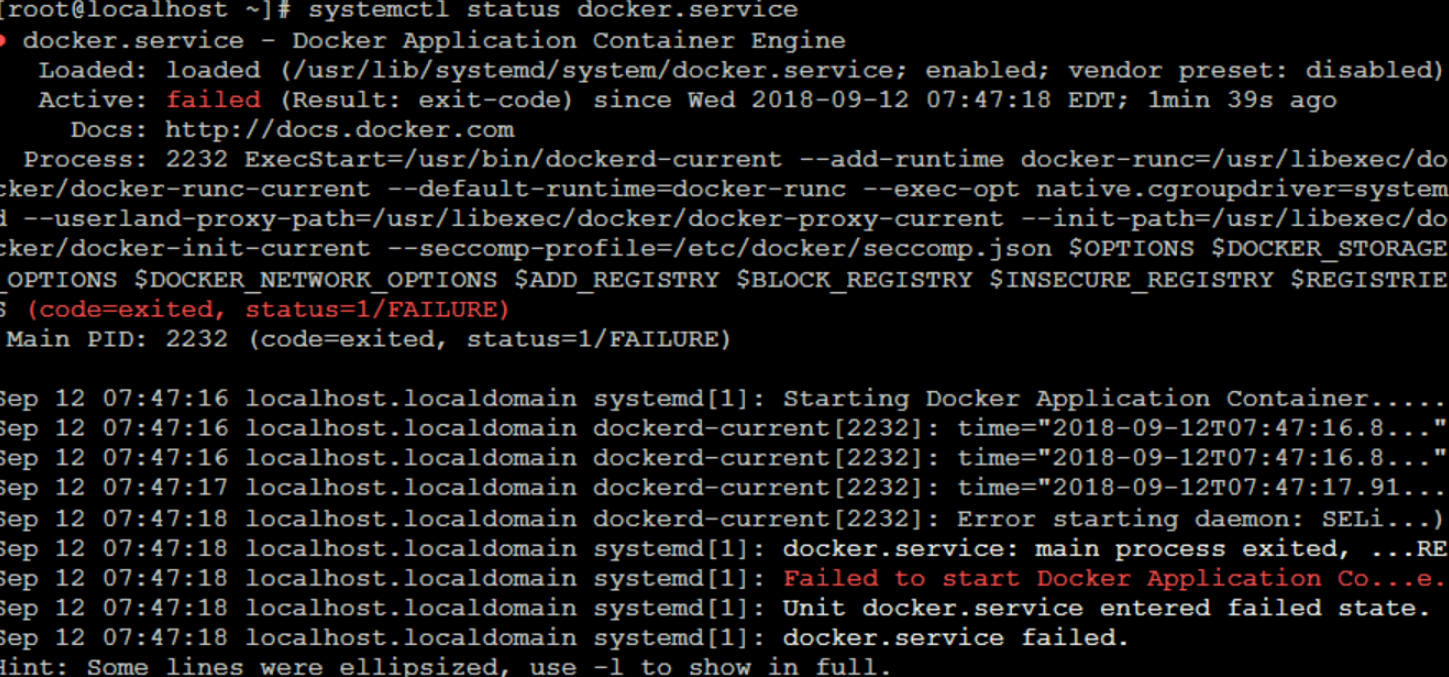
Docker start error: Job for docker.service failed because the control process exited with error code
Start Docker title the following error: Job for docker.service failed because the control process exited with error code. See “systemctl status docker.service” and “journalctl -xe&rd...
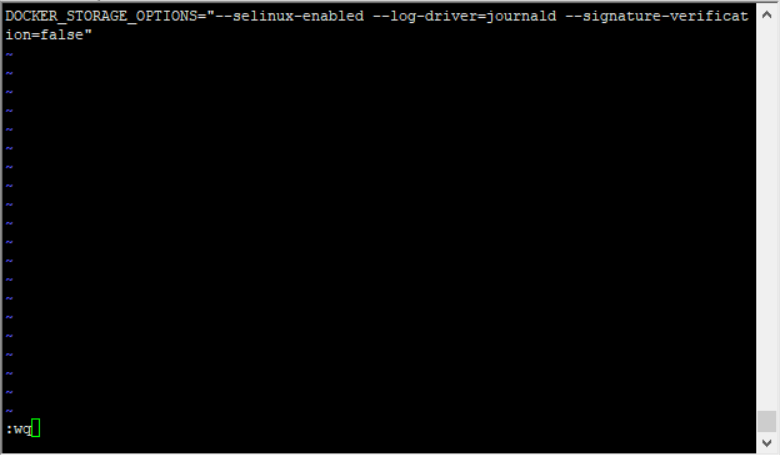
After installing docker, start reporting an error Job for docker.service failed because the control process exited with error code. See
After installing docker, start error Job for docker.service failed because the control process exited with error code. See “systemctl status docker.service” and “journalctl -xe&rdquo...

HTTPD start (restart) error: Job for httpd.service failed Because The Control Process Exited with error code.
Job for httpd.service failed because the control process exited with error code. See "systemctl status httpd.service" and "journalctl -xe" for details. When the HTTPD service is tu...
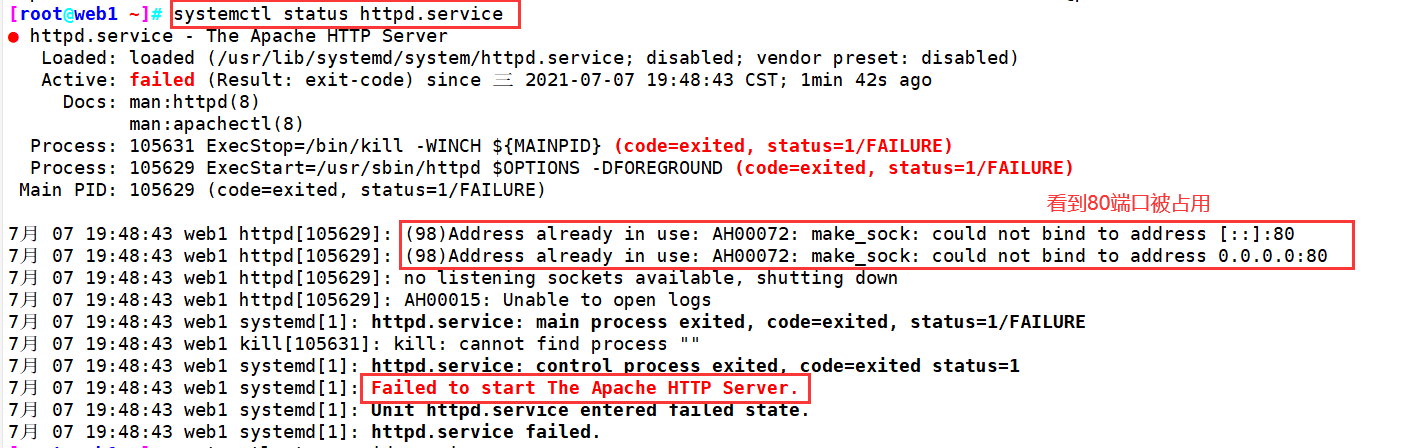
HTTP start (restart) error: Job for httpd.service failed Because The Control Process Exited with error code.
HTTP boot (restart) error: job for httpd.service failed Because The Control Process Exited with error code. See "Systemctl status httpd.service" and "journalctl-xi" for details. 【p...
Nginx start error: Job for nginx.service failed Because The Control Process Exited with error code
Nginx launch error: Job for nginx.service failed Because The Control Process Exited with error code. See "Systemctl Status Nginx.service" and "journalctl -xe" for details. View err...
More Recommendation
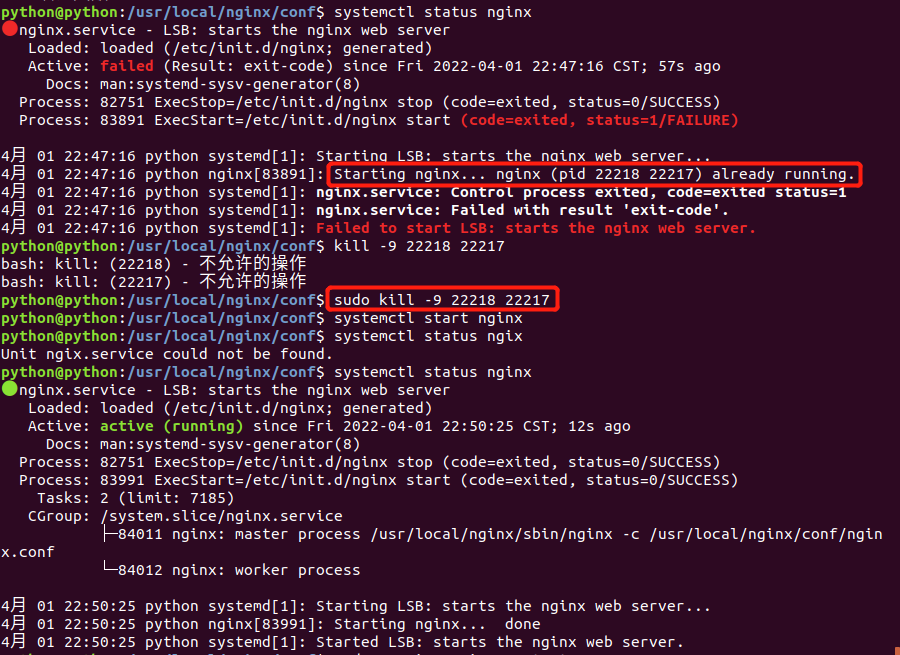
Start nginx and report an error Job for nginx.service failed because the control process exited with error code.
【Problem Description】 systemctl start nginx starts nginx and reports an error Job for nginx.service failed because the control process exited with error code.See "systemctl status nginx.service&q...
CentOS7 installation docker failed to start: Job for docker.service failed because the control process exited with error code
After installing docker on a new virtual machine CentOS7, the startup failed and the console reported an error:Job for docker.service failed because the control process exited with error code. See &qu...
Linux failed to start or restart mysql: Job for mysqld.service failed because the control process exited with error code.
Problem Description: 1. Enter the command: systemctl start mysqld or service mysql start or service mysql restart 2. View the status of mysql solution View mysql permissions 2. View the process #ps -a...
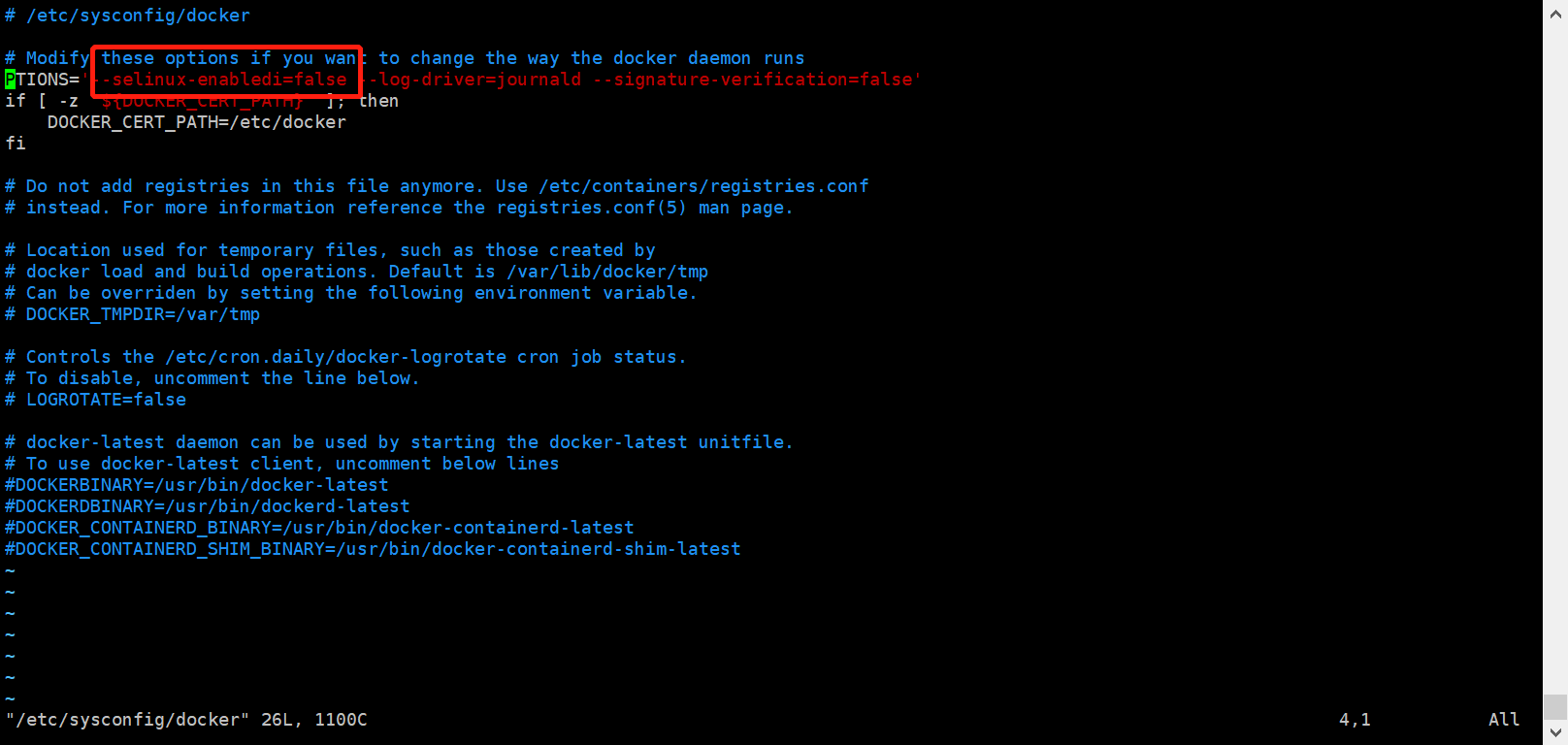
docker failed to start Job for docker.service failed because the control process exited with error code. See “sy
Job for docker.service failed because the control process exited with error code. See "systemctl status docker.service" and "journalctl -xe" for details. Go directly to the ...

Docker service startup error: Job for docker.service failed because the control process exited with error code.
Error message: Job for docker.service failed because the control process exited with error code. See "systemctl status docker.service" and "journalctl -xe" for details. surrounding...