Job for jenkins.service failed because the control process exited with error code
Starting jenkins (via systemctl): Job for jenkins.service failed because the control process exited with error code. See “systemctl status jenkins.service” and “journalctl -xe” for details.
Google Translate
start Jenkins (by systemctl): jenkins.service job failed because the process exits with an error control code. For more information, see "systemctl status jenkins.service" and "journalctl -xe".
When prompted, enter: systemctl status jenkins.service
● jenkins.service - LSB: Jenkins Automation Server
   Loaded: loaded (/etc/rc.d/init.d/jenkins; bad; vendor preset: disabled)
   Active: failed (Result: exit-code) since Sun 2018-09-09 17:46:22 CST; 2min 12s ago
     Docs: man:systemd-sysv-generator(8)
  Process: 9429 ExecStart=/etc/rc.d/init.d/jenkins start (code=exited, status=1/FAILURE)

Sep 09 17:46:22 izm5e1qim1yoreb6toj6d9z systemd[1]: Starting LSB: Jenkins Automation Server...
Sep 09 17:46:22 izm5e1qim1yoreb6toj6d9z runuser[9434]: pam_unix(runuser:session): session opened for user jenkins by (uid=0)
Sep 09 17:46:22 izm5e1qim1yoreb6toj6d9z jenkins[9429]: Starting Jenkins bash: /usr/bin/java: No such file or directory
Sep 09 17:46:22 izm5e1qim1yoreb6toj6d9z jenkins[9429]: [FAILED]
Sep 09 17:46:22 izm5e1qim1yoreb6toj6d9z systemd[1]: jenkins.service: control process exited, code=exited status=1
Sep 09 17:46:22 izm5e1qim1yoreb6toj6d9z systemd[1]: Failed to start LSB: Jenkins Automation Server.
Sep 09 17:46:22 izm5e1qim1yoreb6toj6d9z systemd[1]: Unit jenkins.service entered failed state.
Sep 09 17:46:22 izm5e1qim1yoreb6toj6d9z systemd[1]: jenkins.service failed.
Solution
means that not found java files, so you need to copy the past java file address
file modification /etc/init.d/jenkins
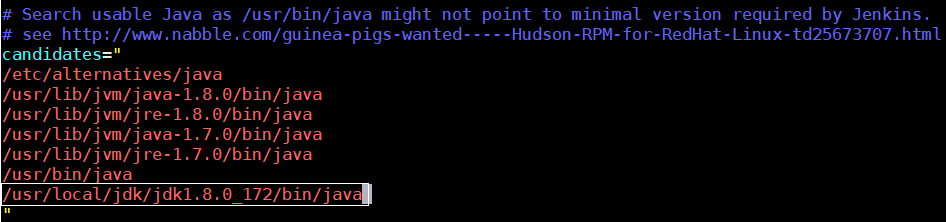
can paste
Intelligent Recommendation
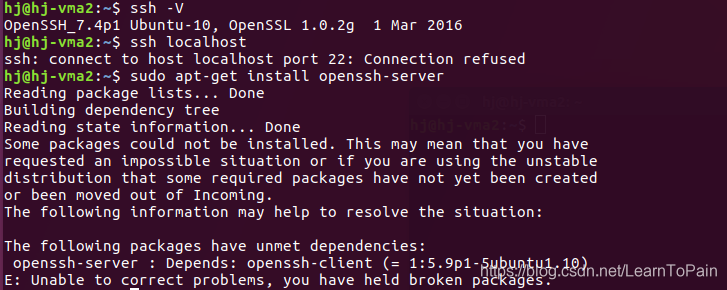
Job for ssh.service failed because the control process exited with error code.
This is the original version 7.4 In order to keep the version consistent, first uninstall the openssh-client, then sudo apt-get install openssh-server and then install it, and then update the version ...
Job for mysqld.service failed because the control process exited with error code
I encountered a problem during the startup mysql today.Job for mysqld.service failed because the control process exited with error codeThe error is recorded as follows. premise Before starting, in/etc...
Job for named.service failed because the control process exited with error code.
Install and configure the bind server: yum install bind-chroot -y Three key files: Main configuration file (/etc/named.conf) Regional configuration file (/etc/n...
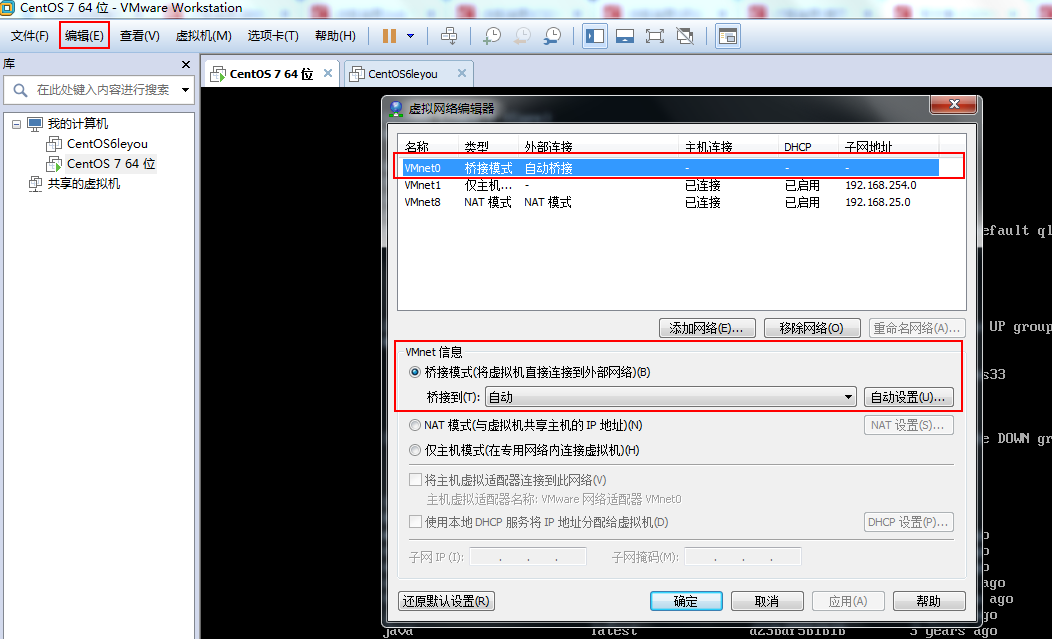
Job for network.service failed because the control process exited with error code
Job for network.service failed because the control process exited with error code background Open a centOS7 in vmware, it can be used at the beginning. After two days, turn on the virtual machine and ...
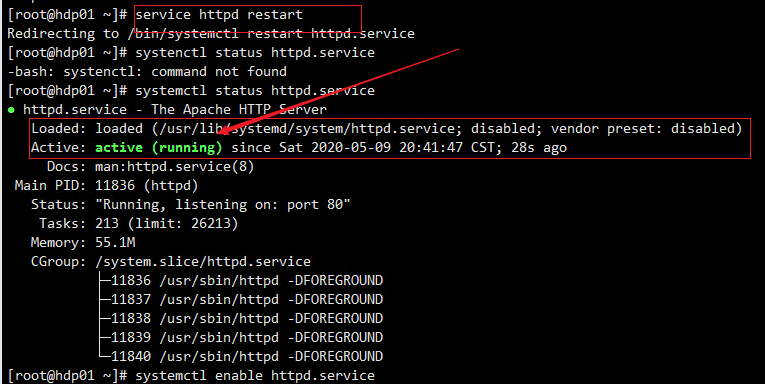
Job for httpd.service failed because the control process exited with error code.
Description Installed Ambari + HDP (CentOS 8, Alibaba Cloud Server), made a local yum source, after installing httpd, an error is reported Job for httpd.service failed because the control process exit...
More Recommendation
Job for nginx.service failed because the control process exited with error code
Starting nginx package error "Job for nginx.service failed because the control process exited with error code. See "systemctl status nginx.service" and "journalctl -xe" for de...
Job for docker.service failed because the control process exited with error code...
Restarting docker after modifying the /etc/docker/daemon.json file raises the following exception At the time, my /etc/docker/daemon.json file was as follows solution: Delete the comment, and then res...
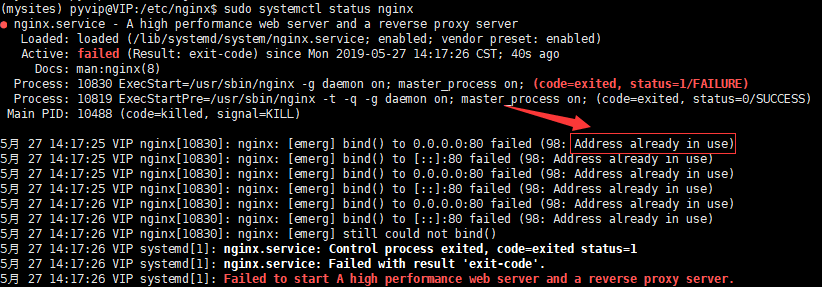
Job for nginx.service failed because the control process exited with error code. Solution
The error message is as follows Obviously this means that port 80 has been occupied, indicating that there is a corresponding process running, just find the process and close it! In the above picture,...
Dockers Job for docker.service failed because the control process exited with error code
Zero, problem description Job for docker.service failed because the control process exited with error code. See “systemctl status docker.service” and “journalctl -xe” for detai...
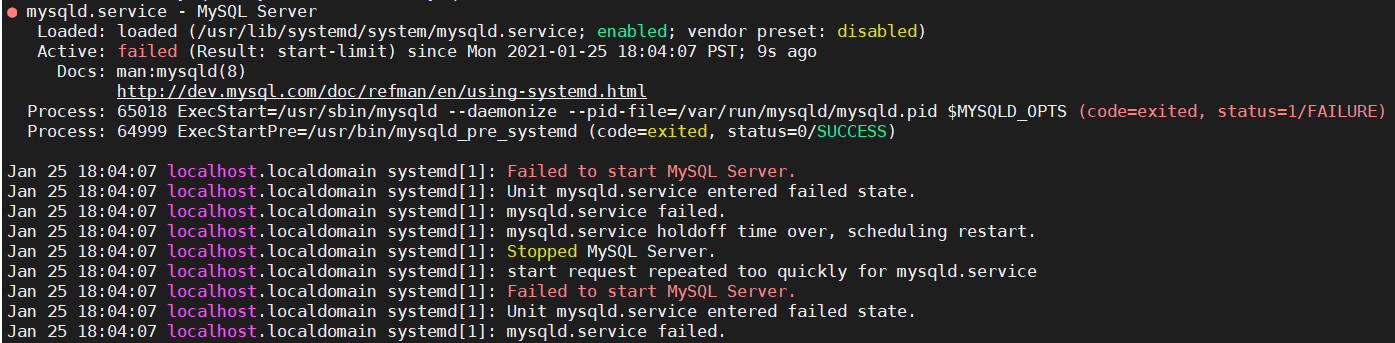
[Mysql] -Job for mysqld.service failed Because The Control Process EXITED with ERROR CODE.
problem Job for mysqld.service failed because the control process exited with error code. See “systemctl status mysqld.service” and “journalctl -xe” for details. The above is t...