The use of webpack packing URL-loader and file-loader and the problems encountered
tags: webpack Vue javascript vue.js
Import pictures in app.js:
import imgSrc from './fengjing.jpg';
// Note that the words do not spell errors: From

var app = {
    data() {
        return {
            imgSrc: imgSrc
        }
    },
    template: `
        <div>
            <img src="imgSrc" />
        </div>
    `
};

export default app;
Install url-loader, file-loader:
cnpm i [email protected] [email protected] -DConfiguration in webpack.dev.config.js:
module: {
    loaders: [
        {
                         // Error writing: test: '/\. (JPG|jpeg
            test: /\.(jpg|jpeg|png|gif|svg)$/,
            loader: 'url-loader?limit=200000'
                         // Limit = 200000 is limited conditions: When the size of the picture is as small as 200000, it will be compiled to the base64 file
        }
    ]
},
Execute: npm run dev, report an error:
ERROR in ./fengjing.jpg
Module parse failed: Unexpected character '�' (1:0)
You may need an appropriate loader to handle this file type.
(Source code omitted for this binary file)
 @ ./App.js 1:0-36
 @ ./main.js
Reason for error: The regular expression behind test is added with a single quotation number.
Must be in accordance with the configuration rules of Webpack!
After modifying the error: NPM Run DEV, successful compilation:

Intelligent Recommendation
Use the webpack loader loader
Learn about webpack, please moveWebpack first met! What is a loader? The loaders are used to convert the application's resource files. They are functions that run under nodejs to get the source of a r...
webpack- use url-loader handling url pictures
Installation url-loader file-loader is dependencies. In the images folder to put a picture, test.jpg Configuration rules are as follows: The third is to configure the URL, Compare our multi-format mat...
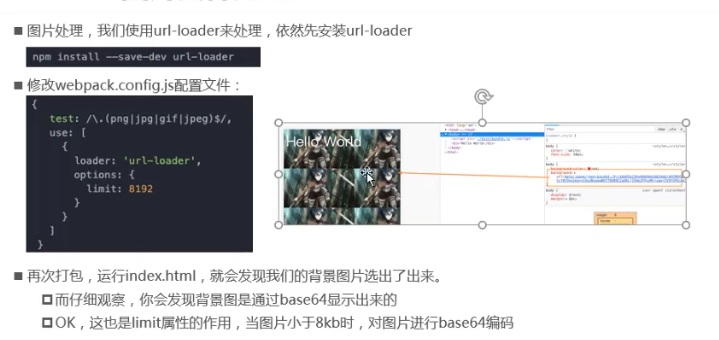
Webpack image file processing: url-loader and file-loader
1. Webpack image file processing 1.1, picture file processing method 1: url-loader 1.2, picture file processing method 2: file-loader 1.3. Image file processing-modify file name Generate file storage ...
WebPack Notes - Installation Dependency / URL-Loader / DevTool Configuration / Watch Listening File Change Automatic Packing /Resolve.extensions and Resolve.alisa
Webpack notes - installation dependence Installation dependence NPM package URL-Loader package DevTool configuration source-map Source mapping, will generate a SourceMap file separately, an error, wil...
Webpack parsing image, file-loader; and the difference between url-loader parsing
Note: Before installing, make sure the webpack project works properly! table of Contents 1. Install file-loader dependency 2. Create an img folder in the src directory and import a picture (the image ...
More Recommendation
webpack study notes -2-file-loader and url-loader
1 Introduction If we want to introduce the picture page (including the url img src and the background). When we webpack-based development, the introduction of the picture will encounter some problems....
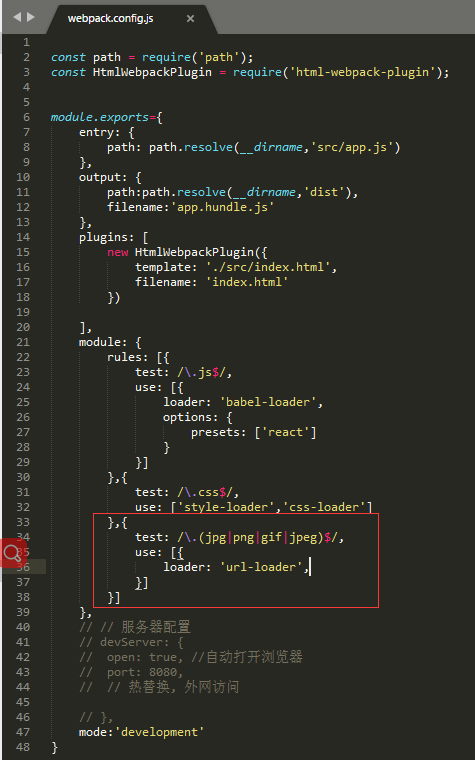
Picture introduction of webpack-enhanced file-loader: url-loader
Foreword: This article introduces url-loader (enhanced file-loader); The role of url-loader: selectively encode some small pictures into base64 format and write them into the page according to the dem...

webpack uses file-loader and url-loader to handle image resource loading
webpack uses file-loader and url-loader to handle image resource loading 1. Use file-loader to load image resources Two, use url-loader to load pictures Third, the problem of incorrect image path afte...
WebPack Package Picture Resources URL-Loader and File-Loader
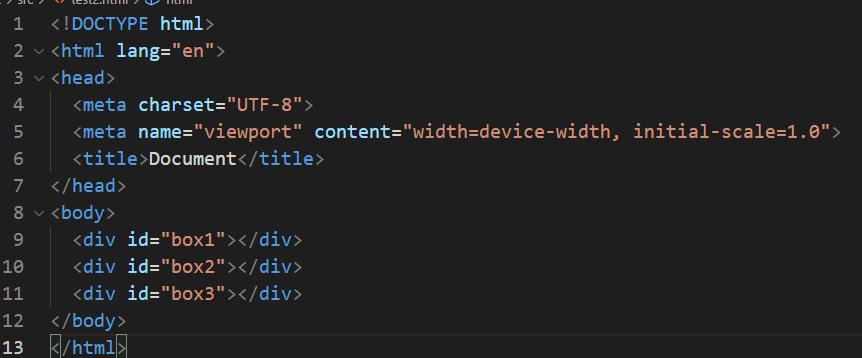
The following tutorial is based on WebPack 4.46.0: These files in the current SRC directory: test2.html Test2.less, 3 pictures included: Test2.js, introduced TEST2.SS: Webpack.config.js is as follows:...

About the use of URL-loader packing pictures with Webpack5 does not display problems without displaying problems
Recently, I just started learning Webpack. It was really a pit all the way. Everything was because of the difference in the Webpack version. Some configurations checked online are the configuration of...