Training MS COCO 2017 dataset (target detection) in Darknet environment (YOLOv3)
tags: MS COCO YOLOv3 YOLOv2 YOLO Darknet
The COCO data set is a large data set that contains image data and annotation information required for multiple tasks including object detection, keypoints estimation, semantic segmentation, and image caption.
Taking MS COCO 2017 as an example, there are a total of about 25G pictures and an annotation file of about 1.5G. The format of the annotation file is .json format, which stores the target categories in all the pictures (a total of 80 categories), the precise coordinates of the target bounding box and Target contour information and so on.
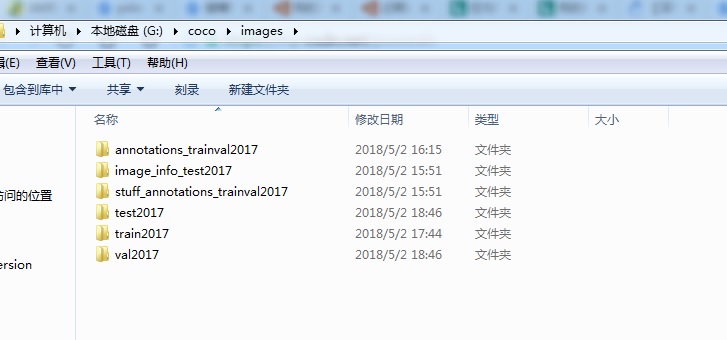
After the complete COCO2017 data set is downloaded and decompressed, it should contain the following parts:
Darknet is famous for the proposal of YOLO target detection framework. It is an open source neural network framework written in C language and CUDA. The target detection algorithms YOLOv1, YOLOv2 and YOLOv3 implemented based on darknet have certain advantages in the field of target detection. One of the representatives of Stage target detection algorithm.
The Python script code needed for this article can be found on Github:https://github.com/ChriswooTalent/COCO_forYOLO 。
There are 4 python scripts in total:
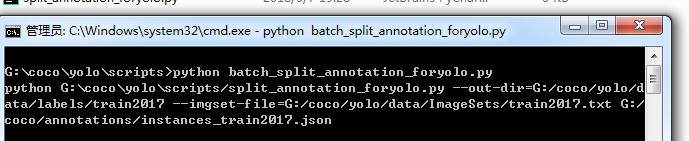
① batch_split_annotation_foryolo.py: Batch analysis of coco annotation files, and separate the entire annotation file into individual annotation files for each image;
②split_annotation_foryolo.py: Separate the execution part of the data file, which will be called in batch_split_annotation_foryolo;
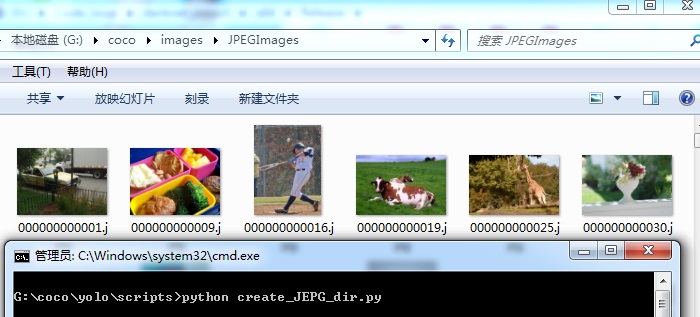
③create_JEPG_dir.py: Copy all training images, verification images, and test images to a JPEGImages folder, only need to call it once;
④create_yolo_list.py: Based on the previously separated annotation files, generate training images, verification images, and test image index files.
So how to make a training set suitable for Darknet based on the COCO data set?
1. First extract the bounding box information of the target in the image required by the yolo algorithm from the annotation set in the COCO dataset:
① Make sure to install Python 2.7 and related dependent libraries, you can run the script code;
② Run python batch_split_annotation_foryolo.py (pay attention to modify the absolute path in the program);
③ Get the label information needed for darknet training.
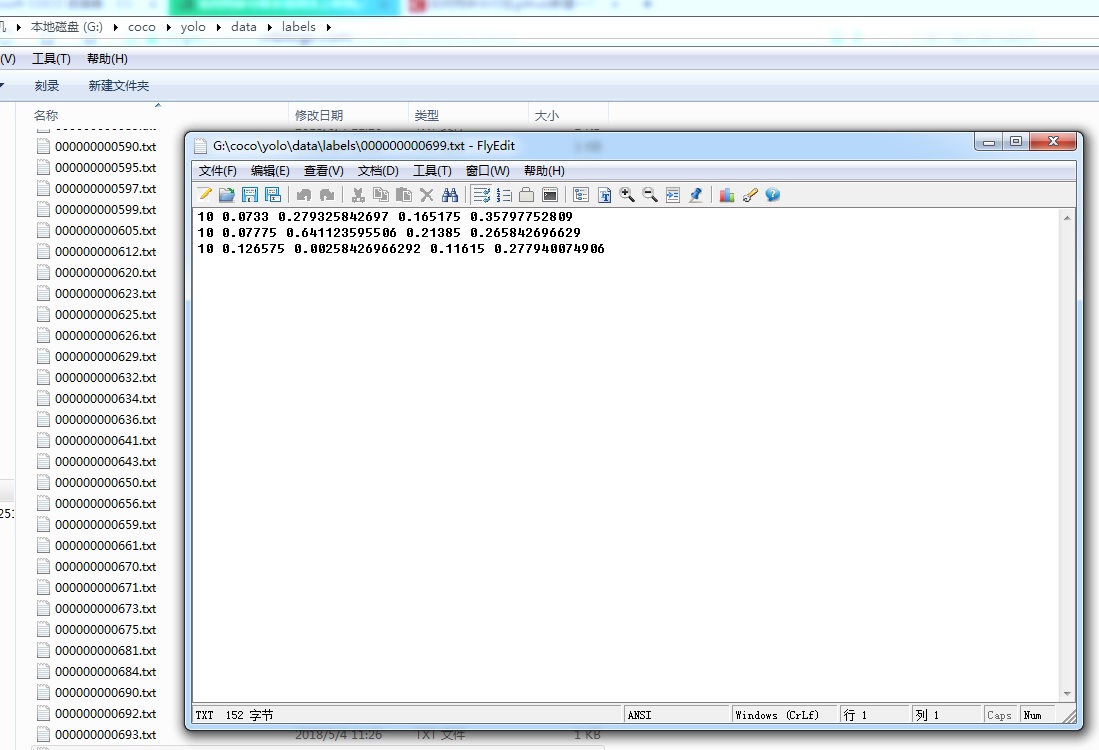
2. Combined with the rules of darknet to read images and corresponding labels, it is necessaryCopy all images to a folder, And then the l generated in step 1Move the abel file to the same file directory as the picture(This script only needs to be called once):
3. Get the path index file of training image set, verification image set, test image set train.txt val.txt test.txt:
Run python create_yolo_list.py (note the modification of the absolute path in the program) to generate the training image set, verify the corresponding .txt of the image set and test image set.
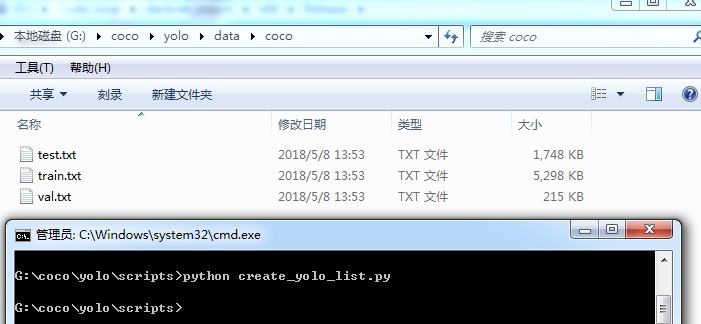
4. Integrate the path according to the rules of Darknet, so that the Darknet framework can normally call the data set and train;
1. The label (label) file and JPEGImages (pictures) are in the same folder;
2. Create a coco folder and place train.txt, val.txt, test.txt under the folder;
3. Create a coco.data file, specify the training image index file. Txt address and weight saving path;
4. Create a coco.names file, which contains all the category names of the COCO dataset.
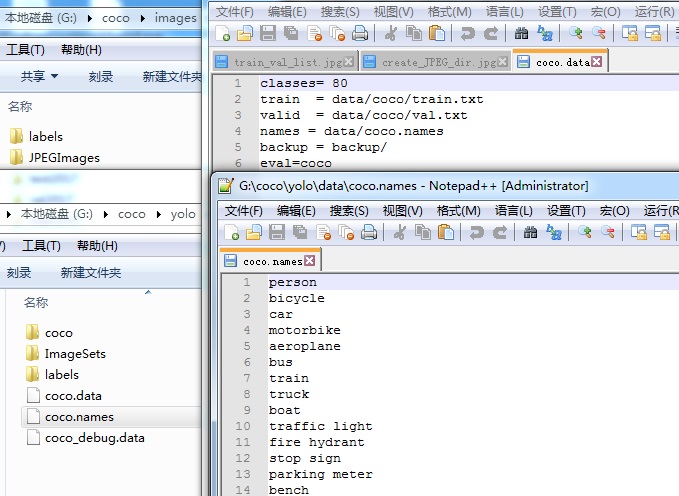
4. Copy the coco folder, coco.data file, and coco.names file to the Darknet environment folder, and start training with YOLOv3.
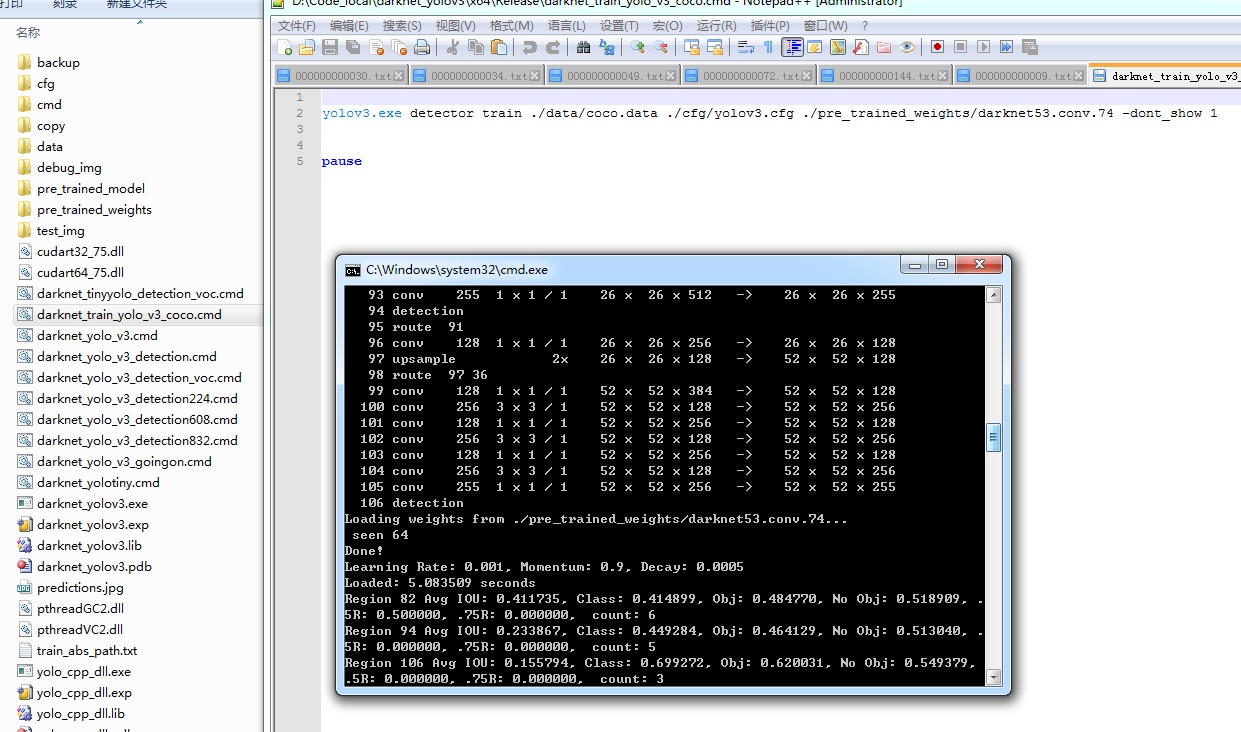
--------------------------------------------------------------------------------------------------------------------
This article refers toIn COCO dataset produced Darknet training set
Intelligent Recommendation
OpenCV4.0.1 + DarkNet + YOLOV3 implementation target detection
OpenCV4.0.1 + DarkNet + YOLOV3 implementation target detection Objective detection recovery based on YOLOV3 and OpenCV:https://www.aiuai.cn/aifarm822.html DarkNet is a neural network framework written...
Darknet-YOLOV3 Third Target Recognition Training and Use
The Darknet used in this article is based on the Ubuntu system. It can be used on the computer or on the high -end embedded main control board such as Jetson Nano. The operating systems of the two are...
Convert COCO dataset to tfrecord (target detection)
First convert the COCO dataset to tfrecord format, and then use the file on the obtained tfrecord document to get a picture without bbox. 1 COCO data set is converted to tfrecord format: Refer to the ...

MS COCO dataset analysis
MS COCO dataset analysis COCO data set has two versions 2014 and 2017, I mainly read about the 2017 version, because I want to use animal Mask RCNN detected in the picture, it is very concerned about ...
MS Coco dataset
1. MS COCO dataset introduction The full name of MS Coco is Microsoft Common Objects in Context, which originated from the Microsoft Coco dataset marked by Microsoft in 2014. Official website address:...
More Recommendation

Detection Evaluation of MS COCO Dataset (from the official website)
Target detection and evaluation 1. Detection Evaluation This page introduces the detection and evaluation indicators used by COCO. The evaluation code provided here can be used to obtain results on th...
[Target Detection] WIN10 + GTX960M + CUDA9.1 + CUDNN7 + OpenCV3.4 + darknet + YOLOv3 tutorial environment
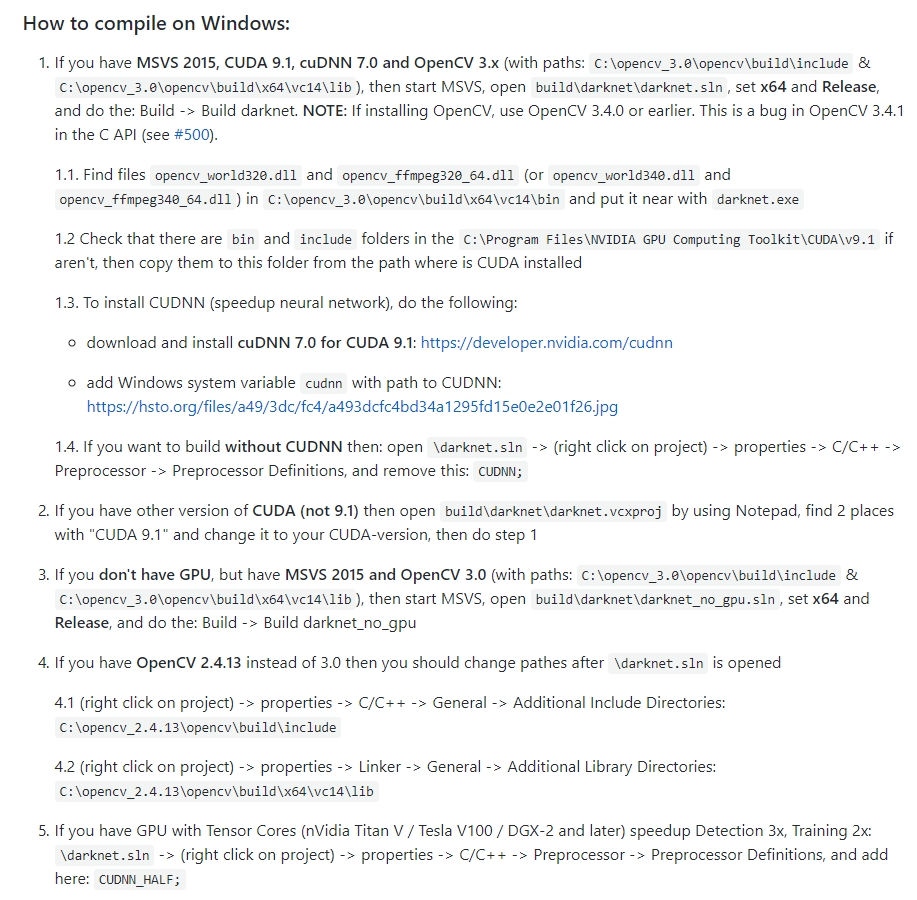
lab environment WIN10 system MS VS 2017 OpenCV3.4.0 CUDA9.1 CuDNN7.0 YOLOv3(darknet) Environment to build step Software Installation MSVS2017 Community Edition Download NVIDIA CUDA NVIDIA CUDNN Downlo...
Target Detection | production MS COCO json format data set
Brief introduction MS COCO Google is open source large data sets, divided into target detection, segmentation, key three-point detection tasks, data collection is mainly composed of photographs and js...
Darknet —— YOLO3 Training its own dataset+real -time target testing practical tutorial in ROS environment (1)
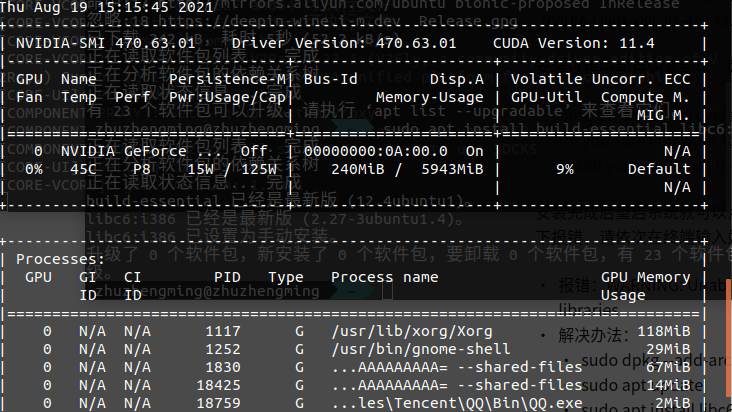
Articles directory Foreword 1. Introduction to darknet 2. Environmental requirements 3. Preparation Fourth, official installation Install graphics driver Install CUDA Summarize Foreword This is a proc...
DarkNet target detection YOLOV3, 4 front and rear processing
Some questions encountered in the MXNET in MXNET in MXNET in MXNET training in MXNET Align is mainly three parts Pretreatment Output after the network Post-processing Pretreatment In the pre-processin...