Darknet -YOLO3 Training its own dataset+real -time target detection practical tutorial in ROS environment (2) -Thising your weight file
tags: Deep learning linux
Articles directory
Foreword
After the previous preparation, the environmental conditions of Darknet running are basically available. The next step is to install and compile the Darknet package and simple test to prepare your own data set to train your own weight files.
1. Install the darknet package and compile
(1) Code download:
You can refer to the GitHub homepage directly:https://github.com/leggedrobotics/darknet_ros
$mkdir -p catkin_workspace/src
$cd catkin_workspace/src
$git clone --recursive [email protected]:leggedrobotics/darknet_ros.git
$cd ../Notice:You may not be downloaded in this way, and the file may be incomplete, and you cannot download it directly on the GitHub website. Then the downloaded Darknet folder is empty, you can only download it through git clone, and you must add-recursive to download to download completely. But this clone may report errors. Because you need to configure SSH and generate a key, add the GitHub SSH key, you can refer to:
Generate an SSH key on Ubuntu and add the generated public key to your Github account
I also package my own github to the project, but it is slightly modified.
https://github.com/zhuzhengming/darknet_ros_yolo3
(2) Compilation
In work space, execute command:
$catkin_make -DCMAKE_BUILD_TYPE=ReleaseAt this time, the entire project will be compiled. After the compilation is completed, check the {catkin_ws}/darknet_ros/darknet_ros/yolo_network_config/weights files. There are two model files of Yolov2-TINY.Weights and YOLOV3.weights. The volume does not bring these two model files. Therefore, after compiling, the model file will be downloaded automatically, and this is a long waiting time.
:NVCC src/caffe/layers/reduction_layer.cu nvcc fatal : Unsupported gpu architecture 'compute_30' Makefile:588: recipe for target '.build_release/cuda/src/caffe/layers/reduction_layer.o' failed make: * ** [.build_release/CUDA/SRC/Caffe/Layers/Reduction_layer.o] error 1
This is not matching the computing power, you need to release the unwanted options in the cmakelist.txt file in the/Workspace/src/darknet_ros/darknet_ros or in the Makefile file based on your graphics card and CUDA version.
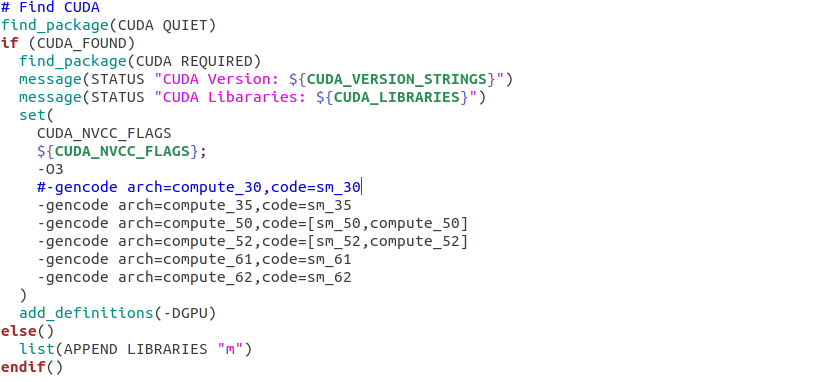
If CUDA and CUDNN are installed, the parameters can be modified in the Makefile file:
GPU=0
CUDNN=0
OPENCV=1
OPENMP=0
DEBUG=1
change into:
GPU=1
CUDNN=1
OPENCV=1
OPENMP=0
DEBUG=1
Then execute the following command compilation (you must re -compile after each modification of Makefile):
$ cd darknet
$ make
(3) Download the pre -training model and simple test
Here is LOV3-TINY.Weights, download in the root directory:
$wget https://pjreddie.com/media/files/yolov3-tiny.weightsSimple test:
In the Darknet root directory:
1. Picture test:
$./darknet detect cfg/yolov3-tiny.cfg yolov3-tiny.weights data/dog.jpg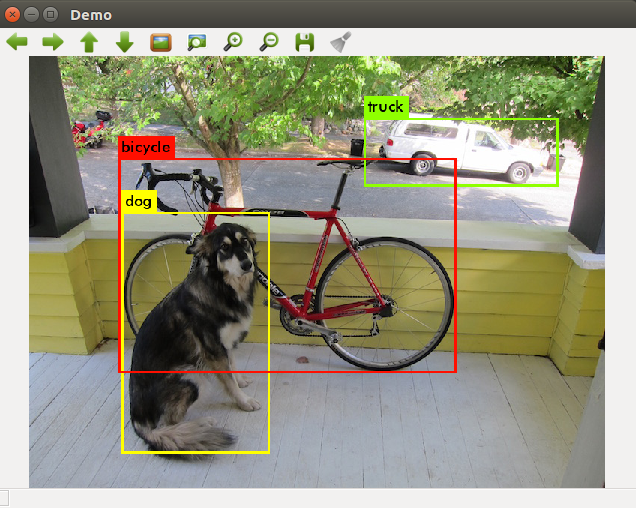
2. Real -time video test:
$./darknet detector demo cfg/voc.data cfg/yolov3-tiny.cfg yolov3-tiny.weightsThe installation and compilation and test of Darknet is completed here, and the next is to train your data set.
2. Make your own data set and train
(1) Prepare data set
In the root directory of Darknet, establish a standard VOC dataset:
$ cd scripts
$ mkdir -p VOCdevkit && cd VOCdevkit
$ mkdir -p VOC2021  && cd VOC2021
$ mkdir -p Annotations && mkdir -p ImageSets && mkdir -p  JPEGImages && mkdir -p labels
Annotations: .xml file generated after storing labeling
JPEGIMAGES: Storage of your own picture material
labels: Storage label files for data format required for YOLO
(2) Data marking
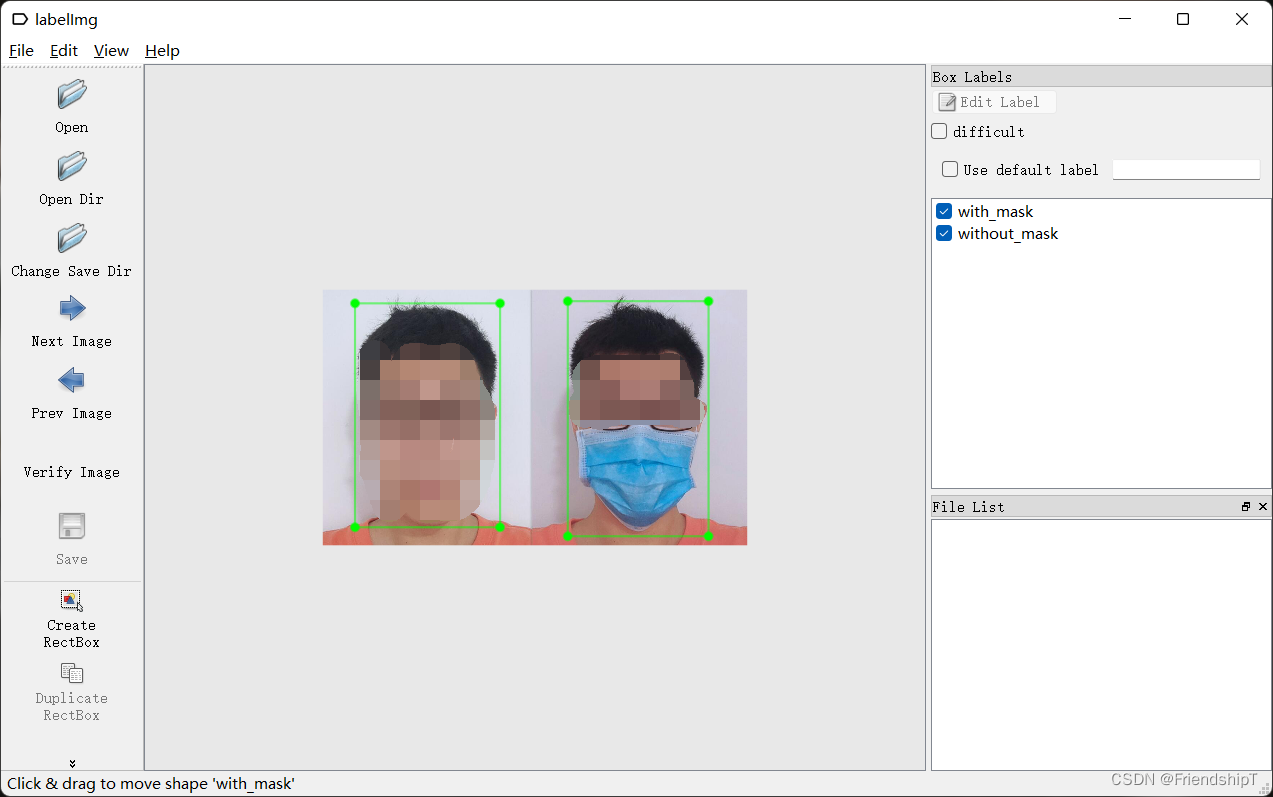
The Labelimg tools are mainly used here. This has a version in Windows and Linux. Here is a Linux installation method:
$ sudo apt-get install pyqt5-dev-tools
$ sudo pip3 install lxml
$ git clone https://github.com/tzutalin/labelImg.git
$ cd labelImg
$ make all
$ python3 labelimg.py #Open labelimg
"Open File" ----- "Create RECTBOX" ------ "Input class name" ----- "Change Save Dir" ------ "Save" Open Dir Select JPEGIMAGES, Change Save Dir Annotations.
(3) Generate training sets and test sets
In the ImageSets directory, the new main directory is created, and then two new text documents trains.txt and value are created in the main directory.
$ cd ImageSets
$ mkdir -p Main && cd Main
$ touch train.txt test.txt
YOLOV3 provides a script that translates the VOC dataset to the format required for YOLO training. In the scripts/voc_label.py file, do some modifications:
Sets changed to its own training set
CLASSES trained for itself
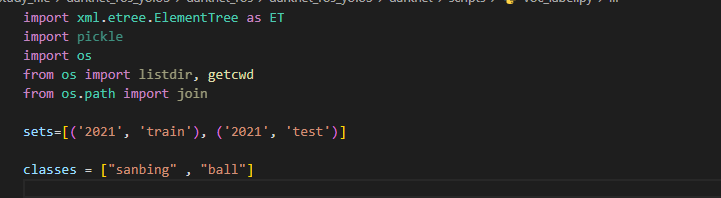
Execute this script:
$ python scrips/voc_label.pyUnder the main file, the trin.txt and var.txt files will also generate 2021_train.txt and 2021_var.txt files in the darknet root directory. The latter two files are with paths and are required for training.
(4) Modify the necessary files
1. Modify the voc.names in the data directory and modify it to the type label you want to train:

2. Modify the VOC.DATA file in the CFG directory:
The main reason is to modify the preservation path of your own training set and the well -trained weight file. The absolute path I use here:
classes= 2
train  = /home/zhuzhengming/workspace/src/darknet_ros/darknet/2019_train.txt
valid  =/home/zhuzhengming/workspace/src/darknet_ros/darknet/2019_test.txt
names = /home/zhuzhengming/workspace/src/darknet_ros/darknet/data/voc.names
backup = /home/zhuzhengming/workspace/src/darknet_ros/darknet/backup
3. Modify YOLOV3-TINY.CFG file in the cfg directory:
Modify the Classes and Fliters, there are two places. The calculation method of Filiters is: 3*(Classes + 5):
The following is one of the places, and the modification refers to this:
[convolutional]
size=1
stride=1
pad=1
filters=21
activation=linear


[yolo]
mask = 3,4,5
anchors = 10,14,  23,27,  37,58,  81,82,  135,169,  344,319
classes=2
num=6
jitter=.3
ignore_thresh = .7
truth_thresh = 1
random=0
(5) Start training
1. Generate pre -training model:
$ ./darknet partial cfg/yolov3-tiny.cfg yolov3-tiny.weights yolov3-tiny.conv.15 152. Training:
$ ./darknet detector train cfg/voc.data cfg/yolov3-tiny.cfg yolov3-tiny.conv.15 | tee person_train_log.txtIn this process, the intermediate result of the corresponding iteration is saved under the Backup folder. Save one within 100 times in the first 1,000 times, more than 1,000 times, and save it every 1,000 times.
3. Test it with training weight files:
Photo test:
Here is a picture in your own data set as a test
$ ./darknet detect cfg/yolov3-tiny.cfg yolov3-tiny_900.weights VOCdevkit\VOC2019\JPEGImages\1.png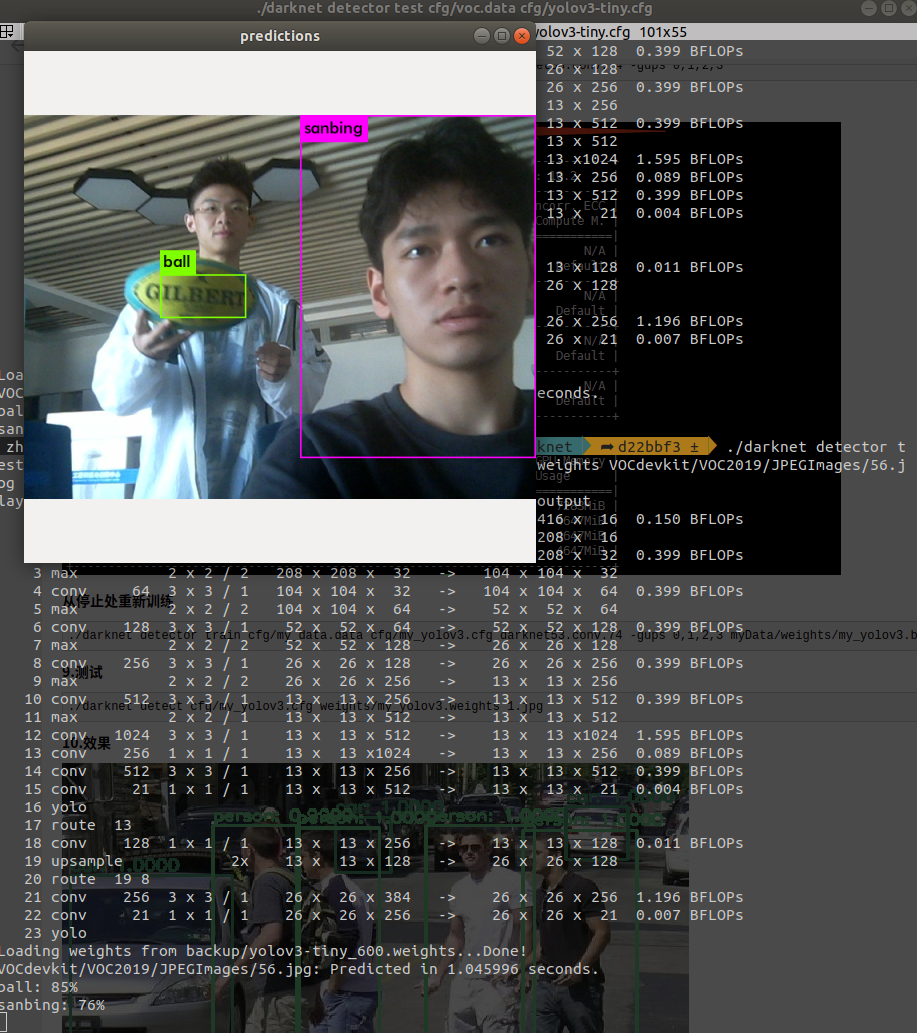
Video real -time test:
$ ./darknet detector demo cfg/voc.data cfg/yolov3-tiny.cfg yolov3-tiny_900.weightsSummarize
Through the download compilation and re -configuration of the official package of the DarkNet package, its basic use functions have been achieved. Based on this, the production of its data set is also completed, and this data set is used to train my weight file, because I training the category and The number of times is small, but from the test results, the target detection effect is not bad. Next is to use this deep learning network under the ROS platform.
Intelligent Recommendation
Practical tutorial! Target detection using YOLOv3 to train your own data
Practical tutorial! Target detection using YOLOv3 to train your own data 52CV JunI love computer vision Nowadays Click I love computer vision star to get new CVML technology faster YOLOv3 ...

YOLOV5 achieves target dynamic real-time detection (training your own data set realizes the identification of the king's glory game) Chapter: YOLOV5 Environmental Environment Construction
Chapter 1: YOLOV5 Environmental Environment Construction 1. Introduce the final molding effect YOLOV5 has the following advantages: The above is the effect of my model of 127 pictures training for the...
darknet + yolo3 train your own data set
In the middle of 2018, I accidentally came into contact with a leader in the field of object detection, the first-stage detection framework yolo, so it took several months to study and record it. Unti...
[Miscellaneous code] [3] Python annotates its own target detection data set-yolo (darknet) format (2)
I wrote an article before[Miscellaneous code] [2] Python annotates its own target detection data set-yolo (darknet) format (1),is directed atSingle frame, single category and multiple targetsThe targe...
YOLOV7 training its own dataset (mask detection)
YOLOV7 training its own dataset (mask detection) Foreword Prerequisite Experimental environment Project structure Make your own data set Data set directory structure Train your data set VOC format dat...
More Recommendation

Win7 configure darknet to use darknet for yolo3 training own data set
Win7 configure darknet to use darknet for yolo3 training 1. Description: 2. Configure darknet 3. Use YOLO3 to train your own data set End 1. Description: I mainly refer to the articles of other blogge...
YOLOV7 tutorial series: 1. Based on custom dataset training exclusive to its own target detection model (nanny class tutorial, including data set processing), including detailed description of train.py/test.py/detect.py/export.py
YOLOV7 is based on custom dataset training exclusive to its own target detection model 0 Preface 1. Data set preparation (1) Put YOLOV7 clone to the local area (2) Specify the format to store the data...
Python keras yolo3 + training + darknet yolo3 deploy forecast tutorial
Overall, there are four processes 1.python keras training yolo3, get h5 2.h5 + cfg turn weights, provided with a darknet 3.darknet forecast 4.opencv the call yolo3 darknet surroundings vs2015 o...
YOLOV5 training its own target detection model
YOLOV5 training its own target detection model Table of contents YOLOV5 training its own target detection model Foreword 1. Use Labelimg to make your own deep learning target detection data set 2. XML...

[opencv] call darknet model to achieve real-time target detection
Following[opencv] call caffe, tensorflow, darknet modelAfter that, we will run a concrete instance. 1. Download the model Darknet is a niche written in CNeural network frameworkThat is similar to tens...