Conda - Miniconda - Installing
Conda - Miniconda - Installing
Conda
https://conda.io/en/latest/index.html
Miniconda
https://conda.io/en/latest/miniconda.html
Downloading conda
https://docs.conda.io/projects/conda/en/latest/user-guide/install/download.html
Miniconda is a free minimal installer for conda. It is a small, bootstrap version of Anaconda that includes only conda, Python, the packages they depend on, and a small number of other useful packages, including pip, zlib and a few others. Use the conda install command to install 720+ additional conda packages from the Anaconda repository.
bootstrap ['buːtstræp]: n. bootstrap program, auxiliary program, untie bootstrap
Anaconda [ˌænəˈkɒndə]
1. Linux installers
Python 3.7 Miniconda3 Linux 64-bit
https://repo.anaconda.com/miniconda/Miniconda3-latest-Linux-x86_64.sh
Python 3.7 Miniconda3 Linux 32-bit
https://repo.anaconda.com/miniconda/Miniconda3-latest-Linux-x86.sh
Miniconda hash information
https://docs.conda.io/en/latest/miniconda_hashes.html
2. Installation
The fastest way to obtain conda is to install Miniconda, a mini version of Anaconda that includes only conda and its dependencies. If you prefer to have conda plus over 720 open source packages, install Anaconda.
The quickest way to get conda is to install Miniconda, which is a mini version of Anaconda and contains only conda and its dependencies. If you want to use conda and more than 720 open source packages, please install Anaconda.
We recommend you install Anaconda for the local user, which does not require administrator permissions and is the most robust type of installation. You can also install Anaconda system wide, which does require administrator permissions.
We recommend that you install Anaconda for local users. It does not require administrator rights and is the most reliable type of installation. You can also install the Anaconda system on the entire system, which requires administrator rights.
2.1 System requirements
- 32- or 64-bit computer.
- For Miniconda - 400 MB disk space.
- For Anaconda - Minimum 3 GB disk space to download and install.
- Windows, macOS or Linux.
- Python 2.7, 3.4, 3.5 or 3.6.
- pycosat.
- PyYaml.
- Requests.
You do not need administrative or root permissions to install Anaconda if you select a user-writable install location.
If you choose a user-writable installation location, you do not need administrative rights or root user rights to install Anaconda.
2.2 Installing conda on a system that has other Python installations or packages
You do not need to uninstall other Python installations or packages in order to use conda. Even if you already have a system Python, another Python installation from a source such as the macOS Homebrew package manager and globally installed packages from pip such as pandas and NumPy, you do not need to uninstall, remove, or change any of them before using conda.
You can use conda without uninstalling other Python installations or packages. Even if you already own the system Python, another Python installation from a source such as the macOS Homebrew package manager and globally installed packages from pip such as pandas and NumPy, you do n’t need to uninstall, delete or change any of them before using conda.
Install Anaconda or Miniconda normally, and let the installer add the conda installation of Python to your PATH environment variable. There is no need to set the PYTHONPATH environment variable.
Install Anaconda or Miniconda normally, and then let the installer add Python's conda installation to the PATH environment variable. There is no need to set the PYTHONPATH environment variable.
To see if the conda installation of Python is in your PATH variable:
- On macOS and Linux, open the terminal and run -
echo $PATH. - On Windows, open an Anaconda Prompt and run -
echo %PATH%.
To see which Python installation is currently set as the default:
- On macOS and Linux, open the terminal and run -
which python. - On Windows, open an Anaconda Prompt and run -
where python.
To see which packages are installed in your current conda environment and their version numbers, in your terminal window or an Anaconda Prompt, run conda list.
regular [ˈreɡjələr]: adj. regular, regular, qualified, neat, ordinary n. regular customer, regular member, hardcore adv. regularly, frequently
3. Installing on Linux - Regular installation
- Download the installer
Miniconda installer for Linux. https://repo.anaconda.com/miniconda/Miniconda3-latest-Linux-x86_64.sh
wget -c https://repo.anaconda.com/miniconda/Miniconda3-latest-Linux-x86_64.sh
yongqiang@famu-sys:~$ cd software/
yongqiang@famu-sys:~/software$
yongqiang@famu-sys:~/software$ wget -c https://repo.anaconda.com/miniconda/Miniconda3-latest-Linux-x86_64.sh
--2019-11-18 21:08:31--  https://repo.anaconda.com/miniconda/Miniconda3-latest-Linux-x86_64.sh
 Resolving host repo.anaconda.com (repo.anaconda.com) ... 104.16.130.3, 104.16.131.3, 2606: 4700 :: 6810: 8203, ...
 Connecting repo.anaconda.com (repo.anaconda.com) | 104.16.130.3 |: 443 ... connected.
 HTTP request has been sent, waiting for response ... 200 OK
 Length: 71785000 (68M) [application / x-sh]
 Saving to: "Miniconda3-latest-Linux-x86_64.sh"

Miniconda3-latest-Linux-x86_64.sh              100%[===================>]  68.46M  1.55MB/s    in 47s

 2019-11-18 21:09:19 (1.45 MB / s)-Saved "Miniconda3-latest-Linux-x86_64.sh" [71785000/71785000])

yongqiang@famu-sys:~/software$
- Verify your installer hashes.
Linux: In a terminal window enter sha256sum filename.
yongqiang@famu-sys:~/software$ ll ./Miniconda3-latest-Linux-x86_64.sh
-rw-rw-r-- 1 yongqiang yongqiang 71785000 October 26 03:35 ./Miniconda3-latest-Linux-x86_64.sh
yongqiang@famu-sys:~/software$
yongqiang@famu-sys:~/software$ sha256sum ./Miniconda3-latest-Linux-x86_64.sh
bfe34e1fa28d6d75a7ad05fd02fa5472275673d5f5621b77380898dee1be15d2  ./Miniconda3-latest-Linux-x86_64.sh
yongqiang@famu-sys:~/software$
In your terminal window, run:
- Miniconda:
bash Miniconda3-latest-Linux-x86_64.sh
- Anaconda:
bash Anaconda-latest-Linux-x86_64.sh
When the software has been installed on your server before, conda will pollute your original environment and change what you originally set.
yongqiang@famu-sys:~/software$ chmod a+x ./Miniconda3-latest-Linux-x86_64.sh
yongqiang@famu-sys:~/software$
yongqiang@famu-sys:~/software$ ll ./Miniconda3-latest-Linux-x86_64.sh
 -rwxrwxr-x 1 yongqiang yongqiang 71785000 October 26 03:35 ./Miniconda3-latest-Linux-x86_64.sh*
yongqiang@famu-sys:~/software$
yongqiang@famu-sys:~/software$ bash ./Miniconda3-latest-Linux-x86_64.sh
- Follow the prompts on the installer screens.
If you are unsure about any setting, accept the defaults. You can change them later.
yongqiang@famu-sys:~/software$ chmod a+x ./Miniconda3-latest-Linux-x86_64.sh
yongqiang@famu-sys:~/software$
yongqiang@famu-sys:~/software$ ll ./Miniconda3-latest-Linux-x86_64.sh
 -rwxrwxr-x 1 yongqiang yongqiang 71785000 October 26 03:35 ./Miniconda3-latest-Linux-x86_64.sh*
yongqiang@famu-sys:~/software$
yongqiang@famu-sys:~/software$ bash ./Miniconda3-latest-Linux-x86_64.sh

Welcome to Miniconda3 4.7.12

In order to continue the installation process, please review the license
agreement.
Please, press ENTER to continue
>>>
===================================
Miniconda End User License Agreement
===================================

Copyright 2015, Anaconda, Inc.

All rights reserved under the 3-clause BSD License:

Redistribution and use in source and binary forms, with or without modification, are permitted provided that the following conditions are met:

  * Redistributions of source code must retain the above copyright notice, this list of conditions and the following disclaimer.
  * Redistributions in binary form must reproduce the above copyright notice, this list of conditions and the following disclaimer in the documentation and/or ot
her materials provided with the distribution.
  * Neither the name of Anaconda, Inc. ("Anaconda, Inc.") nor the names of its contributors may be used to endorse or promote products derived from this software
 without specific prior written permission.

THIS SOFTWARE IS PROVIDED BY THE COPYRIGHT HOLDERS AND CONTRIBUTORS "AS IS" AND ANY EXPRESS OR IMPLIED WARRANTIES, INCLUDING, BUT NOT LIMITED TO, THE IMPLIED WAR
RANTIES OF MERCHANTABILITY AND FITNESS FOR A PARTICULAR PURPOSE ARE DISCLAIMED. IN NO EVENT SHALL ANACONDA, INC. BE LIABLE FOR ANY DIRECT, INDIRECT, INCIDENTAL,
SPECIAL, EXEMPLARY, OR CONSEQUENTIAL DAMAGES (INCLUDING, BUT NOT LIMITED TO, PROCUREMENT OF SUBSTITUTE GOODS OR SERVICES; LOSS OF USE, DATA, OR PROFITS; OR BUSIN
ESS INTERRUPTION) HOWEVER CAUSED AND ON ANY THEORY OF LIABILITY, WHETHER IN CONTRACT, STRICT LIABILITY, OR TORT (INCLUDING NEGLIGENCE OR OTHERWISE) ARISING IN AN
Y WAY OUT OF THE USE OF THIS SOFTWARE, EVEN IF ADVISED OF THE POSSIBILITY OF SUCH DAMAGE.

......

Do you accept the license terms? [yes|no]
[no] >>> yes

Miniconda3 will now be installed into this location:
/home/yongqiang/miniconda3

  - Press ENTER to confirm the location
  - Press CTRL-C to abort the installation
  - Or specify a different location below

[/home/yongqiang/miniconda3] >>>
PREFIX=/home/yongqiang/miniconda3
Unpacking payload ...
Collecting package metadata (current_repodata.json): done
Solving environment: done

## Package Plan ##

  environment location: /home/yongqiang/miniconda3

  added / updated specs:
    - _libgcc_mutex==0.1=main
    - asn1crypto==1.2.0=py37_0
    - ca-certificates==2019.10.16=0
    - certifi==2019.9.11=py37_0
    - cffi==1.13.0=py37h2e261b9_0
    - chardet==3.0.4=py37_1003
    - conda-package-handling==1.6.0=py37h7b6447c_0
    - conda==4.7.12=py37_0
    - cryptography==2.8=py37h1ba5d50_0
    - idna==2.8=py37_0
    - libedit==3.1.20181209=hc058e9b_0
    - libffi==3.2.1=hd88cf55_4
    - libgcc-ng==9.1.0=hdf63c60_0
    - libstdcxx-ng==9.1.0=hdf63c60_0
    - ncurses==6.1=he6710b0_1
    - openssl==1.1.1d=h7b6447c_3
    - pip==19.3.1=py37_0
    - pycosat==0.6.3=py37h14c3975_0
    - pycparser==2.19=py37_0
    - pyopenssl==19.0.0=py37_0
    - pysocks==1.7.1=py37_0
    - python==3.7.4=h265db76_1
    - readline==7.0=h7b6447c_5
    - requests==2.22.0=py37_0
    - ruamel_yaml==0.15.46=py37h14c3975_0
    - setuptools==41.4.0=py37_0
    - six==1.12.0=py37_0
    - sqlite==3.30.0=h7b6447c_0
    - tk==8.6.8=hbc83047_0
    - tqdm==4.36.1=py_0
    - urllib3==1.24.2=py37_0
    - wheel==0.33.6=py37_0
    - xz==5.2.4=h14c3975_4
    - yaml==0.1.7=had09818_2
    - zlib==1.2.11=h7b6447c_3


The following NEW packages will be INSTALLED:

  _libgcc_mutex      pkgs/main/linux-64::_libgcc_mutex-0.1-main
  asn1crypto         pkgs/main/linux-64::asn1crypto-1.2.0-py37_0
  ca-certificates    pkgs/main/linux-64::ca-certificates-2019.10.16-0
  certifi            pkgs/main/linux-64::certifi-2019.9.11-py37_0
  cffi               pkgs/main/linux-64::cffi-1.13.0-py37h2e261b9_0
  chardet            pkgs/main/linux-64::chardet-3.0.4-py37_1003
  conda              pkgs/main/linux-64::conda-4.7.12-py37_0
  conda-package-han~ pkgs/main/linux-64::conda-package-handling-1.6.0-py37h7b6447c_0
  cryptography       pkgs/main/linux-64::cryptography-2.8-py37h1ba5d50_0
  idna               pkgs/main/linux-64::idna-2.8-py37_0
  libedit            pkgs/main/linux-64::libedit-3.1.20181209-hc058e9b_0
  libffi             pkgs/main/linux-64::libffi-3.2.1-hd88cf55_4
  libgcc-ng          pkgs/main/linux-64::libgcc-ng-9.1.0-hdf63c60_0
  libstdcxx-ng       pkgs/main/linux-64::libstdcxx-ng-9.1.0-hdf63c60_0
  ncurses            pkgs/main/linux-64::ncurses-6.1-he6710b0_1
  openssl            pkgs/main/linux-64::openssl-1.1.1d-h7b6447c_3
  pip                pkgs/main/linux-64::pip-19.3.1-py37_0
  pycosat            pkgs/main/linux-64::pycosat-0.6.3-py37h14c3975_0
  pycparser          pkgs/main/linux-64::pycparser-2.19-py37_0
  pyopenssl          pkgs/main/linux-64::pyopenssl-19.0.0-py37_0
  pysocks            pkgs/main/linux-64::pysocks-1.7.1-py37_0
  python             pkgs/main/linux-64::python-3.7.4-h265db76_1
  readline           pkgs/main/linux-64::readline-7.0-h7b6447c_5
  requests           pkgs/main/linux-64::requests-2.22.0-py37_0
  ruamel_yaml        pkgs/main/linux-64::ruamel_yaml-0.15.46-py37h14c3975_0
  setuptools         pkgs/main/linux-64::setuptools-41.4.0-py37_0
  six                pkgs/main/linux-64::six-1.12.0-py37_0
  sqlite             pkgs/main/linux-64::sqlite-3.30.0-h7b6447c_0
  tk                 pkgs/main/linux-64::tk-8.6.8-hbc83047_0
  tqdm               pkgs/main/noarch::tqdm-4.36.1-py_0
  urllib3            pkgs/main/linux-64::urllib3-1.24.2-py37_0
  wheel              pkgs/main/linux-64::wheel-0.33.6-py37_0
  xz                 pkgs/main/linux-64::xz-5.2.4-h14c3975_4
  yaml               pkgs/main/linux-64::yaml-0.1.7-had09818_2
  zlib               pkgs/main/linux-64::zlib-1.2.11-h7b6447c_3


Preparing transaction: done
Executing transaction: done
installation finished.
Do you wish the installer to initialize Miniconda3
by running conda init? [yes|no]
[no] >>> yes
no change     /home/yongqiang/miniconda3/condabin/conda
no change     /home/yongqiang/miniconda3/bin/conda
no change     /home/yongqiang/miniconda3/bin/conda-env
no change     /home/yongqiang/miniconda3/bin/activate
no change     /home/yongqiang/miniconda3/bin/deactivate
no change     /home/yongqiang/miniconda3/etc/profile.d/conda.sh
no change     /home/yongqiang/miniconda3/etc/fish/conf.d/conda.fish
no change     /home/yongqiang/miniconda3/shell/condabin/Conda.psm1
no change     /home/yongqiang/miniconda3/shell/condabin/conda-hook.ps1
no change     /home/yongqiang/miniconda3/lib/python3.7/site-packages/xontrib/conda.xsh
no change     /home/yongqiang/miniconda3/etc/profile.d/conda.csh
modified      /home/yongqiang/.bashrc

==> For changes to take effect, close and re-open your current shell. <==

If you'd prefer that conda's base environment not be activated on startup,
   set the auto_activate_base parameter to false:

conda config --set auto_activate_base false

Thank you for installing Miniconda3!
yongqiang@famu-sys:~/software$
- To make the changes take effect, close and then re-open your terminal window.
(base) yongqiang@famu-sys:~$
- Test your installation.
To test your installation, in your terminal window or Anaconda Prompt, run the commandconda list.
For a successful installation, a list of installed packages appears.
(base) yongqiang@famu-sys:~$ conda list
# packages in environment at /home/yongqiang/miniconda3:
#
# Name                    Version                   Build  Channel
_libgcc_mutex             0.1                        main
asn1crypto                1.2.0                    py37_0
ca-certificates           2019.10.16                    0
certifi                   2019.9.11                py37_0
cffi                      1.13.0           py37h2e261b9_0
chardet                   3.0.4                 py37_1003
conda                     4.7.12                   py37_0
conda-package-handling    1.6.0            py37h7b6447c_0
cryptography              2.8              py37h1ba5d50_0
idna                      2.8                      py37_0
libedit                   3.1.20181209         hc058e9b_0
libffi                    3.2.1                hd88cf55_4
libgcc-ng                 9.1.0                hdf63c60_0
libstdcxx-ng              9.1.0                hdf63c60_0
ncurses                   6.1                  he6710b0_1
openssl                   1.1.1d               h7b6447c_3
pip                       19.3.1                   py37_0
pycosat                   0.6.3            py37h14c3975_0
pycparser                 2.19                     py37_0
pyopenssl                 19.0.0                   py37_0
pysocks                   1.7.1                    py37_0
python                    3.7.4                h265db76_1
readline                  7.0                  h7b6447c_5
requests                  2.22.0                   py37_0
ruamel_yaml               0.15.46          py37h14c3975_0
setuptools                41.4.0                   py37_0
six                       1.12.0                   py37_0
sqlite                    3.30.0               h7b6447c_0
tk                        8.6.8                hbc83047_0
tqdm                      4.36.1                     py_0
urllib3                   1.24.2                   py37_0
wheel                     0.33.6                   py37_0
xz                        5.2.4                h14c3975_4
yaml                      0.1.7                had09818_2
zlib                      1.2.11               h7b6447c_3
(base) yongqiang@famu-sys:~$
4. Updating Anaconda or Miniconda
- Open a terminal window.
- Run
conda update conda.
5. Uninstalling Anaconda or Miniconda
- Open a terminal window.
- Remove the entire miniconda install directory with:
rm -rf ~/miniconda
- OPTIONAL: Edit
~/.bash_profileto remove the Miniconda directory from your PATH environment variable. - OPTIONAL: Remove the following hidden file and folders that may have been created in the home directory:
.condarcfile.condadirectory.continuumdirectory
By running:
rm -rf ~/.condarc ~/.conda ~/.continuum
Intelligent Recommendation
CentOS7 Installing Miniconda and Configuration Jupyter
What is CONDA? Conda is an open source package, environmental manager, can be used to install different versions of packages and their dependencies on the same machine, and can switch between differen...
Raspberry Paving 4B Installing Miniconda
First, declare that I installed the 64-bit system, use uname -a to view the MINICONDA of the installation of your operating system! Then go to thisTsinghua Mirror SiteSelect the version of the corresp...
Data mining-basics-conda installation-miniconda
Introduction to conda Conda is an open source software package management system and environment management system, used to install multiple versions of software packages and their dependencies, and e...
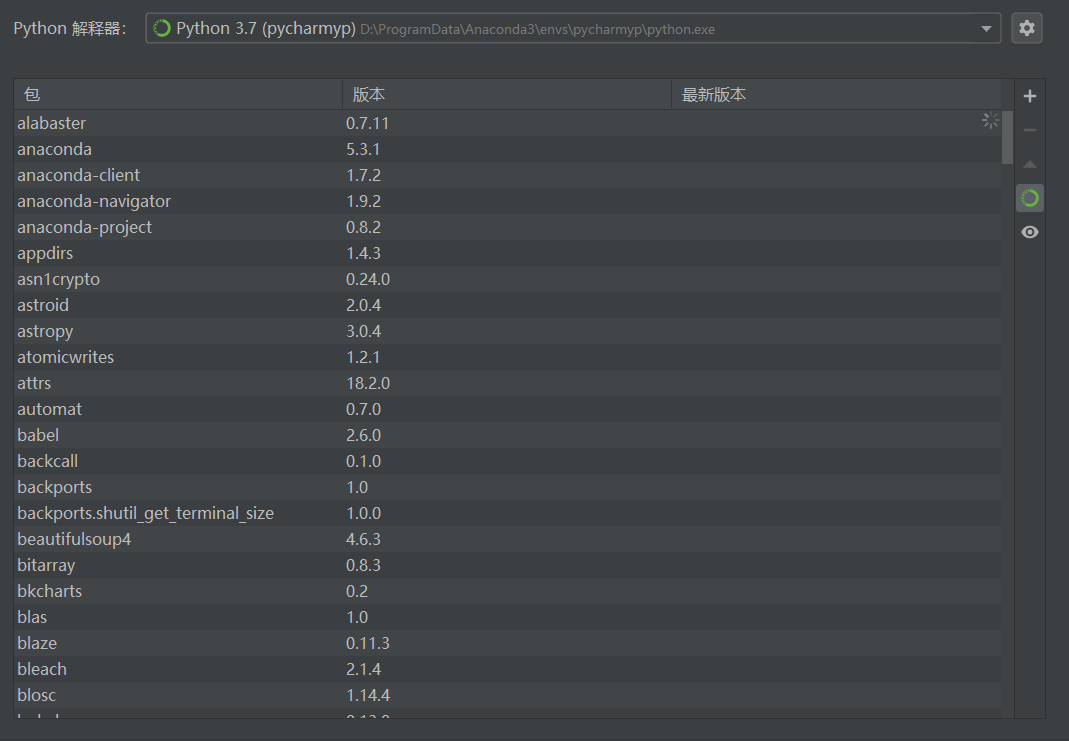
Pip package migration from Conda to Miniconda
Pip package migration from AnoConda to MiniConda It took a while to learn that AnoConda is not often used. For a novice like me, it is enough to start Prompt from the start menu and select the configu...
Use Conda to create a miniconda virtual environment
1. Install Conda, select the version you need You can view it at https://mirrors.t nowa.edu.cn/anaconda/miniconda/ View the required version of the miniconda curl https://mirrors.tuna.tsinghua.edu.cn/...
More Recommendation
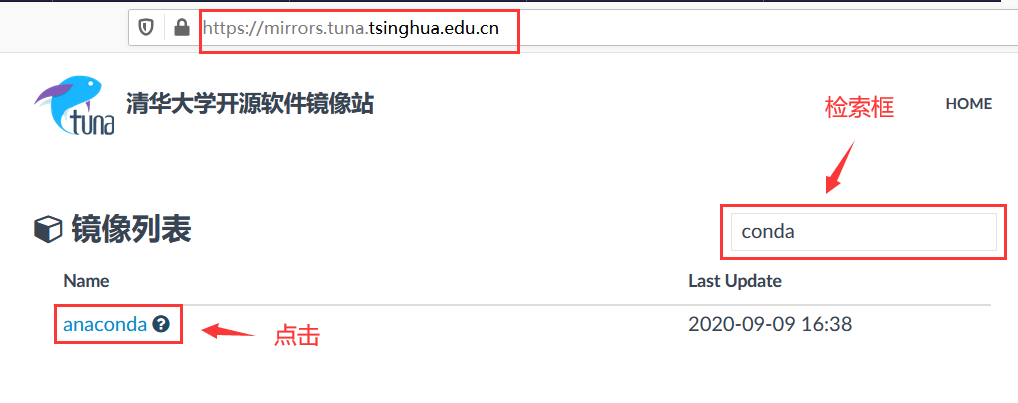
Detailed tutorial on installing miniconda under windows
1. The installation package can be downloaded from the open source software mirror station of Tsinghua University https://mirrors.tuna.tsinghua.edu.cn/ 2. Search for anaconda, and click 3. Select mini...

Centos7 Linux Graphic Installing MINICONDA Fool Tutorial
Article catalog First, the description: Stepping Pit 1: Importerror: /lib64/libstdc++.so.6: Version `CXXABI_1.3.8 ' Stepping 2: importerror: /lib64/libc.so.6: Version `Glibc_2.18 'Not Found Second, in...
Windows Installing Conda Notes
Install Conda under Windows Conda introduction No language package, dependent and environmental management: Python, R, Ruby, Lua, Scala, Java, JavaScript, C / C ++, Fortran, Conda is an open source pa...
Ubuntu18.04 Installing a CONDA environment
The installation of Conda is recommended for installation using methods installing anaconda. Installation Date: November 24, 2020 Download installation package Anaconda historical version If you downl...
【Miniconda】
Quickly configure the Python environment under miniconda Miniconda It is a lightweight version of the environmental integration tool, which greatly simplifies the deployment of the Python project. com...