WxWidgets 10.7 installed under Mac OS X
A, wxWidgets Introduction
wxWidgets advertised using its library developedsoftwareOnly need toSourceMake a few changes (or completely do not change), you can compile and execute on a variety of platforms. Currently supportsWindows、Apple Macintosh、Linux/Unix(Translated intoX11、GTK+、MotifLibrary, etc.),OpenVMS,as well asOS/2。EmbeddedVersion is also under development.
Library itself usesC++Language development, but there are other differentProgramming languageBindings, such as:Python(wxPython)、Perl(wxPerl)、Ruby(wxRuby)、Smalltalk(wxSmalltalk)、Java(Wx4j), evenJavaScript(Wxjs) and so on.
-------- from wiki
Wxwidgets ever used on Windows and Linux. Now I want to try to develop the Mac OS, too lazy to learn Objecitive-C, ready to try the case in the use of wxWidgets development on the Mac OS.
Second, compile and install
1: Use the configure / make to compile
installation process is as follows:
wget https://sourceforge.net/projects/wxwindows/files/2.9.3/wxWidgets-2.9.3.tar.bz2/download wxWidgets-2.9.3.tar.bz2

tar -zxvf wxWidgets-2.9.3.tar.bz2

# Create build directory
mkdir cocoabuild

cd wxWidgets-2.9.3

../configure --disable-shared --disable-debug --enable-threads --enable-monolithic --enable-unicode --without-libjpeg  --without-zlib --without-libtiff --without-expat --without-regex --with-opengl --disable-shared -with-osx_cocoa --disable-shared --disable-compat24 --with-macosx-sdk=/Developer/SDKs/MacOSX10.7.sdk --with-macosx-version-min=10.7 CFLAGS="-arch x86_64" CXXFLAGS="-arch x86_64" LDFLAGS="-arch x86_64" OBJCFLAGS="-arch x86_64" OBJCXXFLAGS="-arch x86_64" --with-opengl --disable-shared cc=gcc-4.2 ccxx=g++-4.2

make;make install
The above parameters are in accordance with the static library to compile, but does not support the STL, what parameters are dynamic compiler compiler library, support STL. By the way, which configure the parameters view support. You can run: ../configure --help to see.
../configure --enable-shared --enable-stl --disable-debug --enable-threads --enable-monolithic --enable-unicode --without-libjpeg --without-libtiff --without-expat --without-regex --with-opengl -with-osx_cocoa --disable-compat24 --with-macosx-sdk=/Developer/SDKs/MacOSX10.7.sdk --with-macosx-version-min=10.7 CFLAGS="-arch x86_64" CXXFLAGS="-arch x86_64" LDFLAGS="-arch x86_64" OBJCFLAGS="-arch x86_64" OBJCXXFLAGS="-arch x86_64" --with-opengl cc=gcc-4.2 ccxx=g++-4.22: Use xcode to compile
There xcode project file in the extracted directory of the build / osx / down. My environment is as follows:
Mac OS X 10.7
XCode 4.2+SDK 10.7
gcc: i686-apple-darwin11-llvm-gcc-4.2 (GCC) 4.2.1
Compile the following error message:
Unsupported compiler 'GCC 4.2' selected for architecture 'x86_64'1: After installation is complete, confirm wxWidgets environment OK
wx-config --version
We can see wxWidgets version.
2: Running DEMO
In the sample directory under the build directory cocoabuild, there comes a sample makefile
cd cocoabuild/samples

make
After compile, just select a Demo, you can see the effect of running. No Objective-C, a Mac OS native applications will be established.
Four, Xcode environment configuration (TBD ...)
Intelligent Recommendation
To Maya2008 (Mac OS X) installed PyQt4
If you have read "PyQt4 installed on the Apple system (Mac OS X)" and PyQt4 successful installation, that give Maya2008 (Mac OS X) is also installed on it is no difficult, because the proces...
PyQt4 installed on the Apple system (Mac OS X)
in the understanding of PyQt I decided to learn it, so I give python installed PtQt4, give maya also installed. First explain: My system is Mac OS X 10.5.8 (ppc); Python2.6 python2.5 mounted and two v...
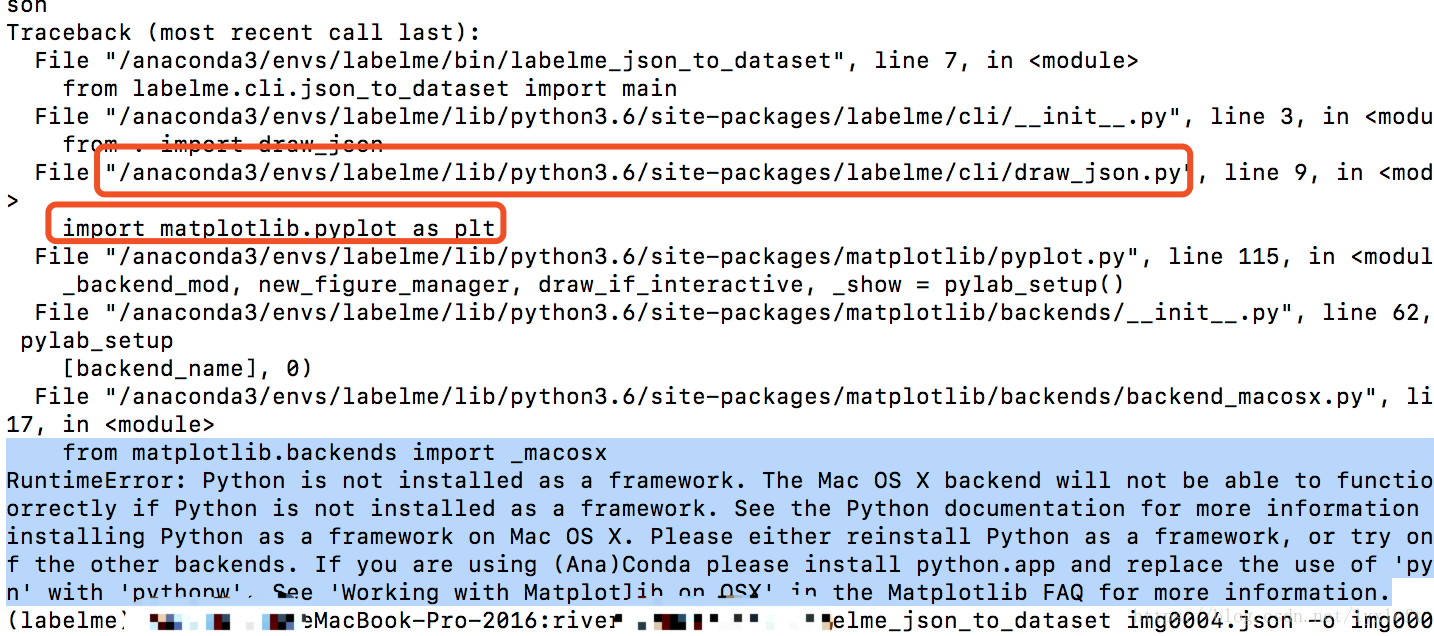
Mac OS X: Python is not installed as a framework solution
Error message: RuntimeError: Python is not installed as a framework. The Mac OS X backend will not be able to function correctly if Python is not installed as a framework. See the Python documentation...
Python is not installed as a framework. The Mac OS X backend will not be a
https://stackoverflow.com/questions/21784641/installation-issue-with-matplotlib-python...
Python's pycurl module installed under Mac OS
Python reptiles play little friends generally know pycurl module, but the installation of this module in MACOS, really is not an ordinary toss ah ah ah ~ ~ ~ Operating System Version: macOS Mojave 10....
More Recommendation
Configure wxWidgets environment under Mac
Download source code Go to the official website to download the relevant source code Install the compilation environment In order to compile wxWidgets, you need to install GTK (wxWidgets dependency), ...
Mac OS X 10.11.x 2017 is the latest Cocoapods installed and used.
Reference in this articlelink。 I am using the latest version of Mac OS X 10.11.6 system. I also encountered some problems during the installation of Cocoapods. Below are the problems and solutions dur...
Install PostgreSQL under Mac OS X
install launch at startup To create a database instance start the database server using: better start ,'vim /etc/profile' or 'vim ~/.profile' ,and append 'export PATH=/opt/local/lib/postgresql84/bin/:...

Install Tomcat 7 under Mac OS X
1, goTomcat official websiteDownload the binary package, I downloaded the tar.gz under Core in Binary Distributions 2, unzip apache-tomcat-7.0.34.tar.gz 3. Move the unzipped apache-tomca...

Rectangular part rounding under Mac OS X
problem Before I do today's content, first I want to ask a question: In the following picture, what is the difference between the blue selection box and the red selection box except for color and size...