Second, Vue-Element-Admin server development framework
tags: Middleware vue java nodejs python
1. Project initialization
PS: I use Webstrom to open the terminal console
1.1 Creating a project directory
Just create a folder with the terminal with a terminal
// Directory name is defined, my admin-wyl-node
mkdir admin-wyl-node
1.2 Initialization Project
// First enter the created folder path
cd admin-wyl-node
 // Initialization Project
npm init -y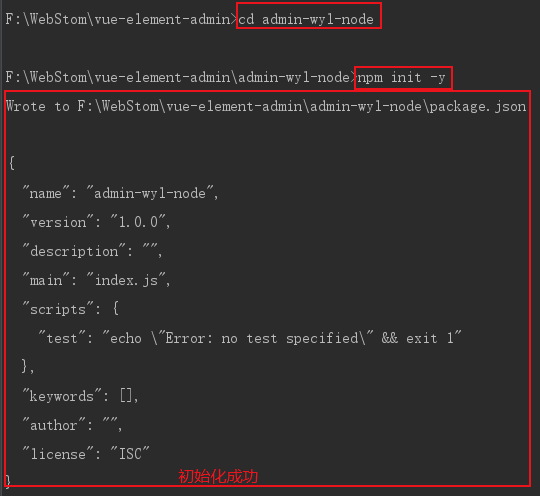
1.3 installation dependence
cnpm i -S express
1.4. Create a app.js file
/ / 1. Introduce Express Packages
const express = require('express')

 // Create an Express application
const app = express()

 // Create a routing-based monitoring
app.get('/',function (req,res) {
         // Listen to the root path / GET request, through the root path / return to the browser
         / / Will return a client when requesting
    res.send('hello node')
})

 // Run the entire project so that the EXPRES listened to the HTTP request initiated by the 5000 port number
const server = app.listen(5000, function () {
         // Listen to the path and port number
    const { address, port } = server.address()
         Console.log ('http started: http://% s:% s', address, port);
})
1.5. Startup Project
1.5.1 Modify package.json
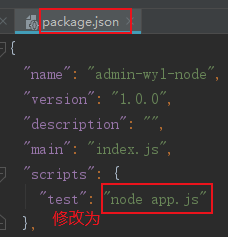
1.5.2 Startup Project
node app.js
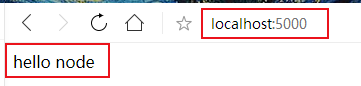
1.5.3 Enter LocalHost: 5000 in the browser, the following interface, that is, success.
2. Expres Foundation Concept
2.1 middleware
Write on the app.js file. Most middlemen are called before the end of the response.
/**
   * Create a callback function
   * Write an intermediate function
   * Call middleware precautions:
   * 1. Next () must call, otherwise it will not be executed down, that is, after the execution is completed,
   * Next () The following code will not be executed, will wait
   * 2. The middleware must call before initiating request (before the app.get () method), otherwise the request has been executed, nor will the middleware
 */
function myLogger( req, res, next){
    console.log('myLogger');
    next()
}
 // Use the middleware through app.use (), and the VUE load plugin is very similar
app.use(myLogger)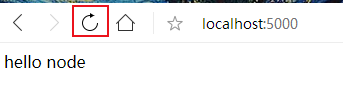

2.2 routing
routing Is a rule for how to request
The rules are mainly divided into two parts:
- Request method: get, post ......
- Request path: /, / user, / * user $ / ......
The method and path of the request must match, otherwise it will be wrong
GET request of the response / path:
// When you create app.js, you have created the following routing.
app.get('/', function(req, res) {
  res.send('hello node')
})
POST request of the response / path:
app.post('/', function(req, res) {
  res.send('hello node')
})
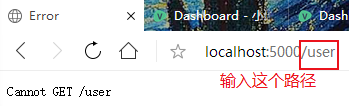
// error
app.post('/user',function (req,res) {
res.json('user...')
})
2.3 abnormal processing
In fact, it is also a middleware.
Pay attention to two points when using:
First, 4 parameters cannot be small, otherwise it will be considered a normal middleware
Second, the middleware needs to be referenced after the request
// The rear processing request is usually used to do an abnormality, and the preamp is like a log, the cross-domain operation
 // Delete the MYLogger function, create a middleware, and modify the GET request method
app.get('/',function (req,res) {
    throw new Error('error...')
})
function errorHandler(err, req, res, next){
         // Print Error Information
    console.log(err);
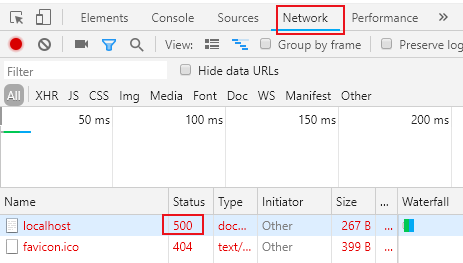
         // Set back error code 500
    res.status(500).json({
        error: -1,
        msg: err.toString()
    })
}
app.use(errorHandler)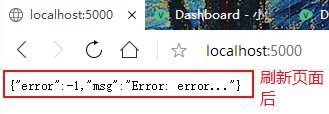
2.4 Project Framework Optimization
2.4.1 Installing BOOM
Can generate exception information quickly
cnpm i -S boom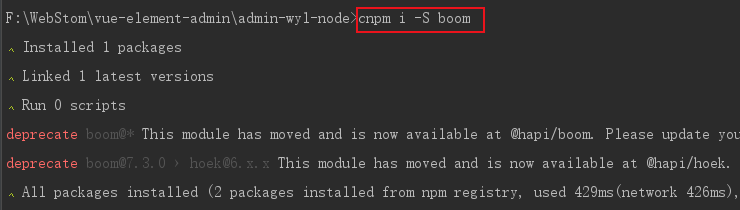
Delete the previous route, and finally the app.js file is as follows:
/ / 1. Introduce Express Packages
const express = require('express')

 // Create an Express application
const app = express()

 // Run the entire project so that the EXPRES listened to the HTTP request initiated by the 5000 port number
const server = app.listen(5000, function () {
         // Listen to the path and port number
    const { address, port } = server.address()
         Console.log ('http started: http://% s:% s', address, port);
})
2.4.2 Creating a Router folder in the project root directory
This folder is used to handle global exceptions, so that the entire route becomes middleware.
Create an index.js file under the Router folder
// app.js add code to hosted the global routing to ROUTER, facilitate code maintenance and concise
 Const router = Require ('./ Router') // File path is the Router folder created in front
app.use('/', router)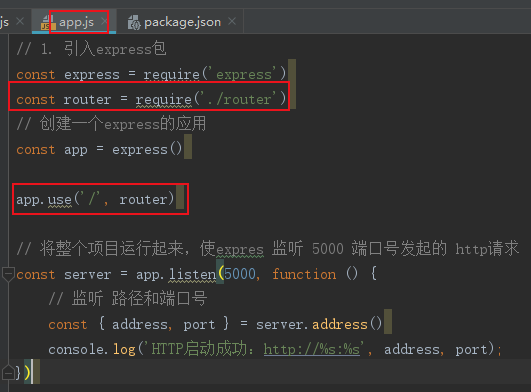
router/index.js
const express = require('express')
const boom = require('boom')
const userRouter = require('./user')
const {
    CODE_ERROR
} = require('../utils/constant')

 // Register the route
const router = express.Router()

router.get('/', function (req, res) {
         Res.Send ('Welcome to learn Xiaolin reading management background ")
})

 // Treat / User route via UserRouter, decouple routing processing
 // Routing Nested / USER / INFO
router.use('/user', userRouter)

/**
   * Concentrates the middleware of 404 requests
   * Note: This middleware must be placed after the normal processing process
   * Otherwise, it will intercept normal request
 */
router.use((req, res, next) => {
         Next (boom.notfound ('interface does not exist'))))
})

/**
   * Custom route exception handling middleware
   * Note two points:
   * First, the parameters of the method cannot be reduced
   * Second, the method must be placed on the routing
 */
 // You can comment the following code to check the run results
router.use((err, req, res, next) => {
    console.log(err);
         Const msg = (Err && Err.Message) || 'System Error'
    const statusCode = (err.output && err.output.statusCode) || 500
    const errorMsg = (err.output && err.output.payload && err.output.payload.error) || err.message
    res.status(statusCode).json({
        code: CODE_ERROR,
        msg,
        error: statusCode,
        errorMsg
    })
})
module.exports  = router
router/user.js
const express = require('express')

const router = express.Router()

router.get('/info', function(req, res, next) {
    res.json('user info...')
})

module.exports = router
utils/constant:
module.exports = {
    CODE_ERROR: -1
}
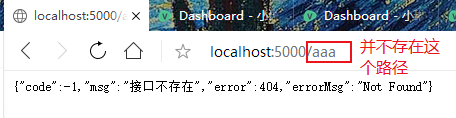
Enter the URLhttp://localhost:5000/aaaView Results. Note Run the command node app.js to view the results.
Intelligent Recommendation

Vue-element-admin framework quick start to mastery
At the end of the year, the company has not been too busy lately. It feels that the Internet industry has experienced a cold winter this year and is not a hot track like the previous two years. The op...
Recommend a vue-element-admin framework to everyone
Framework introduction vue-admin-beautiful is always based on the latest dependency on the latest architecture development, while ensuring the stability of the dependency, supports routing caches abov...
Run the vue-element-admin framework locally
1. Install git, nodejs 2.git clone https://github.com/PanJiaChen/vue-element-admin.git clone the project 3. Open cmd, enter the project folder, enter node -v npm -v View version informatio...
Vue-element-admin framework is modified to use it yourself
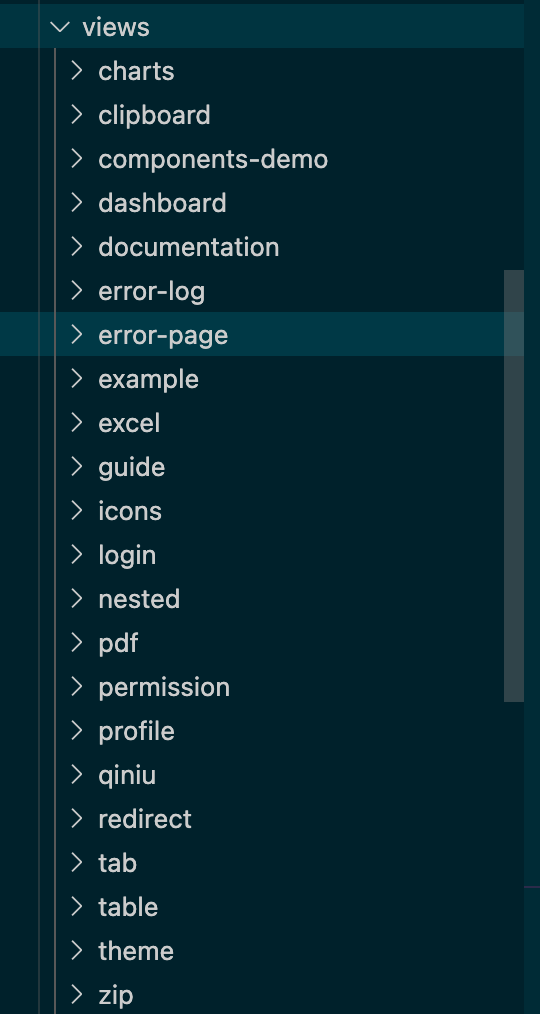
Simply record the use of this framework, modify the interface to your own project 1. Project initialization (streamlined project) First of all, VIEWs All except the page delete (subsequent views, you ...
Questions about Vue-Admin-Element framework
The Vue-Admin-Element framework is required for the form of the packaged API /* GET request use param POST request uses DATA */ About POST request, If the transfer parameter can be empty, the adjustme...
More Recommendation
Vue-element-admin framework install failed problem
Vue-element-admin framework install failed problem Final solution Problem environment Error Description / Log Fill 1、node-gyp 2, Python version 3、canvas Final solution Final solution Project Issuse, c...
Vue-Element-Admin framework dynamic routing (2)
Reference: https://www.cnblogs.com/haoxianrui/p/13676619.html File modification Specific modification and changes can be compared to the original file, minimal changes to the framework. Interface requ...
vue-element-admin framework login (I)
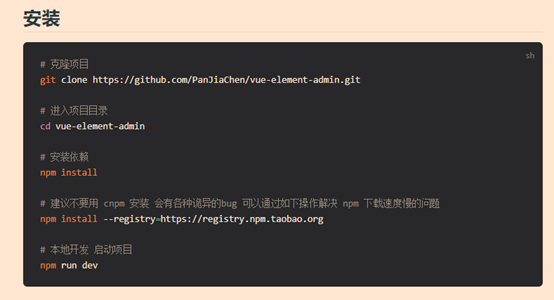
Get started quickly Official document: https://panjiachen.github.io/vue-element-admin-site/zh/guide/ Note: If you need Chinese, please select the i18n branch; it is recommended to use npm Modify the f...

[Test and Development] Knowledge point-front-end Vue-Element-Admin framework, project component analysis
Learn in actual combat and grow in learning. The test platform has developed a few functions until now, and some code has been written on the front and back end. I feel that I should review and sort o...
Error summary during Vue-element-Admin development
After packing, browser accessdistmiddleindex.htmlFile, you can't find a file...