Restart the dhcp service and report an error (Job for network.service failed because the control process exited with error code)
tags: Error set
Problem Description
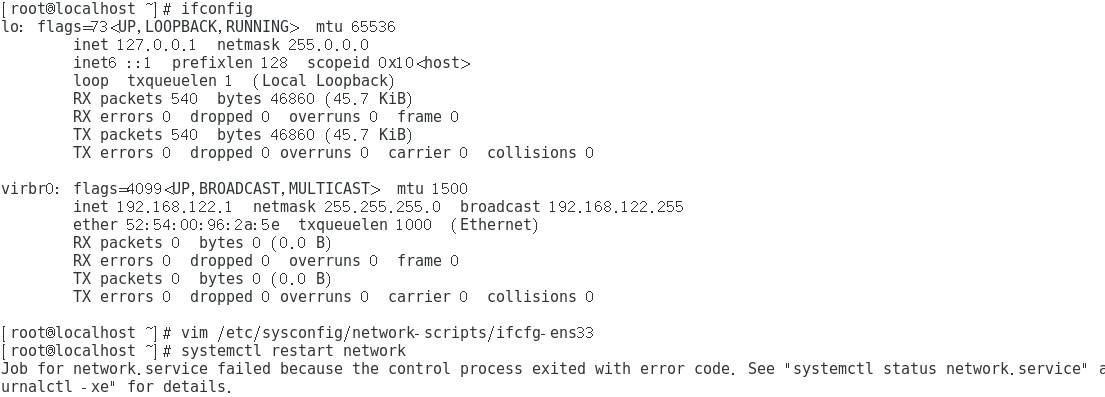
The following error occurred after executing the service network restart command:
Restarting network (via systemctl): Job for network.service failed because the control process exited with error code.See “systemctl status network.service” and “journalctl -xe” for details.
Solution
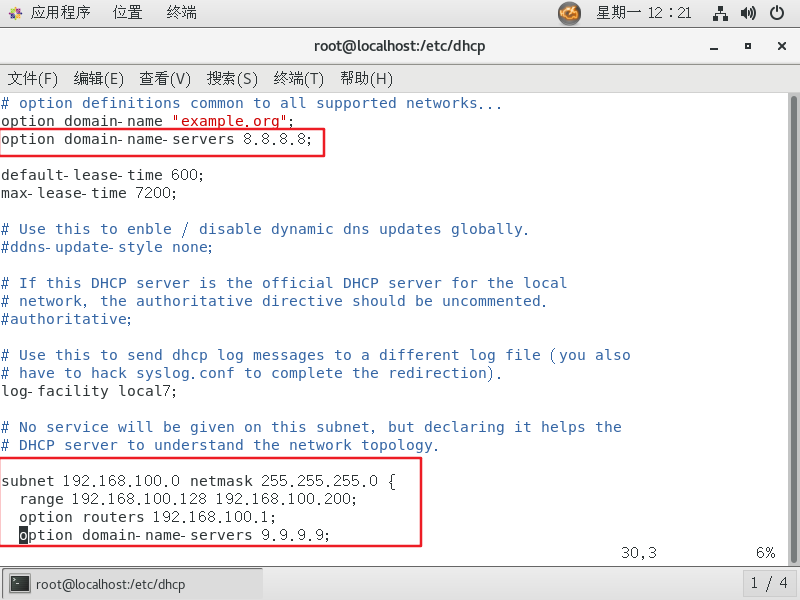
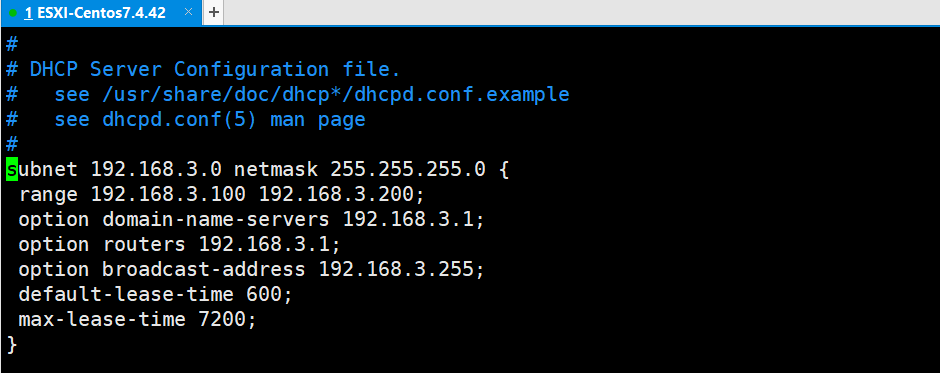
1. It is the reason for the configuration file. After the DHCP service is installed, the configuration file /etc/dhcp/dhcpd.conf is empty, so edit it first and add some necessary data information. This configuration is relatively simple. There are a lot of them on the Internet. I will not express it. After the configuration is completed Make sure that there are no grammatical errors.
For example, my configuration:
I only changed the following configuration
2. The reason for the network card:
After configuring the network card, remember to restart the network card service
This is my network card configuration
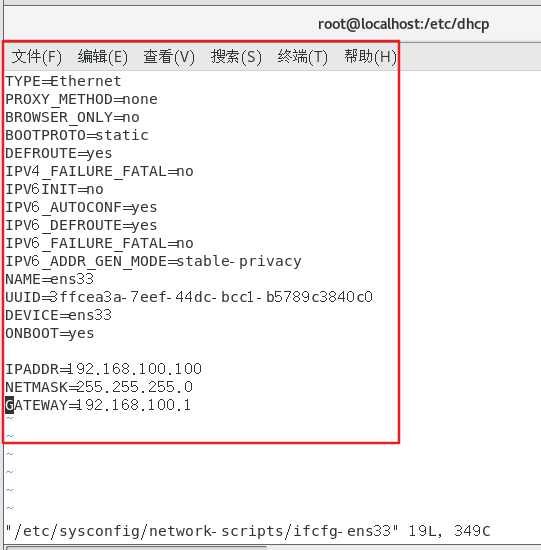
Restart the network card
[root@localhost dhcp]# systemctl restart network
or
[root@localhost dhcp]# service network restart
The following are the most common practices online:
3. There is a conflict with the NetworkManager service. This is easy to solve, just close the NetworkManger service directly, service NetworkManager stop, and prohibit the startup of chkconfig NetworkManager off. Just restart afterwards.
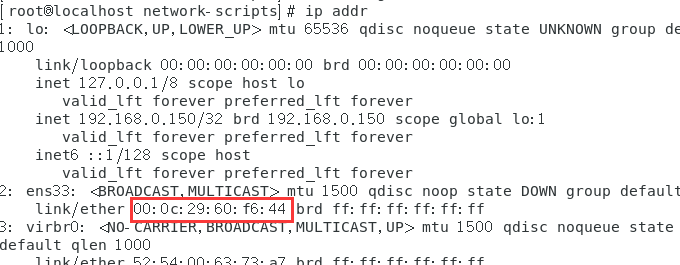
4. It does not match the MAC address of the configuration file, this is also easy to solve, use ip addr (or ifconfig) to view the mac address
5. Check whether the network adapter in the lower right corner of VMWare is connected, if not, connect it.
(Supplement: Click Network Adapter-Settings, and try to change the NAT mode to bridge connection. After mine is changed to bridge connection, the network service can be restarted but the network cannot be connected. You can restart and then bridge the connection The mode is changed to NAT mode, and it is found that both the Internet and the network service can be restarted)
6. Check whether the VMware DHCP service and VMware NAT service are disabled on your computer. If disabled, enable them.
7. If none of the above is resolved, there is one last resort - restart and see if any miracles happen! !
The above methods hope to give you a little help~~
Intelligent Recommendation
Solve Job for Network.Service Failed Because The Control Process Exited with error code. See "Systemctl
Report error Solve the problem This way is OK....
Job for network.service failed Because The Control Process Exited with error code problem solved
Job for Network.service Failed Because The Control Process Exited with error code. See "Systemctl Status Network.service" and "journalctl -xe" for details. Question solve problem c...
Linux Virtual Machine Network "Job for Network.Service Failed Because The Control Process Exited with ERROR CODE"
Problem Description: Ping has a NetWork is unreachable Solution process: Restart Net Card: Service Network Restart, error State is failed solution:...
Job for network.service failed Because The Control Process EXITED WITH ERROR CODE. Revenue Solution
Job for Network.Service Failed Because The Control Process Exited with ire code.see "Systemctl Status Network.service" and "journalctl -xe" for details (due to the control process ...
MySQL master-slave copy Job for network.service failed because the control process exited with error code problem
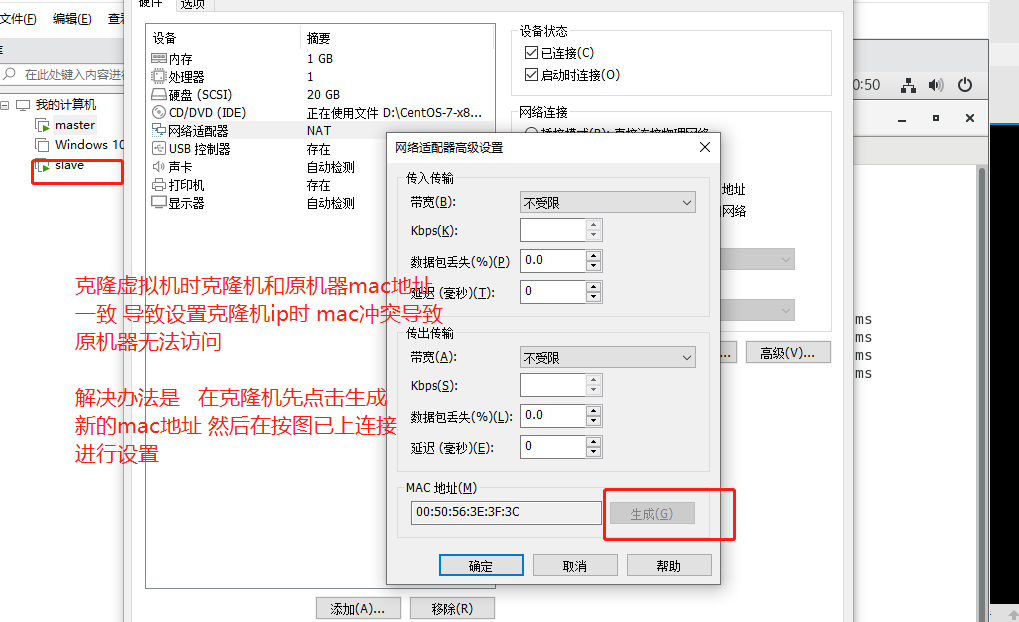
Set up the cloning machine IP. After copying the cloning machine, click to generate a new mac address to avoid conflicts with the original machine. See https://blog.csdn.net/qq_22815337/article/detail...
More Recommendation
The virtual machine failed to start the network service: ob for network.service failed because the control process exited with error code
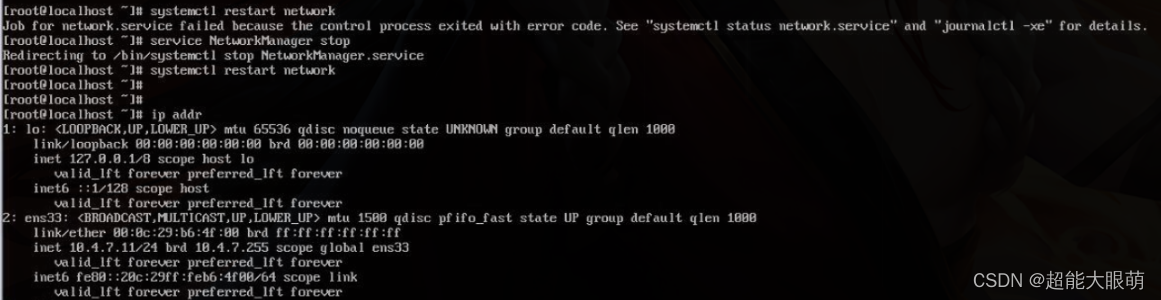
About CentOS 7 virtual machine failed to start the network service: ob for network.service failed because the control process exited with error code As shown in the figure below: question: When using ...
[Linux] DHCP server launch error Job for dhcpd.service failed Because The Control Process EXITED with ERROR CODE.
CentOS, etc.LinuxRelease version DHCP service is just installed, but start an error:Job for dhcpd.service failed because the control process exited with error code. See “systemctl status dhcpd.s...
Error when installing a new optical port network card: [Job for network.service failed because the control process exited with error code] solution
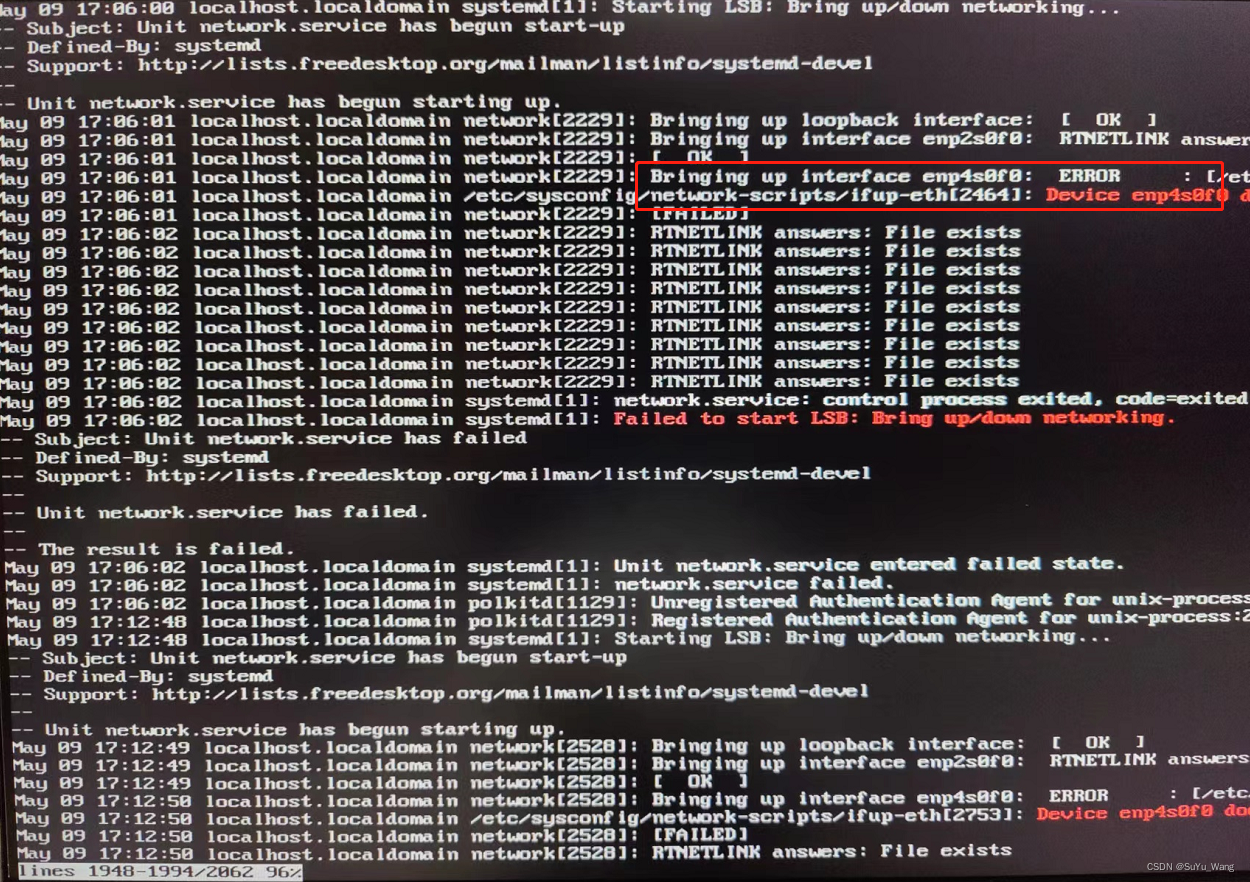
Project scenario: Install CentOS7.9 on the server, add an optical port card, add a network card and solve the problem Job for network.service failed because the control process exited with error code ...
Trample diary: restart nginx error: Job for nginx.service failed because the control process exited with error code. See
Restart nginx and report an error: Job for nginx.service… Written in the front: Restart nginx after configuring nginx and report the error as above. I searched for other people in the csdn. The...

HTTPD start (restart) error: Job for httpd.service failed Because The Control Process Exited with error code.
Job for httpd.service failed because the control process exited with error code. See "systemctl status httpd.service" and "journalctl -xe" for details. When the HTTPD service is tu...