ActiveMQ--Introduction, installation, Hello Word
tags: message queue
1. What is message middleware
Message queuing has gradually become the core means of internal communication in enterprise IT systems. It has a series of functions such as low coupling, reliable delivery, broadcast, flow control, and final consistency, and has become one of the main means of asynchronous RPC. There are many mainstream messaging middlewares on the market today, such as old-schoolActiveMQ、RabbitMQ, HotKafka, Independently developed by AlibabaRocketMQWait. To put it bluntly, it is an intermediate application that implements messaging between two systems or two clients. Features: useEfficient and reliable The messaging mechanism is carried outPlatform independent Data exchange and based ondata communication Come onIntegration of distributed systems。
Second, what is ActiveMQ
Official website:http://activemq.apache.org/
ActiveMQ is an open source implementation of a message middleware based on the JMS (Java Message Servie) specification. The design goal of ActiveMQ is to provide standard, message-oriented, integrated message communication middleware that can span multiple languages and multiple systems. . ActiveMQ is the most popular and powerful open source message bus produced by Apache. ActiveMQ is a JMS Provider implementation that fully supports the JMS1.1 and J2EE 1.4 specifications. Although it has been a long time since the introduction of the JMS specification, JMS still plays a special role in today's J2EE applications.
3. Application scenarios of ActiveMQ
According to the characteristics of the message queue, many scenarios can be derived, or many scenarios can be used. Here are a few examples:
1) Asynchronous processing
2) Application decoupling
The message sender and the message receiver do not need to be coupled, such as calling a third party;
3) Flow peaking
For example, spike system;
4) Newsletter
Accept information uploaded by hardware devices (GPS coordinates, etc.)
4. Installation of ActiveMQ
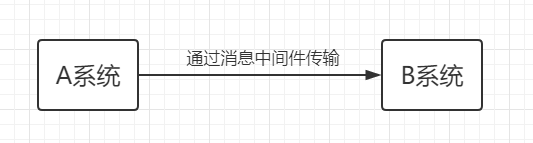
1. AcitveMQ data transmission process

2. Two types of messaging for ActiveMQ
(1) Point-to-point transmission, that is, a producer corresponds to a consumer, the producer pushes data to broke, and the data is stored in a queue of broke, when the consumer accepts the data in the queue.
(2) Based on the transmission of the publish/subscribe model, that is, to receive the corresponding data according to the subscription topic, a producer can push data to multiple consumers.
The difference between the two types of messaging is that the consumer can receive the data pushed by the producer before connecting, while the transmission mode based on the publish/subscribe model can only receive the data pushed by the producer after the connection.
3. ActiveMQ installation and startup
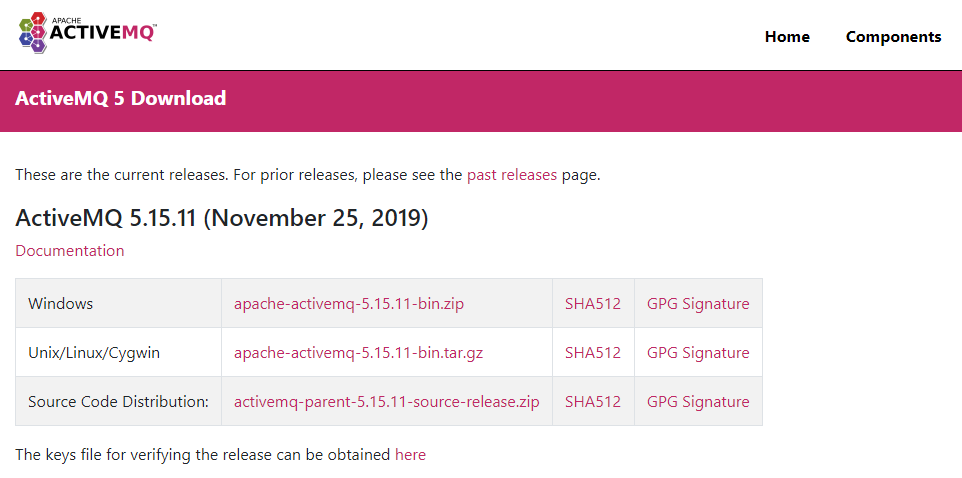
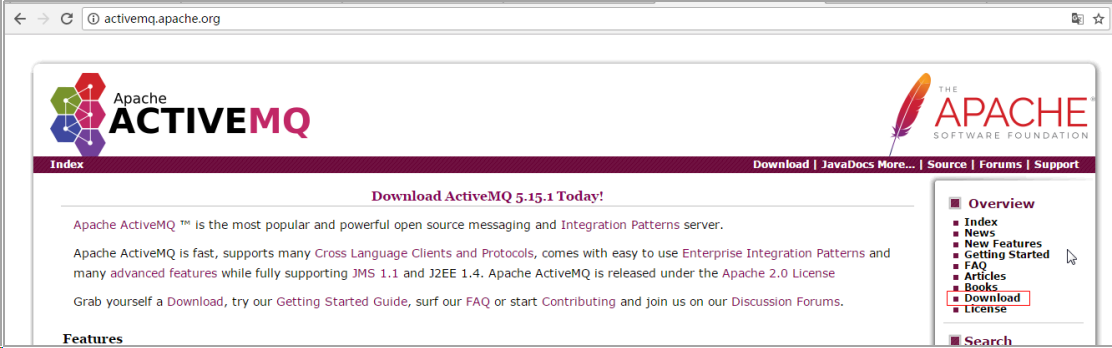
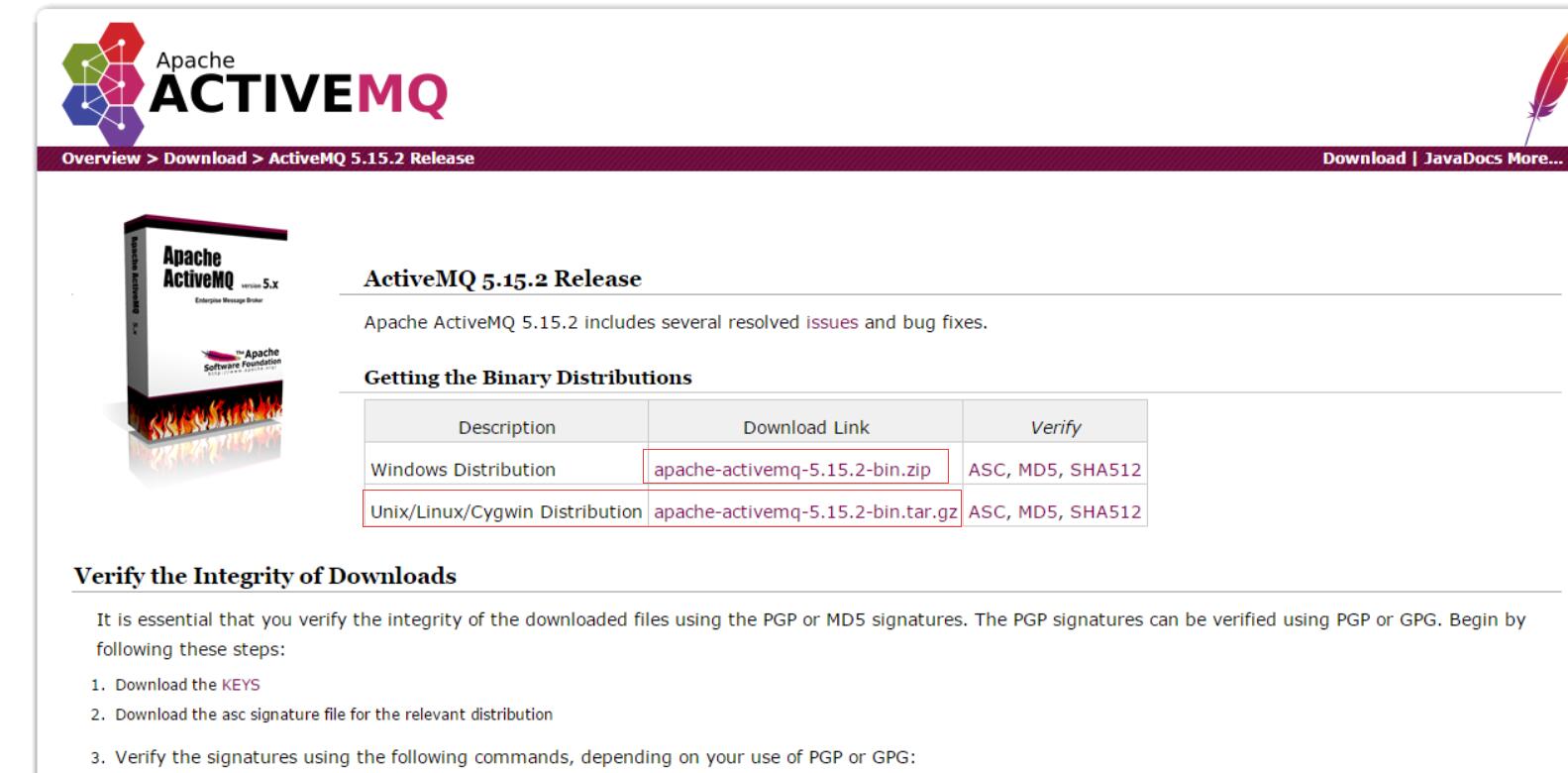
1. Download the corresponding server version from the official website
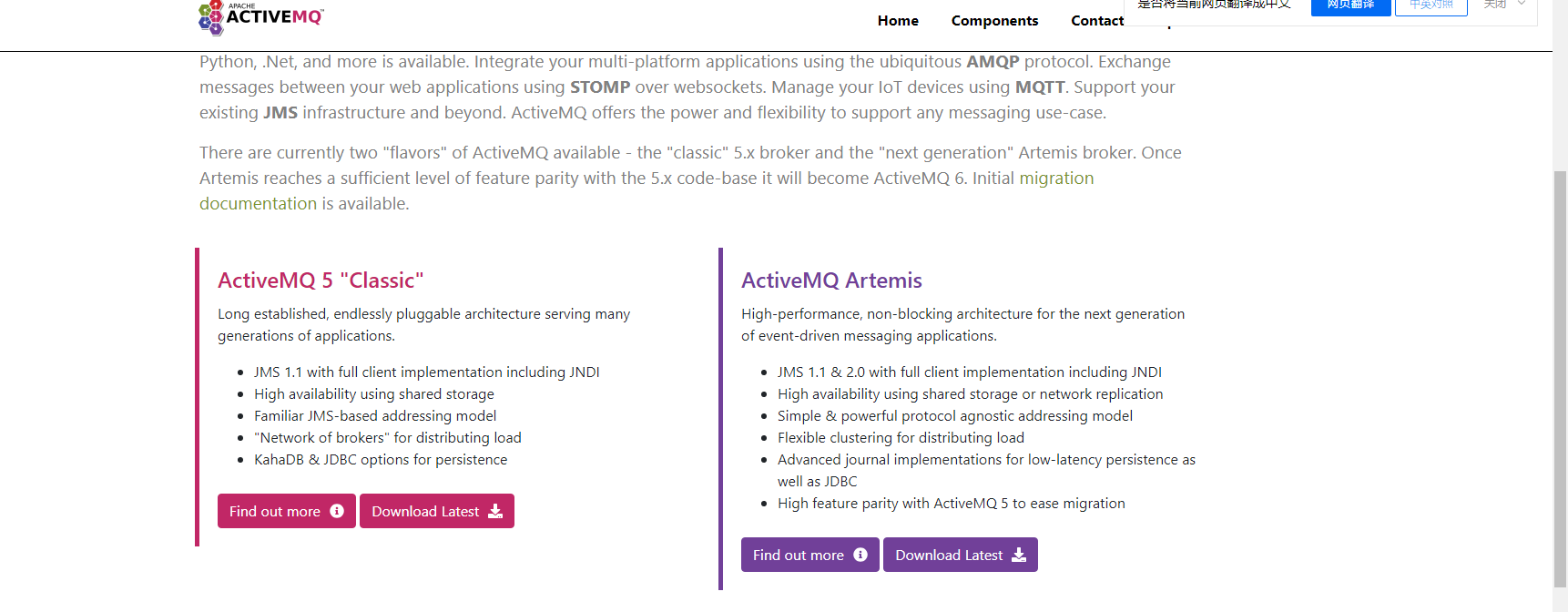
download path:http://activemq.apache.org/download.html
Download the latest installation package, selectLinuxVersion to download
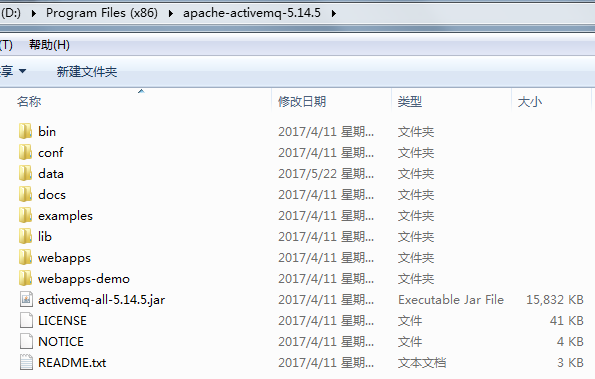
2. Unzip and rename
1) Unzip:
root@localhost opt]# rm -rf apache-activemq-5.14.1-bin.tar.gz
2) Rename activeMQ
[root@localhost opt]# mv apache-activemq-5.14.1 ./activeMQ
3) Since the startup script activemq does not have executable permissions, authorization is required (this step is optional)
[root@localhost opt]# cd activemq/bin/
[root@localhost bin]# chmod 755 ./activemq
ActiveMQ needs to use two ports: 61616 (message communication port), 8161 (management background port, you can modify the port number in conf/jetty.xml)
4) Open these two ports in the firewall
[root@localhost bin]# vi /etc/sysconfig/iptables
insert:
-A INPUT -m state --state NEW -m tcp -p tcp --dport 8161 -j ACCEPT
-A INPUT -m state --state NEW -m tcp -p tcp --dport 61616 -j ACCEPT
Restart the firewall:
[root@localhost bin]# service iptables restart
3. Start activeMQ
[root@localhost activeMQ]# ./bin/activemq start
Startup error analysis: enter the /root/apache-activemq-5.15.9/data directory to view the activemq.log file and modify it according to the error message, such as the port number being occupied.
4. Verify whether the installation is successful
[root@localhost activemq]# ./bin/activemq status
INFO: Loading '/opt/activemq//bin/env'
INFO: Using java '/opt/jdk1.7.0_79/bin/java'
ActiveMQ is running (pid '3535')
5. Close/restart activeMQ
[root@localhost activemq]# ./bin/activemq stop
[root@localhost activemq]# ./bin/activemq restart
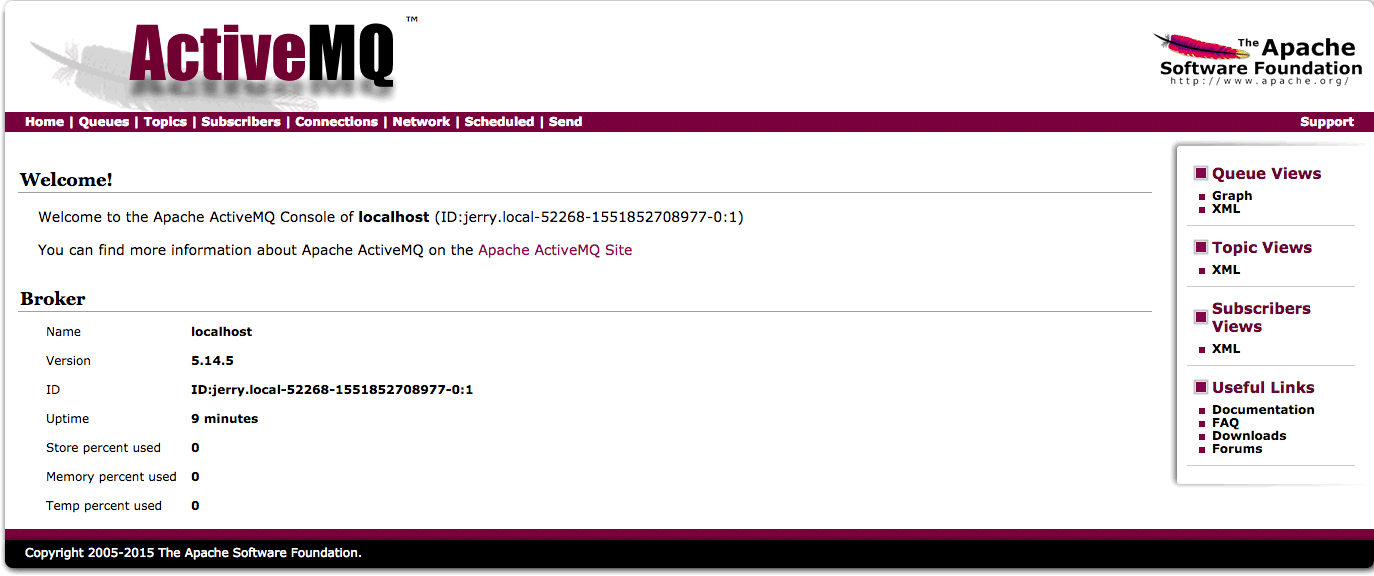
6. Login management background
http: ActiveMQ started server ip: 8161
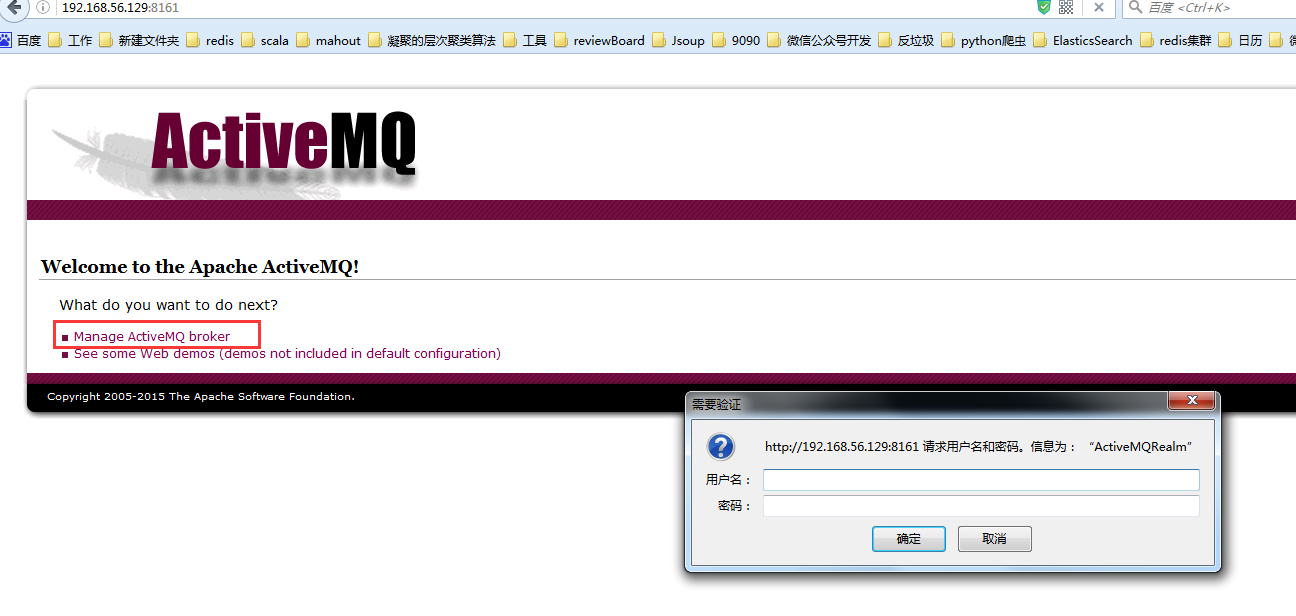
The default initial user name and password are admin and admin.
7. Introduction of management background page
1) Queue message queue page
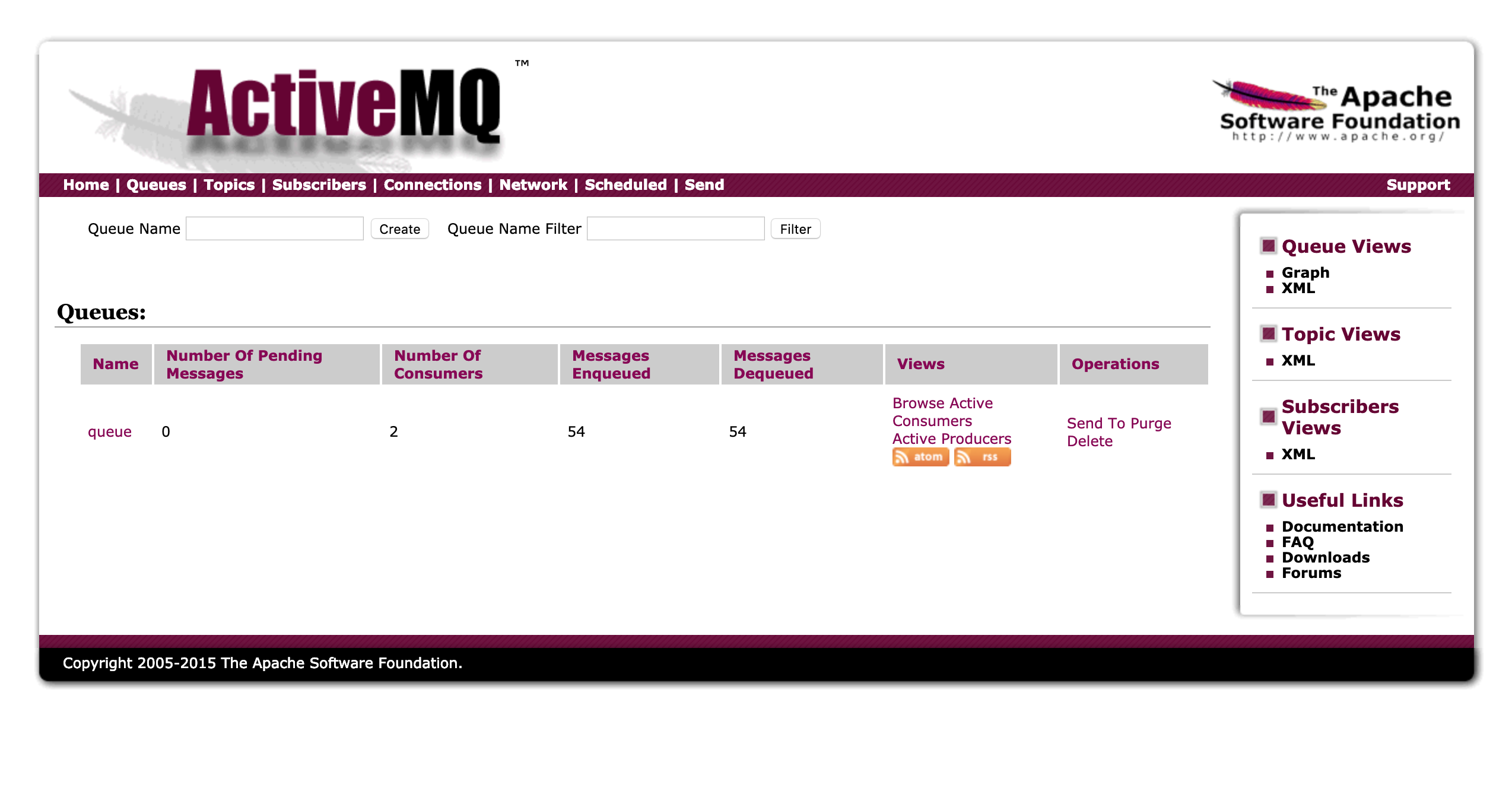
List interpretation:
Name: The name of the message queue.
Number Of Pending Messages: Number of unconsumed messages.
Number Of Consumers: The number of consumers.
Messages Enqueued: Messages entering the queue; the total number of messages entering the queue, including those that have been consumed and those that have not been consumed. This number only increases.
Messages Dequeued: Messages leaving the queue can be understood as the number of messages consumed. In Queues, it is equal to the total number of queues (because a message will only be successfully consumed once), if it does not wait because the consumer has not had time to consume.
2.Topic theme page
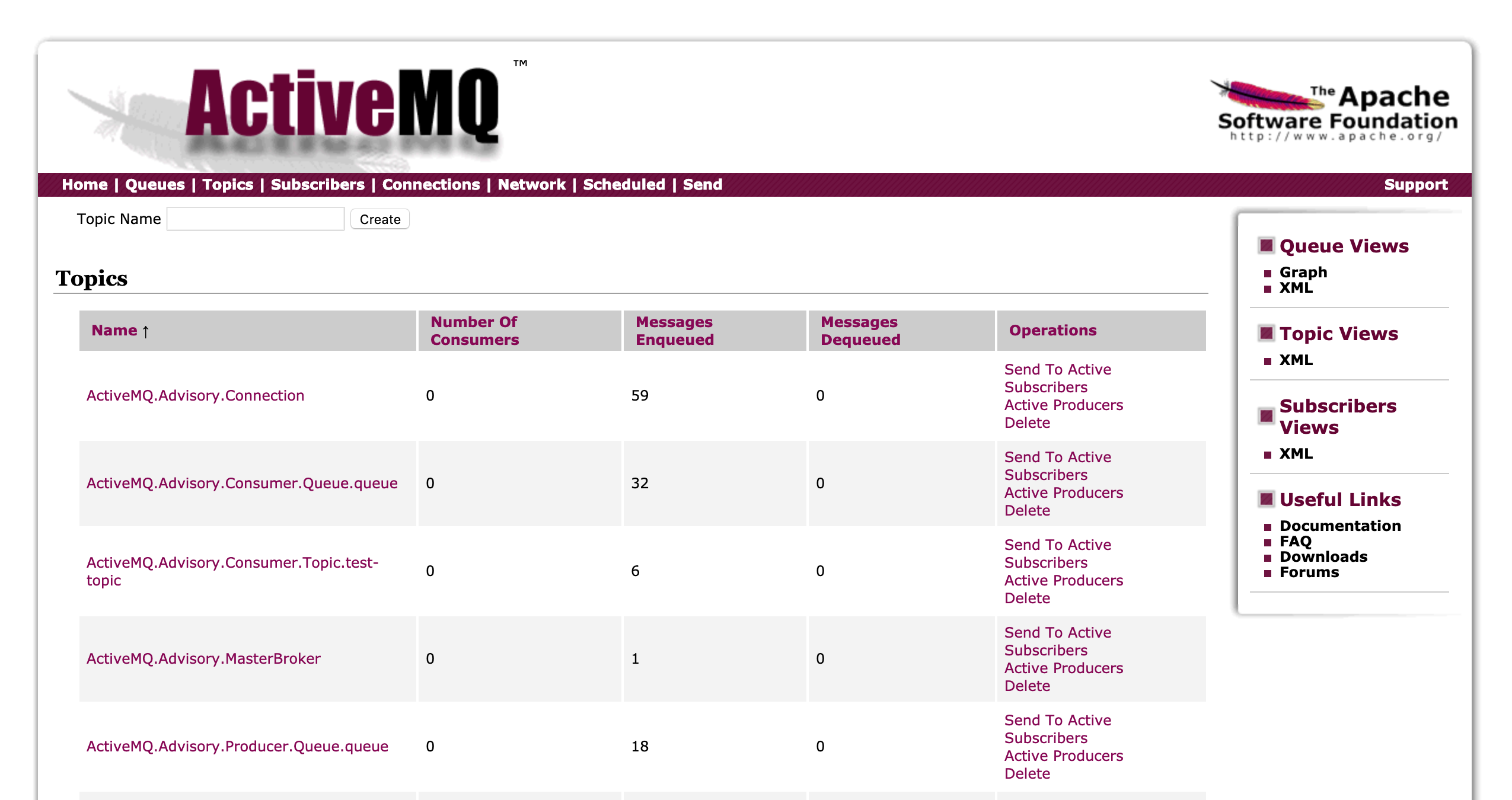
List interpretation:
Name: Subject name.
Number Of Pending Messages: Number of unconsumed messages.
Number Of Consumers: The number of consumers.
Messages Enqueued: Messages entering the queue; the total number of messages entering the queue, including those that have been consumed and those that have not been consumed. This number only increases.
Messages Dequeued: Messages leaving the queue can be understood as the number of messages consumed. In Topics, the number due to multiple consumers will be higher than the number of queues.
3.Subscribers view subscriber pages
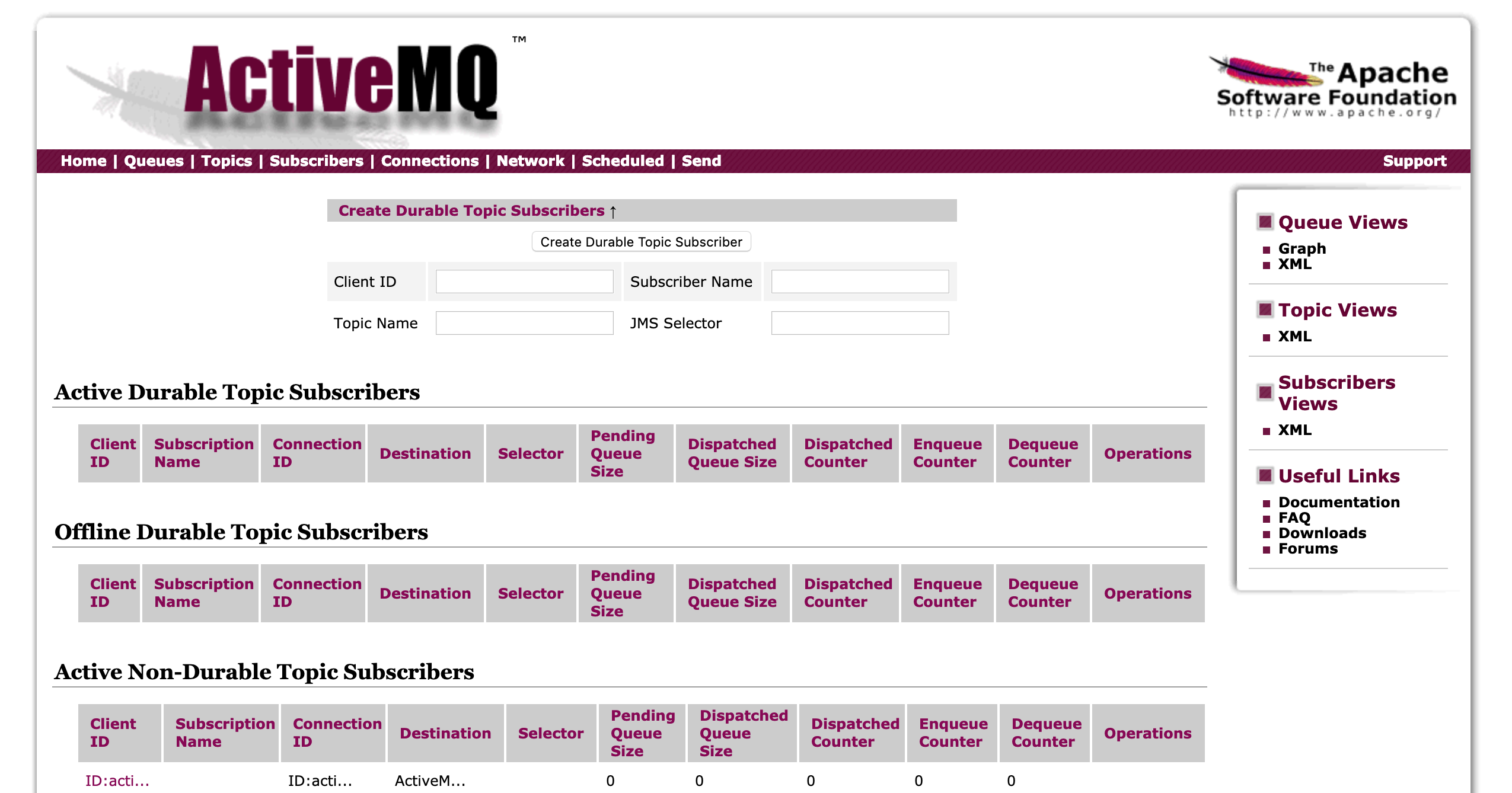
View subscriber information, only this page will have data in the Topics message type.
4. Connections view the number of connections page
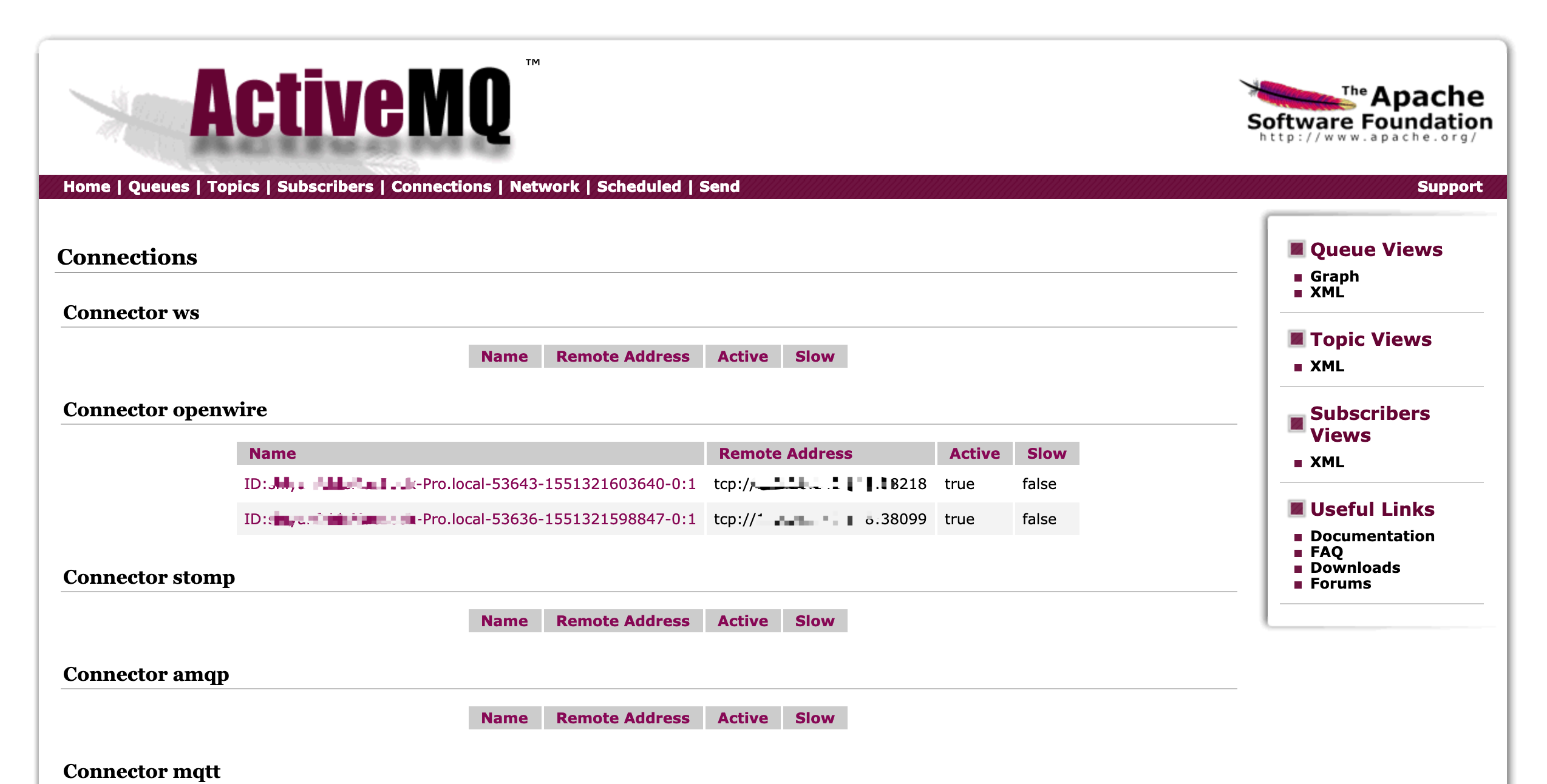
Five, use ActiveMQ in Java
1. Build a maven project and introduce dependencies
		<dependency>
            <groupId>org.apache.activemq</groupId>
            <artifactId>activemq-all</artifactId>
            <version>5.9.0</version>
        </dependency>
2. Producers
/**
   * @Description producer
 * @Date 2019/7/20
 * @Created by yqh
 */
public class MyProducer {

    private static final String ACTIVEMQ_URL = "tcp://192.168.168.242:61616";

    public static void main(String[] args) throws JMSException {
        // Create connection factory
        ActiveMQConnectionFactory activeMQConnectionFactory = new ActiveMQConnectionFactory(ACTIVEMQ_URL);
        // Create connection
        Connection connection = activeMQConnectionFactory.createConnection();
        // Open the connection
        connection.start();
        // Create a session
        Session session = connection.createSession(false, Session.AUTO_ACKNOWLEDGE);
        // Create a queue target and identify the queue name, the consumer receives data based on the queue name
        Destination destination = session.createQueue("myQueue");
        // Create a producer
        MessageProducer producer = session.createProducer(destination);
        // Push 10 text message data to the queue
        for (int i = 1 ; i <= 10 ; i++){
            // Create a text message
            TextMessage message = session.createTextMessage(" " + i + "A text message");
            //Send a message
            producer.send(message);
            //Print message locally
            System.out.println("Message sent:" + message.getText());
        }
        //Close the connection
        connection.close();
    }

}
operation result:
Message sent: No.1Text messages
 Message sent: No.2Text messages
 Message sent: No.3Text messages
 Message sent: No.4Text messages
 Message sent: No.5Text messages
 Message sent: No.6Text messages
 Message sent: No.7Text messages
 Message sent: No.8Text messages
 Message sent: No.9Text messages
 Message sent: No.10Text messages
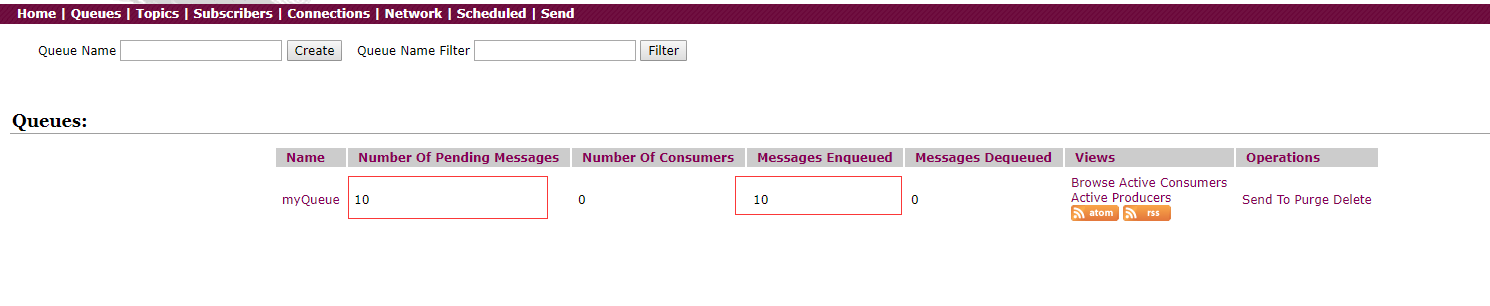
Test to check the web background display, there are 10 messages waiting to be consumed in the queue
3. Consumer
/**
   * @Description consumer class
 * @Date 2019/7/20 0020
 * @Created by yqh
 */
public class MyConsumer {

    private static final String ACTIVEMQ_URL = "tcp://192.168.168.242:61616";

    public static void main(String[] args) throws JMSException {
        // Create connection factory
        ActiveMQConnectionFactory activeMQConnectionFactory = new ActiveMQConnectionFactory(ACTIVEMQ_URL);
        // Create connection
        Connection connection = activeMQConnectionFactory.createConnection();
        // Open the connection
        connection.start();
        // Create a session
        Session session = connection.createSession(false, Session.AUTO_ACKNOWLEDGE);
        // Create a queue target and identify the queue name, the consumer receives data based on the queue name
        Destination destination = session.createQueue("myQueue");
        // Create consumer
        MessageConsumer consumer = session.createConsumer(destination);
        // Create consumption monitor
        consumer.setMessageListener(new MessageListener() {
            public void onMessage(Message message) {
                TextMessage textMessage = (TextMessage) message;
                try {
                    System.out.println("Consumption News:" + textMessage.getText());
                } catch (JMSException e) {
                    e.printStackTrace();
                }
            }
        });
    }
}
Test Results:
News of consumption: No.1Text messages
 News of consumption: No.2Text messages
 News of consumption: No.3Text messages
 News of consumption: No.4Text messages
 News of consumption: No.5Text messages
 News of consumption: No.6Text messages
 News of consumption: No.7Text messages
 News of consumption: No.8Text messages
 News of consumption: No.9Text messages
 News of consumption: No.10Text messages
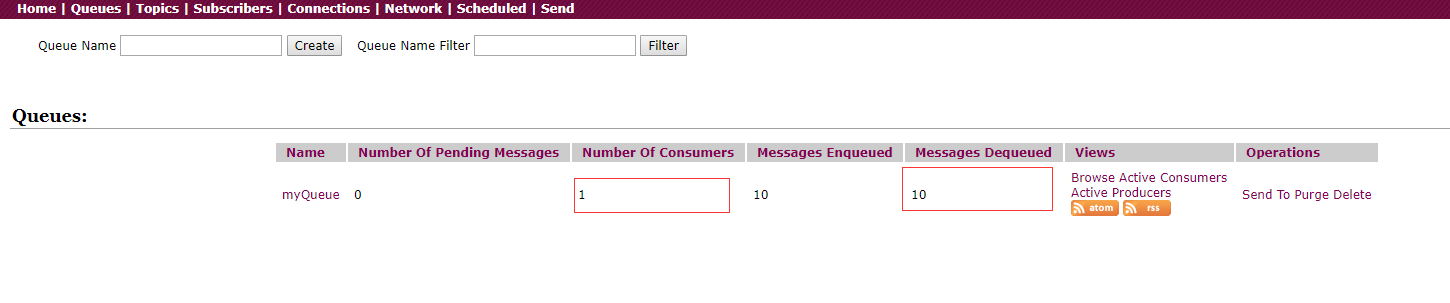
The web background shows that a consumer is connected and has consumed 10 messages, but the queue has no messages waiting to be consumed
4. When we run two consumer classes, how are the messages consumed? Can both consumers receive the message produced by the producer, or can only one consumer consume it?
Let's run two consumers first. When running a producer to produce 10 messages to the target queue, we will find the following conditions:
// Consumer1 console
 News of consumption: No.1Text messages
 News of consumption: No.3Text messages
 News of consumption: No.5Text messages
 News of consumption: No.7Text messages
 News of consumption: No.9Text messages
// Consumer2 console
 News of consumption: No.2Text messages
 News of consumption: No.4Text messages
 News of consumption: No.6Text messages
 News of consumption: No.8Text messages
 News of consumption: No.10Text messages
That is, the data in the queue will be evenly distributed to each consumer for consumption, andEach piece of data can only be consumed once.
5. The above is based on the point-to-point transmission type of the queue, and the following is the type test based on the publish/subscribe mode transmission
/**
   * @Description Producer test based on publish/subscribe mode transmission type
 * @Date 2019/7/20 0020
 * @Created by yqh
 */
public class MyProducerForTopic {

    private static final String ACTIVEMQ_URL = "tcp://192.168.168.242:61616";

    public static void main(String[] args) throws JMSException {
        // Create connection factory
        ActiveMQConnectionFactory activeMQConnectionFactory = new ActiveMQConnectionFactory(ACTIVEMQ_URL);
        // Create connection
        Connection connection = activeMQConnectionFactory.createConnection();
        // Open the connection
        connection.start();
        // Create a session
        Session session = connection.createSession(false, Session.AUTO_ACKNOWLEDGE);
        // Create a queue target and identify the queue name, the consumer receives data based on the queue name
        Destination destination = session.createTopic("topicTest");
        // Create a producer
        MessageProducer producer = session.createProducer(destination);
        // Push 10 text message data to the queue
        for (int i = 1 ; i <= 10 ; i++){
            // Create a text message
            TextMessage message = session.createTextMessage(" " + i + "A text message");
            //Send a message
            producer.send(message);
            //Print message locally
            System.out.println("Message sent:" + message.getText());
        }
        //Close the connection
        connection.close();
    }

}
/**
   * @Description Consumer test based on publish/subscribe mode transmission type
 * @Date 2019/7/20 0020
 * @Created by yqh
 */
public class MyConsumerForTopic {

    private static final String ACTIVEMQ_URL = "tcp://192.168.168.242:61616";

    public static void main(String[] args) throws JMSException {
        // Create connection factory
        ActiveMQConnectionFactory activeMQConnectionFactory = new ActiveMQConnectionFactory(ACTIVEMQ_URL);
        // Create connection
        Connection connection = activeMQConnectionFactory.createConnection();
        // Open the connection
        connection.start();
        // Create a session
        Session session = connection.createSession(false, Session.AUTO_ACKNOWLEDGE);
        // Create a queue target and identify the queue name, the consumer receives data based on the queue name
        Destination destination = session.createTopic("topicTest");
        // Create consumer
        MessageConsumer consumer = session.createConsumer(destination);
        // Create consumption monitor
        consumer.setMessageListener(new MessageListener() {
            public void onMessage(Message message) {
                TextMessage textMessage = (TextMessage) message;
                try {
                    System.out.println("Consumption News:" + textMessage.getText());
                } catch (JMSException e) {
                    e.printStackTrace();
                }
            }
        });
    }
}
Now if we start the producer first and then the consumer, we will find that the consumer cannot receive the data produced by the previous producer,Only when the consumer starts first and then allows the producer to send data can the consumer receive the data normallyThis is also an obvious difference between the publish/subscribe topic model and the peer-to-peer queue model.
If two consumers are started, then each consumer can completely receive the data produced by the producer, that is, each piece of data is consumed twice, which is the topic mode of publish/subscribe and peer-to-peer queue mode Another obvious difference.
Six, integrate Spring
1. Add dependencies in Maven:
<dependency>
      <groupId>org.springframework</groupId>
      <artifactId>spring-jms</artifactId>
      <version>4.3.11.RELEASE</version>
</dependency>
2. Message producer mode:
The producer adds ActiveMQ related configuration to the Spring configuration file, including namespace, connection factory, connection pool configuration
 	<amq:connectionFactory id="amqConnectionFactory"
     brokerURL="tcp://127.0.0.1:61616" userName="" password=""/>

    <!--  Spring is used to manage the ConnectionFactory of the real ConnectionFactory -->
    <bean id="connectionFactory"
          class="org.springframework.jms.connection.CachingConnectionFactory">
        <property name="targetConnectionFactory" ref="amqConnectionFactory"></property>
        <property name="sessionCacheSize" value="100"></property>
    </bean>
Define the producer mode:
 <!--  Define the Queue type of JmsTemplate -->
    <bean id="jmsQueueTemplate" class="org.springframework.jms.core.JmsTemplate">
        <constructor-arg ref="connectionFactory"></constructor-arg>
        <!--  Queue mode-->
        <property name="pubSubDomain" value="false"></property>
    </bean>

    <!--  Define the Topic type of JmsTemplate -->
    <bean id="jmsTopicTemplate" class="org.springframework.jms.core.JmsTemplate">
        <constructor-arg ref="connectionFactory"></constructor-arg>
        <!--  Publish and subscribe model-->
        <property name="pubSubDomain" value="true"></property>
    </bean>
Package the producer in Java code:
@Component("topicSender")
public class TopicSender {

    @Autowired
    @Qualifier("jmsTopicTemplate")
    private JmsTemplate jmsTemplate;

    public void send(String queueName, final String message) {
        jmsTemplate.send(queueName, new MessageCreator() {
            @Override
            public Message createMessage(Session session) throws JMSException {
                TextMessage textMessage = session.createTextMessage(message);
                return textMessage;
            }
        });
    }
}
After the above bean object is defined, the corresponding send() method is provided, so that the method can be called in the Service layer of the Spring framework.
3. Message Consumer Mode
The same needs to define the connection factory and connection pool configuration of Jms. This part is consistent with the configuration file of the producer. The difference is that the consumer consumption template needs to be defined:
	<!--  Define Topic Listener -->
    <jms:listener-container destination-type="topic" container-type="default"
                            connection-factory="connectionFactory" acknowledge="auto">
        <jms:listener destination="topicDemo1" ref="topicReceiver1"></jms:listener>
        <jms:listener destination="topicDemo2" ref="topicReceiver2"></jms:listener>
    </jms:listener-container>

    <!--  Define Queue listener -->
    <jms:listener-container destination-type="queue" container-type="default"
                            connection-factory="connectionFactory" acknowledge="auto">
        <jms:listener destination="queueDemo1" ref="queueReceiver1"></jms:listener>
        <jms:listener destination="queueDemo2" ref="queueReceiver2"></jms:listener>
    </jms:listener-container>
Encapsulate consumers in Java code:
@Component
public class QueueReceiver1 implements MessageListener {
    @Override
    public void onMessage(Message message) {
        try {
            String messgeStr= ((TextMessage) message).getText();
            // ....Business logic...
        } catch (JMSException e) {
            e.printStackTrace();
        }

    }
}
4. Extended P2P mode-request response
Request-Response communication method is very common, but it is not provided by default. In the first two modes, one party is responsible for sending messages and the other party is responsible for processing. Many applications in practice may require one answer and one answer, requiring both parties to send messages to each other. The request-response method is not a communication method provided by the JMS standard system by default, but is implemented by applying a little skill based on the existing communication method. The following figure is a typical request-response interaction process:
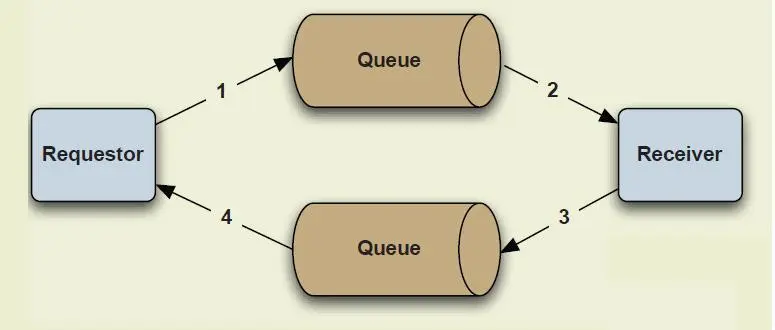
Request response
First, a specific listener is configured on the producer side (same as the consumer configuration method) to listen to messages from consumers. Here, pay attention to the configuration of the destination tempqueue and reference object ref:
 	<!--Listener to receive consumer response-->
    <jms:listener-container destination-type="queue" container-type="default"
                            connection-factory="connectionFactory" acknowledge="auto">
        <jms:listener destination="tempqueue" ref="getResponse"></jms:listener>
    </jms:listener-container>
Implement the listener (that is, the corresponding ref in the above configuration file), and declare the Bean object to be hosted by the Spring container
@Component
public class GetResponse implements MessageListener {
    @Override
    public void onMessage(Message message) {
        String textMsg = null;
        try {
            textMsg = ((TextMessage) message).getText();
            System.out.println("GetResponse accept msg : " + textMsg);
        } catch (JMSException e) {
            e.printStackTrace();
        }
    }
}
Configure the response code in the code sent by the producer send method:
//Configuration, tell consumers how to respond
Destination tempDst = session.createTemporaryQueue();
MessageConsumer responseConsumer = session.createConsumer(tempDst);
responseConsumer.setMessageListener(getResponse);
msg.setJMSReplyTo(tempDst);
Similarly, on the consumer side, a template for message production needs to be configured to facilitate sending a response notification to the message producer after receiving the message. Add the same message sending configuration to the Spring configuration file:
  <bean id="jmsConsumerQueueTemplate" class="org.springframework.jms.core.JmsTemplate">
        <constructor-arg ref="connectionFactory"></constructor-arg>
        <!--  Queue mode-->
        <property name="pubSubDomain" value="false"></property>
    </bean>
Implement the method of sending the response, and then give the Bean object to the Spring container management. Here you need to pay attention to the two parameters declared in the send() method. The first parameter corresponds to the content of the message sent, and the second parameter is encapsulated. The object of the message producer (to facilitate obtaining the object information from the response).
@Component
public class ReplyTo {

    @Autowired
    @Qualifier("jmsConsumerQueueTemplate")
    private JmsTemplate jmsTemplate;

    public void send(final String consumerMsg, Message producerMessage)
            throws JMSException {
        jmsTemplate.send(producerMessage.getJMSReplyTo(),
                new MessageCreator() {
                    @Override
                    public Message createMessage(Session session)
                            throws JMSException {
                        Message msg
                                = session.createTextMessage("ReplyTo " + consumerMsg);
                        return msg;
                    }
                });
    }
}
Therefore, the Bean object is introduced when the message that needs to be answered is processed, and the received message can be processed in response:
@Autowired
private ReplyTo replyTo;

@Override
public void onMessage(Message message) {
    try {
        String textMsg = ((TextMessage) message).getText();
        // do business work;
        replyTo.send(textMsg,message);
    } catch (JMSException e) {
        e.printStackTrace();
    }
}
The above steps have completed an extended P2P request-response (Request-Response) mode, but the original message producer joins the listener, and the message consumer adds the response processing logic for the message.
7. ActiveMQ advanced application
In order to avoid losing information after an accidental downtime, MQ needs to be able to recover after restarting, which involves the persistence mechanism. ActiveMQ's message persistence mechanism includes JDBC, AMQ, KahaDB and LevelDB. No matter which persistence method is used, the message storage logic is consistent: after the sender sends the message, the message center first stores the message to local data File, memory database or remote database, etc., and then try to send the message to the receiver, the message is deleted from the storage if it is successful, and continue to try if it fails. After starting the message center, you must first check the specified storage location. If there are unsuccessful messages, you need to send the messages.
1-message persistence mechanism
1. JDBC persistence (recommended)
Using JDBC persistence, the database will create three tables: activemq_msgs, activemq_acks and activemq_lock.
activemq_msgs is used to store messages, Queue and Topic are stored in this table. The way to configure persistence is to modify the conf/acticvemq.xml file in the installation directory, first define a MySQL data source of mysql-ds, and then configure jdbcPersistenceAdapter in the persistenceAdapter node and reference the data source just defined.
<beans>
    <broker brokerName="test-broker" persistent="true" xmlns="http://activemq.apache.org/schema/core">
        <persistenceAdapter>
            <jdbcPersistenceAdapter dataSource="#mysql-ds" createTablesOnStartup="false"/>
        </persistenceAdapter>
    </broker>

    <bean id="mysql-ds" class="org.apache.commons.dbcp.BasicDataSource" destroy-method="close">
        <property name="driverClassName" value="com.mysql.jdbc.Driver"/>
        <property name="url" value="jdbc:mysql://localhost/activemq?relaxAutoCommit=true"/>
        <property name="username" value="activemq"/>
        <property name="password" value="activemq"/>
        <property name="maxActive" value="200"/>
        <property name="poolPreparedStatements" value="true"/>
    </bean>
</beans>
2. AMQ method (not recommended)
The performance is higher than JDBC. When writing a message, the message is written to the log file. Because it is appended sequentially, the performance is high. To improve performance, create a message primary key index and provide a caching mechanism to further improve performance. The size of each log file is limited (default 32m, which can be configured by yourself).
Although the AMQ performance is slightly higher than the Kaha DB method below, its index rebuilding time is too long, and the index file takes up too much disk space, so it is no longer recommended.
3.KahaDB method
KahaDB is the default persistence plug-in starting from ActiveMQ 5.4. KahaDb recovery time is much shorter than its predecessor AMQ and uses fewer data files, so it can completely replace AMQ. KahaDB's persistence mechanism is also based on log files, indexes and caches.
4. LevelDB method
Since ActiveMQ 5.6 version, LevelDB's persistence engine has been launched. The current default persistence method is still KahaDB, but LevelDB persistence performance is higher than KahaDB, which may be the future trend. In ActiveMQ 5.9 version, it provides a data replication method based on LevelDB and Zookeeper, which is the preferred data replication scheme for the master-slave method.
For more information:"Several Message Persistence Mechanisms of ActiveMQ"
2 – Persistent subscription of messages
In the above persistence mechanism, the P2P mode is turned on by default, but if you need a persistent subscription in the topic subscription mode, you need to do some additional work, mainly for some special processing on the consumer side:
1. Set the client ID: connection.setClientID("clientID");
connection.setClientID("Mark");
2. The destination of the message becomes Topic (originally Destination)
Topic destination = session.createTopic("DurableTopic");
Consumer type becomes TopicSubscriber
//Any name, representing the subscription name
messageConsumer = session.createDurableSubscriber(destination,"durableSubscriber");
Run the consumer once and register the consumer on ActiveMQ once. Consumers can be seen on the subscribers page of the ActiveMQ management console. No special processing is required on the producer side, but it should be noted that the producer can process whether the message is persistent, and this configuration will affect whether downstream consumers can make durable subscriptions. The configuration is taken The enumeration values come from:
public interface DeliveryMode {
    int NON_PERSISTENT = 1;
    int PERSISTENT = 2;
}
Intelligent Recommendation
ActiveMQ introduction and installation
1. Introduction to JMS Full name: Java Message Service Chinese: Java Message Service. JMS is a set of Java API standards. The original purpose is to enable applications to acce...
ActiveMQ introduction and installation and deployment
ActiveMQ introduction ActiveMQ is the most popular and powerful open source message bus produced by Apache. ActiveMQ is a JMS Provider implementation that fully supports the JMS1.1 and J2EE 1.4 specif...
A brief introduction and installation of ActiveMQ
Foreword: Recently I came into contact with the message queue and learned about activeMQ, and I made a simple record here to facilitate future queries. 1. What is ActiveMQ 1.1 Introduction ActiveMQ is...
Introduction to ActiveMQ installation and use
What is ActiveMQ MQ, commonly known as message queue, also known as message middleware, is a medium through which applications can deliver messages in a distributed system.ActiveMQ,RabbitMQ,kafka。Acti...
ActiveMQ introduction installation and case
Introduction to JMS Full name: Java Message Service Chinese: Java Message Service. JMS is a set of Java API standards. The original purpose is to enable applications to access the existing...
More Recommendation
Introduction and installation of ActiveMQ
1. Message middleware 2.MQ 3. ActiveMQ feature list 4. When to use ActiveMQ 5. Download ActiveMQ 6. Unzip 7. Start ActiveMQ 8. Web console access ActiveMQ 1. Message middleware Message Orient Middlewa...
ActiveMQ Introduction Installation
1. Resource preparation 1.1 environment Centos7、jdk8、activemq5.15.8 1.2 ActiveMQ5.15.8 Installation package Official website download address:http://activemq.apache.org/activemq-5158-release.html The ...
C ++ Introduction to the first Hello Word
C ++ basic tutorial OF: lanneret Time: 2018-06-23 1. Basic syntax <> Reference is to the header file in the compiler's library path "" refers to the header file in the relative path of...
Introduction to OpenCL (3)-Hello Word
From: https://blog.csdn.net/u011028771/article/details/52588433?locationNum=10&fps=1 This is the first program of OpenCL, the so-called helloword! This program implements vector addition. Start wi...
Hello Word for ELK Introduction (3)
Today I will share with you the official introduction to ELK: One, create an index: 1. Start ES and Kibana, and operate kibana 2. Click Dev Tools to create the index nandao_index, click the triangle b...