[Centos-Firewall] CentOS7 starts the firewall and reports an error Failed to start iptables.service: Unit not found.
Original address:
Execute in CentOS7
service iptables restart/start/stop
Error:
Redirecting to /bin/systemctl restart iptables.service
Failed to restart iptables.service: Unit not found.
The reason is because CentOS7 uses firewalld (please click for related introduction) to manage the firewall
Command syntax: firewall-cmd [--zone=zone] Action [--permanent]
Note: If you do not specify the --zone option, it is the default zone you are currently in, and the --permanent option is whether to write changes to the zone configuration file
The status of the firewall:
--state ##View the status of the firewall
--reload ##Reload the firewall, interrupt the user's connection, clear the temporary configuration, and load the permanent configuration in the configuration file
--complete-reload ##Reload the firewall without interrupting the user's connection (used when the firewall has a serious failure)
--panic-on ##Emergency mode, forcibly close all network connections, --panic-off is to close emergency mode
example:
Add port 80 as allowed:
firewall-cmd --zone=public --add-port=80/tcp --permanent (--permanent invalid after restart without this parameter)
Add range exception ports such as 5000-10000:
firewall-cmd --zone=public --add-port=5000-10000/tcp --permanent
Effective immediately after adding:
Reload
firewall-cmd --reload
View
firewall-cmd --zone=public --query-port=80/tcp
delete
firewall-cmd --zone=public --remove-por=80/tcp --permanent
This is the problem I encountered when I just learned Linux to install tomcat under CentOS7 and cannot access the default page. Record it.
reference:
Centos7-----firewalld in detail>>>http://blog.51cto.com/11638832/2092203
Solve the problem of Unit iptables.service failed to load: No such file or directory. >>>https://blog.csdn.net/c233728461/article/details/52679558 (there is a restore traditional firewall under this link) Management method)
Intelligent Recommendation
CentOS 7 appears Failed to start iptables.service: Unit iptables.service failed to load
The following error message: (1) Close firewalld: systemctl stop firewalld systemctl mask firewalld (2) use the iptables service: 1. Installation iptables-services: yum install ipt...
Centos turns off the firewall 7 and before 7, and Unit iptables.service could not be found.
Today, when the firewall was turned off, Unit iptables.service could not be found. After inspection, it was found that it was caused by the centos version, so I made this document to record Let’...
The exception is solved. CentOS7 closes/turns on the firewall. Unit iptables.service failed to load: No such file or directory.
original: Execution in CentOS7 Failed to start iptables.service: Unit iptables.service failed to load: No such file or directory. Firewalls are managed by firewalld in CentOS 7 or RHEL 7 ...
Solve the CentOS7 shutdown/open firewall. Unit iptables.service failed to load: No such file or directory....
Executed in CentOS7 Failed to start iptables.service: Unit iptables.service failed to load: No such file or directory. The firewall is managed by firewalld in CentOS 7 or RHEL 7 or Fedora. If you want...
Solve CentOS7 off / on firewall appears Unit iptables.service failed to load: No such file or directory ....
CentOS7 performed [plain] view plain copy print ? service iptables start/stop Will complain Failed to start iptables.service: Unit iptables.service failed to load: No such file o...
More Recommendation
Solve CentOS7 Close / Turn on the firewall Unit iptables.service failed to load: no such file or directory.
Error, firewall in CentOS 7 or RHEL 7 or Fedora is managed by FireWallD, of course, you can restore traditional management methods. Or use the new command to manage. If you use the tradition, please p...
View the status of the firewall under Linux. Unit iptables.service could not be found
Original link: View firewall status under linux [root@localhost src]# service iptables status In CentOS 7 or RHEL 7, the firewall is managed by firewalld. If you want to add a range exception port, su...
Linux_ exception _netfilter firewall _failed to restart iptables.service: Unit Not Found.
Reference: How can i use iptables on centos 7? [closed]...
CentOS 7 restarts the firewall service, Job for iptables.service failed because the control process exited with error code
Re-run the network configuration...
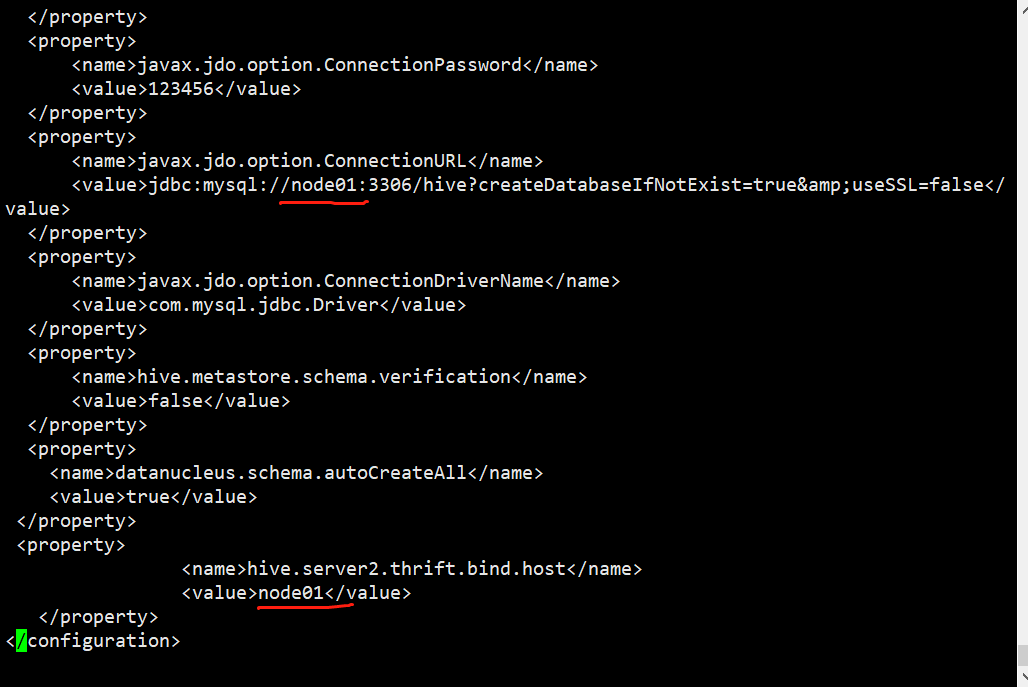
Centos7 hive starts and reports an error. There is no route to the host, and the firewall is turned off.
problem Hive startup reports an error, the firewall is turned off After reading the online tutorials, it is said that it is a firewall problem But my firewall is off problem causes: This hive was copi...