PID file /usr/local/nginx/logs/nginx.pid not readable (yet?) after start.
After compiling nginx, add to systemctl management, start nginx (systemctl start nginx.service), use systemctl status nginx.service to view the nginx state, although the normal startup, but the PID file /usr/local/nginx/logs/ Nginx.pid not readable (yet?) after start.
After querying, this seems to be a contest between systemd and nginx. Systemd wants to fill it before nginx has time to create a PID file, causing an error.
Solution:
Add the following content to /usr/lib/systemd/system/nginx.service
ExecStartPost=/bin/sleep 0.1
Excuting an order:
systemctl daemon-reload
Solve the problem
reference:
https://bugs.launchpad.net/ubuntu/+source/nginx/+bug/1581864
Intelligent Recommendation
nginx: [error] invalid PID number "" in "/usr/local/nginx/logs/nginx.pid"
After Shigenobu on ubunru16.04 change the nginx configuration, re-package it wrong reload solution...
nginx: [error] invalid PID number "" in"/usr/local/nginx/logs/nginx.pid"
After nginx is installed successfully, enter the command nginx and start successfully. but enter the commandnginx -s reload with nginx -s stopAll prompt Invalid pid number. Solution: ps -ef | grep ngi...
nginx: [error] invalid PID number ““ in “/usr/local/nginx/logs/nginx.pid“
Question: Close Nginx failed, error message indicates that Nginx.pid is empty Solution: 1, view Nginx's PID As shown below, my PID is 2423, pay attention: to find the PID corresponding to MASTER 2, im...
invalid PID number ““ in “/usr/local/nginx/logs/nginx.pid“
Scene: nginx -s reload is invalid systemctl reload nginx is invalid service nginx reload is invalid Many nginx logs have been deleted and not released View deleted unreleased commands In this case, th...
Solution nginx: [error] invalid PID number "" in "/usr/local/nginx/logs/nginx.pid" when reloading nginx
Today we need to reload nginx to configure the virtual host, so /usr/local/sbin/nginx -s reload The error is as follows So I checked Baidu and found such an example It probably means that the ./nginx-...
More Recommendation
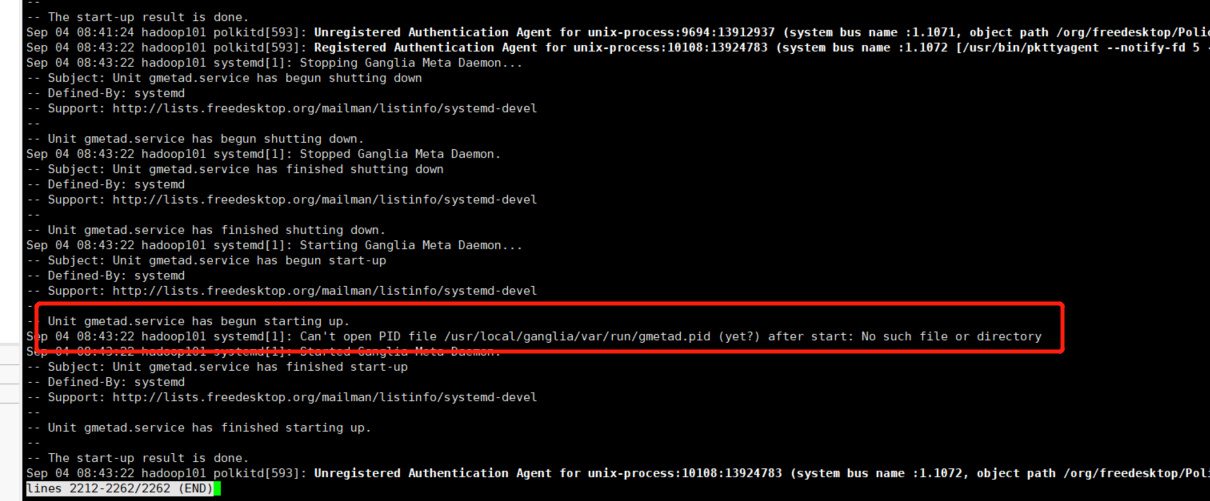
[Solution] gnglia reported an error: Can‘t open PID file /usr/local/ganglia/var/run/gmetad.pid (yet?)
gnglia reported an error: Can‘t open PID file /usr/local/ganglia/var/run/gmetad.pid (yet?)after start: No such file or directory cause: The reason for this is because of the second compilation, ...
Solve nginx: [error] invalid PID number "" in "/usr/local/nginx/logs/nginx.pid"
Error re-reading configuration file using /usr/local/nginx/sbin/nginx -s reload The main reason is that /usr/local/nginx/conf/nginx.conf is not loaded after the installation is complete. The configura...
nginx: [error] invalid PID number "" in "/usr/local/webserver/nginx/logs/nginx.pid" (original)
Nginx into the next file, for example: / usr / local / nginx / sbin Run the command: Reload: ...
nginx: [error] invalid PID number "" in "/usr/local/lnmp/nginx/logs/nginx.pid" solution
nginx: [error] invalid PID number "" in "/usr/local/lnmp/nginx/logs/nginx.pid" solution problem solve Reload again to succeed...
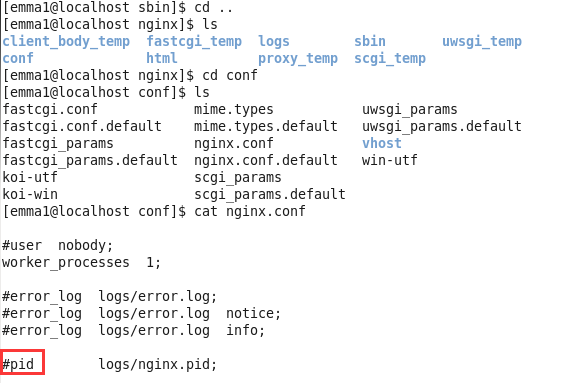
nginx:[error] invalid PID number ““ in “/usr/local/nginx/logs/nginx.pid” problem solving record
problem: Solution 1: Remove the "#" in the red box Actual operation: Restarting the computer did not work Still report this error Solution 2: Restart nginx by specifying the nginx.conf file ...