"Crazy java handouts" learning (38): file and directory operations
File and directory operations
File and directory operations are ultimately related to the operating system and file system. The implementation of different systems is different, but the java.io.File class in Java provides the same interface, and the underlying system calls the operating system and files through local methods. The specific implementation of the system, here we introduce the File class. The operations in the File class can be roughly divided into three categories: file metadata, file operations, directory operations. Before introducing these operations, let's look at the File constructor.
Construction method
File can represent both files and directories. Its main constructors are:
//pathname represents the full path, which can be a relative path or an absolute path.
public File(String pathname)
//parent represents the parent directory, child represents the child
public File(String parent, String child)
public File(File parent, String child)
The path in the File can be either existing or non-existent. Create a new File object by new, it will not actually create a file, just create an object that represents a file or directory. After new, the path in the File object is immutable.
File metadata
File metadata mainly includes file name and path, basic file information, and some security and permission related information. The main methods related to file names and paths are:
public String getName() / / Returns the file or directory name, without the path name
public boolean isAbsolute() / / Determine whether the path in File is an absolute path
public String getPath() / / Returns the full path name when constructing the File object, including the path and file name
public String getAbsolutePath() / / Returns the full absolute path name
/ / Returns the full path name of the standard, it will remove redundant names in the path such as ".", "..", tracking soft links (Unix system concepts), etc.
public String getCanonicalPath() throws IOException
public String getParent() / / Return to the parent directory path
public File getParentFile() / / Return to the File object of the parent directory
/ / Return a new File object, the new File object uses the return value of getAbsolutePath () as a parameter construct
public File getAbsoluteFile()
/ / Return a new File object, the new File object uses the return value of getCanonicalPath () as a parameter construct
public File getCanonicalFile() throws IOException
These methods are relatively straightforward and we will not explain them. There are 4 static variables in the File class that represent path separators. They are:
public static final String separator
public static final char separatorChar
public static final String pathSeparator
public static final char pathSeparatorChar
The separator and separatorChar represent the file path separator, which is generally '’ in Windows systems and '/' in Linux systems. pathSeparator and pathSeparatorChar represent separators in multiple file paths. For example, the separator in the environment variable PATH, the separator in the Java classpath variable classpath, when the command is executed, the operating system will look for commands from the directory specified by PATH. When the Java runtime loads the class file, it looks for the class file from the path specified by the classpath. In Windows systems, this separator is generally '; ‘, in Linux systems, this separator is typically ':’.
In addition to the file name and path, the File object has the following methods to get the basic information of the file or directory:
public boolean exists() / / Whether the file or directory exists
public boolean isDirectory() / / Is it a directory?
public boolean isFile() / / Is it a file?
public long length() / / File length, number of bytes, no meaning to the directory
public long lastModified() / / Last modified time, the number of milliseconds since the epoch
public boolean setLastModified(long time) / / Set the last modification time, return whether the modification is successful
It should be noted that the File object does not return the method of creating time. Because the creation time is not a common concept, Linux/Unix has no concept of creating time.
The main methods related to security and permissions in the File class are:
public boolean isHidden() / / Is it a hidden file?
public boolean canExecute() / / Is it executable?
public boolean canRead() / / Is it readable
public boolean canWrite() / / Is it writable?
public boolean setReadOnly() / / Set the file as a read-only file
/ / Modify file read permissions
public boolean setReadable(boolean readable, boolean ownerOnly)
public boolean setReadable(boolean readable)
/ / Modify file write permissions
public boolean setWritable(boolean writable, boolean ownerOnly)
public boolean setWritable(boolean writable)
/ / Modify the file executable permissions
public boolean setExecutable(boolean executable, boolean ownerOnly)
public boolean setExecutable(boolean executable)
In the modification method, if the modification is successful, it returns true, otherwise it returns false. In the set permission method, owner-Only is true for only the owner, false for all users, and without the ownerOnly method, ownerOnly is equivalent to true.
File operation
File operations are mainly created, deleted, and renamed.
Creating a new File object does not actually create a file, but the following methods can be:
public boolean createNewFile() throws IOException
Returns true if the creation succeeds, otherwise returns false, the newly created file content is empty. If the file already exists, it will not be created.
The File object also has two static methods that can create temporary files:
public static File createTempFile(String prefix, String suffix) throws IOException
public static File createTempFile(String prefix, String suffix,File directory) throws IOException
The full path name of the temporary file is system-specified and unique, but the prefix, suffix, and directory can be specified by parameters. Prefix is required and must be at least three characters; if suffix is null, the default is . Tmp; directory If not specified or specified as null, the system default directory is used.
The deletion method of the File class is:
public boolean delete()
public void deleteOnExit()
Delete deletes the file or directory, and returns true if the deletion succeeds, otherwise returns false. If File is a directory and is not empty, delete will not succeed, return false, in other words, to delete the directory, first delete all subdirectories and files under the directory. deleteOnExit adds the File object to the list to be deleted, and deletes it when the Java virtual machine exits normally.
The Rename method for the File class is:
public boolean renameTo(File dest)
The parameter dest represents the renamed file, whether the rename can be successfully related to the system, and the return value represents success.
Directory operation
When a File object represents a directory, you can perform directory-related operations such as creation and traversal. There are two ways to create a directory:
public boolean mkdir()
public boolean mkdirs()
They all create directories, return true if the creation succeeds, and return false if it fails. Note that if the directory already exists, the return value is false. The difference between these two methods is that if an intermediate parent class directory does not exist, mkdir will fail, return false, and mkdirs will create the necessary intermediate parent directory.
has the following methods to access subdirectories and files in a directory:
public String[] list()
public String[] list(FilenameFilter filter)
public File[] listFiles()
public File[] listFiles(FileFilter filter)
public File[] listFiles(FilenameFilter filter)
They return direct subdirectories or files and do not return files in subdirectories. List returns an array of filenames, and listFiles returns an array of File objects. FilenameFilter and FIleFilter are both excuses for filtering. FileFilter is defined as:
public interface FileFilter {
    boolean accept(File pathname);
}
FilenameFilter is defined as:
public interface FilenameFilter {
    boolean accept(File dir, String name);
}
When traversing subdirectories and files, the accept method of FilenameFilter or FileFilter is called for each file. Only when the accept method returns true, the subdirectory or file is included in the returned result. The difference between Filename-Filter and FileFilter is that FileFilter's accept method parameter has only one File object, while File-nameFilter has two accept method parameters, dir represents the parent directory, and name represents the subdirectory or file name. Let's look at an example that lists all extensions in the current directory. Txt file, the code can be:
File f = new File(".");
File[] files = f.listFiles(new FilenameFilter(){
    @Override
    public boolean accept(File dir, String name) {
        if(name.endsWith(".txt")){
            return true;
        }
        return false;
    }
});
We created an anonymous inner class object for FilenameFilter and passed it to listFiles.
Using the traversal method, you can easily perform recursive traversal and perform some more advanced functions. For example, to calculate the size of all files in a directory (including subdirectories), the code can be:
public static long sizeOfDirectory(final File directory) {
        long size = 0;
        if(directory.isFile()) {
            return directory.length();
        } else {
            for(File file : directory.listFiles()) {
                if(file.isFile()) {
                    size += file.length();
                } else {
                    size += sizeOfDirectory(file);
                }
        }
    }
    return size;
}
As another example, in a directory, find all files with a given file name, the code can be:
public static Collection<File> findFile(final File directory, final String fileName) {
    List<File> files = new ArrayList<>();
    for(File f : directory.listFiles()) {
        if(f.isFile() && f.getName().equals(fileName)) {
            files.add(f);
        } else if(f.isDirectory()) {
            files.addAll(findFile(f, fileName));
        }
    }
    return files;
}
The method of the delete method of the File class is introduced. We mentioned that if you want to delete the directory and the directory is not empty, you need to empty the directory first. Using the traversal method, we can write a method to delete the non-empty directory. The code can be:
public static void deleteRecursively(final File file) throws IOException {
    if(file.isFile()) {
        if(! file.delete()) {
            throw new IOException("Failed to delete "
                    + file.getCanonicalPath());
        }
    } else if(file.isDirectory()) {
        for(File child : file.listFiles()) {
            deleteRecursively(child);
        }
        if(! file.delete()) {
            throw new IOException("Failed to delete "
                    + file.getCanonicalPath());
        }
    }
}
Java instance exercises
Write files in order
The BufferWriter class writes text to the character output stream, buffering individual characters, providing efficient writing of individual characters, arrays, and strings. In this case we will use the BufferWriter class to create the order of the files.
1.
Create a new project OrderWriteFiles and create an OrderWriteFiles.java file in it. Use BufferedWriter to implement sequential writes of strings in the main method of this class:
package OrderWriteFiles;

import java.io.BufferedWriter;
import java.io.FileWriter;
import java.io.IOException;

public class OrderWriteFiles {
    public static void main(String[] args) {
        FileWriter fw;
        try {
            fw = new FileWriter("D:/test1.txt");
            BufferedWriter bf = new BufferedWriter(fw);
            for (int i = 0; i < 10; i++) {
                bf.write("Java" + i + "\n");
            }
            bf.close();
        } catch (IOException e) {
            e.printStackTrace();
        }
    }
}
The BufferWriter class writes text to the character output stream, buffering individual characters, providing efficient writing of individual characters, arrays, and strings. You can specify the size of the buffer or accept the default size. In most cases, the default value is sufficient.
Block speed to find files of the specified type
There are many folders and files in the folder. In order to quickly find all the files of the specified type in a file structure, we can use the file type filter - FileFilter to quickly and easily filter the specified type of file. And screening.
1.
Create a new project SearchFile and create a SearchFile.java file in it. Use the FileFilter class to implement the file lookup function in the main method of the class:
package SearchFile;

import java.io.File;
import java.io.FileFilter;
import java.util.ArrayList;
import java.util.List;

public class SearchFile {
    static int countFiles = 0;
    static int countFolders = 0;

    public static File[] searchFile(File folder, final String keyword) {
        File[] subFolders = folder.listFiles(new FileFilter() {
            @Override
            public boolean accept(File pathname) {
                if (pathname.isFile())
                    countFiles++;
                else
                    countFolders++;
                if (pathname.isDirectory() || (pathname.isFile() && pathname.getName().contains(keyword)))
                    return true;
                return false;
            }
        });
        List result = new ArrayList();
        for (int i = 0; i < subFolders.length; i++) {
            if (subFolders[i].isFile()) {
                result.add(subFolders[i]);
            } else {   / / If it is a folder, recursively call this method, and then add all the files to the results list
                File[] foldResult = searchFile(subFolders[i], keyword);
                for (int j = 0; j < foldResult.length; j++) {
                    result.add(foldResult[j]);   / / File saved to the combination
                }
            }
        }
        File files[] = new File[result.size()];    / / Proof file array, the length is the length of the collection
        result.toArray(files);    / / Collection array
        return files;
    }

    public static void main(String[] args) {
        File folder = new File("D:/test");   //Default directory
        String keyword = "txt";
        if (!folder.exists()) {   / / If the file does not exist
            System.out.println("The directory does not exist:" + folder.getAbsolutePath());
            return;
        }
        File[] result = searchFile(folder, keyword);  / / Call the method to get an array of files
        System.out.println("in" + folder + "Find objects when all subfiles" + keyword);
        System.out.println("Found"+countFiles+"A file,"+countFolders+"Folders, found together"+result.length+"An eligible document:");
        for (int i = 0; i < result.length; i++) {
            File file = result[i];
            System.out.println(file.getAbsolutePath()+"");   / / Display the absolute path of the file
        }
    }
}
The filtered stream provides the ability to process data while reading/writing data. It also provides a synchronization mechanism that allows only one thread to access a stream at a time to prevent multiple threads from simultaneously operating on one stream. Unexpected results.
In order to use a filtered stream, you must first connect the filtered stream to an input and output stream, usually by specifying the input and output streams to be connected in the parameters of the constructor.
Display characters in a file in traversal mode
In addition to the OutputStream class and the Reader class method to read the file, we can also use a simple while or for loop to traverse the file content. This example will use a while loop to traverse the characters in the output file.
1.
Create a new project TraversalCycle and create a TraversalCycle.java file in it. Extract the file through the FileInputStream() method in the main method of the class, and then use the while loop to facilitate the output of the file:
package TraversalCycle;

import java.io.FileInputStream;
import java.io.FileNotFoundException;
import java.io.IOException;

public class TraversalCycle {
    public static void main(String[] args) {
        int i = 0;
        FileInputStream fis = null;
        try {
            fis = new FileInputStream("D:/test/test1.txt");   / / Specify a file
        } catch (FileNotFoundException e) {
            System.out.println("The specified file was not found.");
            System.exit(-1);
        } catch (ArrayIndexOutOfBoundsException e) {
            System.exit(-2);
        }
        try {
            while ((i = fis.read()) != -1)
                System.out.print((char) i);
            fis.close();
        } catch (IOException e) {
            System.out.println("Show file name");
        }
    }
}
The byte input stream (InputStream) is the superclass of the class of all byte input streams, it is an abstract class. Its derived class must redefine the abstract method declared in the byte input stream. The Read() method reads a byte of content from the input stream and returns it as an integer. If the end of the stream is encountered, it returns -1. If the stream does not end, but there is no data to read, the method will be blocked until there is new readable data in the stream.
Intelligent Recommendation
Directory and file operations for Linux learning
Enter the virtual machine, Root represents the currently logged in user. In Linux, the administrator account is root. uicc is the current computer host name / represents the directory location you are...
"Crazy java handouts" learning (13): processing objects
Processing object Java objects are instances of the Object class, and you can directly call methods defined in the class. These methods provide a generic way to handle Java objects. Print object and t...
"Crazy java handouts" learning (15): modifiers
Final modification When the variable is modified, it means that the variable cannot be changed once the initial value is obtained. Final can modify the member variable (including the class variable an...
"Crazy java handouts" learning (16): abstract class
Abstract class When writing a class, you often define methods for the class that describe how the class behaves. These methods all have concrete methods. But in some cases, a parent class just knows w...
"Crazy java handouts" learning (17): interface
More thorough abstraction: interface An abstract class is a template abstracted from multiple classes. If you make this abstraction more thorough, you can extract a more special "abstract class&q...
More Recommendation
"Crazy java handouts" learning (19): enumeration class
Enumeration class In some cases, the objects of a class are finite and fixed, such as the seasonal class, which has only 4 objects; in the case of planets, for example, there are currently only 9 obje...
"Crazy java handouts" learning (21): interact with users
Interact with users If a program always runs according to a given process without having to deal with user actions, this program is always simple. In fact, most programs need to handle user actions, i...
"Crazy java handouts" learning (8): class inheritance
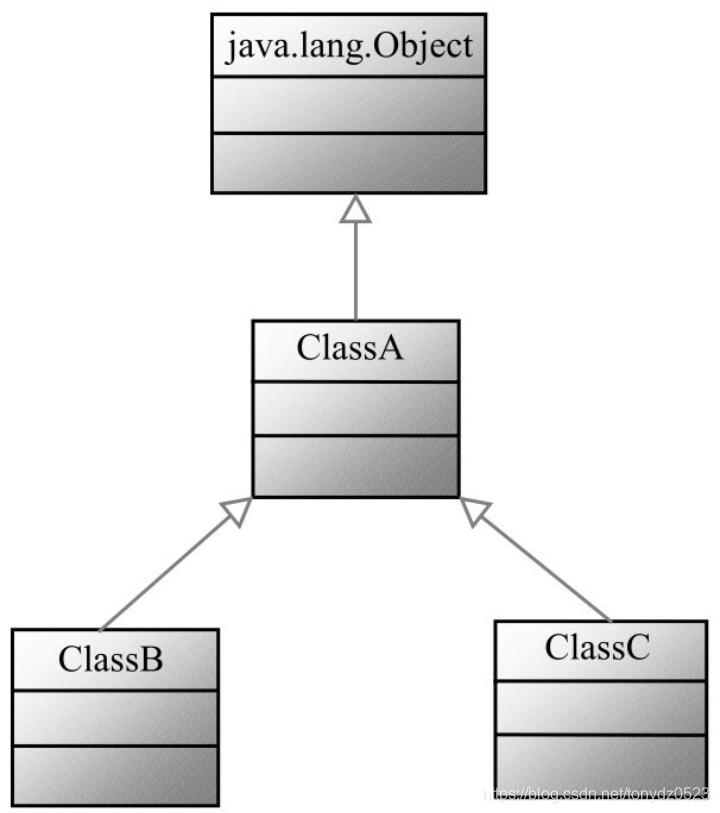
Class inheritance Inheritance is one of the three characteristics of object-oriented, and it is also an important means to achieve software reuse. Java class inheritance has the characteristics of sin...

"Crazy java handouts" learning (11): initialization block
Initialization block Java uses a constructor to initialize a single object, uses a constructor to initialize the state of the entire Java object, and then returns the Java object to the program, makin...
"Crazy java handouts" learning (14): class members
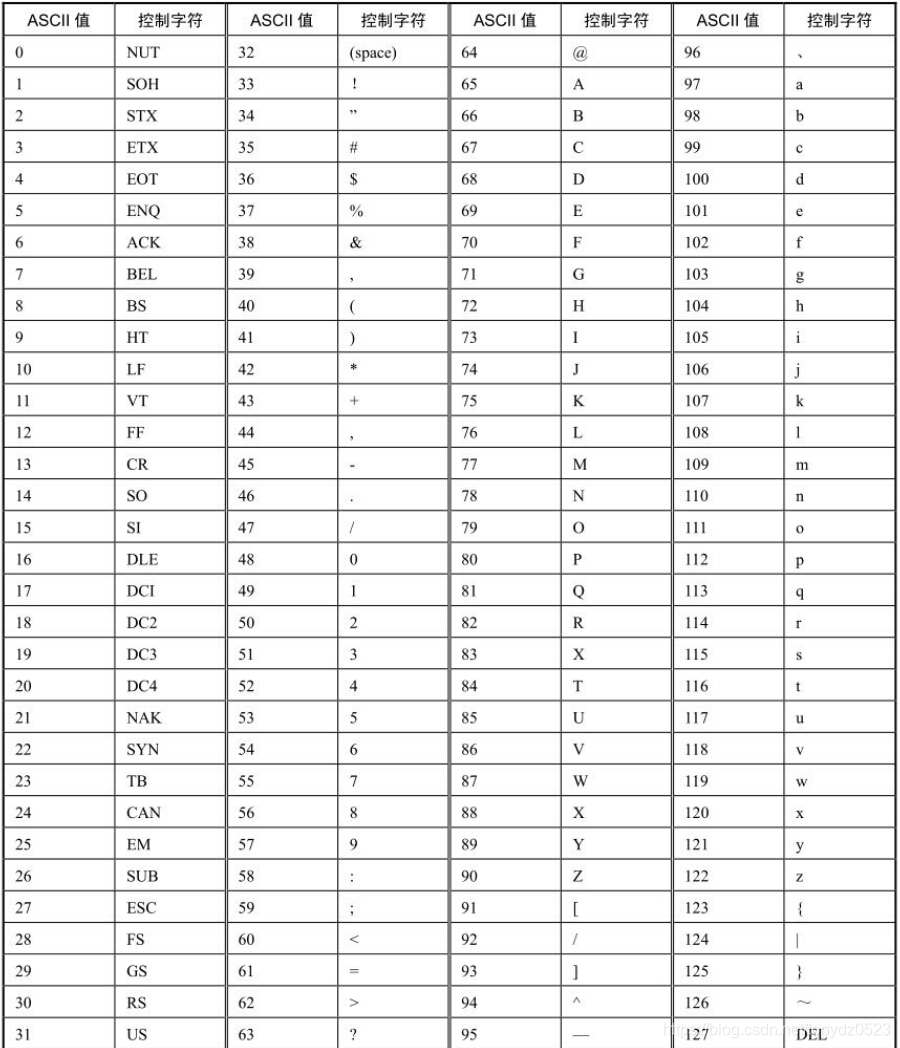
Class member The static keyword modifier is a class member. The class members that have been introduced in the previous section have three components: class Field, class method, and static initializat...