Cannot use argparse.parse_args() on Jupyter notebook
tags: Troubleshooting
This blog describes how to solve the problem that argparse.parse_args() cannot run correctly on jupyter notebook
Problem Description
argparse is a command line parsing program that I am more accustomed to. It has been used in pycharm before (for the tutorial, please see my other articleBlog), I found an error when I used it in jupyter notebook today!
Error code:
import argparse
import os
import random
import numpy as np
import torch
import torch.backends.cudnn as cudnn

arg=argparse.ArgumentParser()
arg.add_argument("--workers", type=int, help="The number of data loading threads, the default is 8 threads", default=4)
arg.add_argument("--batchSize", type=int, help="Enter the size of the batch data, default 200",default=200)
arg.add_argument("--lr", type=float, default=0.0002, help="Learning rate, the default size is 0.0002")
arg.add_argument("--dirCheckpoints", default="./checkpoints", help="The directory where the trained models are stored",type=str)
arg.add_argument("--dirImageOutput", default="./imgout", help="Picture Output Directory",type=str)
arg.add_argument("--dirTestOutput", default="./testout", help="List of test results or images",type=str)
arg.add_argument("--modelPath",type=str,default="",help="The directory where the trained models are stored")
arg.add_argument("--useCuda", default=True, help="Whether to use GPU acceleration, not used by default",type=bool)
arg.add_argument("--randomSeed", help="Random seed used for experimental repeatability verification",default=None,type=int)
arg.add_argument("--useDense", default=False, help="Whether to use dense net architecture",type=bool)
arg.add_argument("--beta1",default=0.5,type=float,help="Parameters Needed by Adam Optimizer")
arg.add_argument("--epochs",default=100,type=int,help="How many times to train the entire data set")

args=arg.parse_args()

print(arg)
Run in pycharm
No problem at all

Run error on jupyter notebook
The error is as follows:
---------------------------------------------------------------------------
SystemExit                                Traceback (most recent call last)
<ipython-input-2-242e2a512bed> in <module>
     21 arg.add_argument("--epochs",default=100,type=int,help="How many times to train the entire data set")
     22
---> 23 print (arg.parse_args())

/usr/local/anaconda3/lib/python3.7/argparse.py in parse_args(self, args, namespace)
   1750         if argv:
   1751             msg = _('unrecognized arguments: %s')
-> 1752             self.error(msg % ' '.join(argv))
   1753         return args
   1754

/usr/local/anaconda3/lib/python3.7/argparse.py in error(self, message)
   2499         self.print_usage(_sys.stderr)
   2500         args = {'prog': self.prog, 'message': message}
-> 2501         self.exit(2, _('%(prog)s: error: %(message)s\n') % args)

/usr/local/anaconda3/lib/python3.7/argparse.py in exit(self, status, message)
   2486         if message:
   2487             self._print_message(message, _sys.stderr)
-> 2488         _sys.exit(status)
   2489
   2490     def error(self, message):

SystemExit: 2

usage: ipykernel_launcher.py [-h] [--workers WORKERS] [--batchSize BATCHSIZE]
                             [--lr LR] [--dirCheckpoints DIRCHECKPOINTS]
                             [--dirImageOutput DIRIMAGEOUTPUT]
                             [--dirTestOutput DIRTESTOUTPUT]
                             [--modelPath MODELPATH] [--useCuda USECUDA]
                             [--randomSeed RANDOMSEED] [--useDense USEDENSE]
                             [--beta1 BETA1] [--epochs EPOCHS]
ipykernel_launcher.py: error: unrecognized arguments: -f /home/qianqianjun/.local/share/jupyter/runtime/kernel-c98830c2-ff40-4c6f-9180-f93ccb4f200e.json
An exception has occurred, use %tb to see the full traceback.

SystemExit: 2
It can be seen that there is a problem with the argparse.parse_args() function
Solution
Add the parameter args=[] in the argparse.parse_args() function to solve the problem:

Because of the time, it’s fine if I haven’t been able to delve into it, and I have time to make it up later...
Intelligent Recommendation
Use import in Jupyter Notebook
Train datasets in Jupyter with two code files, run error correction sharing Path not found original error code The cause of the error: Use r to prevent the path name from appearing as python mistakenl...
Use Jupyter Notebook remotely
Use Jupyter Notebook remotely Generate password to log in Under the python terminal: Create a configuration file among them: In addition, like ssh, my campus network is still only wired, and it is nec...
Remote use jupyter notebook
demand In order to run python programs on a remote server. Mainly because the server runs for a long time, some programs that download data can run on the service, without affecting the use of the cli...
Use of Jupyter Notebook
Use of Jupyter Notebook 1, the command line enter the corresponding directory Want to enter the disk drive letter as a development directory with Windows console (windows key + R, type cmd carriage re...

Analysis of the use of Jupyter Notebook
1. Why use Jupyter Notebook: Convenient code-sharing Export multiple file types By email, Dropbox, Github Share Interactive member Rich output, such as images, video, LaTex, JavaScript Widget interact...
More Recommendation
Detailed use of Jupyter Notebook
Article Directory Explanation Jupyter Notebook Getting Started The advantage Jupyter Notebook hot key Other use of Jupyter Explanation The following mainly from network resources, video tutorials or n...
Jupyter NoteBook use of
problem: solution: is generally problem: iPython inconsistent versions and prompt-toolkit for versions iPython 7.7.0:...
Use of Jupyter Notebook in PyCharm
Prerequisite: pycharm and anaconda have been followed method one: 1. Right-click directly on the pycharm folder -> New-> Jupyter Notebook 2. Write a program 3. Click Run Cell, a prompt will pop ...

The first use of Jupyter Notebook!
Hello everyone, this is the first time I have written a blog. Although there were many moments when I wanted to write a blog before, it has never been realized. The reason why this first blog appears ...
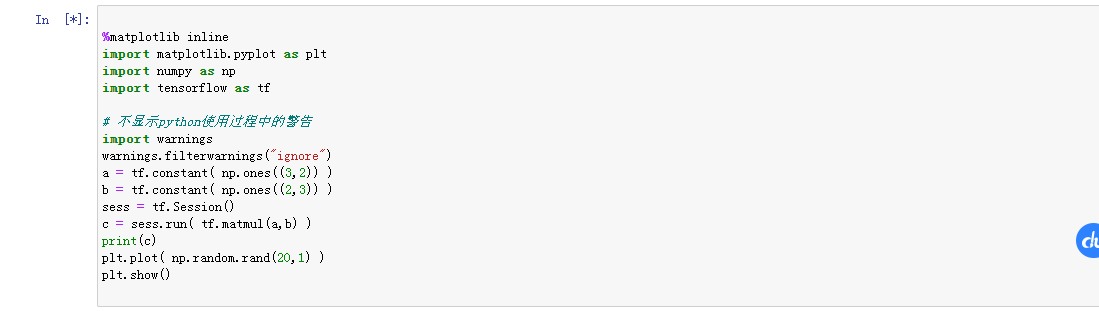
Jupyter notebook use experience
Jupyter notebook use experience Open jupyter notebook After activating the tensorflow environment on the command line, enter jupyter notebook to open Run jupyter notebook Select the code block and cli...