Flutter in solving ListView with AppBar not use blank space appears at the top
ListView head has a blank area, because when used with and without the AppBar ListView, there is a head padding, in order to remove padding, may be used MediaQuery.removePadding
Widget _listView(BuildContext context){
    return MediaQuery.removePadding(
      removeTop: true,
      context: context,
      child: ListView.builder(
        itemCount: 10,
        itemBuilder: (context,index){
          return _item(context,index);
        },

      ),
    );
  }
Intelligent Recommendation
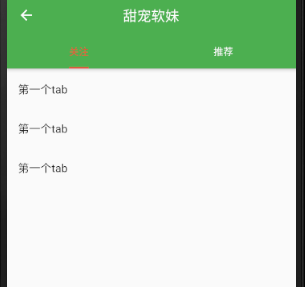
FLUTTER AppBar Defines Top Tab Switching (Fixed)
(1) Implementation effect and renderings effect: (1) The number of switches in this head is fixed, that is,Can you slide around? Tab other than HTML Rendering: (2) implementation method TAB component ...
AppBar Definition Top Tab Switch - FLUTTER
Using DefaultTabController, SCAFFold nesting has a dual AppBar solution. One is in the title of AppBar, the effect is not ideal. One is the Title of the inner appbar is null, adjust AppBar Toolbarheig...
12. Flutter - AppBar Custom Top Navigation
1. FLUTTER AppBar Custom Top Button Icon, Color Attributes: Attributes describe leading A control displayed in front of the title, the application is usually displayed in the homepage LOGO; usually di...

Flutter Listview usage tutorial, click event, leave blank at the top of ListView (the first row size is different)
Flutter Listview use tutorial, click event, leave blank at the top of ListView (the first row size is different) solution. Just copy the code below and run it yourself. The basic code is here:https://...
ListView list appears to return blank
Solved by setting properties: Solved by refresh: Add a return message event on the previous page, return the original list in the list page, set the dataSource, and call the method to get the data....
More Recommendation
There are many blank heights in the top of the listView
Question: FLUTTER immersive page, there will be a holiday in the top of the ListView in the flutter page. solution: Reference:https://github.com/flutter/flutter/issues/14842...

Flutter removes AppBar to click on the effect of water ripples and the gray background that appears
TIPS: [Mini Program Cloud Development] Interview question bank (source code: contact me in the applet). ---------- Creation is not easy. Thank you for your support!...
Flutter top appBar drop -down picture linkage zoom
Use CustomScrollView+Sliverappbar+Animation 1. Display interface 2. The drawbar drawn...