There is a blank at the top of ListView in Flutter
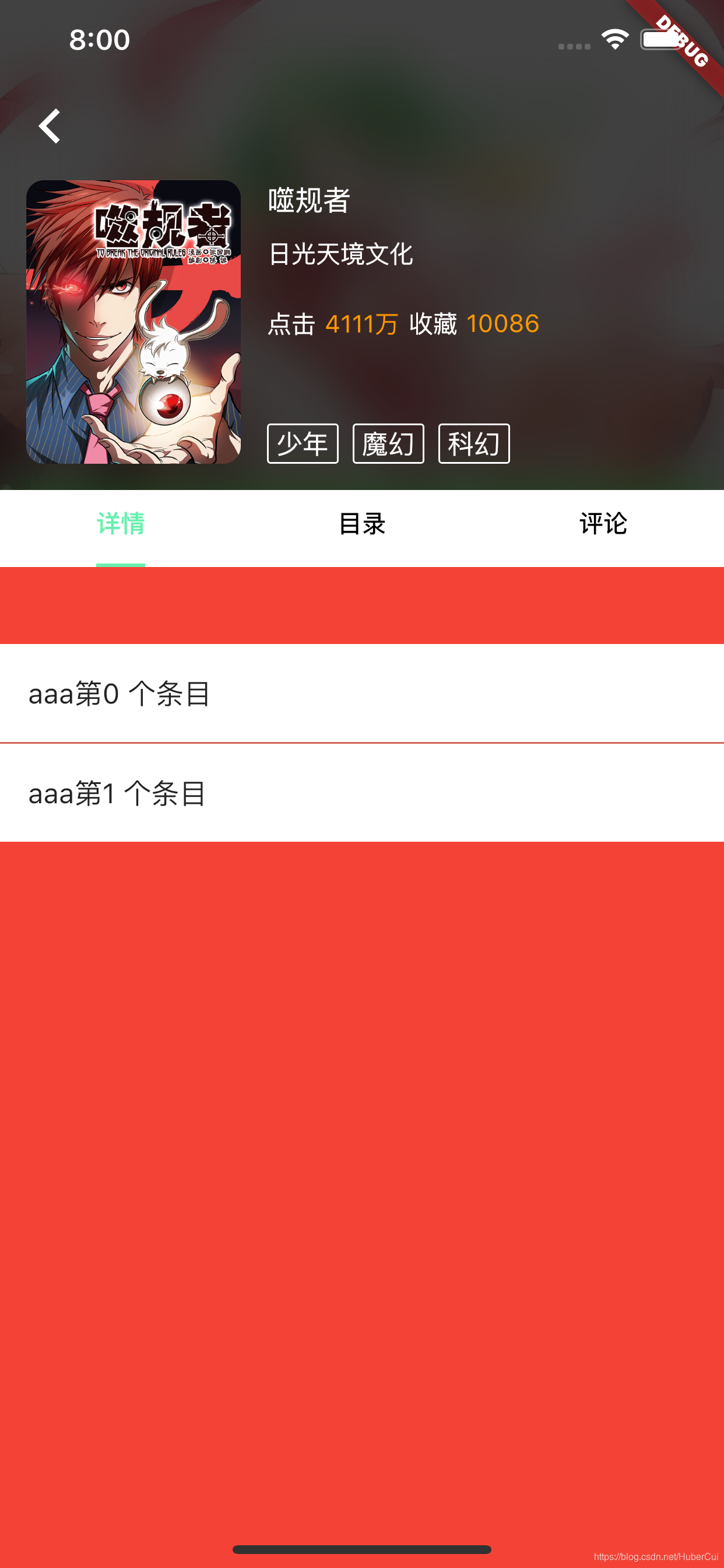
There is a blank area in the head of ListView, because when ListView is not used with AppBar, there will be a padding in the head. In order to remove padding, you can use MediaQuery.removePadding to wrap this ListView
MediaQuery.removePadding(context: context,removeTop: true, child: _buildListView('aaa'))Compare as shown below

Intelligent Recommendation

flutter ListView
ListView class, the scrolling list inside flutter, can be used instead of our commonly used scrollView, the tableView effect is also preferred. Subsequent articles will be combinedGridView classTo ach...
Flutter-ListView
List of Flutter components The use of ListView is divided into static and dynamic: Static: fixed write dead ListView Dynamic: Dynamically fetching data from outside is displayed in the List Static Int...

FLUTTER -------- ListView
2019 Unicorn Enterprise Heavy Recruitment Python Engineer Standard >>> Learn flutter, share some common knowledge of learning, first come talk about ListView Case effect: ...
ListView - flutter
Vertical list Horizontal list Dynamic building listile Use ListView.Builder...
More Recommendation
[Flutter] Nested ListView in ListView
In the development business, there are many scenarios where a vertically arranged ListView is applied to a horizontally arranged ListView, but if it is directly applied, an error will be reported. So ...
Flutter develop ------- nested ListView ListView
ListView nested ListView Foreword Examples of code analysis Foreword In the actual development, we often encounter the ListView nested ListView Examples of code analysis This time it is the most impor...
ListView list appears to return blank
Solved by setting properties: Solved by refresh: Add a return message event on the previous page, return the original list in the list page, set the dataSource, and call the method to get the data....

flutter widget: ListView
ListView is a list of widgets in a linear layout. ListView -extends->BoxScrollView -extends->ScrollView -extends->StatelessWidget ListView is the most commonly used sliding component. It disp...
Use of ListView in Flutter
This small example uses the Douban API.Movie being releasedThe main effects of the open interface are as follows: JSON data structure Item structure The structure of Item is aCard Contains oneRow Then...