Arduino serial data read and write
Source:
char teststring;
void setup() {
Serial.begin (9600); and serial communications between the // Arduino
}
void loop() {
while(Serial.available()>0){
teststring = Serial.read();
Serial.println(teststring);
delay(1000);
}
}
Output:
Remarks:
When using the read () function, can only read 1-byte data, if a character string to be read, can use the "+ =" operator to successively added to the character string, reference is made here "program the Arduino design basis "in the example:
Finish
2018/06/21

Intelligent Recommendation
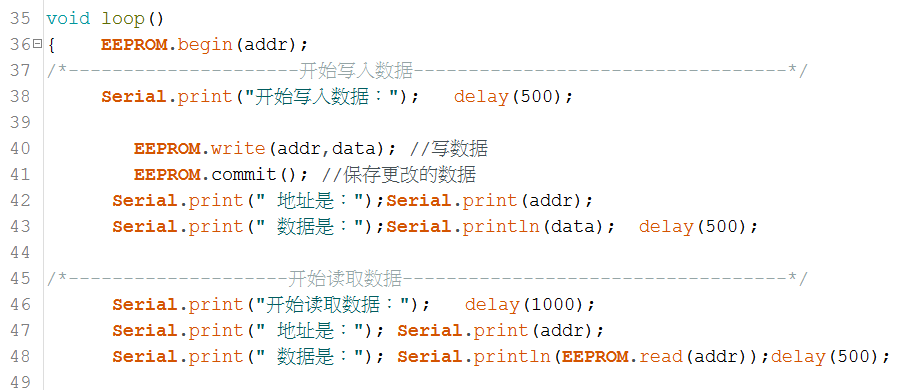
Arduino ESP8266 data read and write storage operation: EEROM
The EEPROM in the Arduino core for the ESP is a storage area opened up in the flash; call #include <EEPROM.h> to use the EEPROM; The default EEPROM object size is 4096 bytes, and the user operat...
The correct answer of CONMISANMA-JAVA uses RXTX to read and write the ARDUINO serial port (COM port)
Part of the content is reproduced from:Using Java to Realize Simple Serial Communication Test system: DEEPIN LINX 15.6 Test software: NETBEANS 8.2 & arduino 1.8.4 Test hardware: ARDU...
CommModify serial data modification simulation, serial data read and write simulation, serial data modifier
CEIWEI CommModify serial data modification analog read and write v3.2.3 CommModify can be embedded in your App program, so that you can intercept, record, and modify analog serial data in your ...
Python serial read and write
If you do not pyserial installed you need to install: pip install pyserial ...
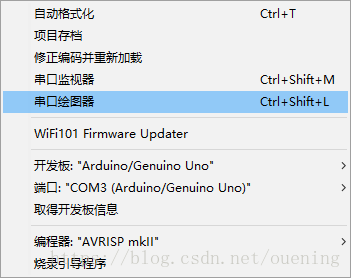
Arduino serial data visualization method
System: win10 64bits Arduino IDE: 1.8.5 Arduino development board: UNO Arduino can easily operate the sensor to obtain sensor data. After getting the data, we are more concerned about data visualizati...
More Recommendation

Python reads arduino serial data
Background: Arduino101 board can measure attitude data: heading (heading angle), pitch (pitch angle), roll (roll angle), use Python to read the serial port data and save it to the computer. Open the s...
Arduino-01 serial port read and extract parameters
The above code is the extraction of the parameters in the serial port command by Arduino. The source of the serial command can be Matlab, for example: ...
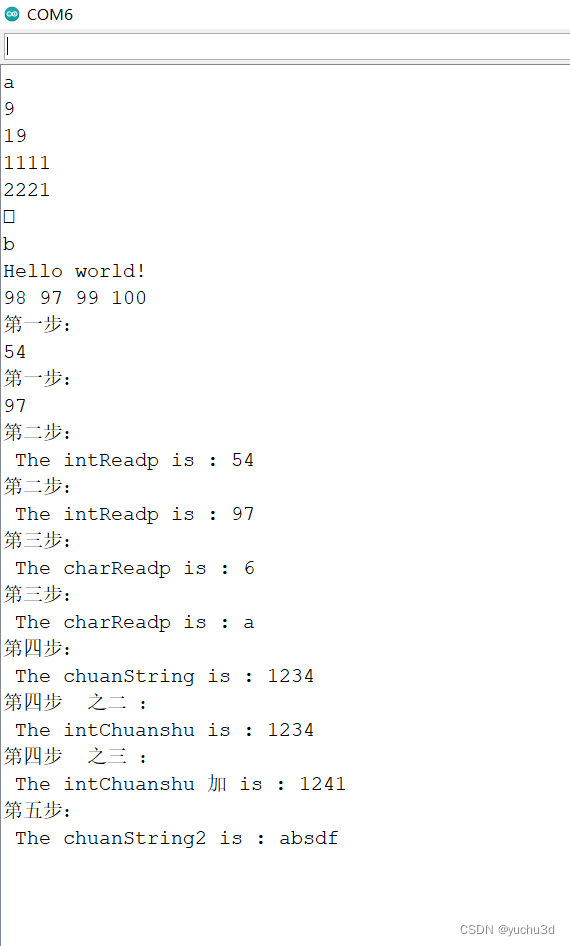
The summary of the ARDUINO Serial series functions on Print Read
To sum up, a few knowledge points when learning the Arduino SRIAL function: Enter separately: 6A 6A 6A 1234 ABSDF (there is no ending character in the next right of the serial display box) The results...

Arduino routine interpretation and experiment 1.AnalogReadSerial (using the serial port to read the analog port data)
Arduino routine interpretation and experiment 1.AnalogReadSerial (using the serial port to read the analog port data) First, the interpretation of the routine: /* AnalogReadSerial //Read the analog po...

Solution to unstable Arduino using soft serial port to read ESP8266 module data
Solution to unstable Arduino using soft serial port to read ESP8266 module data This article was when I was doing serial communication between ESP8266 and Arduino, I found that when ESP8266 sent data ...