Notes in Noteng use notes
First, Before and After class annotations
1、@BeforeSuite、@AfterSuite
2、@BeforeTest、@AfterTest
3、@BeforeClass、@AfterClass
4、@BeforeMethod、@AfterMethod
5. Execution order: Create TestNGDomr01 TestNGDomr02 The contents of the two files are the same, see the code execution result.
import org.testng.annotations.*;

public class TestNGDome01 {
    @BeforeSuite
    public void BeforeSuite(){
        System.out.println(this.getClass().getName()+":@BeforeSuite");
    }
    @BeforeTest
    public void BeforeTest(){
        System.out.println(this.getClass().getName()+":@BeforeTest");
    }
    @BeforeClass
    public void BeforeClass(){
        System.out.println(this.getClass().getName()+":@BeforeClass");
    }
    @BeforeMethod
    public void BeforeMethod(){
        System.out.println(this.getClass().getName()+":@BeforeMethod");
    }
    @Test
    public void Test01(){
        System.out.println(this.getClass().getName()+":@Test01");
    }
    @Test
    public void Test02(){
        System.out.println(this.getClass().getName()+":@Test02");
    }
    @AfterMethod
    public void AfterMethod(){
        System.out.println(this.getClass().getName()+":@AfterMethod");
    }
    @AfterClass
    public void AfterClass(){
        System.out.println(this.getClass().getName()+":@AfterClass");
    }
    @AfterTest
    public void AfterTest(){
        System.out.println(this.getClass().getName()+":2AfterTes");
    }
    @AfterSuite
    public void AfterSuite(){
        System.out.println(this.getClass().getName()+"@AfterSuite");
    }
}
//result
TestNGDome01:@BeforeSuite
TestNGDome02:@BeforeSuite
TestNGDome01:@BeforeTest
TestNGDome02:@BeforeTest
TestNGDome01:@BeforeClass
TestNGDome01:@BeforeMethod
TestNGDome01:@Test01
TestNGDome01:@AfterMethod
TestNGDome01:@BeforeMethod
TestNGDome01:@Test02
TestNGDome01:@AfterMethod
TestNGDome01:@AfterClass
TestNGDome02:@BeforeClass
TestNGDome02:@BeforeMethod
TestNGDome02:@Test01
TestNGDome02:@AfterMethod
TestNGDome02:@BeforeMethod
TestNGDome02:@Test02
TestNGDome02:@AfterMethod
TestNGDome02:@AfterClass
TestNGDome01:@AfterTest
TestNGDome02:@AfterTest
TestNGDome01:@AfterSuite
TestNGDome02:@AfterSuite

===============================================
Suite1
Total tests run: 4, Failures: 0, Skips: 0
===============================================

Process finished with exit code 0
Second, the relevant attributes of @Test
1, alwaysRun: If it is true, it means that the test method that the test method depends on will continue to execute even if it fails.
2, dataProvider: The constructor that selected the incoming parameters.
3, dataProviderClass: Determine the Class class of the parameter constructor.
4. dependsOnGroups: Determines the name of the pre-test group that is dependent.
5. dependsOnMethods: Determines the pre-test method for dependencies.
6. enabled: The default is true. If you specify false, the test method is not executed.
7. ExpectedException: Specifies the exception that is expected to be thrown by the test method. Multiple exception types are separated by commas.
8. groups: Specify the group to which the test method belongs. You can specify multiple groups, separated by commas.
9, invocationCount: refers to the number of times the test method needs to be called
10, invocationTimeOut: The time of each timeout call, in milliseconds.
11, priority: test method priority setting, the lower the value, the higher the priority.
12. timeOut: The timeout period of the entire test method, in milliseconds.
Third, TestNG parameterization
1, @Parameters, used with testng.xml, note that you need to run the testng.xml file or you will get an error.
import org.testng.annotations.Parameters;
import org.testng.annotations.Test;

public class ParametersTestng {
@Parameters({"first-name"})
@Test
public void test(String name){
    System.out.println(name);
}

@Parameters({"first-name","second-name"})
@Test
public void test2(String name1,String name2){
    System.out.println("full name:"+name1+" "+name2);
    }
}
//xml file
<!DOCTYPE suite SYSTEM "http://testng.org/testng-1.0.dtd" >
<suite name="Suite1" verbose="1" >

    <test name="test1" >
        <parameter name="first-name" value="@Test1" ></parameter>
        <parameter name="second-name" value="@Test2" ></parameter>
        <classes>
            <class name="ParametersTestng" />
        </classes>
    </test>
</suite>
2、@DataProvider
If you reference an external @DataProvider, you need to declare the method as Static, and you need to label dataProviderClass when referring.
import org.testng.annotations.Test;

public class ParametersTestng {

    @Test(dataProvider = "DataProviderTest",dataProv

iderClass = DataProviderTest.class)
    public void test(String name1,String name2){
        System.out.println(name1+":"+name2);
    }
}
public class DataProviderTest {
    @DataProvider(name = "DataProviderTest")
    public static Object[][] Datatest(){
        return new Object[][]{
            {"first-name","zhang"},
            {"second-name","san"}
        };
    }
}
Fourth, xml configuration file
1. Create a testng.xml file and declare the suite name to describe the set of test scripts to run.
2, you can choose a package to execute.
3, you can choose a class to execute
4, you can select some methods under the class to execute.
5. You can specify group execution.
/ / File can not be executed Just to list how to select packages, classes, methods, group execution
<!DOCTYPE suite SYSTEM "http://testng.org/testng-1.0.dtd" >
<suite name="Suite1" verbose="1" >
    <test name="test1" >
        <groups>
            <run>
                <include name="01"></include>
            </run>
        </groups>
        <packages>
            <package name="com.java.code"></package>
        </packages>
        <classes>
            <class name="TestClass" >
                <methods>
                    <include name="test01"/>
                </methods>
            </class>
        </classes>
    </test>
</suite>
V. ReportNG report
1, modify the pom file to add
<dependencies>
<dependency>
    <groupId>org.uncommons</groupId>
    <artifactId>reportng</artifactId>
    <version>1.1.4</version>
    <exclusions>
        <exclusion>
        <groupId>org.testng</groupId>
        <artifactId>testng</artifactId>
        </exclusion>
    </exclusions>
</dependency>

<dependency>
    <groupId>com.google.inject</groupId>
    <artifactId>guice</artifactId>
    <version>4.0-beta5</version>
</dependency>
</dependencies>

<build>
        <plugins>
            <plugin>
                <groupId>org.apache.maven.plugins</groupId>
                <artifactId>maven-surefire-plugin</artifactId>
                <configuration>
                    <suiteXmlFiles>
                        <suiteXmlFile>src/test/java/testng.xml</suiteXmlFile>
                    </suiteXmlFiles>
                    <properties>
                        <property>
                            <name>usedefaultlisteners</name>
                            <value>false</value>
                        </property>
                        <property>
                            <name>listener</name>
                            <value>org.uncommons.reportng.HTMLReporter</value>
                        </property>
                    </properties>
                    <workingDirectory>target/</workingDirectory>
                </configuration>
            </plugin>
        </plugins>
    </build>
2, modify the testng.xml file to add
/ / Configure in the element
<listeners>
    <listener class-name="org.uncommons.reportng.HTMLReporter"/>
    <listener class-name="org.uncommons.reportng.JUnitXMLReporter"/>
</listeners>
3. Run the testng.xml file. You can view the generated ReportNG report in test-output\html\index.html in the current directory.
other
1. Use the testng class to create a java class file under Project-"src-"test-"java.
2, create a testng.xml file, File-"New-"File-"testng.xml.
3, Project's Groupid can be viewed in the pom.xml file.
Intelligent Recommendation
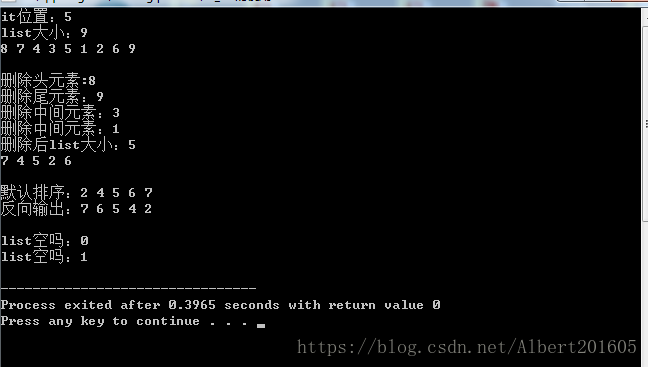
C++ notes list use
List is a doubly linked list, header file #include<list> 1. Basic operation insert:Headend, tailend, middle (through iterators) Find:There is no member function, only the iterator can be returne...
Hadoop notes (a) installation and use
1, must bind the host name and IP, otherwise the remote will not connect vi /etc/hosts 2, set ssh free login (1) ssh-keygen, always enter (2)ssh-copy-id localhost 3, install Java (1) Install jdk1.8: (...
Oracle use index in the notes
1. Use the unequal operator (<>, !=) In the following case, even if the column dept_id has an index, the query still performs a full table scan. select * from dept where staff_num <> 1000;...
FusioCharts use notes (2)
Thanks to Dowager A's FusionCharts Free Chinese Development Guide, I have taken a lot of detours. But there is still a difficulty, how to use smart strings and splicing dynamic data into dataXml in an...
Paperclip learning to use notes
paperclip Is a plugin for rails processing attachments, compared to the pastattachment_fuWaiting for better efficiency and use. paperclipUploaded image attachmen...
More Recommendation
Notes on the actual use of undo
Need to delete large amounts of data from time to time because of work needs Due to the ability problem, I am afraid to schedule the deletion. And due to performance issues, only 4G undo tablespace on...
javaRebel (jRebel) use notes
Presumably everyone in the project development, debugging class file modification, the container automatically reloading the long process has long been tired, I am free today, so I want to try javaReb...
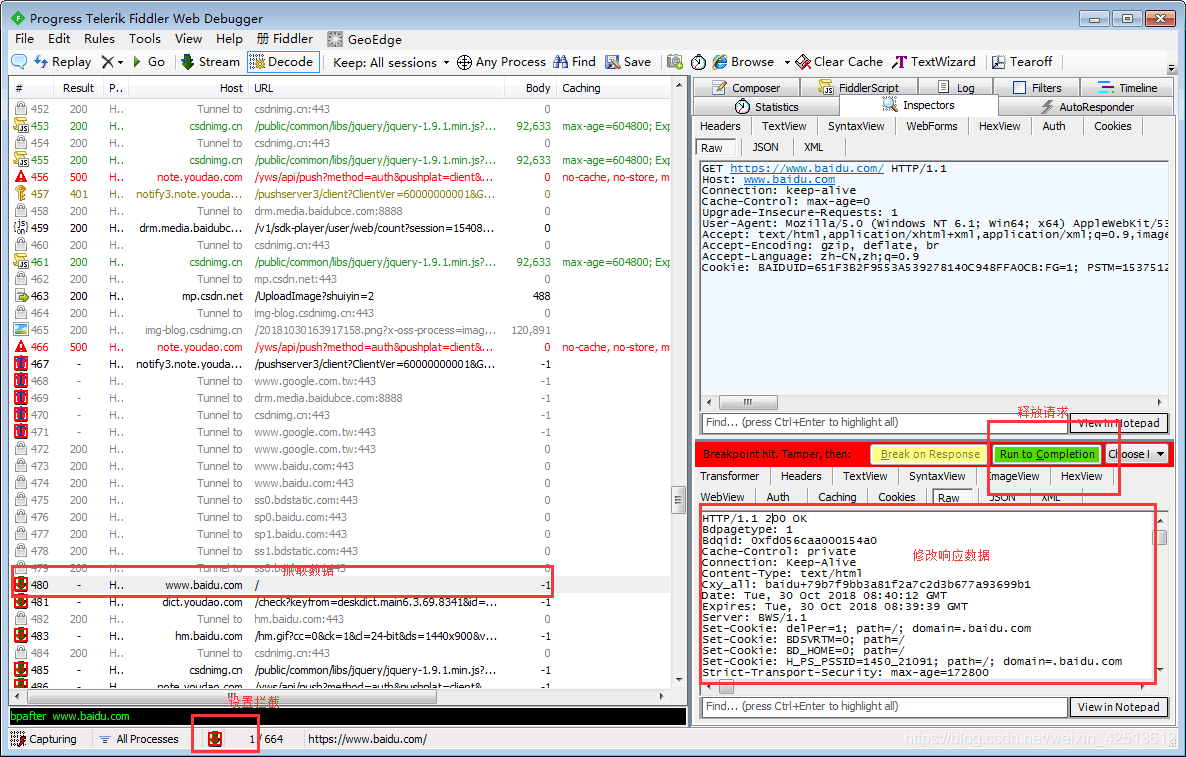
Fiddler use notes
Fiddler use Basic introduction of fiddler Fiddler's official website:www.fiddler2.com Fiddler's official help:http://docs.telerik.com/fiddler/knowledgebase/quickexec fiddler is a web-side debugging to...
Some notes on the use of EditText
1. How to make a line break when EditText is setText() We just need to ensure that the singleLine is false, and set the width is fixed, you can automatically wrap, pay attention not to set here Otherw...
Git use notes
table of Contents Download and install 1. Download the Git client 2. Install the Git client Git configuration Github secret login Enter Git Configure local users and mailboxes Git command initializati...