JMeter basics: the difference between request parameters and body data
When testing with Jmeter, many people do not know the difference and use of request parameters and body data. Here is a brief introduction:
First understand the basic concept of an interface
In the request-response between the client and the server, the HTTP protocol includesGET and POSTTwo basic request methods, the conceptual difference between the two is:
- get: Request data from the specified resource.
- post: Submit the data to be processed to the specified resource
The most intuitive performance is:
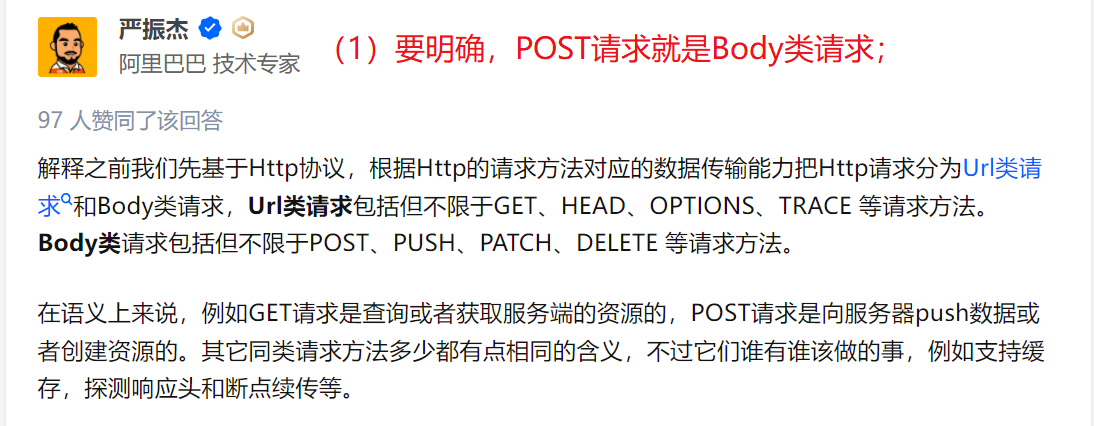
GET includes the parameters in the URL, and POST passes the parameters through the request body to submit the entire request to the server.Therefore, two methods should be distinguished in the interface test.
Jmeter contains two parameterization methods of Parameters and Body Data, what is the difference?
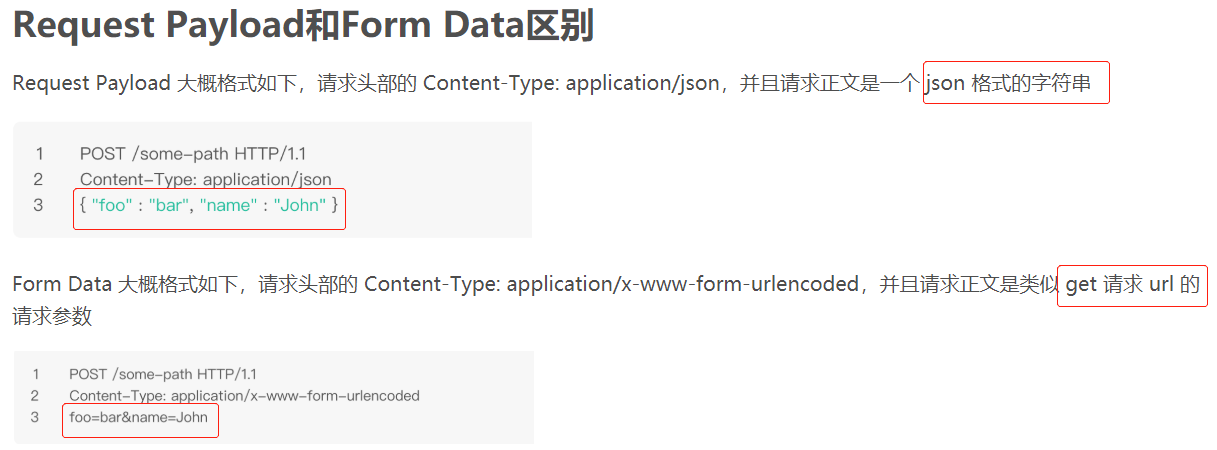
- When using Parameters, the Content-Type is not transmitted, or application / x-www-from-urlencoded is directly transmitted. If application / json is passed, an error occurs.
- When using Body Data, Content-Type can pass application / x-www-from-urlencoded or application / json, the difference between the two is the data format.
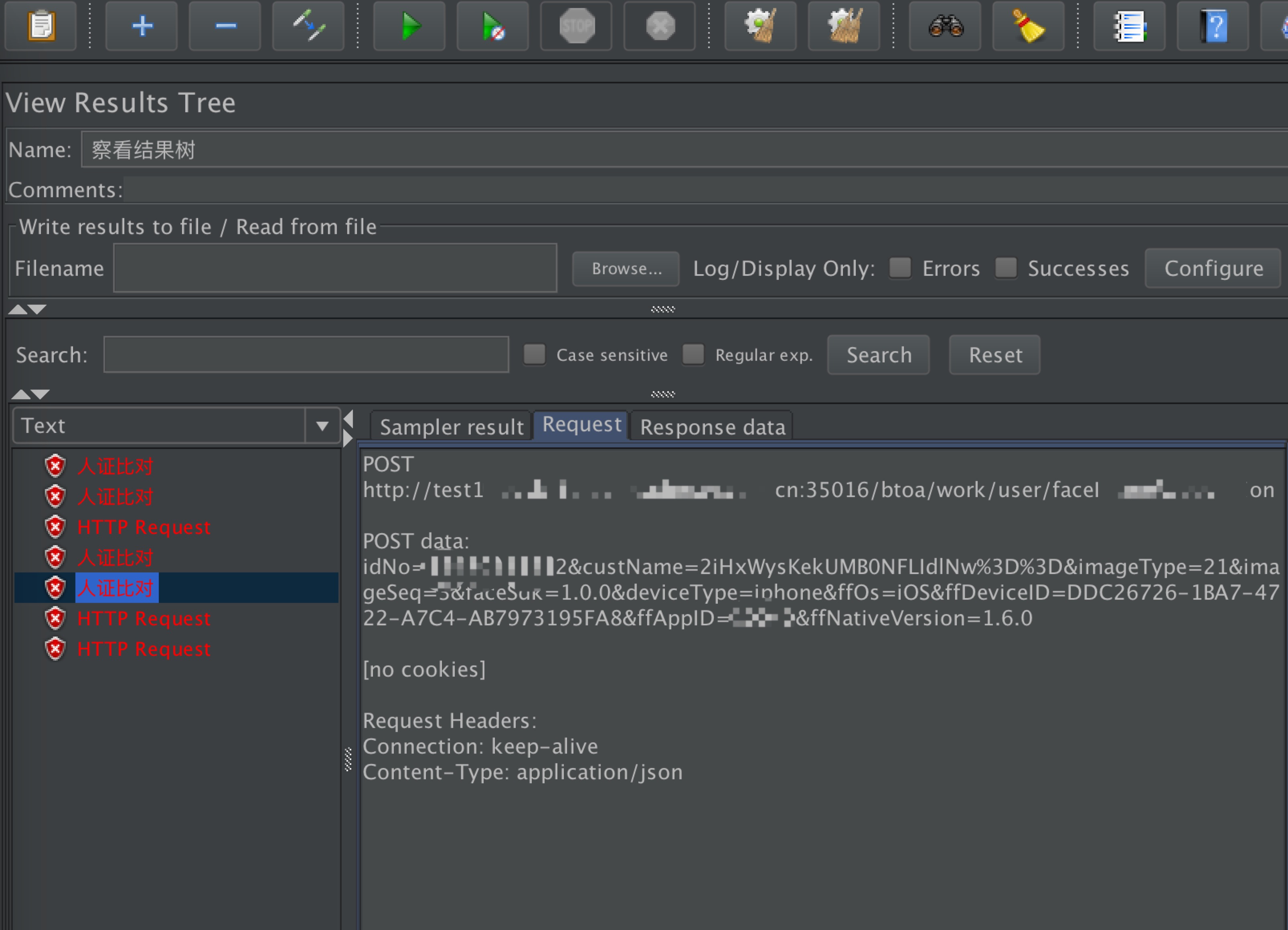
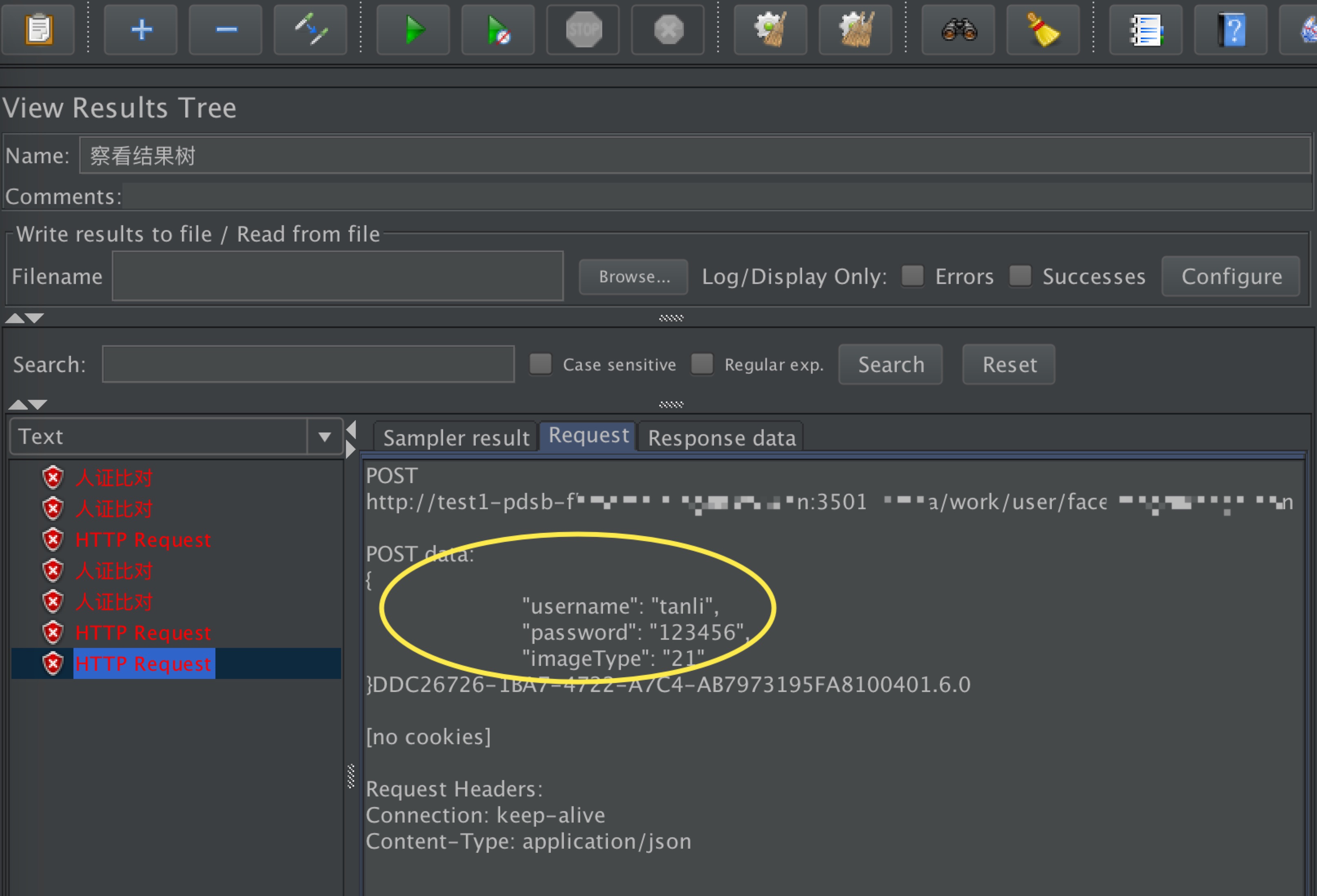
The difference can be seen from the post data:
Parameters request data:
Request data for body data:
Therefore, how to use the two parameterization methods of Jmeter Parameters and Body Data?
Generally speaking, Parameters for Get requests and Body Data for Post requests.
The exact statement for Post is:
- For common post request and upload interfaces, select Parameters.
- JSON and XML point data format request interface, select Body.
To explain in detail, according to the format of the post request data, there are two cases: map format and json format.
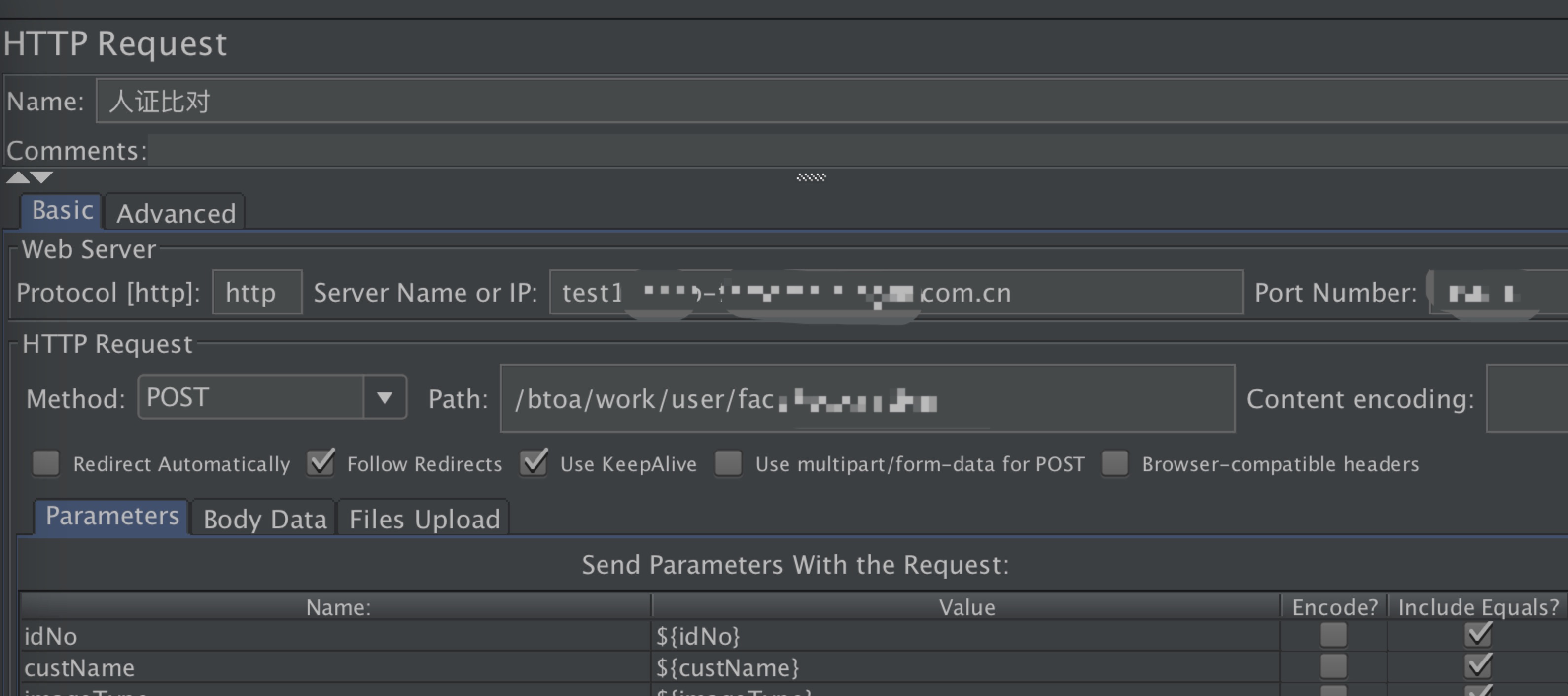
- Post request data is in map format
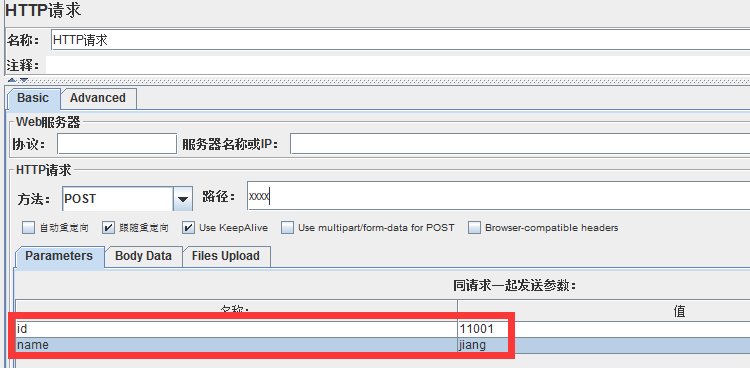
When the post request data is in map format, that is, the parameter name and parameter value are key-value key-value pairs, the requested parameters can be added to the Parameters parameter table, as shown below:
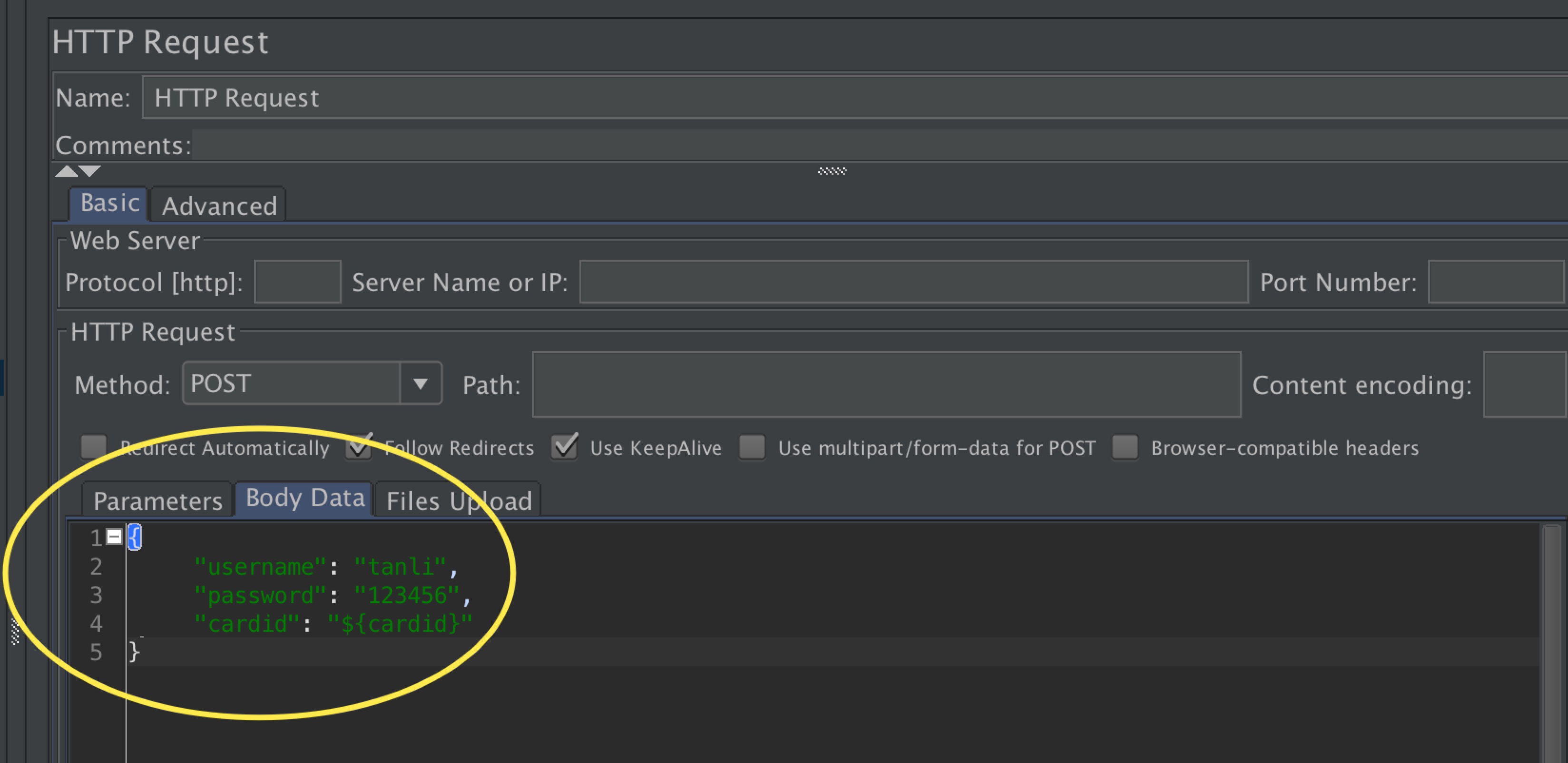
- Post request data is in json format
At the current stage, it is more popular to pass parameters in json format. When using jmeter, add the json format request data to the http request BodyData, as shown below:
{
"username":"tanli",
"password":"123456",
"carddid":"${carddid}"
}
In addition, due to the POST request method, if the content-type of the headers is not set, the data will be submitted by application / x-www-form-urlencoded by default. In order to ensure that the Post request is transmitted in json format, you also need to declare the request parameter format as json in the request header. The specific operations are as follows:
Thread Group right-click Add "Config Element" HTTP Header Manager, open the HTTP header manager, Add a Name for Content-Type, Value for application / json, as shown below, a json format post request is completed ~

Intelligent Recommendation

The difference between body{}, and .body{}
One is the html tag <body>; The other is the class body, which is .body; such as <div class="body"></div> .body{} is a class. It is valid only when class="body&...
The difference between Query String Parameters, Form Data and Request Payload of HTTP request parameters
1、Query String Parameters The parameters of the initiating get request are displayed on the url, and the parameters follow? Separate different parameters with & Example (backendspringboot restfuls...

The difference between GET and POST in the request header and the request body
First, the scene is briefly described The GET request and POST request in the HTTP protocol have always been a common problem for many beginners, but some of them are rarely mentioned. The author of t...
The body data in jmeter is submitted using the json format of the post request
I previously introduced the default submission form of jmeter post to express submission, Content-type = "application / x-www-form-urlencoded", use the form of directly filling in the parame...
Parameters Request in Body HTTPUTIL
Direct code: ... ...
More Recommendation
The difference between params and data when Axios sends a request [request payload and query string parameters]
1, Error example—query string parameters 2. Correct example—request payload Just will 3-1, parse request payload and query string parameters Back-end interface requirements -------- The po...
The difference between body and query parameters in front-end post requests
The most commonly used front-end requests are get requests and post requests Get request can only pass query parameters, query parameters are all spelled on the request address post can pass parameter...
Additional: [POST request: What is the difference between putting method parameters in the url and putting them in the body]; also includes [@Param, @RequestParam, @RequestBody these three [related to receiving parameters] annotations, summary];
illustrate: (1)Why did you write this blog? :exist【Spring Boot e-commerce project 23: Commodity classification module 2: [Add catalog classification] interface;], I found that some POST request parame...
Post request the difference between the back -end Body and Query
mistake: Required request parameter ‘username’ for method parameter type String is not present reason: The request parameter type specified in the back -end is query, and I use Body. POST ...