The difference between params and data when Axios sends a request [request payload and query string parameters]
tags: Problem solving record ajax post http vue
1, Error example—query string parameters
promise = service.delete(url, {params: params} )

export const removeGroupById = (param) => {
  return ajax('/trap', `/agentGroup`, param, 'DELETE')
}

 # id_arr is an array
this.removeGroupById(id_arr)


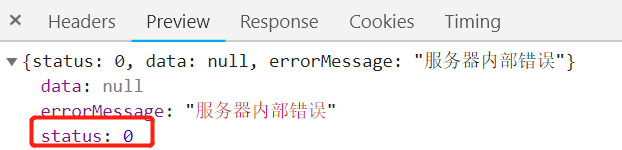
2. Correct example—request payload
Just will
promise = service.delete(url, {params: params} )
 Change to
promise = service.delete(url, {data: params} )
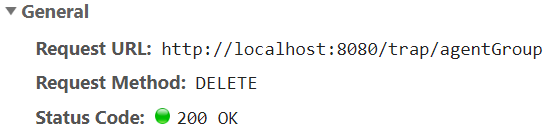
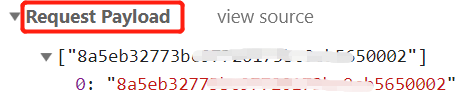
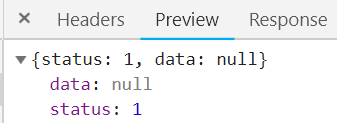
3-1, parse request payload and query string parameters
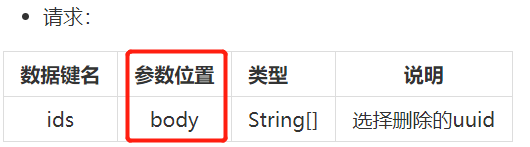
Back-end interface requirements -------- The position of the request parameter is written in the body! ! !
[1] GET generates one TCP data packet, and POST generates two TCP data packets.
[2] For GET requests, the browser will send the http header and data together, and the server will respond with 200 (return data);
[3] For POST, the browser first sends the header, the server responds with 100 continue, the browser then sends data, and the server responds with 200 ok (return data).
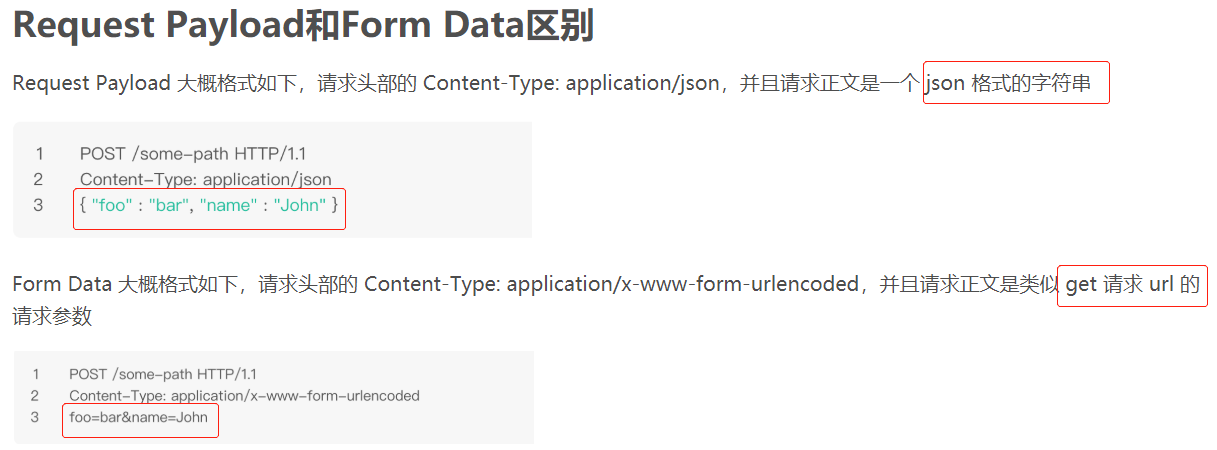
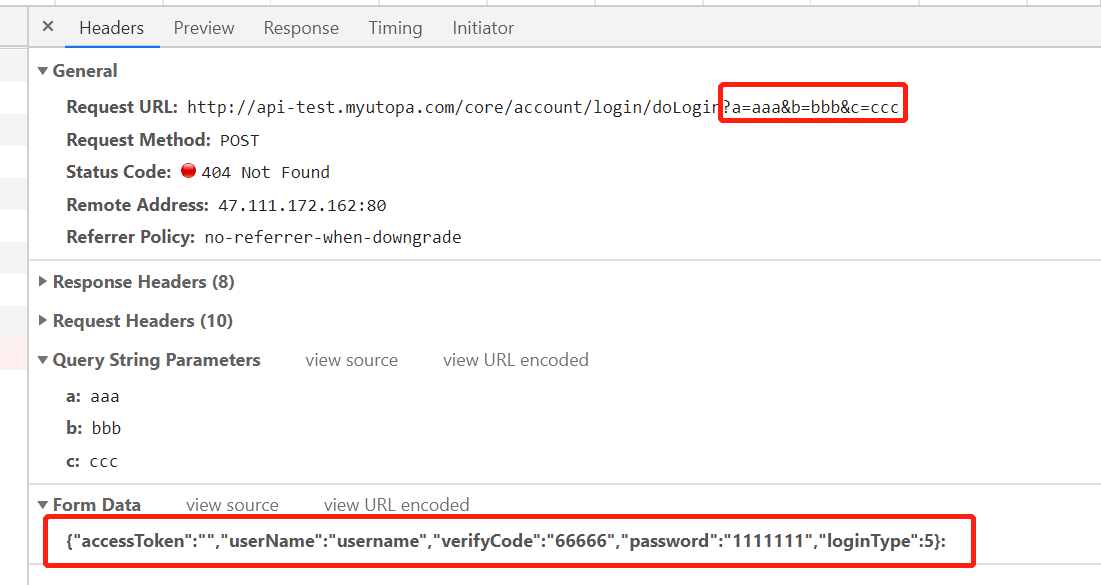
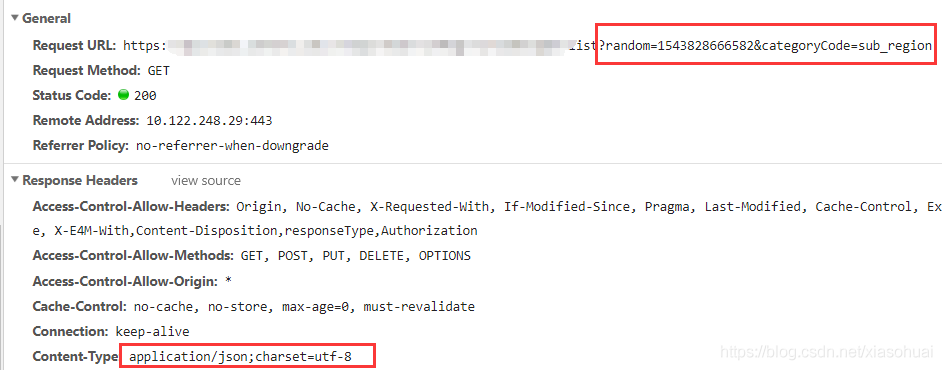
The parameters passed by the get method in http are generally query string parameters, and the requested url will be? +parameters Splicing form
Request Payload, the requested parameters are placed in the request body
3-2, The difference between params and data when Axios sends a request
Because params are added to the request string of the url, they are used for get requests.
The data is added to the request body and used for post requests.
For example, for the followinggetRequest:
axios({
	method: "get",
	url: "http://www.tuling123.com/openapi/api?key=20ff1803ff65429b809a310653c9daac",
	params: {
		info: "Xi'an Weather"
	},
})
 If we change params to data, obviously the request cannot be successful, becausegetThe data option does not exist in the request.
- When the POST form request is submitted, the Content-Type used is application/x-www-form-urlencoded,
- If a POST request using native AJAX does not specify the RequestHeader, the default Content-Type used is text/plain;charset=UTF-8.
Default value of Content-type of form in html: Content-type: application/x-www-form-urlencoded
If you use an ajax request, the request payload appears in the request header to cause the parameter method to change,
Then the solution is:
headers: {‘Content-Type’:‘application/x-www-form-urlencoded’}
Or use ajax settings:
$.ajaxSetup({contentType: ‘application/x-www-form-urlencoded’});
4. Supplement the third form data type submission—form data
axios.request({
    method: 'post',
    url: url,
    params: { key1: val1},
    paramsSerializer: function(params) {
      // arrayFormat can format your array parameters
      return qs.stringify(params, { arrayFormat: 'brackets' })
    }
  })
Intelligent Recommendation

query string parameters and request payload
In the HTTP request, if it is a get request, the form parameters are appended to the URL in the form of name=value&name1=value1; post request: The form parameters are in the request body, and are ...
axios difference data and request params
axios difference data and request params Parameters: two arrays, a string, to the backed-induced blog. When using axios, noticed configuration options include both params and data, I thought they were...
The difference between passing parameters in the form of Params or Body in Axios request
I. Introduction: The most commonly sent request in the front end is the GET request and the post request. The get request can only pass the Query parameter. The query parameters are spelled on the req...
Form data | request payload | query string parameters in HTTP request
Query String Parameters When a GET request is initiated, the parameters will be passed in the form of url string. That is, the string after the? Is its request parameter, with & as the separator. ...
About AJAX Request Data Format Formdata, Ruquest Payload, Query String Parameters Difference
When we send AJAX, we will always find the following: Query String Parameters This is an identification that occurs when the URL is behind the URL. Formdata This is a POST request, set the request hea...
More Recommendation
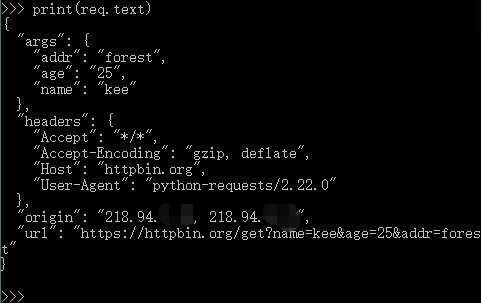
The difference between parameters in the request() function of the requests package of python-params and data
Copyright statement: Please indicate the source of the author (Dugushangliang dugushangliang) for reprinting: https://blog.csdn.net/dugushangliang/article/details/90473735 Verified and usable. ...
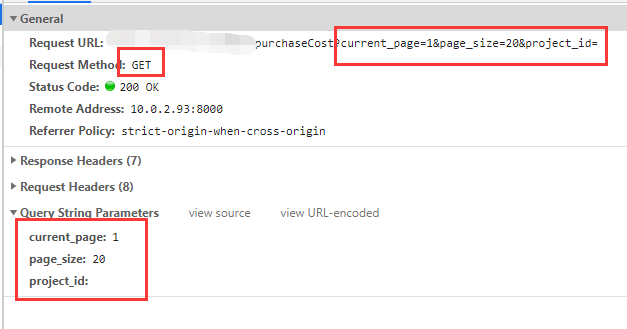
AXIOS request Data and Params
Data and Params PARAMS is a request string addition to the URL, primarily used for GET requests: generally used to obtain data, pass parameters through the URL Data is added to the request body (for t...
axios request Payload and QueryStrimg Parameters
If data occurs in a desired manner requestPayload submission, please put the parameter data which follows: If you want the data to the QueryString Parameters of submission, as follows: ...
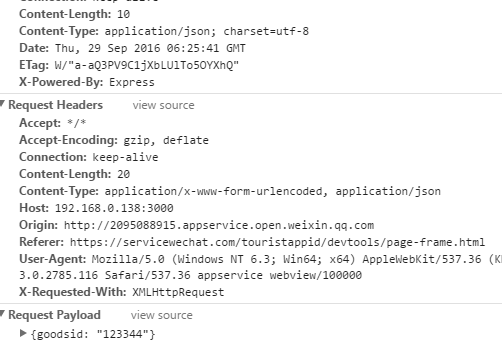
The form data, request payload, query string parameters in the HTTP request and how to receive these parameters in the node server
Today, when I was working (Diteng WeChat applet), I found that sending a post request to the node background server could not receive the parameters from the front end. In fact, it is not completely i...
There are several ways to pass parameters in HTTP request form data, request payload, query string parameters
1.query string parameters 2.form data 3.request payload ...