Simulink code generation: call Matlab function
tags: Simulink code generation simulink matlab
This paper studies the method of calling Matlab function in Simulink model.
Article Directory
1 Matlab Function module
When modeling in Simulink, sometimes you find that the functions you want cannot be realized by conventional modules and subsystems in Simulink, but can be easily realized by Matlab functions. In other words, some toolkits can be called through Matlab, but there is no such function in Simulink, but I want to implement this function in the model.
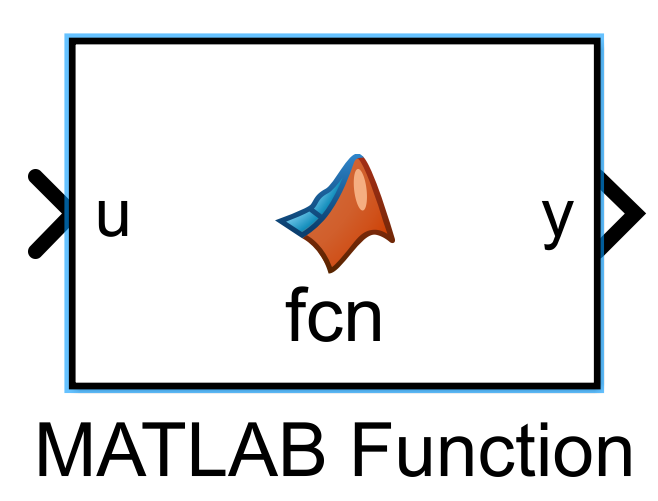
For the above problems, you can use the Matlab Function module in Simulink, and then write the Matlab code in the module. In this way, Matlab functions can be called through the Simulink model.
2 Modeling and code generation
This chapter demonstrates the modeling of Matlab Function module through examples of Pythagorean theorem.
1) Open Simulink and drag out a Matlab Function module. Double-click the module to enter, you can see that there is already a function definition named fcn inside.
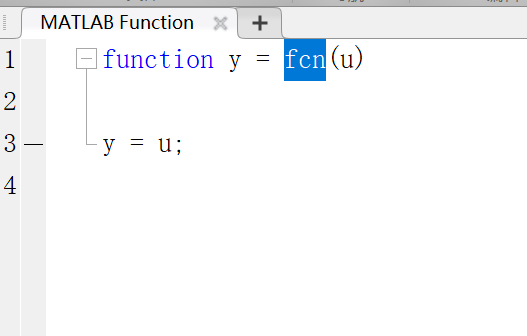
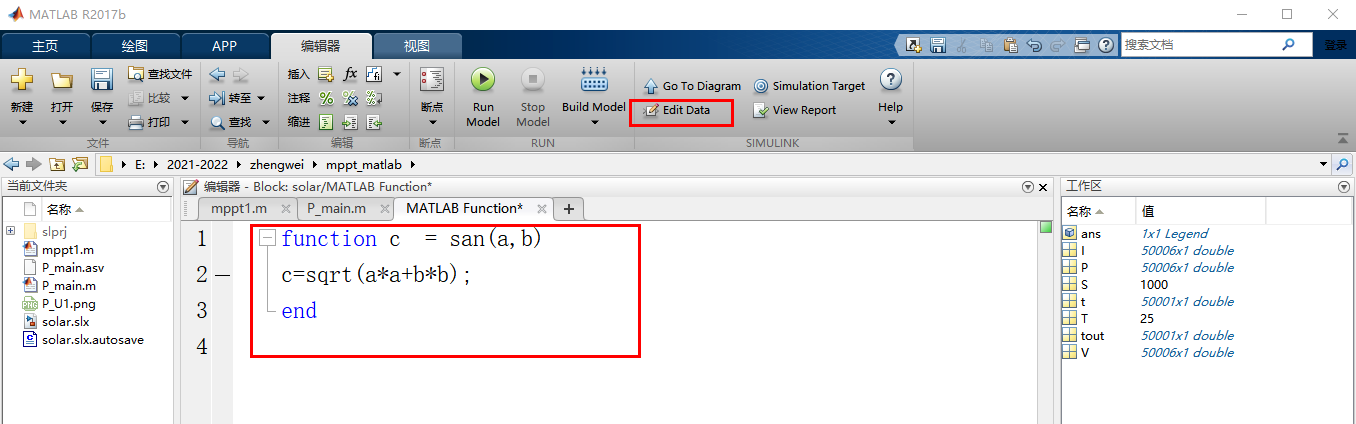
2) Modify the function to the Pythagorean theorem calculation in the figure below.
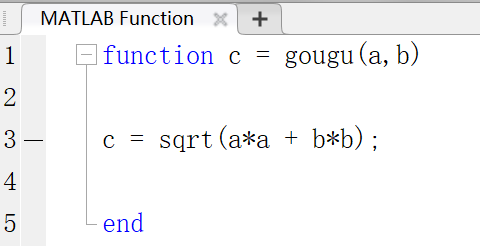
In the Matlab function c = gougu(a,b), a and b are equivalent to the input of the subsystem, and c is equivalent to the output of the subsystem.
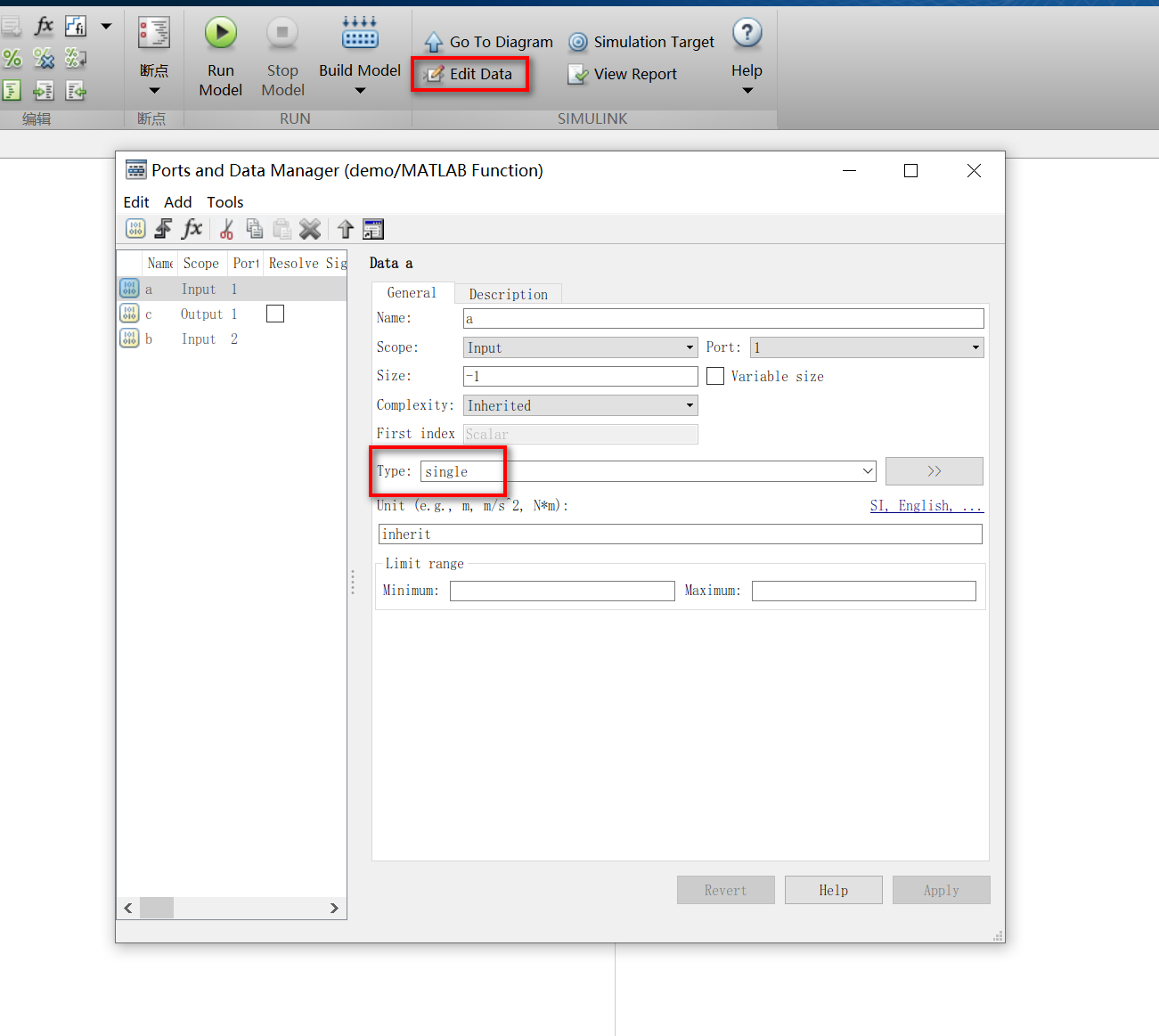
3) Click Edit Data in the upper right corner to edit the input and output attributes. Here change the input and output data types to single. It is equivalent to the type of Inport and Outport in Simulink subsystem.
4) Save and close the function editing window, add the input constant and disp module to the model, then run the model and observe the output result. Note that since the input and output data types are defined in the function, single constants must be input to the external signal interface.
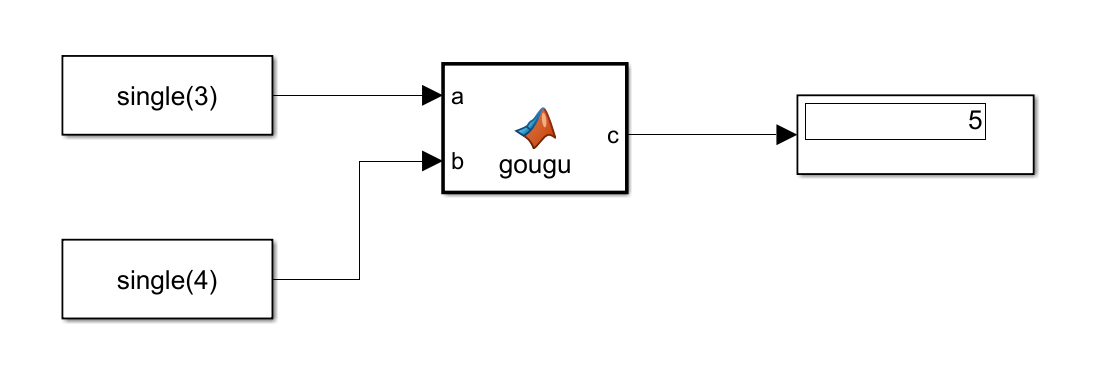
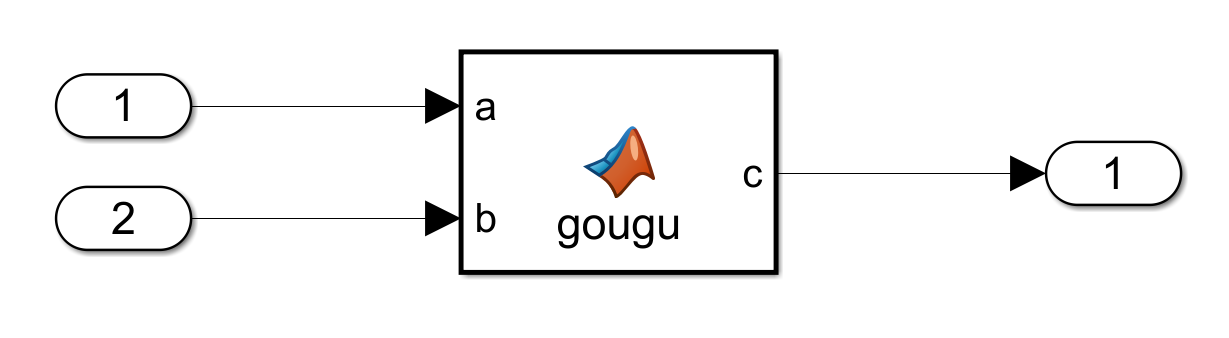
5) To generate the verification code, replace the input end with Inport and the output end with Outport and configure the code generation (refer toSimulink code generation (a) Embedded Coder configuration)。
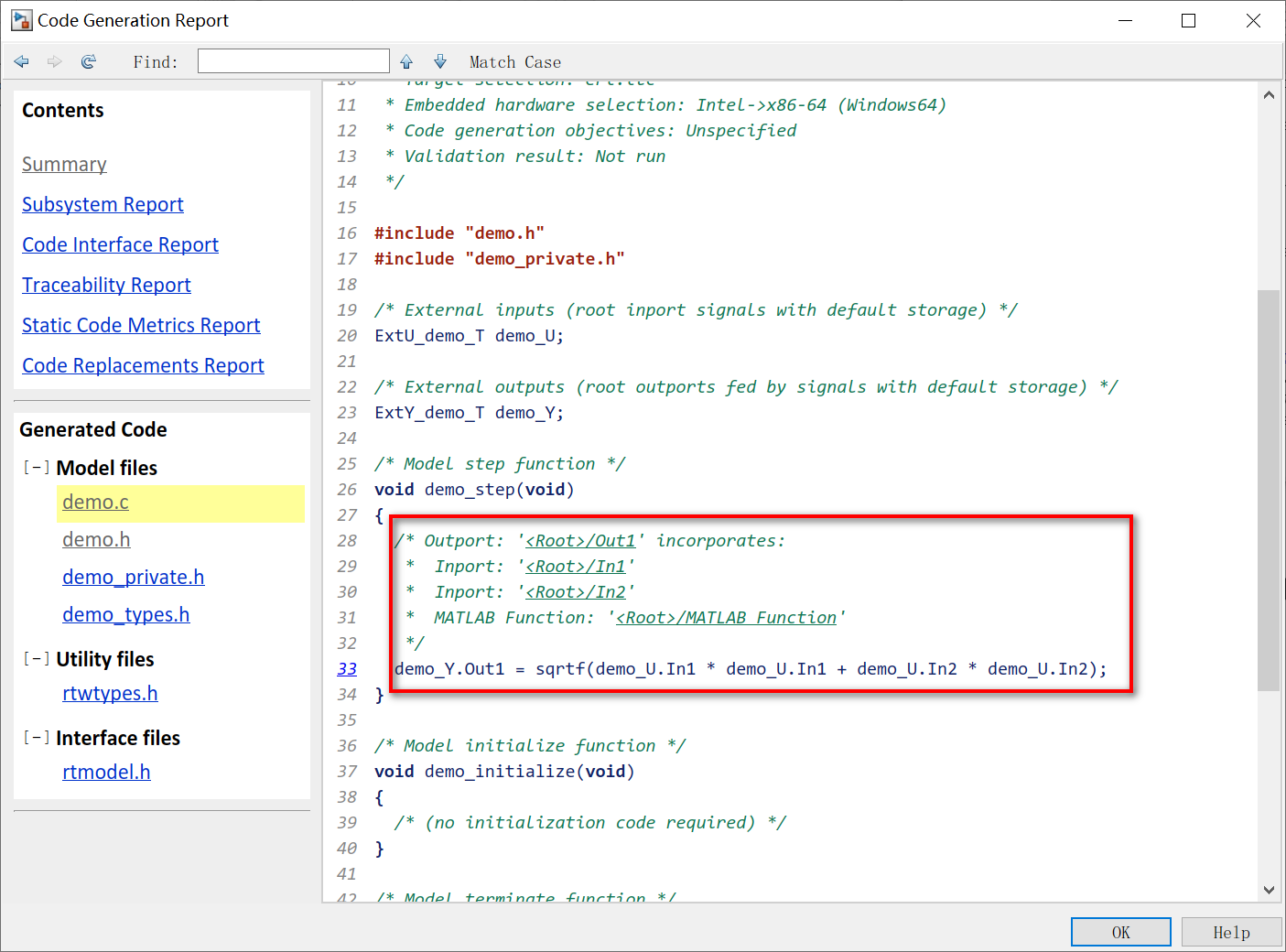
6) Ctrl + B generates code. The C code of the Pythagorean theorem is implemented in the generated step function.
3 Data management in Matlab Function
3.1 Associate Signal Object
In Edit Data, you can configure the Signal object in the input and output associated data dictionary.
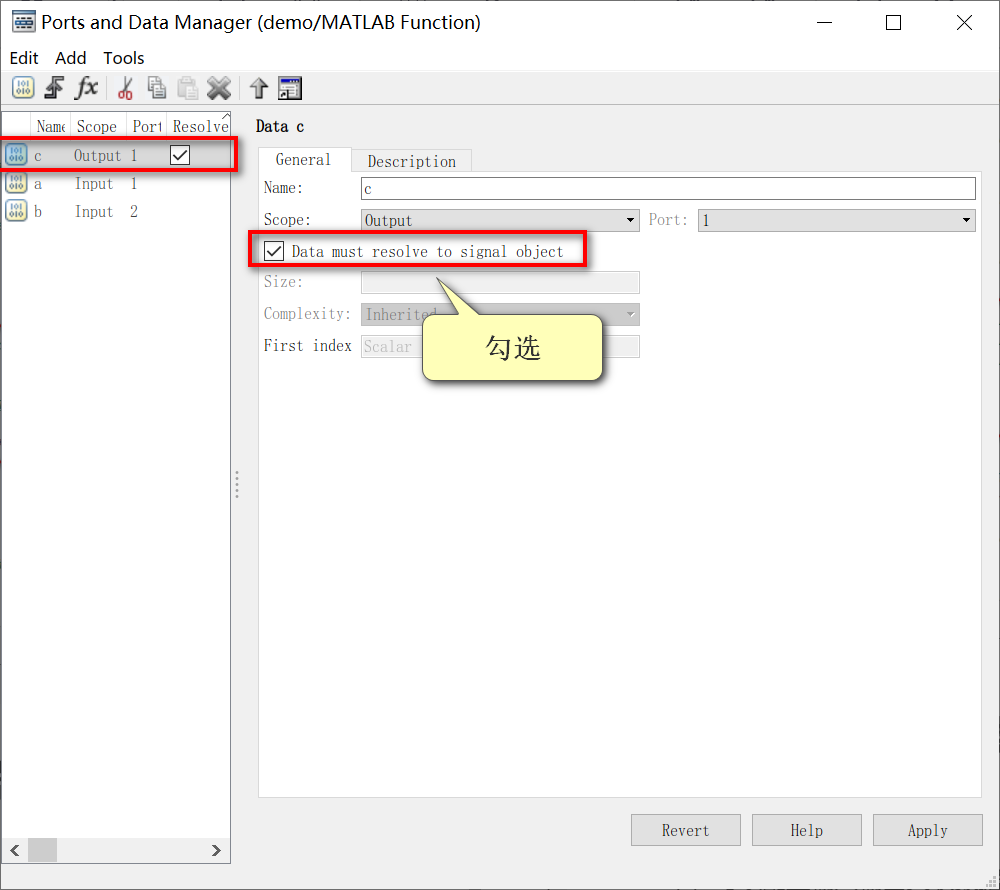
1) Check Data must resolve to signal object in Ports and Data Manager.
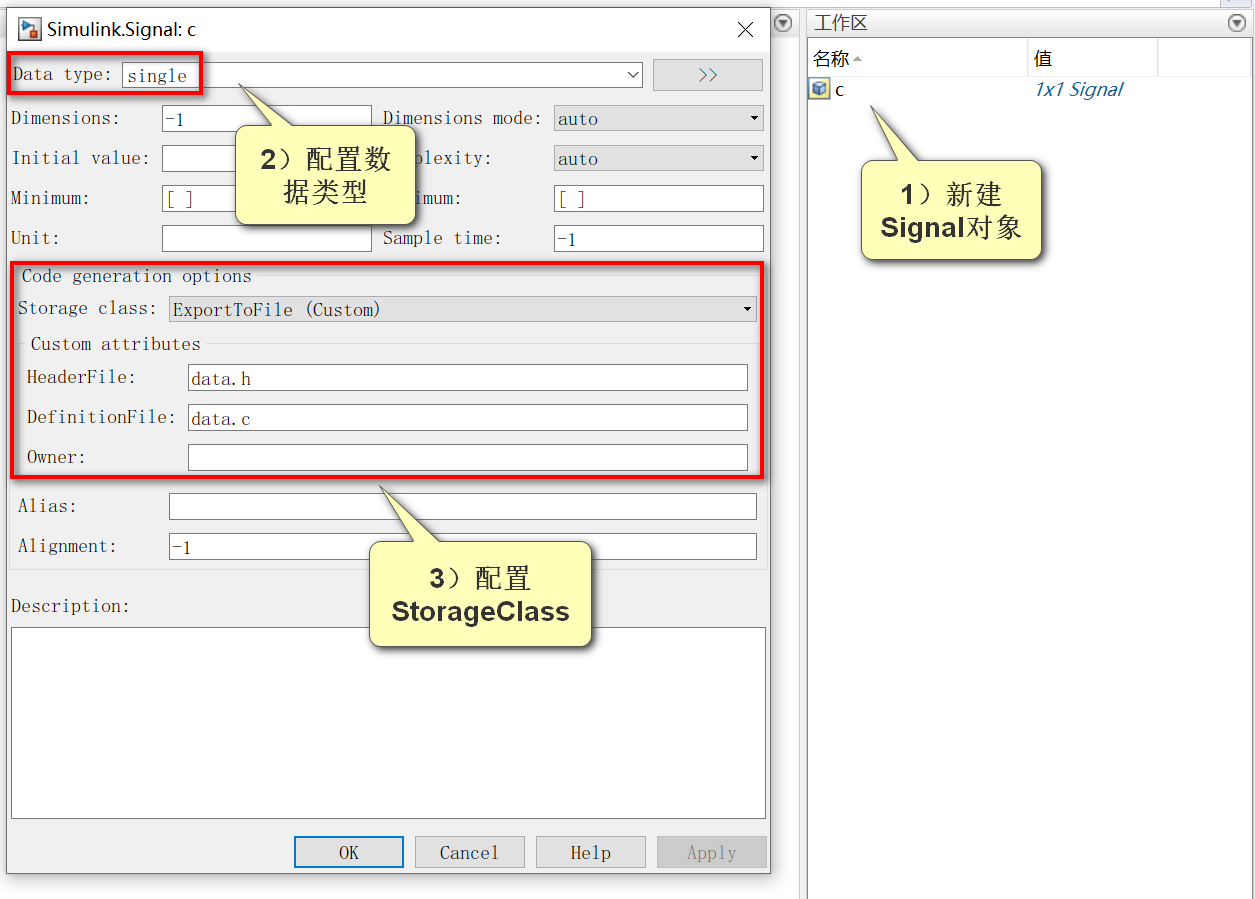
2) Create a new Signal object in the Matlab workspace, and configure the type and StorageClass as follows.
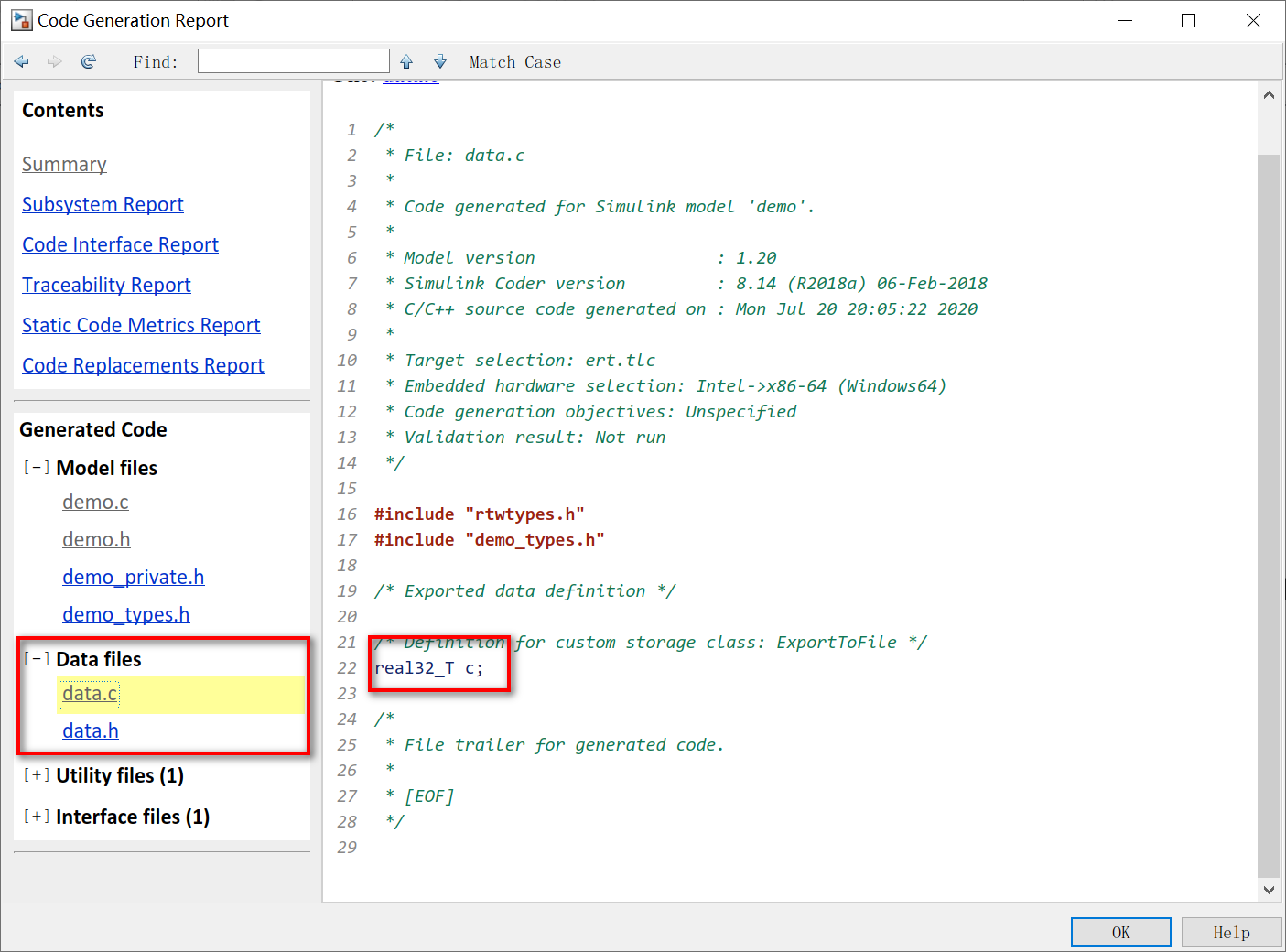
3) Ctrl + B generates code. You can see that the c variable is defined in data.c.
3.2 Establish the parameters in the function
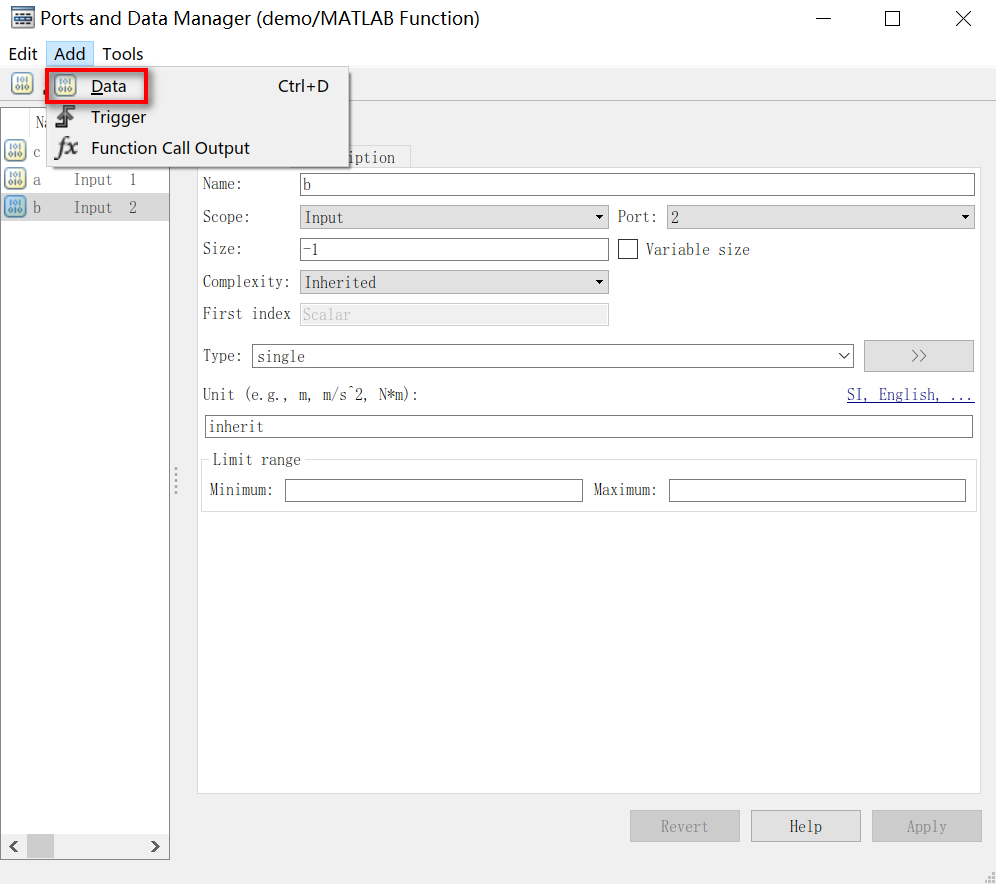
1) Click Add–>Data in Ports and Data Manager to create a new parameter.
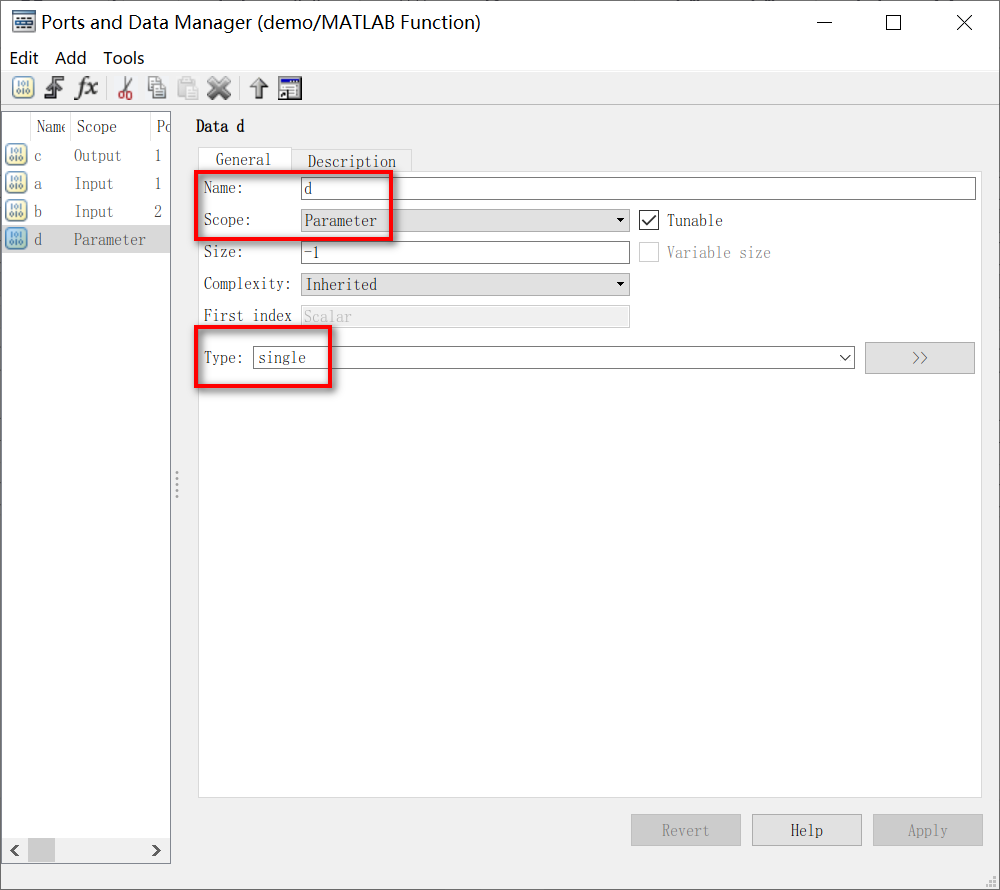
2) Change the Name of the parameter to d, Scope to Parameter, and Type to single.
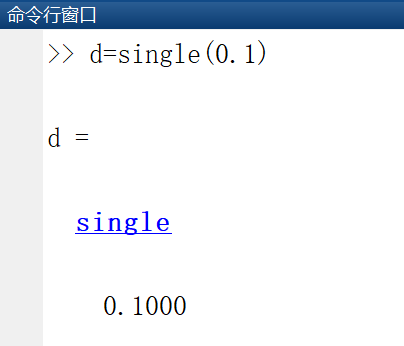
3) Create a new constant d=single(0.1) in the Matlab workspace.
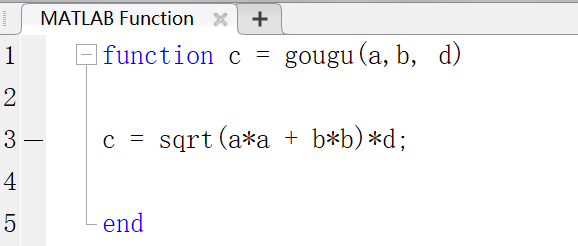
4) Change the code in Matlab Function to open the radical and multiply by d.
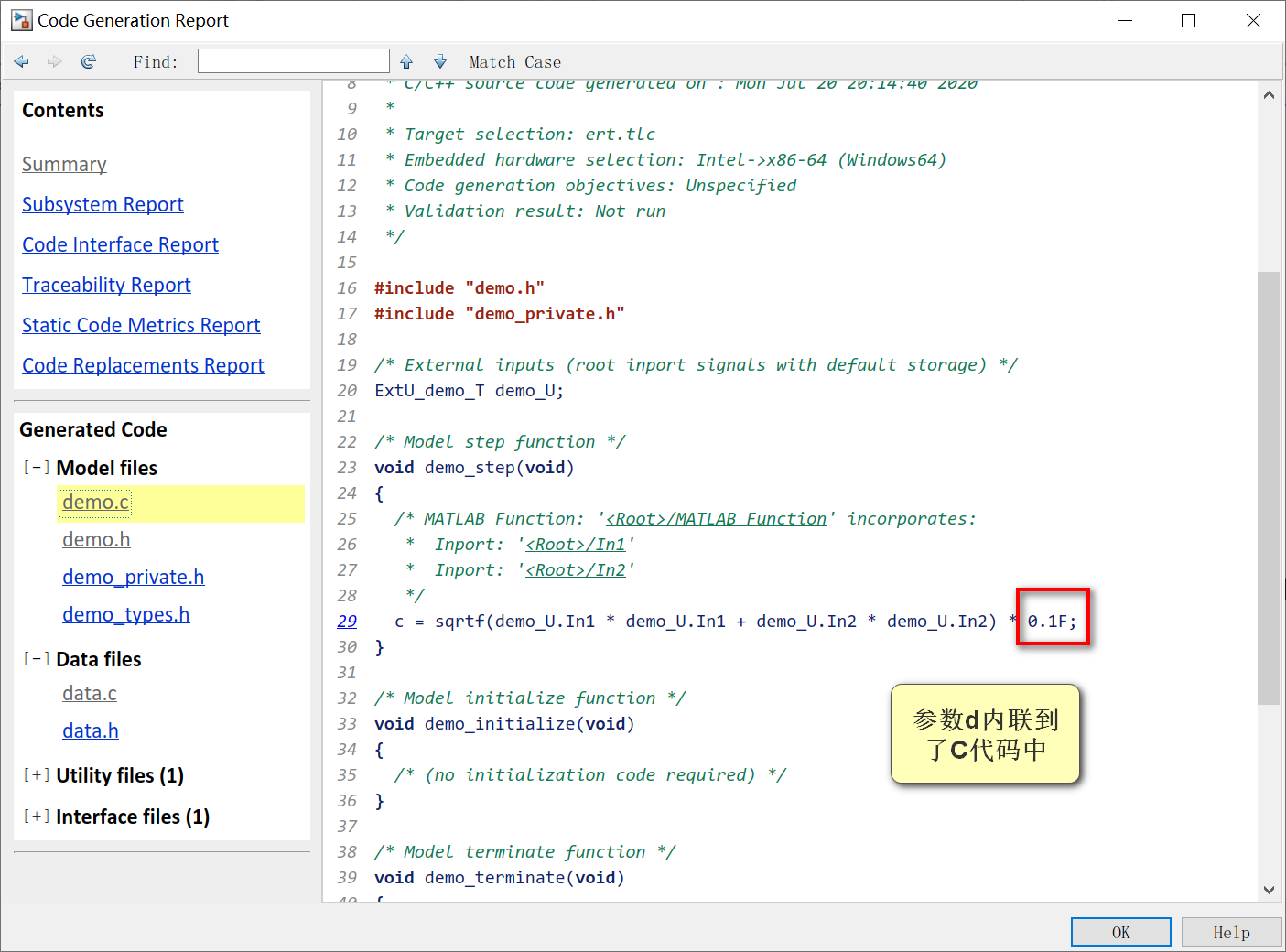
5) Ctrl + B generates code. As can be seen from the code, the step function inlined the parameter d.
4 Limitations of Matlab Function code generation
Matlab Function has many restrictions on code generation, such as not supporting dynamic memory allocation and cell arrays.
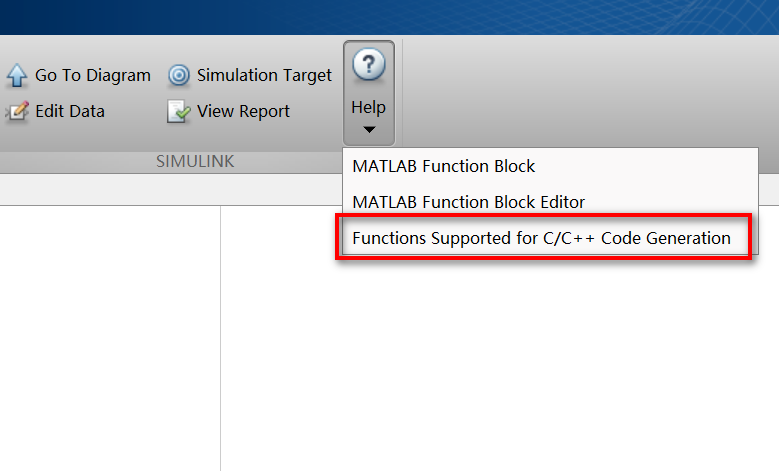
In addition, there are many matlab functions and toolkits that cannot generate code. For details, please refer to the help file in the upper right corner of Matlab Function.
5 Summary
The use of the Matlab Function module allows Simulink to integrate Matlab functions, but it is better to use other Simulink modules to build control strategies and use less Matlab Function modules. Because the readability of Matlab Function is not friendly, and the generated code has many restrictions.
>>Return to the personal blog catalog
Intelligent Recommendation
Simulink code generation 2020a
First build a simple model Set it up Shortcut key ctrl+B, compile The code generated at this time: useful: Parameter modification Parameter configuration The position of the following pictures has cha...
Simulink code generation
Model -based design concept Design -based design (Design Based On Model) can be referred to as MBD, using software such as MATLAB as a platform, allowing engineers to analyze, algorithm research, mode...
Simulink code generation: Initialize function subsystem and its code
This article studies the INITIALIZE FUNCTION subsystem, modeling method and code it generate. Article catalog 1 introduction 2 INITIALIZE FUNCTION Subsystem 3 Modeling example and code generation 3.1 ...
Initialization of Matlab Function in SIMULINK
Increase in the next line of the Function header%#codegenSymbols, its role is to make a static code analyzer Code Analyzer diagnostic code and prompting users to fix the illegal ways to cause errors i...
Matlab Function in Simulink
Add MATLAB FUNCTION, double-click to open the input function in matlab Click Edit Data. Set to Single Type, Apply SIMULINK is changed to SINGLE Join Display components After running, the result...
More Recommendation
Create Matlab Function in Simulink
Open Simulink, use library browser in Blank Model, and search for Matlab Function. Select the FCN module and drag to the Simulink interface. Double -click the editing function, like: function x=freebo...

Call between MATLAB \ Simulink and python
Matlab-Python calling each other PythonIs more and more widely used, and has great advantages in deep learning, machine learning, data mining, etc., and python is open source and has a powerful third-...
Matlab / Simulink: Joint Simulation in Simulink Call PSO in SIMULINK
PSO module call in matlab / simulink via s-function Many combined simulations need to call PSOs and to implement PSO calls in user-defined functions in user custom functions in Simuli / NK. Call the M...
Use the S-Function to embed C \ C ++ code to MATLAB SIMULINK
The following is the process of embedding its own C \ C ++ code module to Matlab Simulink through the implementation of S-Function. First use the S-Function Builder to architecture, automatically gene...
C # call MATLAB code / function
table of Contents Description First, MATLAB configuration and packaging 1. MATLAB toolkit installation 2. Write the MATLAB program 3. Packaged to DLL Second, Visual Studio configuration and programmin...