[NX] NVIDIA Jetson Xavier NX remote configuration static IP
tags: tcp/ip linux server ubuntu
[NX] NVIDIA Jetson Xavier NX remote configuration static IP
0. Foreword
Since NX is the Ubuntu18.04 system, many methods of Ubuntu and NX command lines are found. There are two main types: mainly:
1) Directly modify the/etc/netWork/interfaces file, configure IP in it
2) Eth0 files in /etc/network/interfaces.d directory, and configure IP in the Eth0 file
These two methods can not modify the static IP after trying in my NX system, but the thinking along it can be found that there is a configuration file with an IP address in/etc/network or/etc/networkManager directory, modify The parameter can modify the IP address. After many comparisons, it is found that the/ETC/NetworkManager/System-Connections/directory configuration file needs to be modified. Specific steps are as follows:
1. SSH remote login NX
First of all, you need to remotely log in through SSH according to the current NX IP address:
ssh user@hostname
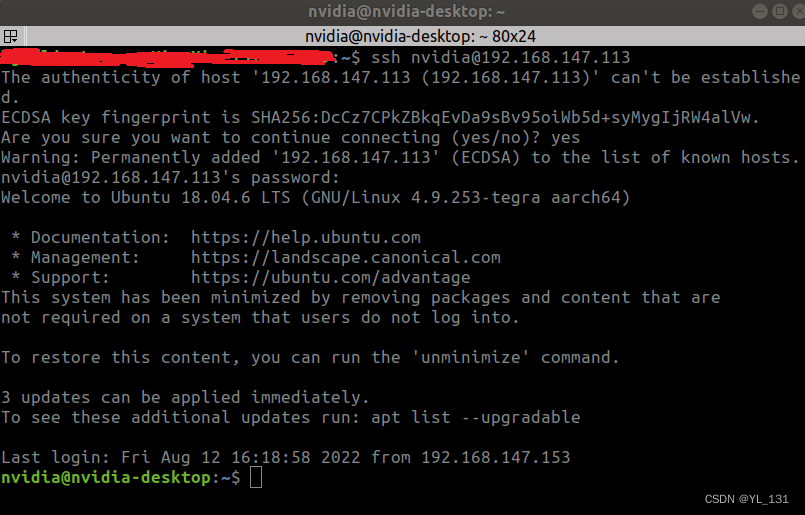
You can ifconfig to check the current IP configuration
ifconfig
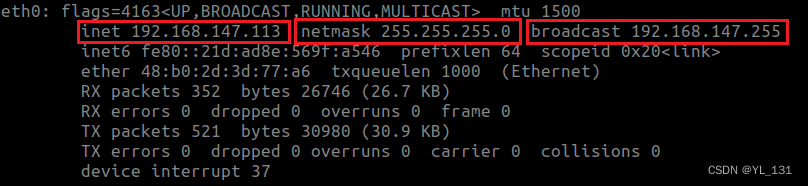
2. Modify the configuration file
1) Enter/etc/networkManager/System-Connections/directory
cd /etc/NetworkManager/system-connections/
ls
You can see the configuration file in the System-Connections folder, each file corresponds to a network link.
2) Use VIM to modify the corresponding configuration file. Here
sudo vi [filename]

3) Enter the editor according to i, modify the address under IPv4; press ESC to exit the editor;
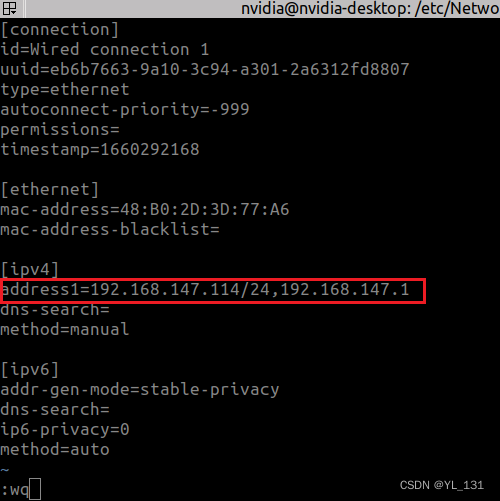
The static IP here is 192.168.147.114
4) Restart nx
cd ~
sudo reboot
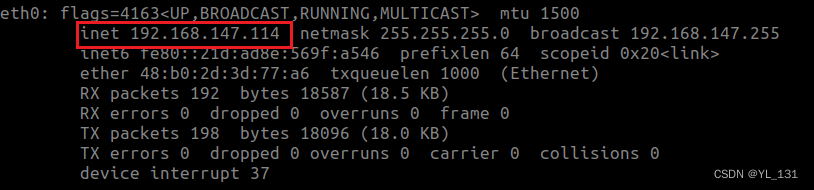
3. Check
After restarting
Need to use new IP for remote connection
ssh user@hostname
Success entering, prove that IP modification is successful
Intelligent Recommendation
NVIDIA Jetson Xavier NX Install Pytorch
Directory Installation dependence Install Pytorch Install TorchVision Report error and corresponding processing Installation dependence Install Pytorch Download Pytorch compiled. WHL file Download add...
NVIDIA Jetson Xavier NX Control GPIO
NVIDIA Jetson Xavier NX Control GPIO Article catalog NVIDIA Jetson Xavier NX Control GPIO Foreword First, introduction Second, the code example 1.gpio.h 2.gpio.cpp Foreword In the Linux system, the GP...
NVIDIA Jetson Xavier NX calculates GPIO number
NVIDIA Jetson Xavier NX calculates GPIO number Foreword Ready to work calculation steps Calculation example Notice: Attachment: tegra-gpio.h Reference link Foreword Company products use autonomous loa...
NVIDIA Jetson Xavier NX upgrade Ubuntu20.04
Important: If it is not particularly urgent to use Ubuntu 20.04, please wait for a period of time to officially release the SDK released by NVIDIA. This is the most secure way. I want to...
NVIDIA JETSON XAVIER NX burning (sd version)
0. Preface This article mainly supplements the things that need to be prepared for burning the Jetson Xavier Nx system with the sd card version mentioned above. A blank SD card balenaEtcherTools SD im...
More Recommendation
Jetson Xavier NX (13) - Remote File Transfer
table of Contents 1. FileZilla 1.1 Introduction 1.2 PC installation 2 server-side configuration 2.1 Install Open SSH Open Source Agreement 2.2 View server side IP address 3 Configuring the Filez...
Jetson Xavier NX remote desktop VNC use
0 preparation Jetson Xavier NX(Ubuntu18.04) Notebook Computer (Ubuntu18.04) 1 description Jetson Xavier NX is the server and requires some configuration. The laptop is the client, just download the vn...
Jetson xavier NX Yolov5
1. Download YOLOV5 2. Installation dependencies 3. Uninstall Torch & Torchvision 4. Install Jetson Xavier's corresponding version of TORCH TORCHVISION Official download 5. Verify CUDA 6. Run Yolov...
Jetson Xavier NX configuration virtual environment
Install python3.7 Jetson Xavier NX comes with Python2.7, Python3.6 Create a soft connection to make python3 default to Python3.7 Install SetupTools and PIP tools Install Virtualenv and Virtualenvwrapp...
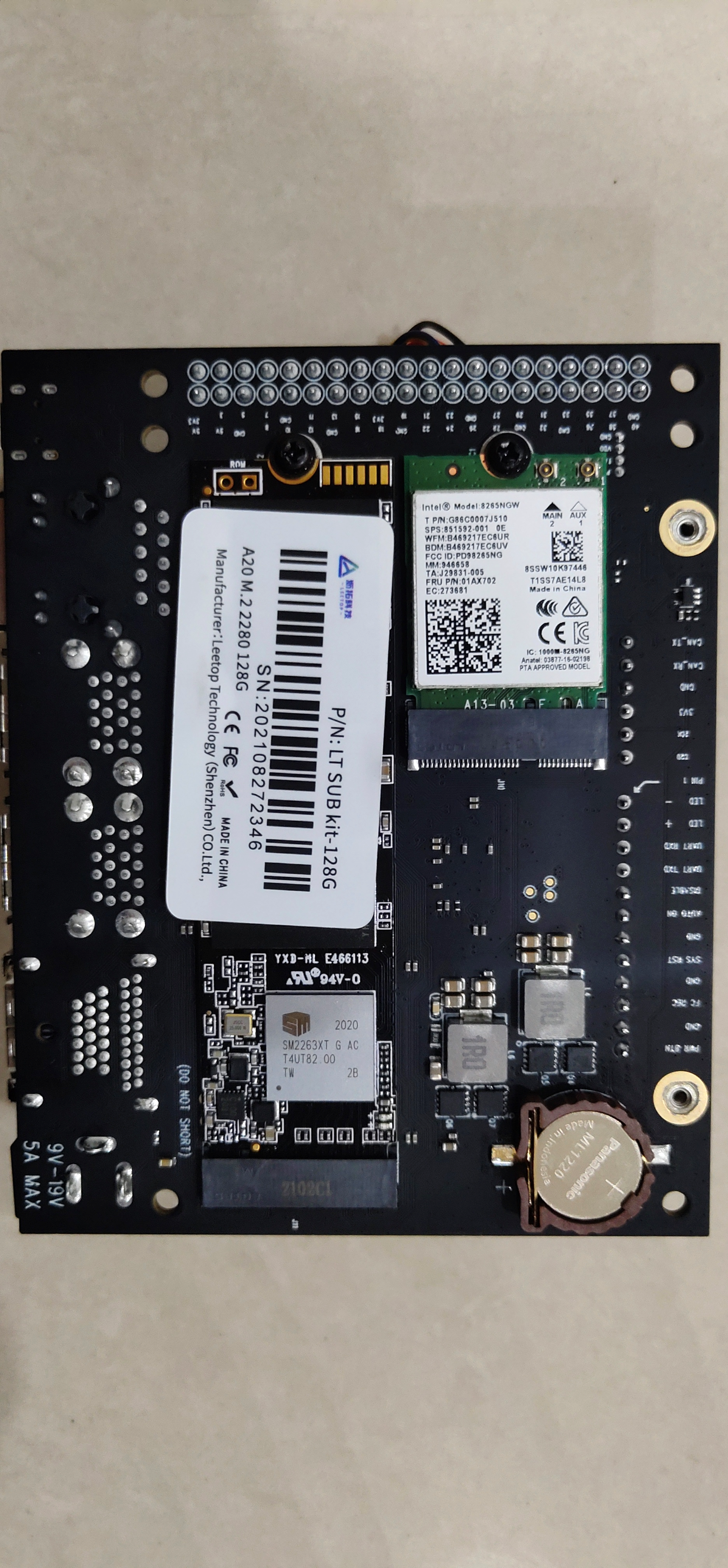
How to install NVIDIA NVIDIA jetson xavier nx antenna
Many new Xavier nx development boards do not know how to install the antenna 1. The location is at the bottom of the development board, where the wifi module is installed, as shown in the figure: Just...