Flutter list <widget> Place in Column to display incomplete problems
There is currently a simple page implementation, where the list <widget> data is placed, and the display is incomplete.
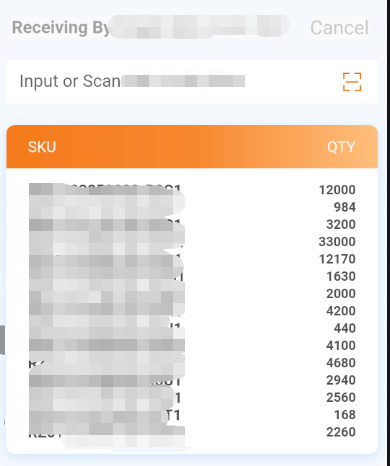
Current implementation method:
1. The top is divided into a layer
2.input box 1 layer
3.SKU + QTY is a layer
4. List of content list
Code:
//On the top
HeadWidget(
    title: 'Receiving By xxx',
    text: 'Cancel',
        onTap: () {
            // Navigator.of(context)..pop();
            NavigatorUtils.pushPage(
                context: context,
                targPage: InBoundSingle(
                date: widget.date,
         ));
     },
)
/// input box
ScanCodeInput(text: "Input xxx",)
///SKU + QTY
// Column -> Container
// SKU/QTY is through Flex elastic layout
Column(
children: [
Container(
width: double.infinity,
height: 40,
padding: EdgeInsets.fromLTRB(20, 8, 20, 8),
decoration: BoxDecoration (// Set the border style
borderRadius: BorderRadius.only(
topLeft: Radius.circular(8.0),
topRight: Radius.circular(8.0),
),
Gradient: Lineargradient (// Color gradient
begin: Alignment.centerLeft,
end: Alignment.centerRight,
colors: [
Color.fromRGBO(245, 123, 28, 1),
Color.fromRGBO(247, 135, 46, 1),
Color.fromRGBO(255, 191, 126, 1),
],
),
),
child: Flex(
Direction: axis.horizontal, // level
mainAxisAlignment: MainAxisAlignment.spaceBetween,
children: [
Text(
'xxx',
style: TextStyle(
fontSize: 14,
color: Color.fromRGBO(255, 255, 255, 1),
fontWeight: FontWeight.w400,
),
),
Text(
'QTY',
style: TextStyle(
fontSize: 14,
color: Color.fromRGBO(255, 255, 255, 1),
fontWeight: FontWeight.w400,
),
),
],
),
)
],
)/// List content, the current implementation method ScrollBar + listView.builder
/// What needs to be noted is the height of ListView.builder
Container(
padding: EdgeInsets.fromLTRB(20, 12, 20, 12),
decoration: BoxDecoration(
color: Color.fromRGBO(255, 255, 255, 1),
borderRadius: BorderRadius.only(
bottomLeft: Radius.circular(8.0),
bottomRight: Radius.circular(8.0),
),
),
child: setMap(),
)
setMap() {
List <widget> tiles = []; // First build an array to store the widget generated by the cycle
Widget content; // separate widget components for returning content widget widget to be generated
objData.forEach((key, value) {
Tiles.add (ROW (// ROW data in one line
mainAxisAlignment: MainAxisAlignment.spaceBetween,
children: [
Text(key,
style: TextStyle(
fontSize: 14,
color: Color.fromRGBO(51, 51, 51, 0.85),
fontWeight: FontWeight.bold,
),
),
Text(
value.round().toString(),
style: TextStyle(
fontSize: 12,
color: Color.fromRGBO(51, 51, 51, 0.85),
fontWeight: FontWeight.bold,
),
)
],
));
});
content = Scrollbar(
Child: Mediaquery.removePadding (// Clear Padding style
Removetop: true, // Clear padding above the content
context: context,
child: new Container(
height: 240, // height
child: ListView.builder(
scrollDirection: axis.Vertical, // vertical
shrinkwrap: true, // When the number is not many, you can load all data
itemCount: tiles.length,
itemBuilder: (BuildContext context, int index) {
return Container(
child: tiles[index],
);
},
),
)),
);
return content;
}Two implementation methods at the bottom:
You can use Column +FLEX
setMap() {
    List <widget> tiles = []; // First build an array to store the widget generated by the cycle
         Widget content; // separate widget components for returning content widget widget to be generated
    objData.forEach((key, value) {
      tiles.add(Flex(
        mainAxisAlignment: MainAxisAlignment.spaceBetween,
        children: [
          Text(key,
              style: TextStyle(
                  fontSize: 14,
                  color: Color.fromRGBO(51, 51, 51, 0.85),
                  fontWeight: FontWeight.bold,
               ),
           ),
           Text(
              value.round().toString(),
              style: TextStyle(
                 fontSize: 12,
                 color: Color.fromRGBO(51, 51, 51, 0.85),
                 fontWeight: FontWeight.bold,
              ),
            )
        ],
      ));
    });
    content = Column(children: tiles,);
    return content;
  }
You can consider ListView, here I use row + scrollbar + listView.builder
Intelligent Recommendation
Vue uses Elementui (DatePicker) to display incomplete problems
Questions are as follows: solution:...
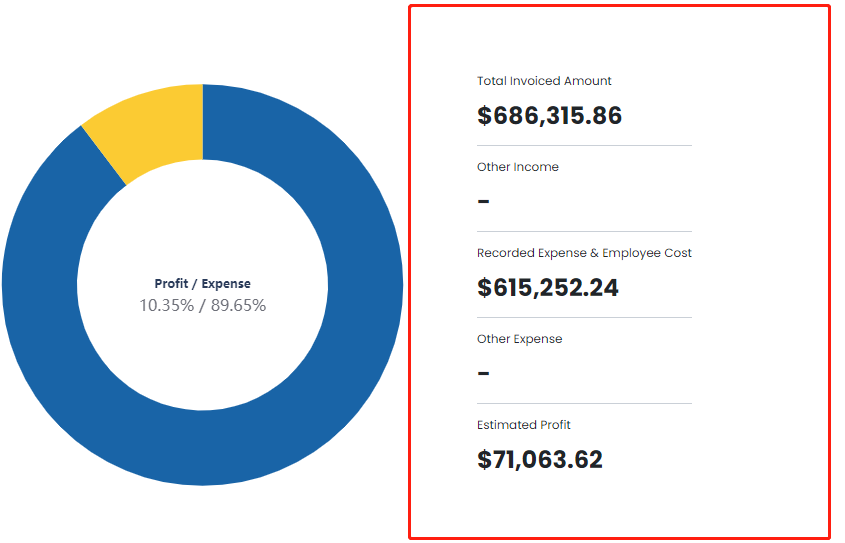
Display incomplete problems when overflow scrolling
The demand is as shown in the figure: The data is required vertically, and is aligned in the vertical direction of the left pie chart; code show as below: The CSS is as follows: When such a code is sm...
Swiftui solves the text text display of incomplete problems
Sometimes in Swiftui is too long in Text, there will be a phenomenon that appears in the end of the incomplete article ... The solution is to add a Modifier for Text:...

Flutter Widget display and hide
In Android we can usevisibilityTo control the display and hiding of the control, how do we control it in Flutter? In fact, there are 3 ways to control the display and hiding of Widget in Flutter: Howe...
Element UI table operation column button display incomplete display
BUG appears: 1. There are tabs on the page 2. There are forms on the tab 3. Then the lower part of the button will always be hidden, as shown in the figure below Solution: Add style:...
More Recommendation
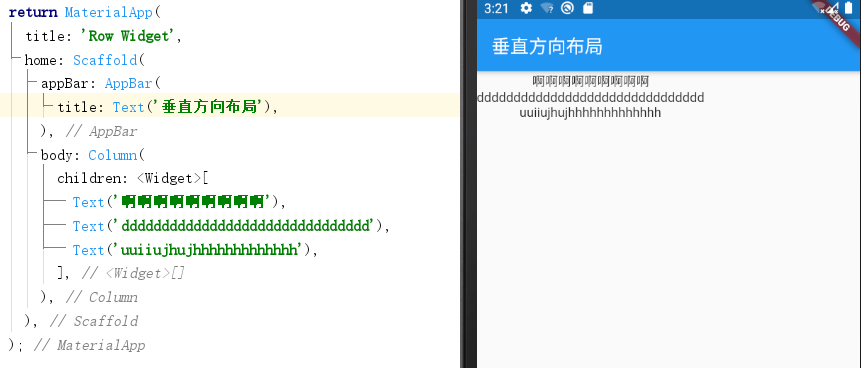
Flutter component learning-Column widget
Official website connection:Flutter 1. Column layout: column widget Inside column is an array of children with multiple elements. 2. Alignment ①Default method: Center alignment based on the longest co...
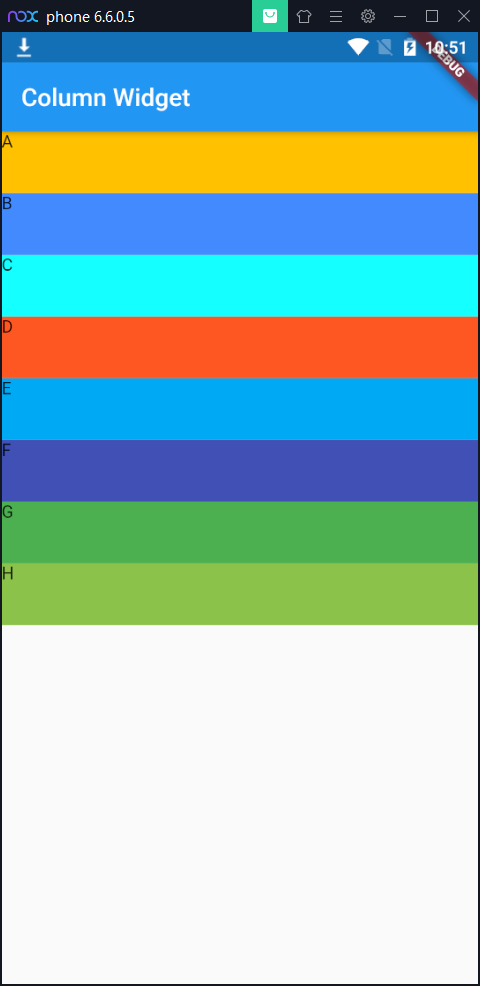
Flutter Basic Layout Column Widget
Article catalog Flutter Basic Layout Column Widget Column Widget Flutter Basic Layout Column Widget Column Widget is similar to the LinearLayout control in Andorid, vertical direction. Column Widget...
Flutter (8) Widget list
ListView ListView is the most commonly used scrollable widget. It can arrange all sub-widgets linearly in one direction. scrollDirection: List arrangement direction, the default is the vertical method...

Tool display problems caused by display resolution (page is incomplete)
PC properties: PC monitor resolution: 1920x1080, zoom %150, Solution: Attribute-compatibility, Make a fuss about DPI related options. Support Options: Application/System/System Enhancements "appl...
[Android] ScrollView nested ListView display incomplete and the last item display problems
1. ListView Data show that only one ScrollView In direct nestedListView , The data can only display one usually rewriteListView of onMeasure() The method can also be re-calculated height. 1.1 ListView...