Undo operation-Git study notes 12
tags: git reset git checkout git commit --amend
Undo operation
Write in front:Some undo operations are irreversible. This is one of the few places where previous work will be lost due to operational errors during the process of using Git.
Modify the latest submission
Sometimes we only find that a few files have not been added after the submission is completed, or the submission information is written incorrectly. At this time, you can run with--amend Choose
item submit command attempts to resubmit:
$ git commit --amendIf you have not made any changes since the last commit (for example, execute this command immediately after the last commit), the snapshot will remain unchanged, and all you have changed is the commit information. After the text editor starts, you can see the previous submission information. Saving after editing will overwrite the original submission information.
If you forget to submit some files, then after adding these files to the temporary storage area, this command will submit the files in the temporary storage area.
For example, the first submission:
git commit -m 'initial commit'Found at this timeforgotten_fileThere is no temporary storage of this document, so it should be submitted for the first time. You can do this:
$ git add forgotten_file
$ git commit --amend
In the end you will only have one submission, and the second submission will replace the result of the first submission.
Let's actually do it.
$ git status
On branch master
Changes to be committed:
  (use "git reset HEAD <file>..." to unstage)

        new file:   bar.c

Untracked files:
  (use "git add <file>..." to include in what will be committed)

        hello.c
It stands to reason that hello.c should also be added to the index, but forgot to:
$ git commit -m "abcdefg"
[master 1380bcd] abcdefg
 1 file changed, 0 insertions(+), 0 deletions(-)
 create mode 100644 bar.c
To remedy, you can run:
$ git add hello.c

$ git commit --amend
At this time the text editor will start and you can see the previous submission information. After editing (for example, I added a few plus signs in the back), save and exit the text editor. At this time the command line displays:
[master 8f19240] abcdefg+++
 Date: Fri Sep 7 21:08:07 2018 +0800
 2 files changed, 0 insertions(+), 0 deletions(-)
 create mode 100644 bar.c
 create mode 100644 hello.c
As you can see, this later submission was merged with the previous submission, and in the end there was only one submission.
In fact, regardless of the latest submission, you can edit the file and update the index (such asgit addorgit rm), Finally issuedgit commit --amendTo amend the latest submission.
To illustrate with a picture:
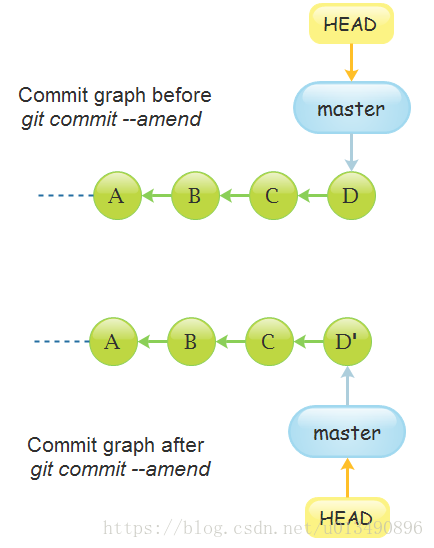
Cancel temporary files
If a file is temporarily stored by mistake, you can use
git reset HEAD <file>for example.
$ git add *
$ git status
On branch master
Changes to be committed:
  (use "git reset HEAD <file>..." to unstage)
    renamed:    README.md -> README
    modified:   CONTRIBUTING.md
Actually you do n’t want to temporarily store CONTRIBUTING.md, then you can use
$ git reset HEAD CONTRIBUTING.mdAfter execution, it will display:
Unstaged changes after reset:
M   CONTRIBUTING.md
At this time you check again:
$ git status
On branch master
Changes to be committed:
  (use "git reset HEAD <file>..." to unstage)
    renamed:    README.md -> README
Changes not staged for commit:
  (use "git add <file>..." to update what will be committed)
  (use "git checkout -- <file>..." to discard changes in working
directory)
    modified:   CONTRIBUTING.md
The CONTRIBUTING.md file has been modified and not temporarily saved.
If you want to know the details of this command, you can refer to my blog postDetailed explanation of git reset command (2)
prompt: Although added when calling
--hardThe option can make git reset a dangerous command (it may cause all current progress in the working directory to be lost!), But the files in the working directory in this example will not be modified. Calling git reset without options is not dangerous-it only modifies the staging area.
Undo changes to the file
What if you don't want to keep changes to the CONTRIBUTING.md file? How do you restore it to what it was when it was last submitted (or just cloned)? Fortunately, git status tells us what to do. In the example above, the unstaging area looks like this:
Changes not staged for commit:
  (use "git add <file>..." to update what will be committed)
  (use "git checkout -- <file>..." to discard changes in working
directory)
    modified:   CONTRIBUTING.md
It tells you very clearly how to undo the changes you have made. Let's follow the prompts:
$ git checkout -- CONTRIBUTING.md
$ git status
On branch master
Changes to be committed:
  (use "git reset HEAD <file>..." to unstage)
    renamed:    README.md -> README
You can see that those changes have been undone, and CONTRIBUTING.md does return to what it was when it was last committed.
note: You need to know
git checkout -- [file]Is a dangerous command, it ’s likegit reset -- hard[branch] file, Not only update the index with the file in a commit, but also overwrite the corresponding file in the working directory-this is not safe for the working directory!
Written at the end: anything "committed" in Git is almost always recoverable. Even commits in those deleted branches or commits overwritten with the –amend option can be restored. However, anything you "unsubmitted" is likely to be lost after being lost.
References
【1】《Pro Git》(Scott Chacon, Ben Straub Version 2.1.14, 2018-05-19)
[2] "Git Version Control Management (Second Edition)", People's Posts and Telecommunications Press
Intelligent Recommendation
Git undo add operation
Forgot to add.gitignoreDocument,git add . Putnode_modulesTemporary storage area Cancel Have to add--cachedOtherwise the files will be deleted becausegit add .Is recursively added, so add-rRecursive de...
git undo merge operation
Reprinted: https://blog.csdn.net/dliteng163com/article/details/52176027 method one, Reset to the version before the merge, and then redo the next operation, requiring each collaborator to know how to ...
[Transfer] Git undo operation
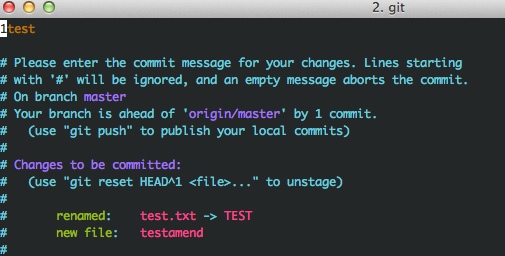
2. Git undo operation 12.1 Modify the last commit git commit --amend 1. Create a new file 2. Submit a previous change 3. Track this file 4. Submit with the previous one Prompt whether to re-edit the s...
Undo operation of git command
Article Directory Undo `git add .` Undo `Git init` Enter your hand slip under a general directorygit initwithGit add . Undogit add . Undo method: UndoGit init...
How to undo Git operation?
Article Directory 1. Unsubmit 2. Discard the submission 3. Replace the last commit 4. Undo file modification in workspace 5. Withdraw files from the temporary storage area 6. Undo changes in the curre...
More Recommendation
Undo git add operation
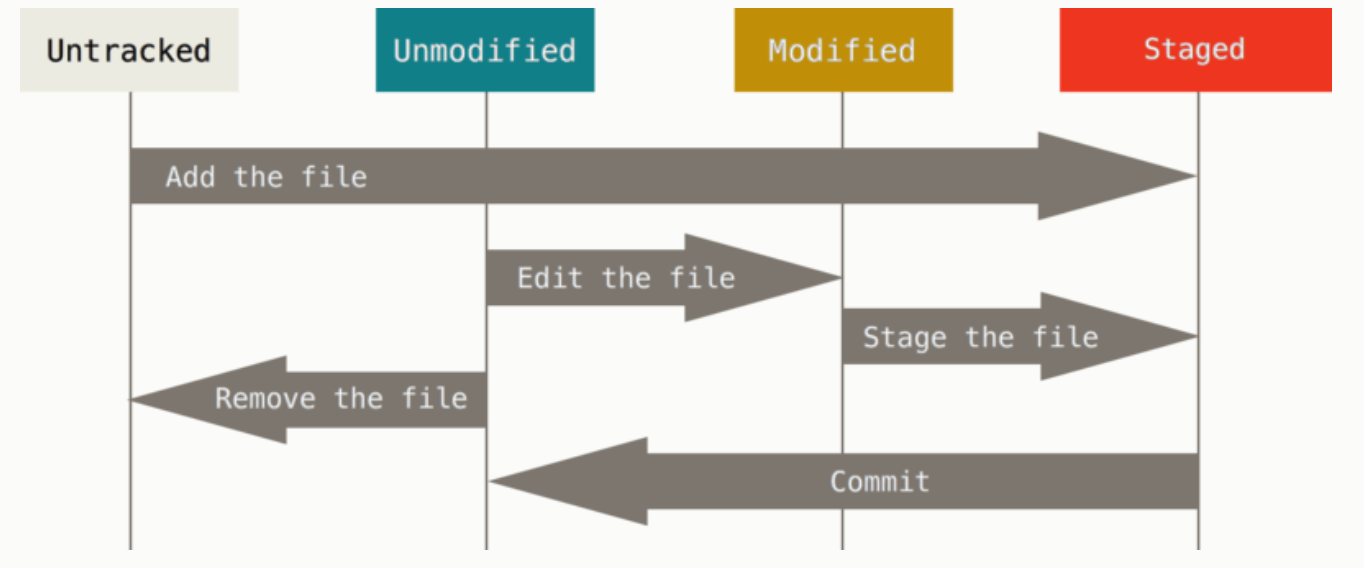
When using Git, sometimes I accidentally use git add to add files that I don't want to track. That is, some files that do not want to track are tracked. At this time, you need to undo the operation. H...
git delete/undo operation
First briefly talk about the three areas of git Work area: can be equivalent to our local folder, local warehouse Version library: There is a .git hidden folder in the workspace, which records the ver...
Undo Git reset operation
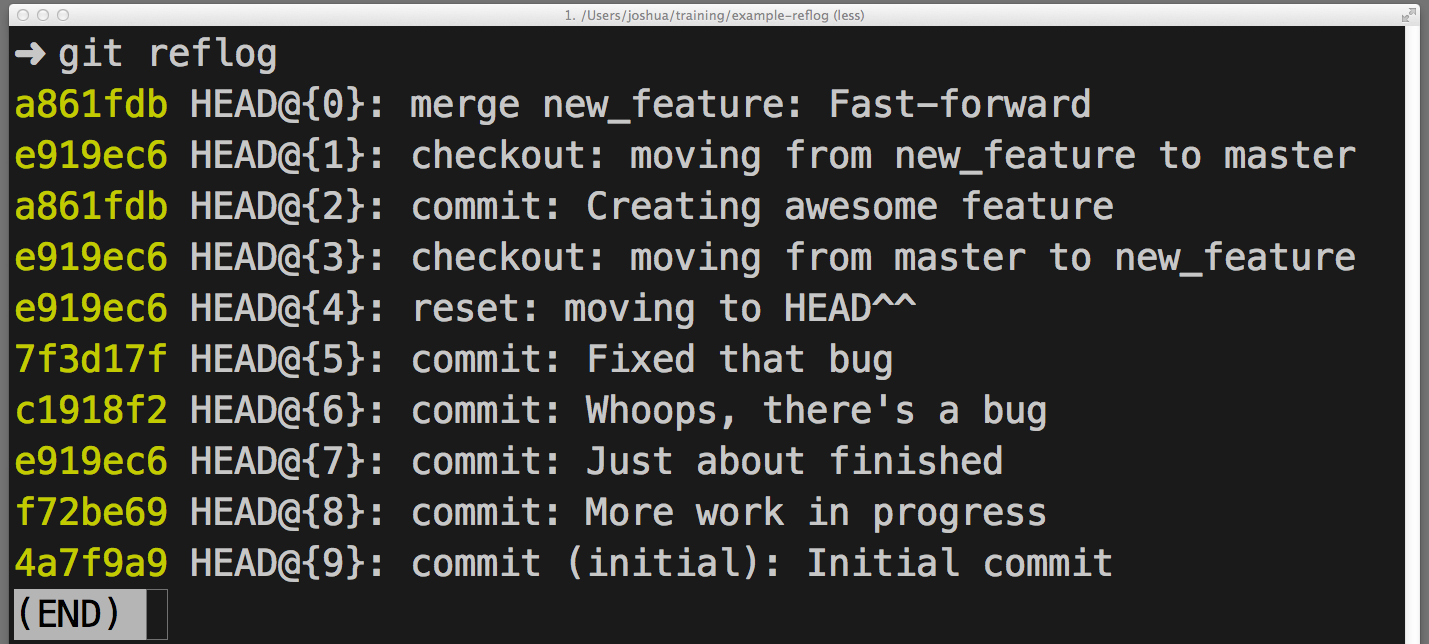
This article is reproduced fromRetrieve the missing Commit in Git In the process of using Git, sometimes due to some misoperations, such as reset, rebase, merge, etc. Especially after Commit, I execut...
Undo operation of Git usage
is reprinted from http://codecloud.net/4594.html, if there is any infringement, it will be deleted immediately. In any version control system, one of the most useful features is the "undo" o...
Git undo pull operation
View the fallback position The results are as follows: Solution In the command, n is the position you want to fall back to, such as: git reset --hard HEAD@{18} Note: There is a push operation b...