Implementation and use of Intel QSV technology in FFmpeg

This article from Intel senior software engineer Zhang Hua in the LiveVideoStackCon 2018 lecturer warm-up share, and is organized by LiveVideoStack. In the sharing, Zhang Hua introduced the Intel GPU hardware architecture and detailed analysis of the specific implementation and use of Intel QSV technology in FFmpeg.
Text / Zhang Hua
Organize / LiveVideoStack
Live playback:
https://www.baijiayun.com/web/playback/index?classid=18091958472800&session_id=201809200&token=PLFiH_sX1NNt681rrJ0J_ZTHDO9zanYEZBBB3Q06X5q9UJKvNPUPBpuOZ7Qxt3OtBkXP5cY2MAsKp0fXMnVKLQ
Hello everyone, today I share with you the implementation and use of Intel GPU architecture and Quick Sync Video technology in FFmepge.
1, the overall processor architecture

As we all know, Intel's graphics processing GPU is called "core graphics card", which is integrated with the CPU on the same chip. The figure above shows the internal structure of the chip.
1.1 Development

From the lvy Bridge architecture, Intel has tried to integrate the GPU and CPU into the central processing chip and evolved to the Skylake architecture from generation to generation. In the early Ivy Bridge architecture, the GPU footprint was very small, and now the fifth-generation processor architecture Skylake has achieved very mature GPU integration technology, and the GPU has occupied more than half of the chip. In the future, we will introduce a PCI-E-based discrete graphics card to bring greater image performance enhancements to PCs.
1.2 Basic function module
The above picture shows some basic functional modules of a GPU. Intel's core graphics are divided into common Intel HD Graphics and powerful Intel Iris (Pro) Graphics, where hardware structure changes determine performance. We know that the more slices in the GPU, the more organization the processing unit is, the more powerful the performance. Intel HD Graphics has only one slice in GT2, and two slices in GT3 in Iris series; GT3e adds eDRAM to GT3 to make it have faster memory access speed, while GT4e increases to three slices. The basic function modules of the GPU are mainly composed of EU and related Media Processing (MFX). There are three Sub-Slices in a slice. Sub-Slice contains specific EU and Media Sampler modules as the most basic programmable processing units. GPU-related tasks are performed on the EU. Media Processing also integrates a separate module called MFX, which is mainly composed of Media Format Codec (MFX) and VQE. MFX can package some processing tasks through Fix Function, fix it in an execution unit for unified codec processing, and do not call EU to improve the speed of EU processing 3D graphics and other tasks. Video Quality Engine (VQE) provides video processing tasks such as De-interlace and De-Noise, and EU is used in codec for higher video encoding quality.
1.3 Structural evolution

The above picture shows the structural changes of Intel's generation of core graphics products. The earliest Haswell architecture is that the number of EUs in the v3 series is relatively small, up to 40. In the GT3 of the Broadwell architecture, two slices are integrated, and the number of EUs is increased to 48, and the image processing performance is also Enhanced. From the Broadwell architecture to the Skylake architecture, in addition to the increased changes in the EU and Slice formats, MFX's organization has also improved accordingly. The Broadwell architecture integrates MFX into one slice, and one slice integrates one MFX. After the Skylake architecture, the number of slices increases but the number of MFX does not. The MFC is integrated outside of Slice. With the change of organization, the function of the core graphics card has also changed: Skylake added HEVC's Decoder, PAK added HEVC-based processing functions and other improvements to the core graphics card overall processing performance brought a significant improvement, the sixth generation Later core graphics cards are also mainly organized using the architecture of GT3.

The module structure on the core graphics hardware is described above. Next I will introduce the Quick Sync Video Acceleration. The Command Stream distributed from the Driver is executed on the GPU through multiple paths: if the command belongs to the codec, the Fix Function will be executed by MFX, some commands related to video processing will be executed by VQE, and other commands will be executed by EU implementation. The coding process is mainly divided into two parts: ENC and PAK. ENC mainly implements functions such as Rate Control, Motion Estimation, Intra Prediction, and Mode Decision through hardware; PAK performs functions such as Motion Comp, Intra Prediction, Forward Quant, Pixel Reconstruction, and Entropy Coding. In the current Intel architecture, the Media SDK uses the API to uniformly schedule and use the hardware. At the same time, we provide a lower-level interface, the Flexible Encoder Interface (FEI), to achieve better underlying scheduling and better processing results.
2, software strategy

Next I will introduce Intel's software strategy. The bottom layer of FFmpeg allows developers to integrate QSV into FFmpeg for development, while the Media SDK is mainly used for codec processing, and FFmpeg can effectively combine the entire multimedia processing. If the developer believes that the processing quality of the traditional Media SDK cannot meet the requirements or the rate control does not meet certain specific scenarios, then the control algorithm can be optimized by calling a lower-level interface such as FEI; the top-level OpenCL interface utilizes GPU functions. To achieve processing tasks such as edge calculation, the common Hybrid encoding method uses OpenCL. In addition to this, OpenCL can also implement some other parallel processing functions, such as some calculations related to AI.
2.1 Media SDK

The Media SDK is divided into the following versions: Community Edition is a partial free version that contains basic functions, and Essential Edition and Professional Edition are paid versions with more features, such as hybrid HEVC encoding, Audio encoding and decoding, Video A collection of advanced features and analysis tools such as the Quality Caliper Tool.
1) Software Architecture

The above picture mainly introduces the Media Server Studio Software Stack software architecture, and we implement FFmpeg acceleration based on this architecture.
What needs to be emphasized here is:
a) OpenGL (mesa) and the Linux kernel have always been open source projects, but there are some proprietary kernel patches in previous versions of MSS, and there are special requirements for the operating system or the kernel version of Linux.
b) HD Graphics Driver for Linux was previously a closed source solution, and now MSDK and user mode drivers (iHD drivers) have been implemented open source.Now we are working on a release based on the open source version. In the future, you can get better technical support through this open source platform.
2) Codec support

Regarding codec support, I want to emphasize the HEVC 8 bit and 10 bit codec. Hardware level HEVC 10 bit decoding is not supported on Gen 9 or Skylake. In this case, we can implement the encoding and decoding function of HEVC 10 bit in mixed mode. The latest E3v6 (Kabylake), although only a lower performance GPU configuration, can support HEVC 10 bit decoding, and HEVC 10 bit encoding will be available in future releases.
2.2 QSV to FFmpeg integration ideas

The main ideas of FFmpeg integration are as follows:
1) FFmpeg QSV Plugins: Encapsulate the SDK as part of FFmpeg, including Decoder, Encoder and VPP Filter processing.
2) VAPPI Plugin: Media is the software architecture of the entire Intel GPU. From the lowest level of the Linux kernel, there is a user-mode driver in the middle, and the external unified interface is VAAPI. The hardware acceleration of the Media SDK is based on VAAPI development, while adding a lot of related functions, the code is more complicated; now the added VAAPI Plugin will directly call LibAV to make the hardware and software combination more compact.

Next, I will introduce how to integrate the SDK into FFmpeg, which is divided into three parts: AVDecoder, AVEncoder, and AVFilter.
1)AVFilter
AVFilter mainly uses the hardware GPU to implement the Video Processor function, including vpp_qsv, overlay_qsv, hwupload_qsv, among which we focus on the development of overlay_qsv, vpp_qsv and hwupload_qsv. If there are multiple VPP instances running in a video processing pipeline, it will have a big impact on performance. Our solution is to implement a large VPP Filter to integrate all the functions and implement the call by setting parameters, avoiding the existence of multiple VPP instances. But why is vpp_qsv separated from overlay_qsv? This is because it is not possible to complete the compositor and some video processing functions (like de-interlace, etc.) in a single VPP instance. The storage format in Intel Core Graphics is NV12. When working with non-hardware-accelerated modules, the Frame Buffer needs to be copied from system memory to graphics memory. hwupload_qsv provides between system memory and graphics memory. Fast frame conversion function.
2)AVEncoder
AVEncoder currently supports hardware acceleration for decoding such as H264, HEVC, and MPEG-2.
3)AVDecoder
AVDecoder currently supports hardware acceleration for protocols such as H264, HEVC, and MPEG-2.
The most ideal solution is to use the graphics card memory in the entire video processing Pipeline so that there is no copy of the frame between the memory, so as to achieve the fastest processing speed, but in practical applications, we can not do this many times. Memory integration issues need to be addressed when integrating MSDK into FFmpeg. For example, VPP Filter does not support some features or the source stream is not in the list supported by Decoder. The pink and green transitions in the above image represent the conversion of data from memory to system memory to memory. In practice, we often encounter sharp changes in processing performance. The possible reason is that some non-hardware-processed modules and hardware-accelerated modules exist in the same pipeline, which affects the overall performance. This is because an extra memory copy process is performed, and once the optimization is insufficient, performance is greatly affected. We used hwcontext specifically for memory allocation, which is a feature added by FFmpeg after 3.0. We implemented hwcontext_qsv based on the mechanism of hwcontext in FFmpeg, which is a good management of hardware initialization and memory allocation.
3. Compare MSS with FFmpeg+QSV

Below I will share the similarities and differences between MSS and FFmpeg+QSV. Both support the same codec and video processing.
The differences between the two are:
1) MSS only provides a set of libraries and tools. Users must perform secondary development based on MSS. FFmpeg is a popular multimedia open framework. QSV's GPU acceleration is only part of it.
2) The VPP interface is provided in the MSS library, and the user must perform secondary development to implement certain functions. At present, FFmpeg+QSV already has 2 developed Filters, and integrates all the functions supported by MSS in Filter, and provides simpler options for configuration, which are convenient for users.
3) In memory management, MSS developers must manage their own memory; while FFmpeg provides a basic memory management unit and implements a unified call of system memory, integrating hardware-level memory processing mechanisms.
4) FFmpeg provides a certain fault-tolerant mechanism and a/v synchronization mechanism; FFmpeg+QSV module makes full use of these mechanisms to improve compatibility, such as video stream preprocessing using ffmpeg's parse tool.
5) On the processing flow, MSS users must develop Mux/Demux or other necessary modules before using the MSS module; while FFmpeg+QSV is based on MSS and adds special logic, each module can be combined with FFmpeg Other modules work together.
It can be said that FFmpeg has very strong media support. Compared with the traditional MSS, it saves a lot of workload and significantly improves the development efficiency under the premise of ensuring performance and quality.
4. Practice and testing

The picture above shows the results of our hardware transcoding capabilities on Skylake, also known as Gen 9. GT2, GT31, GT41 three models have increased performance; TU1, TU2, TU4, TU7 represent the degree of balance between codec performance and image quality, of which TU7 represents the fastest processing speed and poor image quality, TU1 means based on a large number of calculations Higher image quality.

The above figure shows the performance data supported by Skylake for HEVC. The resolution is 1080P. In fact, HEVC 4K60p can also get good performance. As the quality of the output image increases, the transcoding speed will also decrease accordingly. However, in normal use, we balance the performance and quality according to the requirements, and achieve higher quality transcoding output in a shorter time.

If we focus on image quality, we recommend using Medium mode to get relatively good performance and quality. As the parameters change, the PSNR and the overall details of the image will change significantly.

There are two main ways for Source Code: you can clone directly from FFmpeg, or you can access Intel's Github to get the corresponding source code. The FFmpeg qsv module in the branch on Intel's github is tested by Intel. Relatively speaking, the problem is less stable and more stable. You can also ask related questions on Intel's Github. We will answer some questions.


The above figure shows some of the usage command references that may be needed in practice. I want to emphasize the Overlay Filter. Here we support multiple modes, including inserting logos, video walls, etc., and also in scenes such as video conferencing. Manually specify the effect of determining the position of each picture in the picture.

Intelligent Recommendation
FFMPEG Compilation, supports QSV, CUDA
1. Configuration environment 1. Download tools Download MFX source code:https://github.com/lu-zero/mfx_dispatch.git Download msys2 and install Download ffmpeg 2. Compile library (64 -bit) A. Start msy...

Ffmpeg4 Tutorial 12: How to use intel media sdk (qsv) hard decoding
Discussion group 261074724 1. Install intel media sdk Please refer to the processor version code 2. Refer to the ffmpeg official examples of qsvdec.c transformation If the #include <mfx/mfxvideo.h&...

Unbuntu18.04 compile FFmpeg to support QSV hard codec
Under Linux, due to the high CPU usage of FFmpeg soft decoding, I intend to use h264_qsv hard decoding. This article is not original, mainly refer to the following articles, and record the compilation...
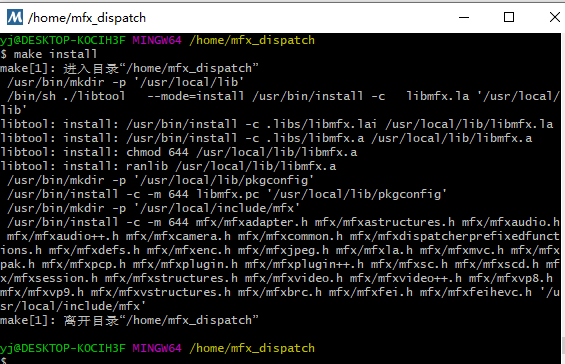
Compile FFMPEG + QSV + X264 Tutorial under Windows
First, compile x264 Second, compile MFX_Dispatcher (Note: You need to install MFX_Dispatcher before Windows compile QSV, which is equivalent to an intermediate layer between the application and the sp...
FFMPEG + QSV + SDL2 Format Circulation Description
Recently, FFMPEG QSV hard solutions are also used, and the SDL2 display service is used, but after creating hard decoders, the data format flows in decoding and display flow is still unclear. This art...
More Recommendation
Windows MSYS2 Compile FFMPEG Support QSV
One: Compile MFX 32 -bit: 64 -bit: Two: Compile ffmpeg to support QSV 64 -bit: use mingw64.exe 32 -bit: use mingw32.exe verify:...
Jellyfin uses Intel QuickSync (QSV) hardware acceleration on docker
Environment and instructions Equipment: Wen Unicom 451D (CPU is J4025, Nuclear Support Intel QSV) Jellyfin version: 10.7.7 Deploy: docker (LinuxServer / jellyfin) Jellyfin open hard solution in the Do...
WebRTC-integrated QSV hard solution implementation
1. QSV hard decoding configuration underwindow Add it under libavcodec / codec_list.c Add to ffmpeg_generate.gni Libavcodec / bsf_list.c Modify Win-MSVC / X64 / Config.h configuration 2. QSV hard solu...
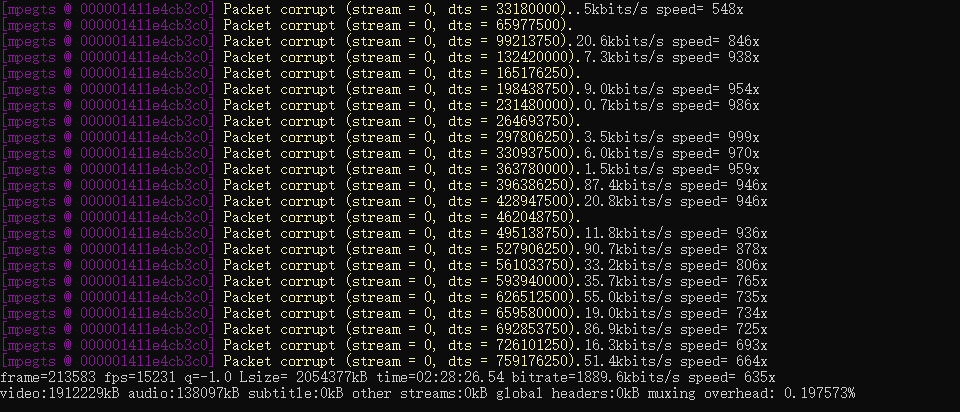
FFmpeg is used for flv/QSV format conversion (data close to copy)
Tip: After the article is written, the table of contents can be automatically generated. Please refer to the help document on the right for how to generate it Article Directory demand tool 1. QSV to M...
Introduction and use of Intel VMD technology and SPDK VMD drive module
“Always ventilate, wash hands frequently, wear masks, and gather less.” Intel VMDTechnology Introduction VMD: Volume Management Device IntelVMD(Volume Management Device) is a de...