python docx table style modification Package not found at ‘*.docx’; "no style with name ‘Table Grid’"
tags: Other jobs python docx
I encountered several problems related to docx when I was making a small demo, abbreviated as follows.
When using the python package docx to write a doc file, if you want to insert a table with a style of'Table Grid', first create an empty document'test.docx', and then write the following code under test.py in the same directory and run:
import docx

doc = docx.Document('test.docx')

table=doc.add_table(rows=3, cols=4)
table.style = doc.styles["Table Grid"]

doc.save('test.docx')
At this time, you will encounter the first problem, and the error is as follows:
Traceback (most recent call last):
  File "test.py", line 3, in <module>
    doc = docx.Document('test.docx')
  File "D:\Anaconda3\lib\site-packages\docx\api.py", line 25, in Document
    document_part = Package.open(docx).main_document_part
  File "D:\Anaconda3\lib\site-packages\docx\opc\package.py", line 116, in open
    pkg_reader = PackageReader.from_file(pkg_file)
  File "D:\Anaconda3\lib\site-packages\docx\opc\pkgreader.py", line 32, in from_file
    phys_reader = PhysPkgReader(pkg_file)
  File "D:\Anaconda3\lib\site-packages\docx\opc\phys_pkg.py", line 31, in __new__
    "Package not found at '%s'" % pkg_file
docx.opc.exceptions.PackageNotFoundError: Package not found at 'test.docx'
This is because this is an empty document, and there is nothing in the document. We open test.docx, type a few spaces in it, and delete it. Re-execution will not report this error. You can refer to it.This blog. However, another error will be reported:
Traceback (most recent call last):
  File "test.py", line 6, in <module>
    table.style = doc.styles["Table Grid"]
  File "D:\Anaconda3\lib\site-packages\docx\styles\styles.py", line 57, in __getitem__
    raise KeyError("no style with name '%s'" % key)
KeyError: "no style with name 'Table Grid'"
What do you mean, it means that there is no "Table Grid" style. At first I thought it was a problem with my docx or word version and lacked this style. Just refer to the InternetThis type of blogI changed a lot of styles, but all reported the same error.
Later, referring to the solution of the previous bug, I felt that the problem might be that the "Table Grid" style table did not appear in my word document.
We all know that the table in word can be designed with table styles, and word has many built-in styles. I immediately checked what "Table Grid" means. The result of Baidu translation is "Form grid", I open the word and insert a form and immediately understand it, please see:
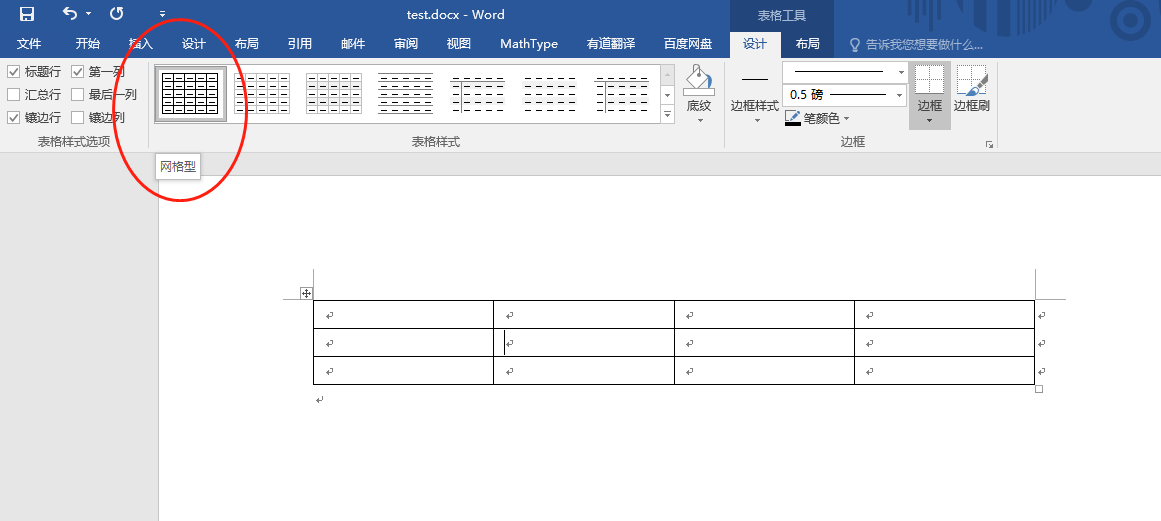
The first name of the built-in style is "Grid Type". I bet that the English version of the word at 50 cents shows "Table Grid". I selected this style for my newly created table, then deleted it, and the code can run normally.
Table modification style
For the default style such as "Table Grid", how do we modify it? Or when inserting a table with docx, we don't want to use code to set various cell formats, how can we modify the style uniformly? The answer is to directly change the format of "Table Grid" in the word.
Right-click to modify the table style
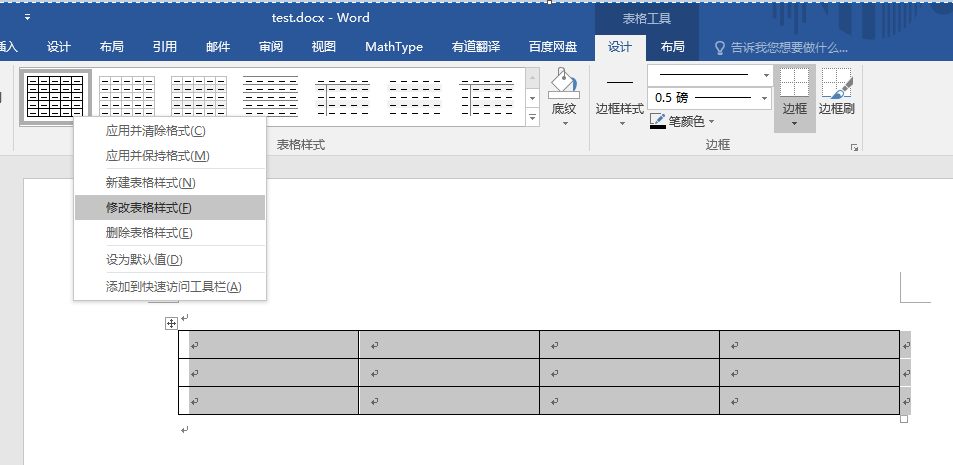
Then "Apply Format" here can select several objects we want to edit, such as the first and last rows, first and last columns, etc.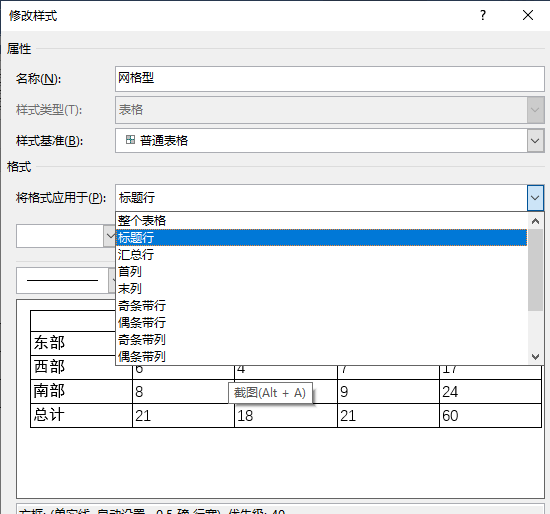
After selecting the editing object, there are some options below to modify the border, font, background, line, alignment, etc., which is very convenient
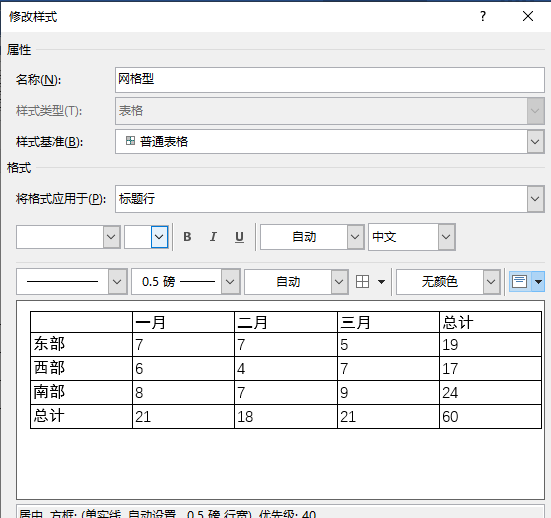
In the lower left corner of the format, there are more options to choose from, and you can also choose whether to apply to the current document or all documents.
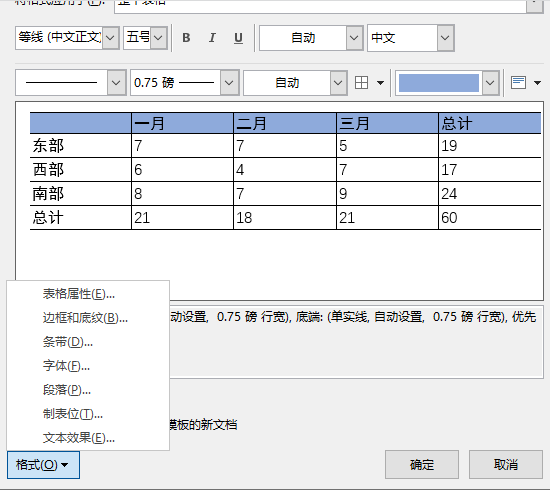
After editing these, all the tables with style "Table Grid" that I inserted into this test.docx are all the styles I designed here. For example, I set the background of the table header to blue and canceled the left and right borders. All inserted tables look like this. Is it very convenient and witty! ? Perfectly realized the function I wanted!
Intelligent Recommendation
Python-Docx adds pictures in the table
Python-Docx adds pictures in the table...
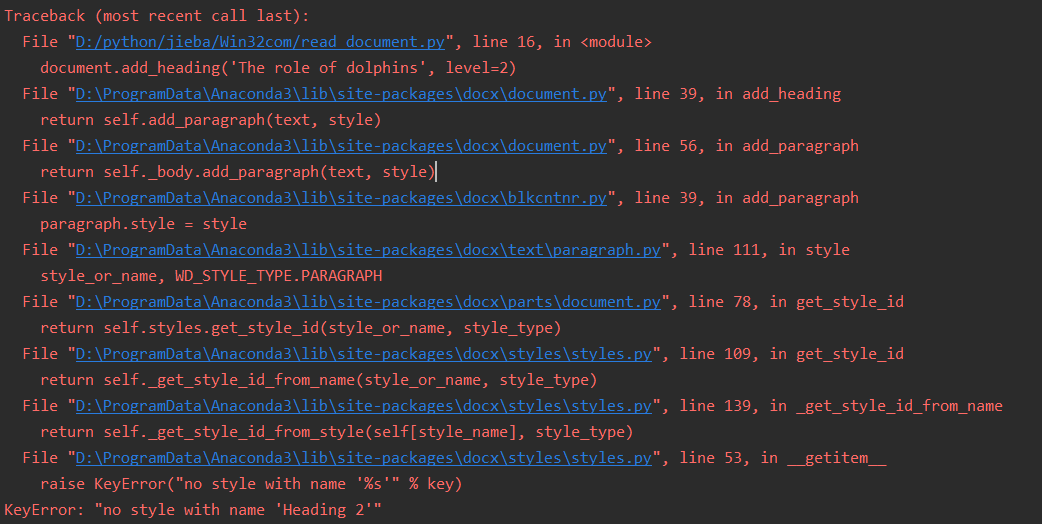
python-docx report error: KeyError("no style with name ‘%s’"% key); KeyError: "no style with name ‘Heading 2’"
Error message the reason My word is a new blank document, and there is no style inside at this time, including several levels of heading style control, we need to manually set it in the document Edit ...
Python docx text replacement preserve style
Originally I was going to create a word template, and then replace the keywords for automatic generation, but the text can be replaced, the style is lost, and many methods are used. Although the print...
Python-Docx replace string [save original style]
Background Recently, the report needs to be generated according to the template. Like EasyExcel in Java, use the placeholder in the template, and then replace data. Python-Docx can be used in Python3....
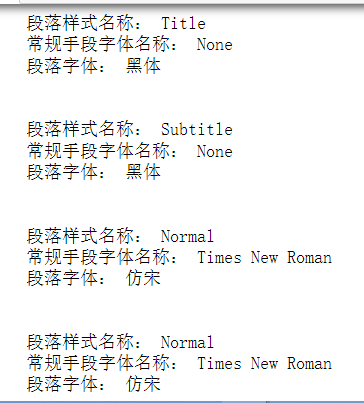
Python-Docx read the style font of Word paragraph
Python-Docx reads Word font information as NONE Record it to use Python-Docx. Recently use Python-Docx to read the docx file, and want to read the font of the file. The information found is a bit mixe...
More Recommendation
How to generate the DOCX table
Reports are often required in programming applications. This article is excerpted from VS2015, Netframework4.61, VB.NET source code, and the code itself does not depend on the WORD environment. Method...
Python-docx set table column width
Method for setting table column width: table.cell (row, col) .width = Inches (), specifies the column width of the cell, which is the same as the column width of the same column. Note: The total width...
python-docx table row width setting
I want to make an automatic text format generator, and encounter the problem of docx table setting width. There are relatively few docx materials on the Internet, and the official does not introduce t...
Python reads the table in Docx to form a triple set
The knowledge map has a step in the construction process is the knowledge extraction. There are many data in the knowledge extraction, what structured data, semi-structured data, non-structured data ....