PyQt5 (2) build QtDesigner and .ui file conversion environment
tags: python
Note: This post is a summary post of problems when you use PyQt5. If you have any errors, please correct them and exchange and learn together. My system is win10.
table of Contents
One, build QtDesigner environment
2. Add QTDesigner to the extension tool
Second, build a .ui file conversion environment
1. Convert .ui file to .py file external tool
One, build QtDesigner environment
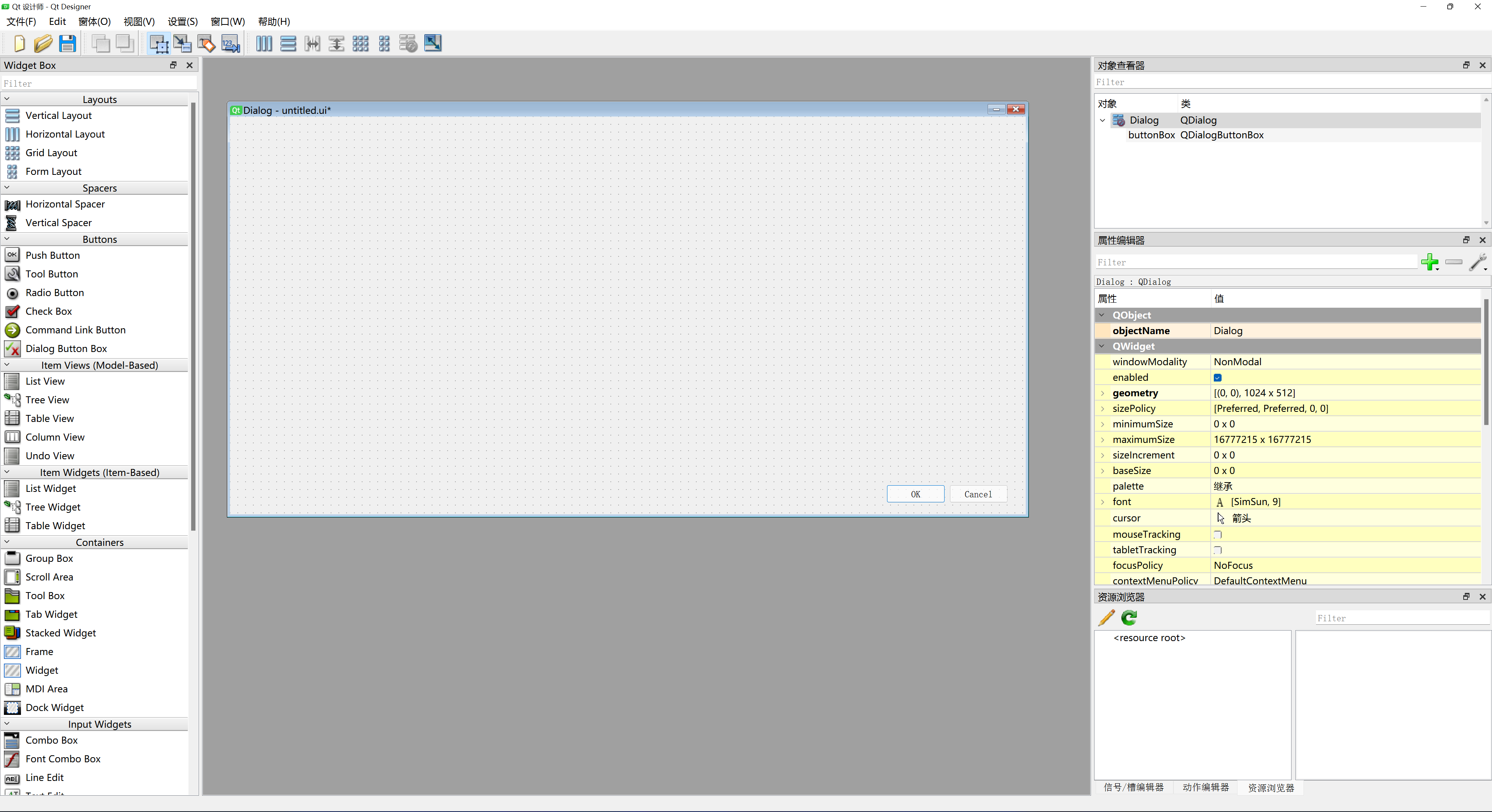
1. Find QtDesigner
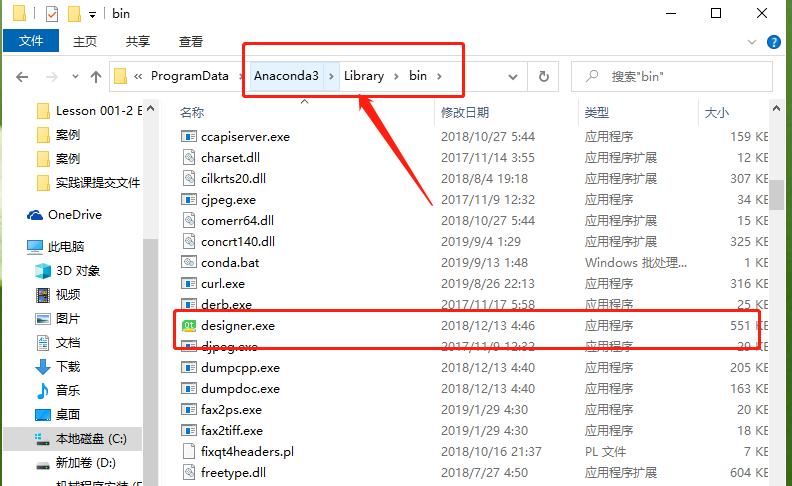
2. Add QTDesigner to the extension tool
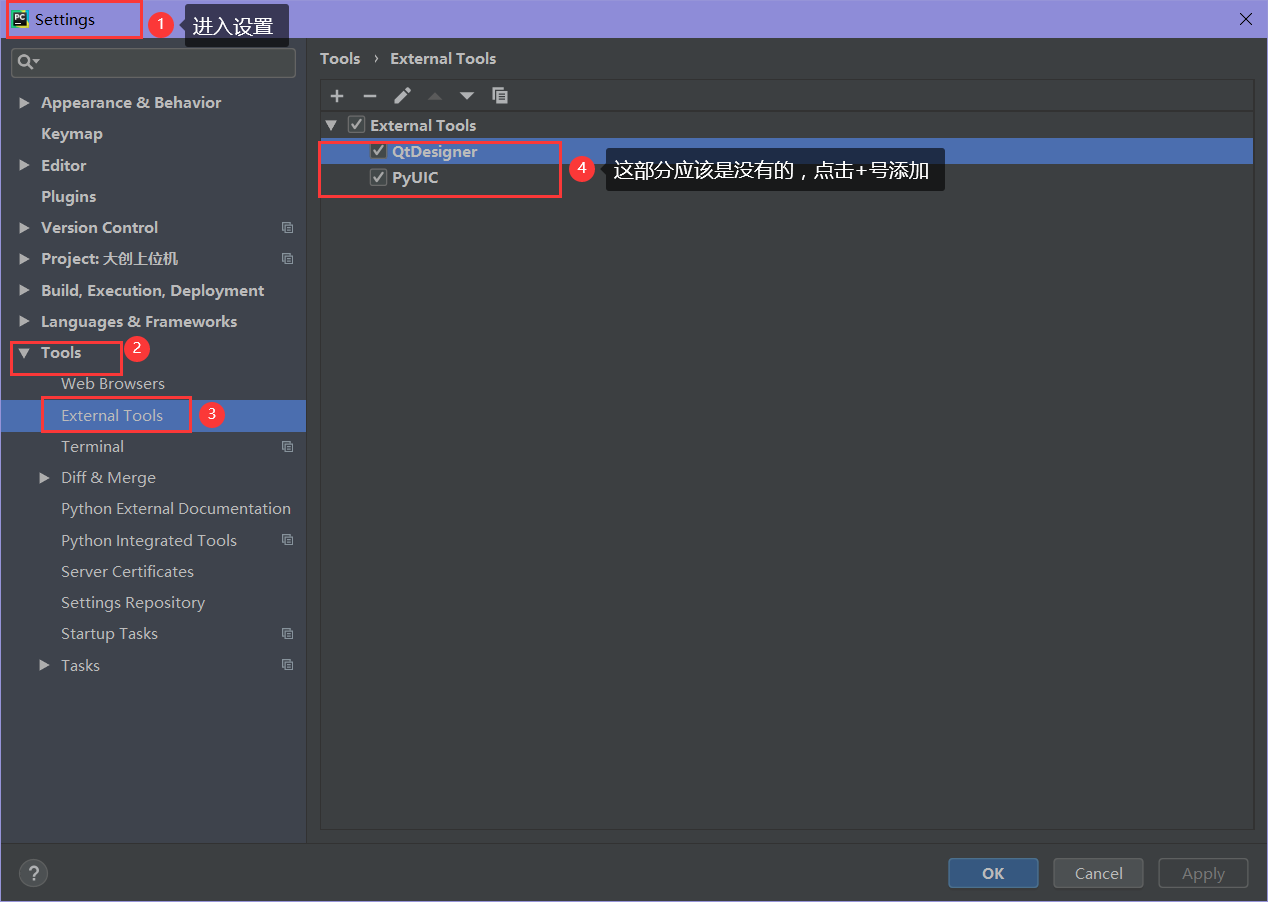
(1) Open Settings
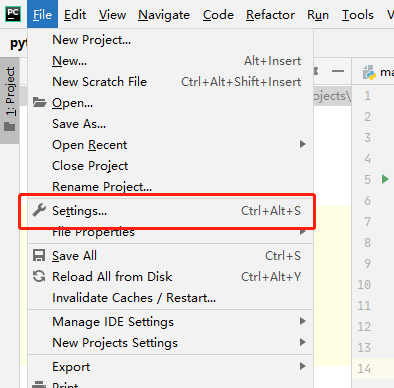
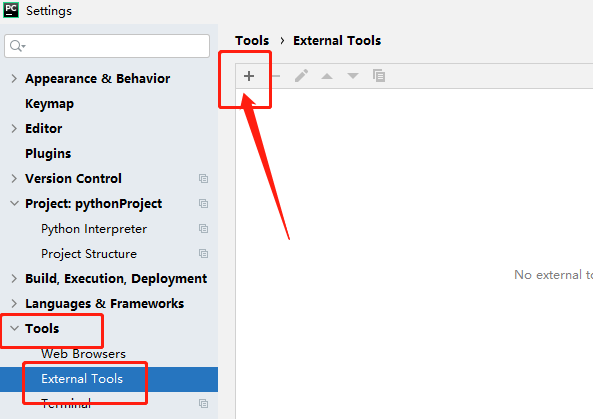
(2) Open the extension tool adding window
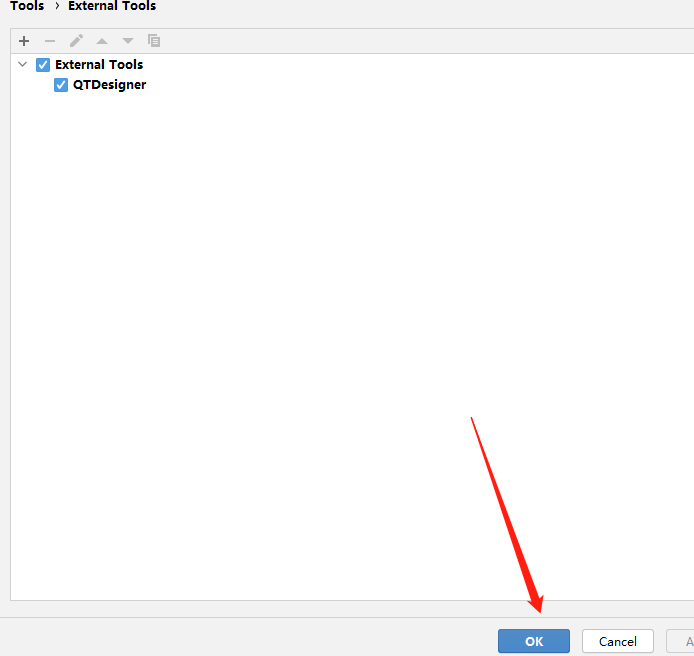
(3) Enter the project directory
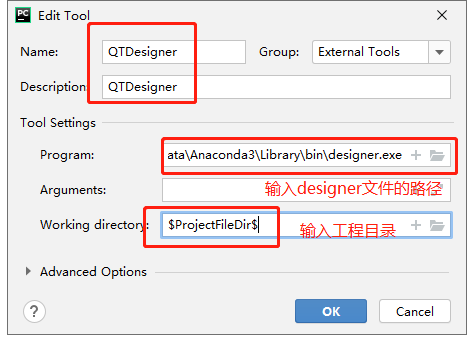
After selecting the bottom OK, be sure to point, otherwise it will not take effect
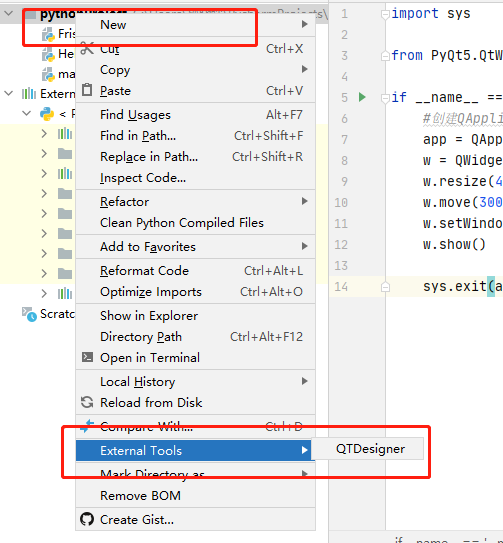
(4) Right-click the project file to start QTDesigner directly
Second, build a .ui file conversion environment
1. Convert .ui file to .py file external tool
Call the pyuic that comes with python to convert. The .ui file generated in QtDesigner can be converted into an executable .py file
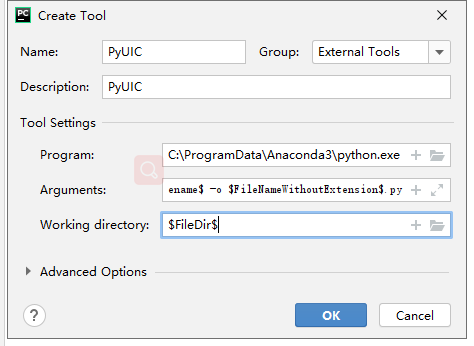
(1) Add tools
Use the same method as adding the QTDesigner tool to add the tool
Program: The path of the Python.exe file
Arguments:-m PyQt5.uic.pyuic $FileName$ -o $FileNameWithoutExtension$.py
Working directory:$FileDir$
(2) Try to apply
Select the .ui file that needs to be converted, and then find PyUIC
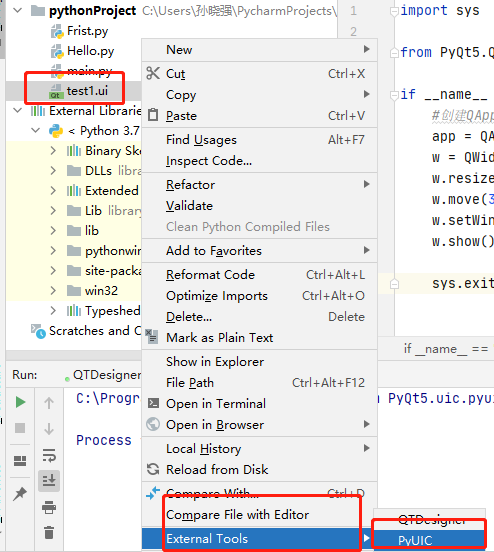
Generate a .py file with the same name.

Intelligent Recommendation

PyCharm+PyQt5 (QtDesigner) environment construction
Article Directory Install anaconda Set up pycharm's Project Interpreter Install python3.x separately (you need to install it if you don't plan to install anaconda) About QtCreator and QtDesigner 1. In...
PYQT5 + QTDesigner, Pycharm Environment Configuration
PYQT5 + QTDesigner, Pycharm Environment Configuration Download PYQT5 and PyQt5-Tools Configuring Pycharm Configuring qtdesigner Configuring Pyuic test Download PYQT5 and PyQt5-Tools Download using PIP...

A simple way to create UI using QtDesigner of pyqt5
1. Use QtDesigner to design UI Create a UI file based on the Main Window module, named textUI.ui 2. Using PyUIC willtextUI.ui is converted to textUI.py 3. Create a new file mainUItest.py Add the follo...

QtDesigner installation + design interface + conversion to .py file + pyinstaller installation + packaging PyQt5 project
QtDesigner installation First install anaconda, will bring PyQt5 and QtDesigner, configure QtDesigner to Pycharm D:\Anaconda3\Library\bin\designer.exe Program Select the designer.exe program in Anacon...
More Recommendation
Mac pycharm+qtdesigner environment to build
Test development environment In the Terminal, type the following code. If no error is reported, the installation is successful. python -c "import PyQt5" Or as sho...
PYQT5 (2) Reference IU interface for Qtdesigner design
Operation Qtdesigner Designed UI interface to Main program: Test.py...
Pycharm integrates QTDesigner and file conversion
Integrated QTDesigner First open File -> Settings in pycharm, and then set according to the following figure After the setting is completed, we can see QTDesigner in the External Tools of the proje...

Solve the problem that the python file generated by the ui file of qtdesigner in pyqt5 is difficult to modify by inheriting classes, so that you can add code
pyqt5 has been widely used as a great tool for writing interfaces in python. However, we often need to modify the interface in the process of writing the interface, that is, the ui file generated by q...
Pyqt5 Getting Started (3). UI file to .py file conversion
When a very simple window is implemented, it needs to be imported into the Python project file for instantiated and used, but the file generated by QtDesigner is a .UI suffix, so it is necessary Metho...